
Week 3 of My AWS Cloud Foundations Journey Module 3: AWS Global Infrastructure Overview
Module 1 covered what the cloud is and Module 2 covered what it costs. This module covers where it physically is, what AWS actually offers, and how you reach it.
Series: My AWS Cloud Foundations Journey (5 articles)
- …
- 3Week 3 of My AWS Cloud Foundations Journey Module 3: AWS Global Infrastructure Overview This article


KEY CONCEPTS
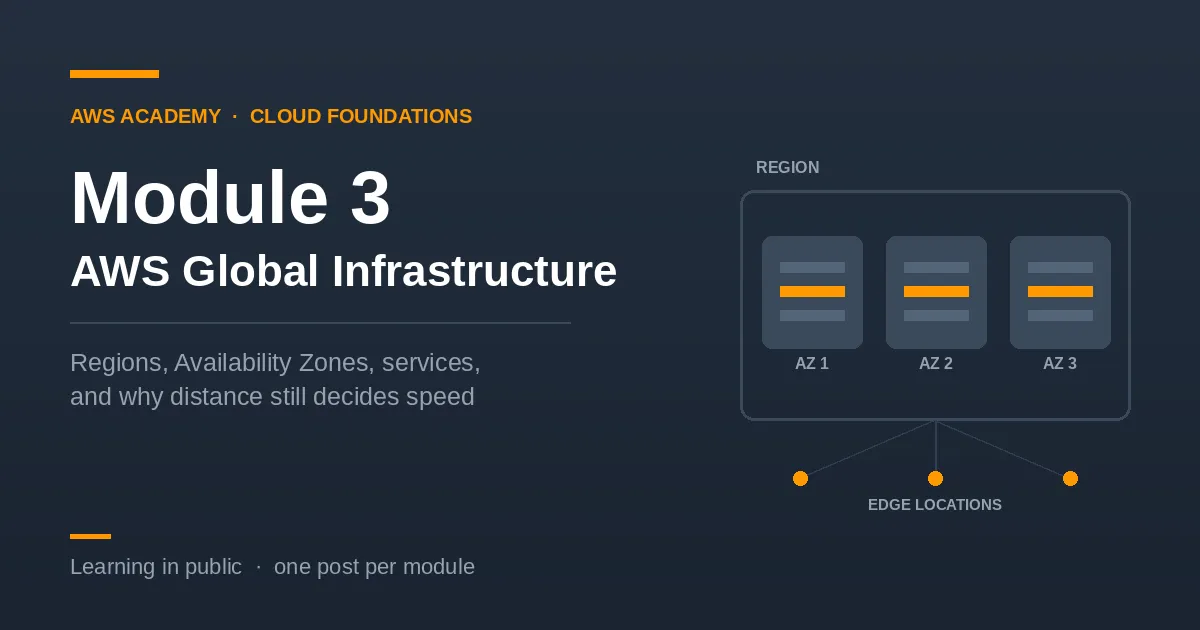
Regions — A Region is a geographic area containing multiple data centres, such as Ireland, Cape Town, or North Virginia. Regions are isolated from one another: data you put in one does not automatically move to another, which matters when regulations require information to stay inside a particular country. You choose a Region based on where your users are, what the law requires, which services are available there, and what it costs, since prices differ between Regions.
Availability Zones — Each Region contains several Availability Zones, and each AZ is one or more separate data centres with its own power, cooling, and networking. They sit far enough apart that a flood or power failure should not take out more than one, but close enough that the connection between them stays fast.
The reason this design exists is failure. If you run your application in a single AZ and that AZ goes down, you are down. Spread across two or three, and the others keep serving. This is why "deploy across multiple AZs" is repeated so often.
Data centres — The bottom layer, and the physical one. A data centre is an actual building housing the servers, storage, and network equipment that run everything else. AWS does not publish their exact locations, and each one has redundant power, cooling, and network connections. Typically a data centre holds tens of thousands of servers. This is the layer that reminds you none of this is abstract. Every instance you launch runs on a real machine in a real building that somebody has to keep cool.
Edge locations — A separate and much larger set of sites used to cache content close to users. CloudFront, the content delivery network, serves files from the nearest edge location rather than from the Region every time, so a user in Lagos can get a file that originates in Ireland without the request travelling that far on every visit.
Service categories — AWS has hundreds of services, which is overwhelming until you see that they are grouped by the job they do. The core categories are:
- Compute — running code and servers. Amazon EC2 for virtual machines, AWS Lambda for running functions without managing a server, Elastic Beanstalk for deploying applications.
- Storage — keeping files and data. Amazon S3 for object storage, EBS for disks attached to instances, EFS for shared file storage.
- Database — managed databases. Amazon RDS for relational databases, DynamoDB for NoSQL.
- Networking and Content Delivery — Amazon VPC for your own isolated network, Route 53 for DNS, CloudFront for content delivery.
- Security, Identity, and Compliance — IAM for controlling who can do what.
- Management and Governance — CloudWatch for monitoring, CloudTrail for recording what happened.
- Cost Management — tools for estimating and tracking spend, which Module 2 covered.
The useful part is not memorizing the names. It is that when you have a problem, the category tells you where to look.
Ways to interact with AWS — The Management Console for clicking through a browser, the Command Line Interface for typing commands and writing scripts, and the SDKs for calling AWS from inside your own code. The console is easier to learn on. The CLI is what you use when you need the same thing done a hundred times.
What clicked for me?
I had been thinking of the cloud as somewhere abstract. It is not. It is buildings full of servers, at the end of real cables. The cloud sounds like nowhere. It is somewhere, and the distance to it matters.
Working through this module I kept asking myself a simple question: how does something I send from my laptop actually get to AWS? The answer is that nothing special happens to it. It leaves my machine as packets, travels as radio to my router, as electrical signals through copper, as light through fibre, across a submarine cable on the seabed, and into a building full of servers at the other end. The medium changes along the way. The data does not.
That made Regions concrete for me. When the course says to pick a Region close to your users, the reason is physical distance. Traffic from Nigeria reaches European Regions over fewer kilometres of fibre than American ones, so it arrives sooner. Latency is not an abstract number in a table. It is the time light takes to cross an ocean.
It also connected to something I had already seen. I have been building a small network scanner in Python that pings every address on a local subnet. Pinging my router and pinging a server on another continent use the same protocol and the same kind of packets. The only difference is how many hops the packet makes and how far it travels. The cloud is not a different kind of network. It is the same network, further away.
Connecting it
Module 1 placed services on the IaaS–PaaS–SaaS scale. Module 2 added what drives their cost. This module adds two more questions to ask about anything in AWS: which category does it belong to, and where does it physically run. Region and AZ choices in particular are decisions you make before building anything, and they are awkward to reverse afterwards.
Part of my AWS Academy Cloud Foundations learning series.
Series: My AWS Cloud Foundations Journey (5 articles)
- …
- 3Week 3 of My AWS Cloud Foundations Journey Module 3: AWS Global Infrastructure Overview This article
Enjoyed reading this content? Let the author know!
Your likes, comments, shares, and saves help creators reach more builders.

Loading recommendations
Loading article