
Week 2 of My AWS Cloud Foundations Journey
Module 2: Cloud Economics and Billing
Series: My AWS Cloud Foundations Journey (5 articles)
- 2Week 2 of My AWS Cloud Foundations Journey This article


Key concepts
The fundamentals of AWS pricing — Three things drive almost every bill: compute, storage, and data transfer out. Data transfer into AWS is generally free, and transfer within the same Availability Zone usually is too. Paying attention to that third one matters, because it is the cost people forget to estimate.
Pay-as-you-go, and paying less by committing — The default is on-demand: you pay for what you use, with no contract. If you know you will run something steadily for a year or more, reserved capacity and savings plans reduce the rate in exchange for that commitment. Volume discounts also apply as usage grows, so the more you store or transfer, the less each unit costs.
Total Cost of Ownership (TCO) — The full cost of running infrastructure, not just the visible price. On-premises, that includes the servers, but also power, cooling, floor space, network hardware, licences, and the staff time to maintain all of it. The point of TCO is that comparing an AWS bill to the price of a server is not a fair comparison, because the server was never the whole cost.
AWS Pricing Calculator — A tool for estimating a workload before building it. You select services, set the configuration and expected usage, and it produces a monthly estimate you can share or revise. It turns a guess into something you can defend to whoever is approving the spend.
The Billing dashboard — Where you see what you have actually spent, broken down by service and over time, so you can compare the estimate against reality. Budgets and cost alerts sit here too.
Technical Support plans — Basic, Developer, Business, and Enterprise, rising in response time, scope, and cost. Support is a real line item, not an afterthought, and choosing the tier is part of estimating what a workload costs to run.
What clicked for me
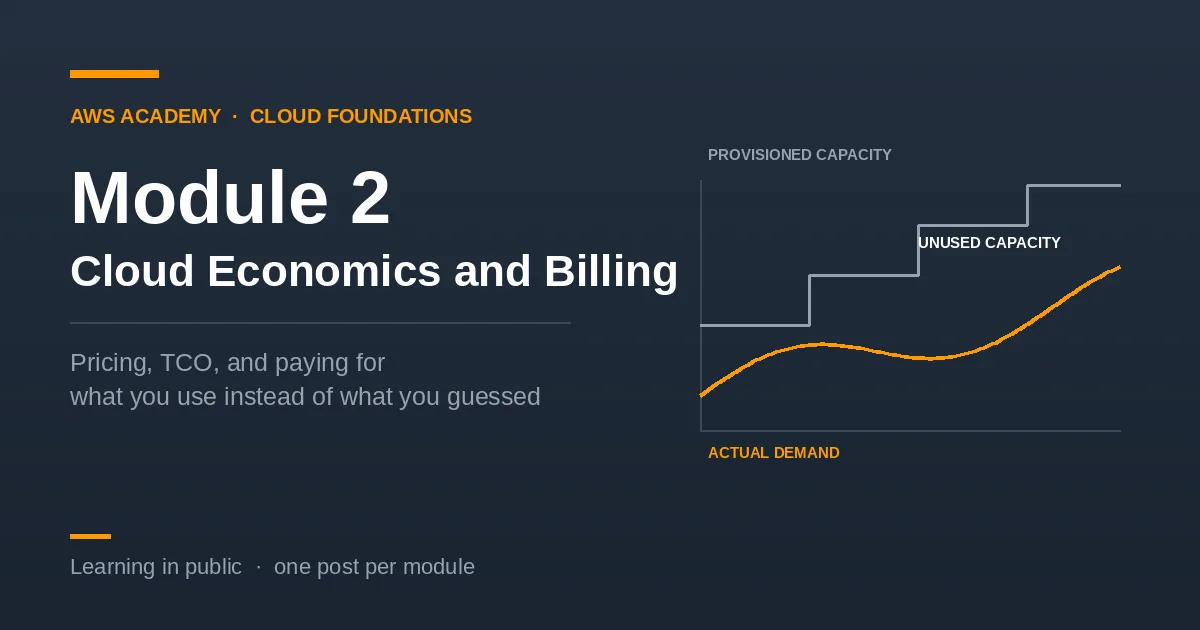
The cover image on this post is really the module in one picture. Under the traditional model you have to buy capacity before you know how much you need, so you guess, and you guess high because running out is worse than overpaying. Everything between what you bought and what you used is money spent on nothing.
What I had not fully registered until this module is that the saving is not mainly about AWS hardware being cheaper. It is that the guess disappears. You stop paying for the gap.
That reframed TCO for me too. I had been thinking of it as a way to justify the cloud after the fact. It is actually a way of noticing costs that were always there and never appeared on any invoice — the power bill, the space, the person who maintains the machine.
Connecting it
Module 1 placed every service somewhere on the IaaS–PaaS–SaaS scale. This module adds the second question to ask about any service: what drives its cost, and what am I committing to. Those two together are most of what you need before choosing anything.
On to the next!!
Part of my AWS Academy Cloud Foundations learning series.
Series: My AWS Cloud Foundations Journey (5 articles)
- 2Week 2 of My AWS Cloud Foundations Journey This article
Enjoyed reading this content? Let the author know!
Your likes, comments, shares, and saves help creators reach more builders.

Loading recommendations
Loading article