
🧰 Your AI Toolkit on AWS: Where Should You Start?
New to AI on AWS? Explore Amazon Bedrock, SageMaker AI and Amazon Q, understand what each does, and learn which service fits your AI journey.
Series: 🚀 AI on AWS: From Zero to Building (7 articles)
- 2🧰 Your AI Toolkit on AWS: Where Should You Start? This article

In the first article, we learned the basics:
AI → ML → Generative AI
We also met foundation models, prompts, tokens, embeddings, RAG and agents.
Now comes the question almost every AWS beginner eventually asks:
Which AWS AI service should I actually use?
You search AWS and find Amazon Bedrock, Amazon SageMaker AI, Amazon Q and many other AI services.
They all involve AI but they solve different problems.
Let's simplify the landscape.
1. Start With the Problem, Not the Service
Before choosing an AWS service, ask:
What am I trying to build?
For example:
I want to add generative AI to an application.
I want to build an AI agent.
I want to train or deeply customize an ML model.
I want an AI assistant for work or development.
These are different problems and may lead to different AWS services.
So instead of:
“Which AWS AI service is best?”
ask:
“Which AWS AI service fits what I'm trying to build?”
2. The Beginner's AWS AI Map
Let's start with three important paths:
🟣 Amazon Bedrock
Build AI applications and agents using foundation models.
🟢 Amazon SageMaker AI
Build, train, customize and deploy AI/ML models with greater control.
🔵 Amazon Q
Use purpose-built generative AI assistants for work and development.
That's enough to start.
Now let's understand each one.
3. Amazon Bedrock
If you're beginning with generative AI on AWS, Amazon Bedrock is one of the most important services to understand.
Amazon Bedrock is a fully managed service for building and scaling generative AI applications using foundation models.
Instead of training a large foundation model yourself, you can access models through AWS and integrate them into your applications.
Think:
Your Application
↓
Amazon Bedrock
↓
Foundation Model
↓
AI Response
And because Bedrock is serverless, AWS manages the underlying infrastructure for the managed service.
4. Bedrock Gives You Model Choice
One powerful idea behind Bedrock is that you're not limited to one foundation model.
Bedrock provides access to models from multiple providers, and AWS continues to expand the available model catalog.
Different models can be better suited to different needs, such as reasoning, text generation, multimodal understanding, embeddings, image generation, speed or cost efficiency.
So when building an application, the question becomes:
Which model best fits my use case?
not:
“Which single AI model does AWS give me?”
We'll explore model selection later in the series.
5. Bedrock Is More Than Model Access
At first, you might think:
“Bedrock just lets me call an LLM.”
But Bedrock includes capabilities for building much more complete AI applications.
For example:
Foundation Models → generate and understand content
Knowledge Bases → connect AI applications to external knowledge using RAG
Guardrails → apply safeguards to AI inputs and outputs
Agent capabilities → build systems that can reason, use tools and perform actions
Prompt management → manage reusable prompts
So our journey can evolve like this:
Foundation Model
↓
Prompting
↓
RAG
↓
Agents
↓
Guardrails
↓
Production AI Application
That's why Bedrock will be central to this beginner series.
6. Amazon SageMaker AI
Now suppose your problem is different.
Maybe you want to build, train, customize or deploy ML models, manage training workflows or gain deeper control over model infrastructure and inference.
That's where Amazon SageMaker AI becomes especially important.
SageMaker AI is a fully managed ML service for building, training and deploying AI and machine-learning models.
Think:
Data
↓
Build / Customize Model
↓
Train
↓
Evaluate
↓
Deploy
↓
Inference
SageMaker AI supports traditional ML, predictive ML and modern AI/model workflows.
7. Bedrock vs SageMaker AI
This is where beginners often get confused.
The distinction isn't simply:
Bedrock = GenAI
SageMaker = ML
Both can participate in modern AI and generative-AI architectures.
A better mental model is:
Choose Amazon Bedrock when:
You want to quickly build AI applications or agents using pre-trained foundation models, prompt engineering, RAG and managed GenAI capabilities, with minimal infrastructure management.
Consider Amazon SageMaker AI when:
You need deeper model training, customization, ML workflows, deployment flexibility or greater control over training and inference infrastructure.
AWS even notes that a common path can be to start with Bedrock and move toward SageMaker AI as customization requirements increase.
Think:
Bedrock → Build with models
SageMaker AI → Build and work deeply with models
And sometimes:
Bedrock + SageMaker AI → Together
8. A Simple Example
Imagine we're building our AWS Cloud Support Assistant.
We want users to ask:
“Why am I getting AccessDenied when uploading to S3?”
and receive an explanation.
We don't need to train an LLM from scratch.
We need an existing foundation model that can understand the question and generate a useful response.
So:
User Question
↓
Our Application
↓
Amazon Bedrock
↓
Foundation Model
↓
Response
For this stage of our project:
Amazon Bedrock is a natural starting point.
9. What About Amazon Q?
Amazon Q represents a different approach.
Instead of primarily giving developers building blocks for creating their own AI application, Amazon Q provides purpose-built generative AI experiences for particular workflows.
A simple mental model:
Amazon Bedrock
I want to BUILD an AI application.
Amazon Q
I want to USE an AI-powered assistant.
Amazon SageMaker AI
I want deeper control over BUILDING, TRAINING, CUSTOMIZING or DEPLOYING models.
There are nuances, but this distinction is useful when you're beginning.
10. What About All the Other AWS AI Services?
AWS has many additional AI and ML capabilities.
You may encounter services for speech, vision, documents, search, recommendations, contact centers and other specialized use cases.
Don't try to memorize every AI service immediately.
Instead, start with:
Problem → AI capability → AWS service
If you understand the problem you're solving, choosing the service becomes much easier.
11. The Decision Tree
Here's the beginner version I would remember:
What am I trying to do?
↓
Build a GenAI application using foundation models?
→ Amazon Bedrock
Build an AI agent?
→ Amazon Bedrock ecosystem / agent capabilities
Train, customize or deploy ML/AI models with deeper control?
→ Amazon SageMaker AI
Use a purpose-built AWS generative AI assistant?
→ Amazon Q
This isn't meant to cover every possible AWS architecture.
It's your starting map.
12. Don't Start by Training a Model
This is another common beginner misconception.
People hear “AI application” and assume:
“First I need to train an AI model.”
Often, you don't.
Modern foundation models are already trained on enormous datasets.
For many applications, you can start with:
Pre-trained Foundation Model
↓
Prompt Engineering
↓
Add Your Data with RAG
↓
Add Tools / Agents
↓
Evaluate + Secure
Only when the use case requires deeper customization should you investigate additional customization or training approaches.
Start simple.
Add complexity when the problem requires it.
13. What We're Choosing for This Series
For our project, we're building an:
AWS Cloud Support Assistant
We want it to eventually answer cloud questions, use our own knowledge, retrieve relevant information, interact with tools and operate with appropriate safeguards.
So we'll start with:
Amazon Bedrock
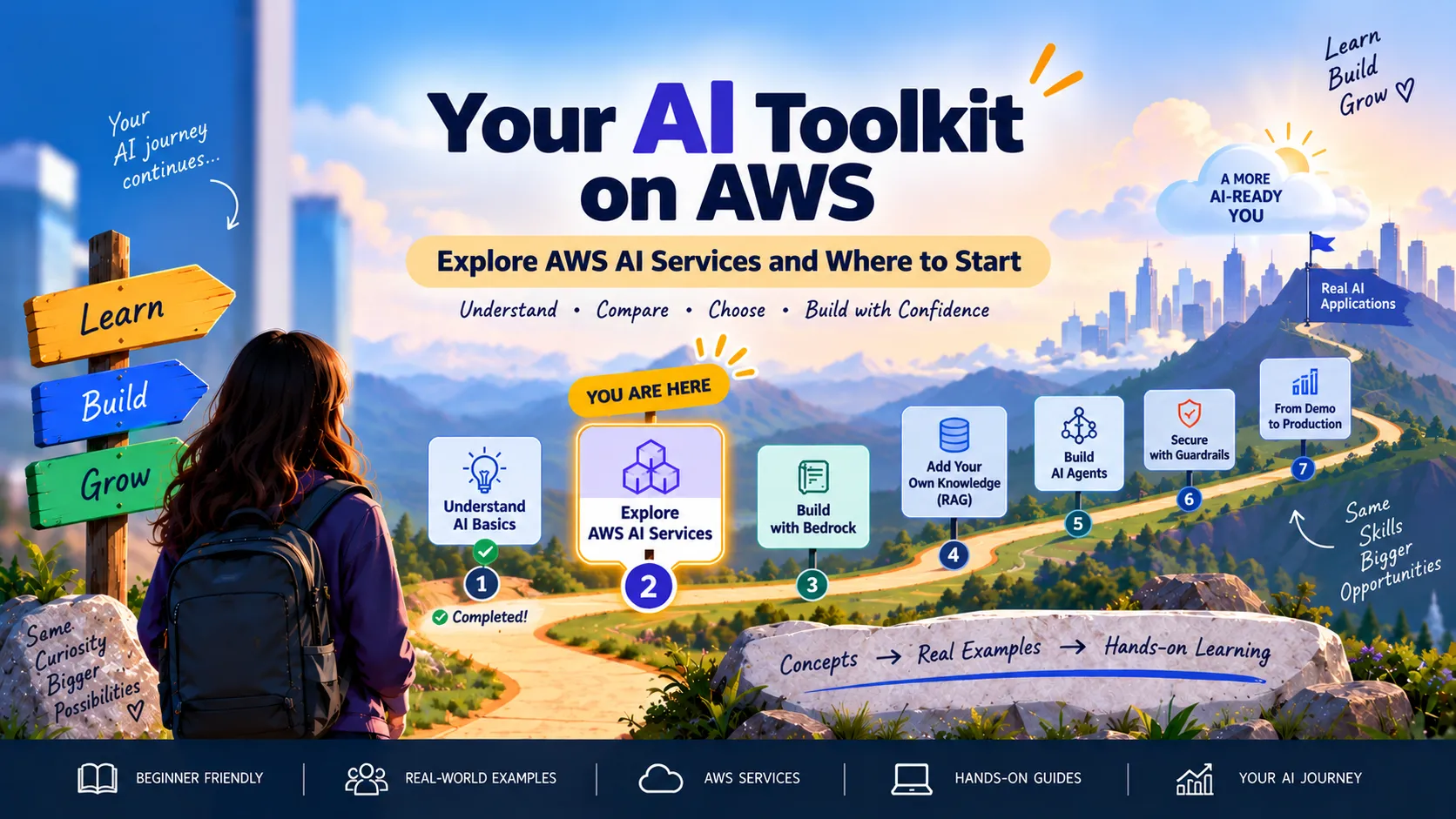
Our journey now looks like:
✅ Step 1 — Understand AI Basics
↓
👉 Step 2 — Explore AWS AI Services
↓
Step 3 — Build with Amazon Bedrock
↓
Step 4 — Add Knowledge with RAG
↓
Step 5 — Build AI Agents
↓
Step 6 — Secure with Guardrails
↓
Step 7 — Move Toward Production
We're now at Step 2.
What You Should Remember
Don't memorize AWS AI services without understanding the problem they solve.
Remember:
Amazon Bedrock → Build AI applications and agents using foundation models
Amazon SageMaker AI → Build, train, customize and deploy AI/ML models with deeper control
Amazon Q → Use purpose-built generative AI assistants
And most importantly:
Start with the business problem, then choose the AI capability, then choose the AWS service.
Not the other way around.
What's Next? 🚀
We understand the basics.
We know which AWS service we're starting with.
Now it's finally time to build.
Next:
🛠️ Build Your First AI App with Amazon Bedrock
We'll open Amazon Bedrock, choose a foundation model, send our first prompt, understand inference and turn that first model response into the beginning of our AWS Cloud Support Assistant.
No complicated architecture. We'll build it one step at a time.
AWS References
Series: 🚀 AI on AWS: From Zero to Building (7 articles)
- 2🧰 Your AI Toolkit on AWS: Where Should You Start? This article
Enjoyed reading this content? Let the author know!
Your likes, comments, shares, and saves help creators reach more builders.

Loading recommendations
Loading article