
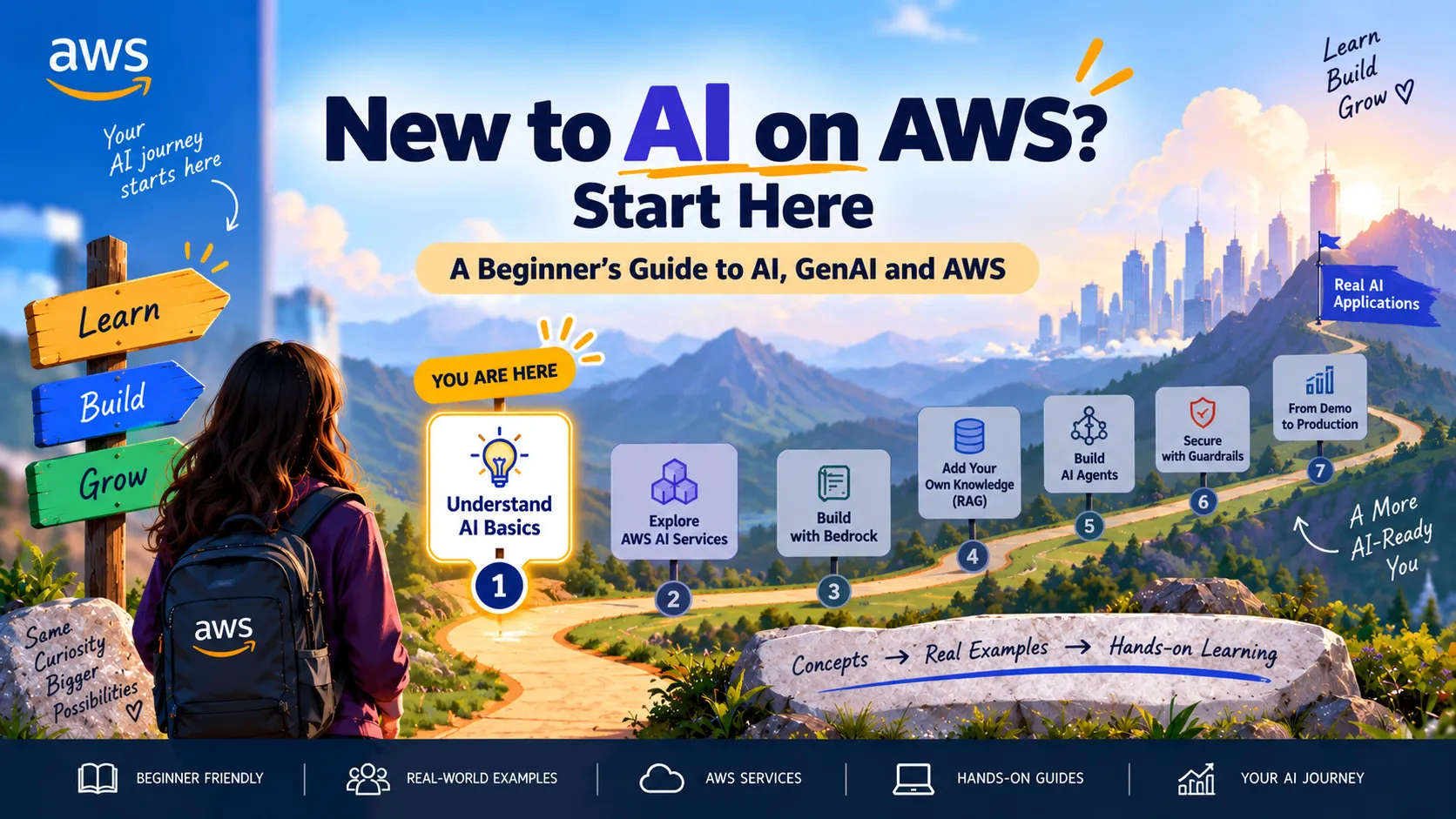
🚀 New to AI on AWS? Start Here: A Beginner’s Roadmap to Artificial Intelligence
A Beginner’s Guide to AI, GenAI & AWS
Series: 🚀 AI on AWS: From Zero to Building (7 articles)
- 1🚀 New to AI on AWS? Start Here: A Beginner’s Roadmap to Artificial Intelligence This article

You want to learn AI on AWS.
You open the AWS console and suddenly encounter:
Amazon Bedrock, SageMaker AI, foundation models, LLMs, embeddings, RAG, agents, vector databases, prompt engineering...
And you wonder:
Where am I actually supposed to start?
If that sounds familiar, this series is for you.
We're going to start from zero and gradually work toward building a real AI application on AWS.
No assumption that you're an ML engineer.
No complicated mathematics.
First, let's understand the map.
1. Start With the Big Picture
You'll often hear AI, Machine Learning and Generative AI used interchangeably, but they're not the same thing.
A simple way to think about them is:
Artificial Intelligence
↓
Machine Learning
↓
Generative AI
Artificial Intelligence — AI
AI is the broad idea of machines performing tasks that normally require human-like intelligence.
Examples include understanding language, recognizing images, making recommendations, detecting patterns and making decisions.
Machine Learning — ML
ML is a subset of AI where systems learn patterns from data instead of relying entirely on explicitly programmed rules.
For example, instead of writing hundreds of rules for detecting fraudulent transactions, an ML model can learn patterns from historical transactions.
Generative AI — GenAI
Generative AI creates new content based on patterns learned from large amounts of data.
It can generate text, images, code, summaries, conversations and other content.
Think:
AI = Big umbrella
ML = Learn patterns from data
GenAI = Generate new content
2. What Is a Model?
At the center of most AI systems is a model.
A model is essentially a system that has learned patterns from data and uses those patterns to produce predictions or outputs.
Traditional ML might answer:
“Is this transaction fraudulent?”
Generative AI might answer:
“Summarize this customer support case and suggest troubleshooting steps.”
The model receives an input and produces an output.
Simple mental model:
Input → Model → Output
3. What Is a Foundation Model?
Modern generative AI often starts with a Foundation Model (FM).
Foundation models are trained on very large and diverse datasets and can support many different tasks.
Instead of building a separate model for every problem, the same foundation model may help with summarization, question answering, content generation, classification, reasoning and coding.
Think of a foundation model as:
A powerful general-purpose AI engine that can be adapted to many tasks.
Amazon Bedrock provides access to foundation models that you can use when building generative AI applications on AWS.
4. What Is an LLM?
You've probably heard the term:
Large Language Model — LLM
An LLM is a type of foundation model focused primarily on understanding and generating language.
You give it:
Input / Prompt
↓
LLM
↓
Response
For example:
Prompt
“Explain Amazon S3 to someone new to AWS.”
↓
LLM
↓
Generated explanation
Not every foundation model is necessarily an LLM—foundation models can work with different types of data—but LLMs are one of the most common technologies behind generative AI applications.
5. What Is a Prompt?
A prompt is the instruction or information you send to a generative AI model.
For example:
“Explain Amazon EC2.”
That's a prompt.
But:
“Explain Amazon EC2 to someone studying for AWS Cloud Practitioner, use simple language and give one real-world example.”
is usually a better prompt because it provides more context.
A useful beginner framework is:
Role + Task + Context + Constraints + Output Format
The practice of designing better instructions for models is called prompt engineering.
We'll use this constantly as we start building.
6. What Are Tokens?
AI models don't process text exactly the way humans read sentences.
Text is broken into smaller units called tokens.
Very roughly:
Your Prompt → Tokens → Model → Tokens → Response
Why should a beginner care?
Because tokens influence things like how much information a model can process, how long responses can be and, depending on the service/model, cost.
You don't need to understand tokenization mathematics yet.
Just remember:
Tokens are the units models process when working with text.
7. What Are Embeddings?
This sounds complicated, but the basic idea is simple.
An embedding converts information into a numerical representation that captures meaning.
Imagine:
“Amazon S3 stores objects.”
↓
Embedding Model
↓
[0.21, -0.74, 0.38, ...]
Why would we do this?
Because computers can compare these numerical representations to identify content with similar meaning.
For example:
“How can I store files on AWS?”
may be semantically similar to:
“Amazon S3 provides object storage.”
even though the sentences don't use exactly the same words.
Embeddings become extremely useful when we reach semantic search, vector databases and RAG.
8. What Is RAG?
Imagine you ask an AI model:
“What is my company's refund policy?”
The foundation model wasn't necessarily trained on your company's private documents.
So how does it answer using your information?
One popular approach is:
Retrieval-Augmented Generation — RAG
The basic flow is:
User Question
↓
Search Your Knowledge
↓
Retrieve Relevant Information
↓
Give It to the Model
↓
Generate an Answer
Instead of expecting the model to already know your organization's information, we retrieve relevant context and provide it when generating the response.
We'll build this concept later in the series.
9. What Is an AI Agent?
A chatbot primarily responds.
An AI agent can potentially do more.
Imagine asking:
“Check this support case, identify the likely issue and create an escalation if necessary.”
A simple chatbot might explain what you should do.
An agent could potentially use authorized tools to retrieve information, call APIs, perform steps and complete actions.
Think:
LLM → Think / Reason
Tools → Act
Agent → Reason + Use Tools + Take Actions
This is why agents are becoming such an important part of modern AI applications.
10. Where Does AWS Fit?
Now we can finally connect these ideas to AWS.
AWS has many AI services, but as a beginner, start by understanding a few major paths.
Amazon Bedrock
Think:
Build generative AI applications using foundation models.
Amazon Bedrock is a fully managed service that provides access to foundation models and capabilities for building and scaling generative AI applications.
We'll use Bedrock heavily in this series.
Amazon SageMaker AI
Think:
Build, train, customize and deploy AI/ML models.
SageMaker AI provides tools and managed infrastructure across the machine-learning lifecycle.
If you're moving deeper into ML engineering, model training, advanced customization and ML workflows, SageMaker AI becomes especially important.
Amazon Q
Think:
AWS generative AI assistants for work and development.
Rather than building your own foundation-model application from scratch, Amazon Q provides AI-powered experiences designed for particular business and developer workflows.
11. Bedrock vs SageMaker AI
This is one of the first questions beginners ask.
A simple starting point:
I want to build a GenAI application using foundation models.
→ Start with Amazon Bedrock
I want deeper ML capabilities to build, train, customize and deploy models.
→ Explore Amazon SageMaker AI
The boundaries aren't absolute—there are overlapping capabilities—but this mental model is enough when you're starting.
12. Our Learning Journey
Over this series, we'll gradually move from concepts to a real application.
We'll build an:
AWS Cloud Support Assistant
Our journey will look like:
Understand AI
↓
Explore AWS AI Services
↓
Call a Foundation Model
↓
Build a Simple GenAI App
↓
Add Our Own Knowledge with RAG
↓
Give AI Tools with Agents
↓
Add Security + Guardrails
↓
Evaluate + Monitor + Optimize
Instead of learning isolated concepts, we'll watch one application become progressively smarter.
13. What You Should Remember
If you're completely new to AI on AWS, don't try to learn everything at once.
Start with these mental models:
AI → ML → Generative AI
Input → Model → Output
Prompt → Foundation Model → Response
Embeddings → Represent meaning numerically
RAG → Give AI relevant external knowledge
Agent → AI + Tools + Actions
And on AWS:
Amazon Bedrock → Build GenAI applications with foundation models
Amazon SageMaker AI → Build, train, customize and deploy AI/ML models
Don't worry if terms such as embeddings, RAG and agents still feel unfamiliar.
We're going to build them one at a time.
What's Next? 🚀
Now we understand the map.
But AWS still gives us several ways to work with AI.
So before we build anything, our next question is:
Which AWS AI service should I actually use?
Next:
🧰 Your AI Toolkit on AWS: Bedrock vs SageMaker AI and Where to Start
We'll explore the major AWS AI paths, what each service does, when you should use it and how to choose without getting overwhelmed.
Then we'll open Amazon Bedrock and start building.
AWS References
Series: 🚀 AI on AWS: From Zero to Building (7 articles)
- 1🚀 New to AI on AWS? Start Here: A Beginner’s Roadmap to Artificial Intelligence This article
Enjoyed reading this content? Let the author know!
Your likes, comments, shares, and saves help creators reach more builders.

Loading recommendations
Loading article