
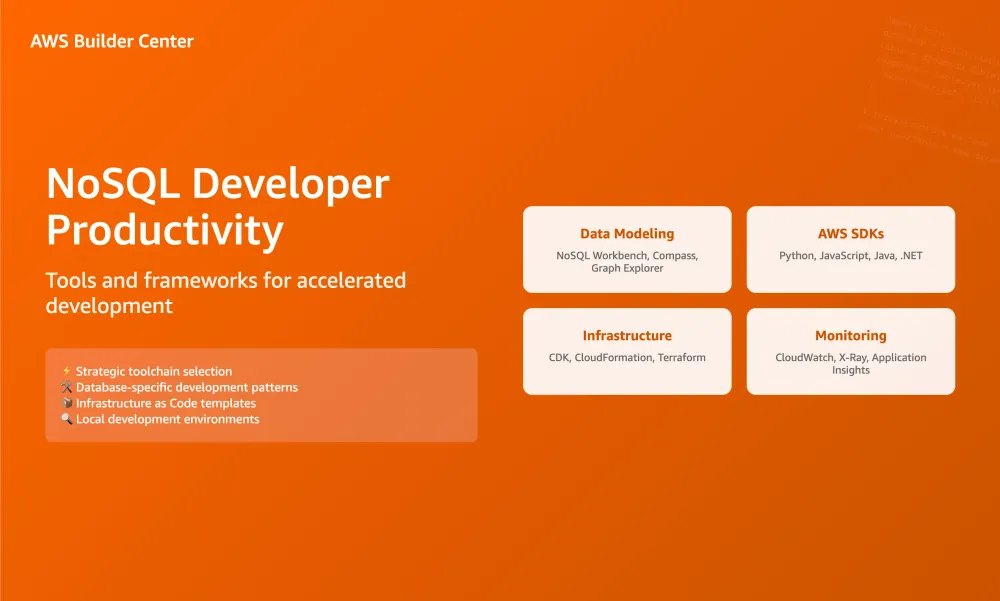
NoSQL Developer Productivity: Tools and Frameworks
Strategic toolchain selection for accelerated NoSQL development and operations

NoSQL Developer Productivity: Tools and Frameworks
Strategic toolchain selection for accelerated NoSQL development and operations
Article • 7 min read • Developer Tools
Key Takeaways
- Tool selection significantly impacts development velocity and code quality
- Different NoSQL databases require specialized development approaches
- Infrastructure as Code is essential for multi-database architectures
- Local development environments prevent costly production debugging
The NoSQL Development Lifecycle
Each NoSQL database is optimized for a different type of purpose and will have specialized tools, SDKs, and development patterns. The right toolchain can accelerate development by 3-5x while reducing bugs and operational issues.
This guide provides a strategic framework for selecting tools across the development lifecycle, from initial data modeling through production monitoring. We'll focus on tools that provide the highest productivity gains and best practices that prevent common pitfalls.
Data Modeling and Design Tools
NoSQL databases don't use query optimizers (because they slow execution and can guess wrongly sometimes) so you'll want to ensure you have the right data models and indexes in advance and that they're appropriate for your access patterns. These tools help you design optimal data structures:
DynamoDB Tools
NoSQL Workbench
Visual data modeling with access pattern validation
DynamoDB MCP Server
Model Context Protocol server for AI-assisted data modeling
Key Features: Visual table designer, GSI planning, access pattern simulation, capacity planning, AI-assisted modeling
DocumentDB Tools
MongoDB Compass
Schema analysis and query optimization
Studio 3T
Professional MongoDB IDE with query builder
Key Features: Schema visualization, query performance insights, index recommendations, real-time monitoring
Graph Database Tools
Neptune Notebooks
Jupyter-based graph exploration and modeling
Graph Explorer
Visual graph exploration and query building
Key Features: Interactive graph visualization, Gremlin/SPARQL query building, graph algorithm testing
Search & Analytics Tools
OpenSearch Dashboards
Data visualization and index management
Dev Tools Console
Query development and testing interface
Key Features: Index mapping design, query testing, performance analysis, visualization creation
In-Memory Database Tools
ElastiCache Insights
Monitoring and performance analysis for ElastiCache
MemoryDB Insights
Monitoring and management for MemoryDB
Key Features: Real-time data browsing, memory usage analysis, performance monitoring, key pattern analysis
Development Framework Strategy
Choosing the right development framework impacts long-term maintainability and team productivity. Here's our strategic framework:
High-Level ORMs for DynamoDB (Recommended for Rapid Development)
Best for: DynamoDB applications, startups, prototypes, teams new to NoSQL
DynamoDB Tools:
DocumentDB Tools:
Example: PynamoDB - Type-safe DynamoDB ORM
1
2
3
4
5
6
7
8
9
10
11
12
13
14
15
16
# PynamoDB: Type-safe DynamoDB ORM
from pynamodb.models import Model
from pynamodb.attributes import UnicodeAttribute, NumberAttribute

class User(Model):
    class Meta:
        table_name = 'users'
        region = 'us-east-1'

    user_id = UnicodeAttribute(hash_key=True)
    email = UnicodeAttribute()
    login_count = NumberAttribute(default=0)

# Type-safe operations
user = User('123', email='john@example.com')
user.save()  # Automatic validation and serialization
AWS SDKs (Recommended for Performance-Critical Applications)
Best for: High-scale production systems, performance optimization
AWS SDK Documentation:
- DynamoDB Developer Guide
- DocumentDB Developer Guide
- Neptune Developer Guide
- OpenSearch Developer Guide
Example: Boto3 - Maximum control and performance
1
2
3
4
5
6
7
8
9
10
11
12
13
14
15
16
# Boto3: Maximum control and performance
import boto3

dynamodb = boto3.resource('dynamodb')
table = dynamodb.Table('users')

# Batch operations for efficiency
with table.batch_writer() as batch:
    for user_data in user_list:
        batch.put_item(Item=user_data)

# Conditional writes for consistency
table.put_item(
    Item={'user_id': '123', 'email': 'john@example.com'},
    ConditionExpression='attribute_not_exists(user_id)'
)
Infrastructure as Code (Essential for Production)
Best for: Multi-environment deployments, team collaboration
Tools:
Example: AWS CDK - Type-safe infrastructure
1
2
3
4
5
6
7
8
9
10
11
12
13
14
15
16
17
# AWS CDK: Type-safe infrastructure
import * as dynamodb from 'aws-cdk-lib/aws-dynamodb';

const userTable = new dynamodb.Table(this, 'UserTable', {
  tableName: 'users',
  partitionKey: { name: 'user_id', type: dynamodb.AttributeType.STRING },
  billingMode: dynamodb.BillingMode.PAY_PER_REQUEST,
  pointInTimeRecovery: true,
  deletionProtection: true,
});

// Add GSI with proper configuration
userTable.addGlobalSecondaryIndex({
  indexName: 'email-index',
  partitionKey: { name: 'email', type: dynamodb.AttributeType.STRING },
  projectionType: dynamodb.ProjectionType.KEYS_ONLY,
});
Local Development Environment
Critical for: Testing, debugging, offline development
Tools:
💡 Pro Tip: Local Development Setup
Use local development tools like DynamoDB Local for rapid iteration. For services like ElastiCache and DocumentDB, consider using their local equivalents or development clusters.
Testing and Quality Assurance
Essential for: Reliability, regression prevention, team confidence
Tools:
Production Monitoring and Observability
Critical for: Performance optimization, issue detection, capacity planning
Tools:
Development Anti-Patterns to Avoid
❌ Skipping Local Development Setup
Local development environments can accelerate iteration for many use cases, though some advanced features may require cloud testing.
❌ Manual Infrastructure Management
Using the AWS Console to deploy is easy but not reproducible and not version tracked. Use Infrastructure as Code from day one.
❌ Ignoring Database-Specific Patterns
Each NoSQL database has optimal access patterns. Don't use DynamoDB like a relational database or treat all document databases the same.
Tool Selection Decision Framework
Team Experience Level
| Experience Level | Recommended Tools |
|---|---|
| New to NoSQL | Start with AWS SDK documentation + NoSQL Workbench |
| Experienced Team | Use AWS SDKs + Infrastructure as Code |
| Performance Critical | AWS SDKs + Custom monitoring solutions |
Next Steps
- Assess your team's experience level and choose appropriate tools
- Set up local development environment before building against AWS
- Implement Infrastructure as Code from the beginning
- Establish monitoring and observability early in development
Enjoyed reading this content? Let the author know!
Your likes, comments, shares, and saves help creators reach more builders.

Loading recommendations
Loading article