
What Happens After You Click “Delete Account”? ☁️
Discover how AWS Lambda and EventBridge Scheduler automate account deletion after 30 days, replacing fragile timers with scalable serverless cleanup jobs.
Series: Serverless in Practice (3 articles)
- 3What Happens After You Click “Delete Account”? ☁️ This article

Imagine you're building a social media platform. A user decides to leave and clicks Delete Account. Your application tells them their account will be permanently deleted after 30 days.
Simple enough. But who's keeping track of those 30 days?
The setTimeout() Trap
A beginner might try something like this:
1
2
3
setTimeout(() => {
    deleteUserAccount(userId);
}, 30 * 24 * 60 * 60 * 1000);
It works until your server restarts, crashes, or gets redeployed. The timer disappears, and the deletion might never happen.
The next idea? A background worker that periodically checks for expired accounts.
Better! But if you're running a dedicated worker 24/7 just to perform occasional cleanup, is there a simpler approach?
Let the Cloud Handle It ☁️
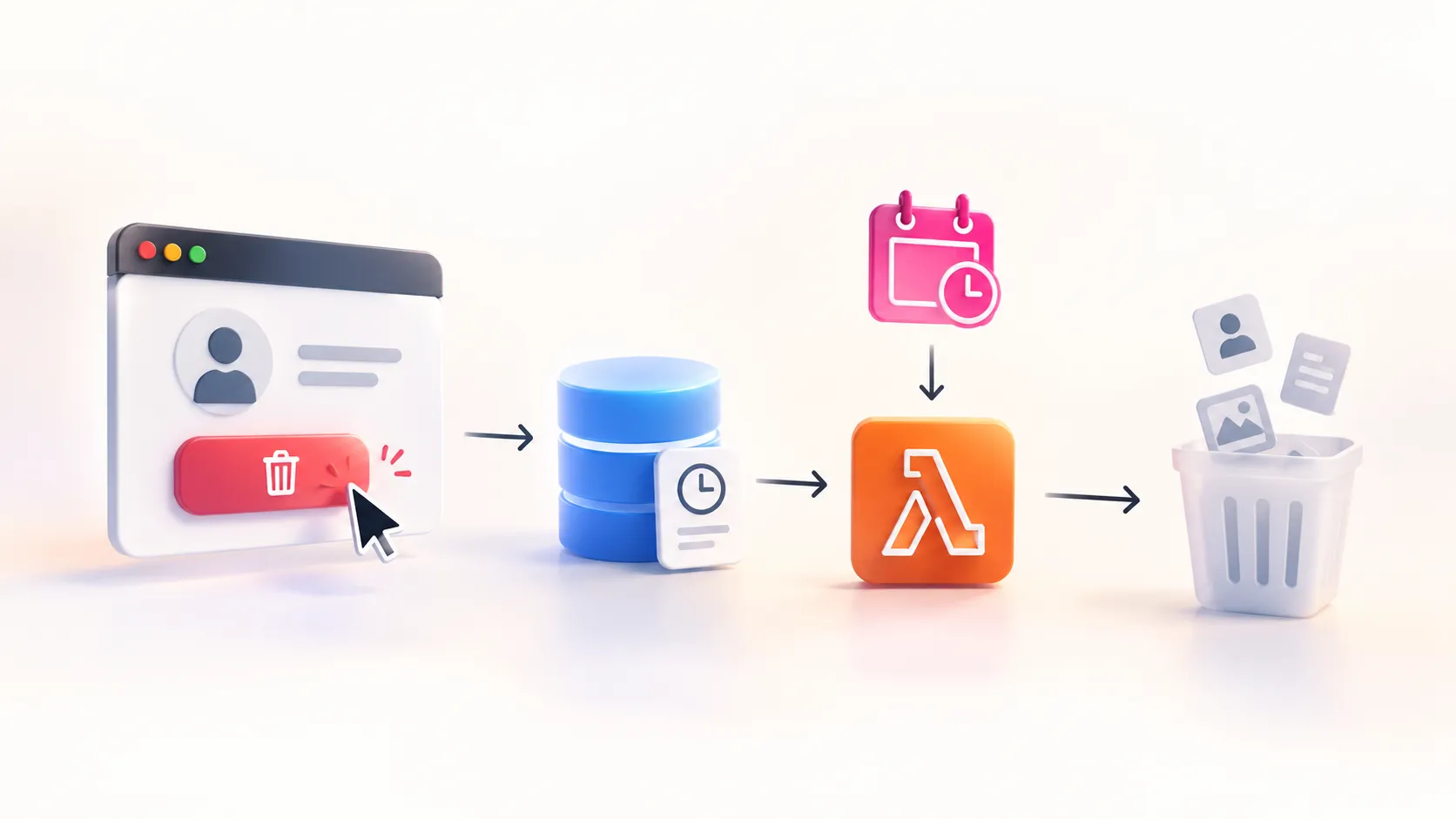
Instead of maintaining another continuously running service, we can use AWS Lambda and Amazon EventBridge Scheduler.
Here's how it works:

- The application stores the deletion request and its deadline in the database.
- EventBridge Scheduler triggers Lambda once a day.
- Lambda finds accounts whose deletion deadlines have passed.
- Before deleting anything, it verifies that the request hasn't been cancelled.
- Eligible accounts are processed, and the results are recorded.
No dedicated cleanup server needs to run continuously. The scheduler invokes Lambda independently, so the main application doesn't need to trigger the cleanup job itself.
Is It Production-Ready?
Not automatically.
You still need to handle retries, duplicate executions, partial failures, and users cancelling deletion while cleanup is in progress. And remember, deleting an account might involve removing files and personal data from multiple services, not just deleting a database row.
There's also a trade-off: a daily cleanup job might execute several hours after an account's deadline. If precise timing matters, consider a different scheduling strategy.
The Takeaway
Not every background task needs a permanently running worker.
Sometimes, a scheduled serverless function is all you need.
Persist the deadline. Execute the work when needed.
The next time you build a feature that says "We'll take care of this in 30 days," don't just ask how to set the timer.
Ask yourself: What happens when the timer never fires?
Series: Serverless in Practice (3 articles)
- 3What Happens After You Click “Delete Account”? ☁️ This article
Enjoyed reading this content? Let the author know!
Your likes, comments, shares, and saves help creators reach more builders.

Loading recommendations
Loading article