
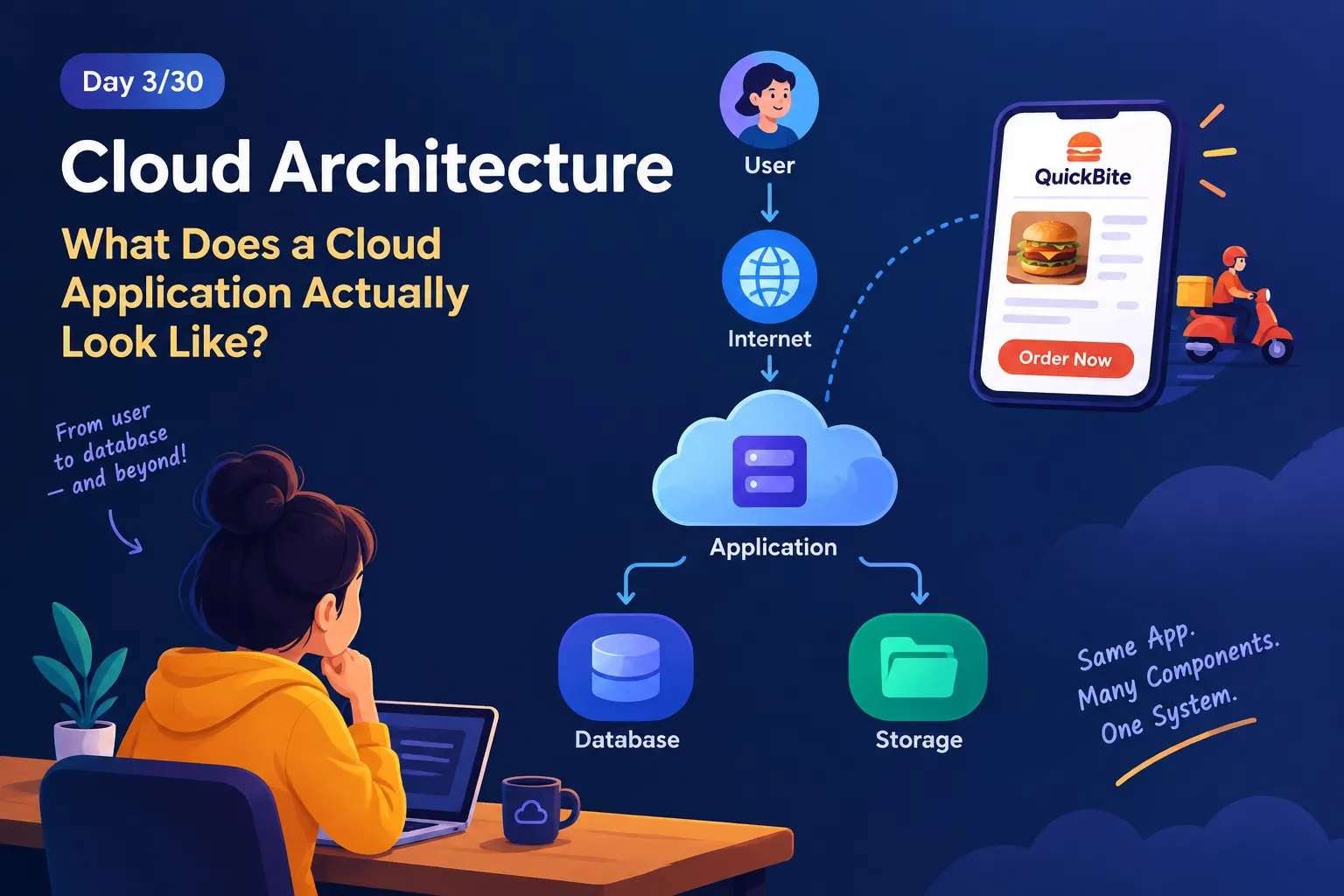
Cloud Architecture — What Does a Cloud Application Actually Look Like? ☁️
Exploring the basic building blocks of cloud architecture and how applications, databases, storage, and users work together. ☁️ Using a real-world food delivery example, we’ll take our first step toward thinking like a cloud architect. 🚀
Series: Cloud Computing (24 articles)
- …
- 3Cloud Architecture — What Does a Cloud Application Actually Look Like? ☁️ This article

☁️ Day 3/30: Cloud Architecture — What Does a Cloud Application Actually Look Like?
Yesterday, we explored the difference between traditional IT and cloud computing.
But that leaves us with a bigger question:
If our application is running in the cloud, what does it actually look like?
Let's find out by building something ourselves. 🏗️
🍔 Meet QuickBite
Imagine you're building QuickBite, an online food-delivery application.
A customer opens the app, searches for a restaurant, places an order, and tracks the delivery.
It looks simple from the customer's side.
But behind that simple experience, several different components have to work together.
For example:
- 👤 Customers need to access the application.
- 🖥️ The application needs somewhere to run.
- 🗄️ Customer and order information needs to be stored.
- 💾 Restaurant images and other files need storage.
- 🌐 All these components need to communicate with each other.
So instead of thinking about QuickBite as one big application, let's break it into smaller building blocks.
🏗️ The First Version of Our Architecture
Here's our starting point:
1
2
3
4
5
6
7
8
9
10
11
                 👤 CUSTOMER
                      │
                      ▼
                 🌐 INTERNET
                      │
                      ▼
               🖥️ APPLICATION
                      │
                 ┌────┴────┐
                 ▼         ▼
             🗄️ DATABASE  💾 STORAGE
Simple, right?
Now let's understand what each part actually does.
👤 1. The User
Everything starts with the user.
A customer might:
- Search for a restaurant
- View a menu
- Add food to a cart
- Place an order
- Track an order
The user sends requests to our application through the internet.
🌐 2. The Internet
The internet provides the communication path between the user and our application.
For example:
1
2
3
4
5
Customer
   ↓
Internet
   ↓
QuickBite Application
When a customer clicks "Place Order", that request needs to travel to the application.
🖥️ 3. The Application
Now we reach the part that actually processes the request.
Suppose a customer clicks:
Place Order 🍕
The application might need to:
- Identify the customer.
- Check the restaurant.
- Check the selected items.
- Create the order.
- Store the order information.
- Return a response to the customer.
So we can think of the application as the brain that processes the business logic.
🗄️ 4. The Database
Our application needs to remember information.
For QuickBite, this could include:
1
2
3
4
5
👤 Customer details
🍔 Restaurant details
🛒 Orders
📍 Delivery information
💳 Payment status
That's where a database comes in.
The application can communicate with the database to store and retrieve structured information.
For example:
1
2
3
4
5
6
7
8
9
Customer places order
        ↓
Application processes request
        ↓
Database stores order
        ↓
Application sends confirmation
        ↓
Customer sees "Order Placed!" ✅
The important idea is:
The application processes information. The database remembers information.
💾 5. Storage
Now imagine that restaurants upload:
- 🍔 Food images
- 🏪 Restaurant logos
- 📄 Menu files
- 🎨 Promotional banners
These are files and objects rather than the structured records we normally keep in a database.
That's where a separate storage layer can be useful.
So our architecture now looks like this:
1
2
3
4
5
6
7
8
9
10
                    👤 CUSTOMER
                         │
                         ▼
                    🌐 INTERNET
                         │
                         ▼
                  🖥️ APPLICATION
                    ↙          ↘
                   ↓            ↓
             🗄️ DATABASE     💾 STORAGE
Each component has a different responsibility.
And this is where architecture starts to become interesting.
🧠 Architecture Is About Connections
A cloud architecture isn't simply a collection of cloud services.
It's about understanding:
What components do we need, what responsibility does each component have, and how do those components communicate?
Think of a restaurant.
A restaurant doesn't have one person doing everything.
You might have:
👨🍳 Chef → prepares food
🧑💼 Manager → manages operations
💰 Cashier → handles payments
📦 Store room → stores ingredients
🧑💼 Manager → manages operations
💰 Cashier → handles payments
📦 Store room → stores ingredients
Each part has a different responsibility.
A cloud application works in a similar way.
Different components perform different jobs.
🚨 But There's a Problem...
Our QuickBite application is working perfectly.
At first, only 100 people are using it.
Then Friday evening arrives. 😳
Suddenly...
10,000 hungry customers open QuickBite at the same time.
1
2
3
4
5
6
        👥 👥 👥 👥 👥 👥
        👥 👥 👥 👥 👥 👥
                 ↓
          🖥️ APPLICATION
                 ↓
            🗄️ DATABASE
What could happen?
The application may receive far more requests than it was designed to handle.
Response times could increase.
Resources could become overloaded.
And if one critical component fails, users may not be able to use the application.
Now we have a new architectural question:
How do we design QuickBite so it can handle growth and unexpected problems?
Don't worry—we aren't solving that problem today.
We're going to build the solution step by step throughout this challenge. 🚀
🏗️ Think Like a Cloud Architect
Imagine you're designing an online college portal.
It has:
- 👨🎓 Student login
- 📝 Exam registration
- 📚 Study materials
- 🗄️ Student records
- 📄 PDF documents
You have four building blocks:
A. Compute
B. Database
C. Storage
D. Network
B. Database
C. Storage
D. Network
🤔 Question
Where would you primarily store structured student records such as:
- Student ID
- Name
- Course
- Exam registration
A. Compute
B. Database
C. Storage
D. Network
✅ Answer: B — Database
A database is designed to store and retrieve structured application data.
The other components have different responsibilities.
🎨 Your Architecture Challenge
Now it's your turn.
Design QuickBite v1.0 using only these five components:
1
2
3
4
5
👤 User
🌐 Internet
🖥️ Application
🗄️ Database
💾 Storage
Try drawing the architecture yourself.
Start with:
1
2
3
4
5
6
7
User
  ↓
  ?
  ↓
  ?
  ↓
  ?
Then decide:
- Where does the user request go?
- Where does the application run?
- Where should customer/order data go?
- Where should restaurant images go?
Don't worry about AWS service names yet.
At this stage, focus on understanding the role of each component.
🔮 What's Coming Next?
We've created our first version of QuickBite.
But there's still a lot to figure out.
Our next question is:
Do we always need to manage the servers ourselves?
What if someone else manages the infrastructure for us?
What if we only want to deploy our application?
And what if we simply want to use a ready-made software product?
These questions lead us to three important cloud service models:
☁️ IaaS
☁️ PaaS
☁️ SaaS
We'll explore them next.
📌 Day 3 Takeaways
By the end of today, you should understand:
- A cloud application can be divided into different components.
- Each component has a specific responsibility.
- Applications communicate with databases and storage.
- Architecture describes how these components work together.
- A good architect thinks about growth, communication, and potential failures.
- We can start designing architecture before worrying about specific cloud services.
🚀 Day 3/30 — Cloud Computing & Cloud Architecture Challenge
Today: We opened the hood of a cloud application and built our first simple architecture.
Next: IaaS vs PaaS vs SaaS — Who manages what?
The architecture is only getting started. ☁️🏗️
Series: Cloud Computing (24 articles)
- …
- 3Cloud Architecture — What Does a Cloud Application Actually Look Like? ☁️ This article
Enjoyed reading this content? Let the author know!
Your likes, comments, shares, and saves help creators reach more builders.

Loading recommendations
Loading article