
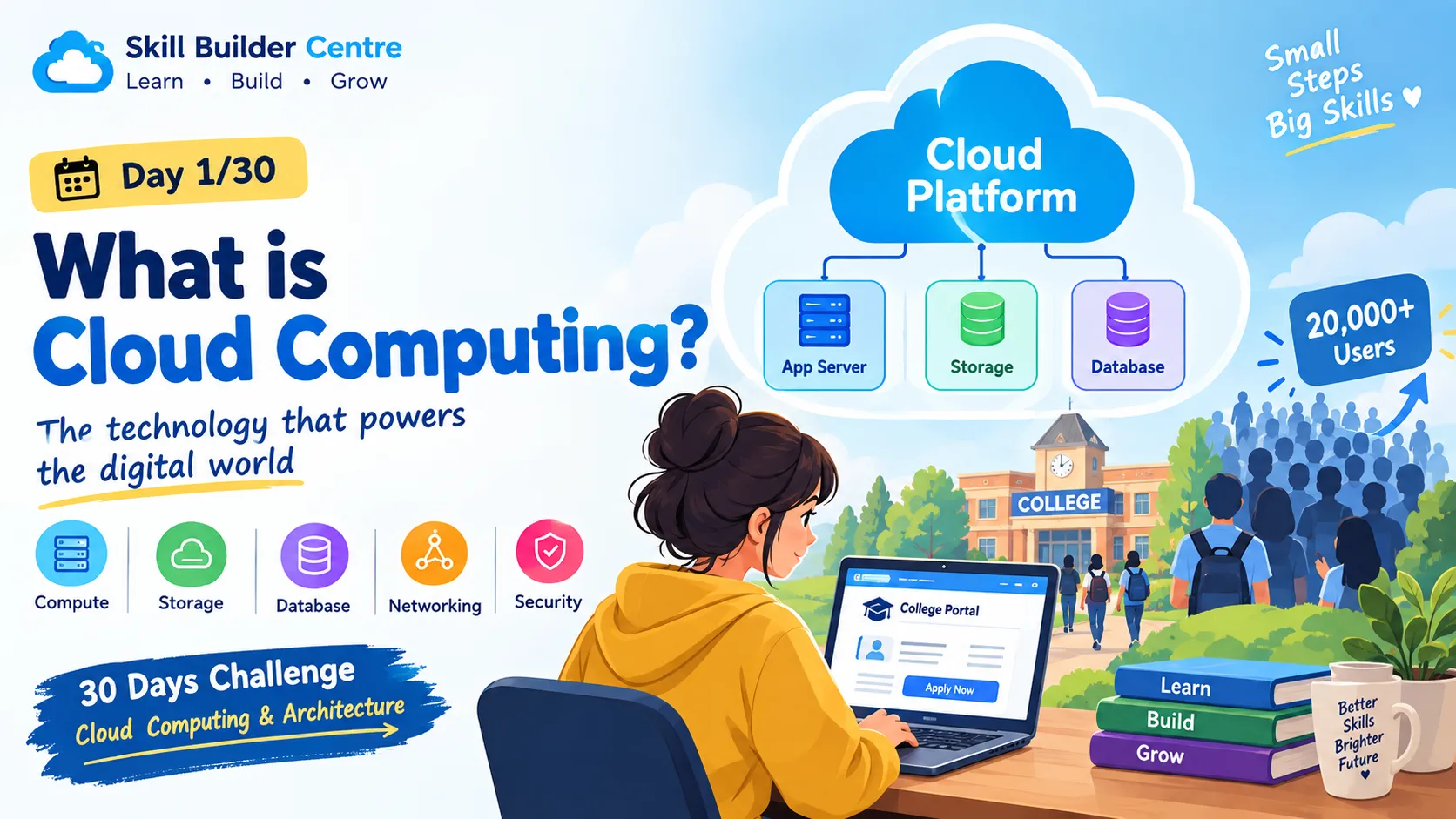
What is Cloud Computing?☁️
Day 1/30 — What Is Cloud Computing? | A beginner-friendly journey into Cloud Computing & Architecture.
Series: Cloud Computing (24 articles)
- 1What is Cloud Computing?☁️ This article

☁️ Day 1/30: What Is Cloud Computing?
🚨 Imagine This: It's Admission Day!
It's 10 AM on admission day at a college.
Normally, the college website gets around 500 visitors a day. Everything works smoothly—students check notices, download documents, and fill out forms.
But today, the college announces:
"Online admission registration starts at 10 AM!"
Within minutes, thousands of students start visiting the website.
500 users → 5,000 users → 20,000 users! 😱
Suddenly:
- The website becomes slow.
- Some students can't log in.
- Pages take forever to load.
- Forms fail to submit.
- The server struggles to handle all the requests.
Now imagine if the college could quickly increase its computing resources when thousands of students arrive and reduce them when the traffic goes back to normal.
Sounds useful, right?
That's where cloud computing comes in. ☁️
☁️ What Is Cloud Computing?
In simple words:
Cloud computing means using computing resources over the internet instead of owning and managing all the physical hardware yourself.
These resources can include:
🖥️ Computing power — to run applications
💾 Storage — to store files and documents
🗄️ Databases — to store structured information
🌐 Networking — to connect different systems
🔐 Security services — to control access and protect resources
Instead of buying a physical server for our college website, the college can use computing resources provided by a cloud provider.
And when the workload changes, the resources can be adjusted according to the application's needs.
This ability to adjust resources according to demand is called scalability.
🏢 Traditional IT vs ☁️ Cloud Computing
Let's compare the two approaches using our college website.
🏢 Traditional IT
In a traditional setup, the college might purchase and maintain its own physical servers.
1
2
3
4
5
6
7
👩🎓 Students
↓
🌐 Internet
↓
🖥️ Physical Server
↓
🗄️ Database
The college is responsible for:
- Buying hardware
- Setting up servers
- Maintaining the infrastructure
- Replacing faulty hardware
- Planning for future capacity
But what happens when traffic suddenly increases?
The existing server may not have enough capacity.
Adding physical hardware takes time and money.
☁️ Cloud Computing
With cloud computing, the organization can use infrastructure provided by a cloud provider.
1
2
3
4
5
6
7
8
9
👩🎓 Users
↓
🌐 Internet
↓
☁️ Cloud Platform
↓
🖥️ Application
💾 Storage
🗄️ Database
The organization doesn't need to own all the underlying physical infrastructure.
Instead, it can provision the resources it needs and, depending on the architecture, scale them as demand changes.
🏗️ Your First Cloud Architecture
Let's build a very simple architecture for our college website.
1
2
3
4
5
6
7
8
9
10
11
12
13
👩🎓 👨🎓 👩🎓
USERS
│
↓
🌐 INTERNET
│
↓
☁️ CLOUD PLATFORM
│
┌──────────┼──────────┐
↓ ↓ ↓
🖥️ APP 💾 STORAGE 🗄️ DATABASE
SERVER
Now let's understand each component.
👩🎓 Users
These are the students, teachers, and staff accessing the college website.
🌐 Internet
The internet connects users to the application's cloud infrastructure.
☁️ Cloud Platform
The cloud platform provides the computing resources needed to run our application.
Examples of major cloud platforms include AWS, Microsoft Azure, and Google Cloud.
🖥️ Application Server
The application server runs the logic of our website.
For example:
Student clicks "Submit Application" → The application processes the request.
💾 Storage
Storage can be used for files such as:
- PDFs
- Images
- Certificates
- Assignment files
- Documents
🗄️ Database
The database stores structured information such as:
- Student names
- Course details
- Registration information
- Application status
- Exam records
🌍 Real-World Example: Online Shopping
Think about an online shopping website.
On a normal day, the website might have a moderate number of visitors.
But imagine a huge sale starts.
Suddenly, thousands or even millions of customers may try to:
🛒 Browse products
❤️ Add products to wish lists
🛍️ Add items to carts
💳 Place orders
❤️ Add products to wish lists
🛍️ Add items to carts
💳 Place orders
The infrastructure needs to handle this increase in workload.
The same basic idea applies to our college website.
Normal day
Normal traffic → Normal resource requirements
Admission day
Huge traffic → Greater resource requirements
This is why scalability is an important concept in cloud architecture.
📈 What Does "Scalability" Mean?
Let's make it super simple.
Imagine your college website normally needs:
1
🖥️ 1 Application Server
But during admission, traffic suddenly increases.
The architecture may need additional computing capacity:
1
2
🖥️    🖥️    🖥️    🖥️
Server Server Server Server
When the traffic goes down, fewer resources may be needed again.
The idea is:
Increase resources when demand increases and reduce them when demand decreases.
This is the basic idea behind scalability.
🧠 Think Like a Cloud Architect
Now forget that you're a student for a moment.
Imagine you're the person responsible for designing the college's student portal. 🏗️
The portal needs:
- 👩🎓 Student login
- 📚 Course information
- 📝 Exam registration
- 📄 PDF downloads
- 🗄️ Student records
Where would you put each thing?
| Requirement | Possible component |
|---|---|
| Run the application | 🖥️ Application Server |
| Store student records | 🗄️ Database |
| Store PDFs and documents | 💾 Storage |
| Connect students to the system | 🌐 Internet |
That's the beginning of cloud architecture.
You're taking a real-world problem and deciding which technical components are needed to solve it.
🎮 Interactive Question
Your college website normally has 1,000 users, but tomorrow 20,000 students are expected to access it at the same time.
What approach is designed to help handle increased demand?
A️⃣ Keep exactly the same resources and hope everything works.
B️⃣ Increase available computing resources according to the workload.
C️⃣ Shut down the website until traffic decreases.
🤔 What do you choose?
B — Increase available computing resources according to the workload.
This is related to scalability: designing the system so it can handle changes in demand.
🧩 Mini Challenge: Design Your First Cloud Architecture
Now it's your turn! 🚀
Imagine you're designing a College Student Portal.
It should allow students to:
- Log in
- View courses
- Register for exams
- Download PDFs
- Check their student records
Your task:
Draw a basic architecture containing:
1
2
3
4
5
6
7
Students
    ↓
Internet
    ↓
Cloud Platform
    ↓
    ?
Now add:
- 🖥️ Application Server
- 🗄️ Database
- 💾 Storage
Your final diagram could look something like:
1
2
3
4
5
6
7
8
9
10
11
12
👩🎓 Students
│
↓
🌐 Internet
│
↓
☁️ Cloud Platform
│
┌───────────┼───────────┐
↓ ↓ ↓
🖥️ App 💾 Storage 🗄️ Database
Server
Don't worry about making it perfect.
The goal of today's challenge is simply to understand what each component does and how they fit together.
🎯 Key Takeaways
By the end of Day 1, you should remember:
✅ Cloud computing means using computing resources over the internet.
✅ Cloud resources can include compute, storage, databases, networking, and security.
✅ A cloud application can be built using multiple components that work together.
✅ Scalability means being able to adjust resources according to changing demand.
✅ Cloud architecture is about deciding which components are needed and how they communicate.
☁️ Day 1/30 Complete!
Today we started with a simple problem:
"What happens when 20,000 students suddenly visit a college website?"
And we discovered that cloud computing provides a way to access computing resources without requiring an organization to own all the underlying physical infrastructure.
But there's still a big question...
🤔 If cloud computing is so useful, why didn't everyone just move to the cloud from the beginning?
That's what we'll explore tomorrow.
🚀 Day 2: Traditional IT vs Cloud Computing
30 days. One concept at a time. One architecture at a time.
Let's build our cloud knowledge from the ground up. ☁️🏗️
Series: Cloud Computing (24 articles)
- 1What is Cloud Computing?☁️ This article
Enjoyed reading this content? Let the author know!
Your likes, comments, shares, and saves help creators reach more builders.

Loading recommendations
Loading article