
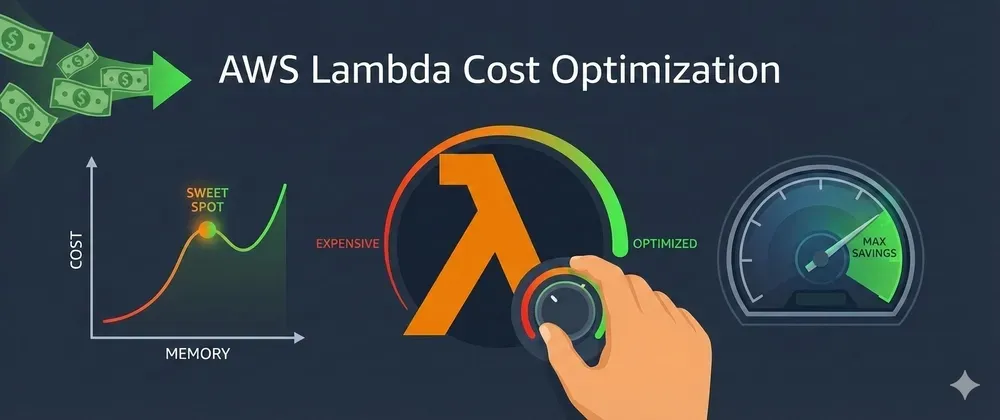
Auto-Tune Lambda Memory and Save 40% in Minutes ⚡
Deploy AWS Lambda Power Tuning with Terraform and find the perfect sweet spot.
Series: Save on AWS with Terraform (21 articles)
- …
- 16Auto-Tune Lambda Memory and Save 40% in Minutes ⚡ This article

Most Lambda functions run with default 1024MB memory - wasting up to 40% of your bill. Here's how to deploy AWS Lambda Power Tuning with Terraform and find the perfect sweet spot.
Pop quiz: Why did you set your Lambda memory to 1024MB?
If the answer is "I don't know" or "it was the default" — you're probably overpaying by 30-40%.
Here's the thing most people miss: Lambda memory also controls CPU. More memory = more CPU. But if your function doesn't need that extra power, you're paying for resources that sit idle every single invocation.
Let me show you how to find the perfect memory size automatically. 🎯
💸 Why Memory Size Matters More Than You Think
Lambda pricing is directly proportional to memory:
1
2
3
4
128MB  × 1ms = $0.0000000021
512MB  × 1ms = $0.0000000083
1024MB × 1ms = $0.0000000167
3008MB × 1ms = $0.0000000489
But here's the twist — more memory often means faster execution:
1
2
3
4
5
6
Your API function at different memory sizes:

128MB:  Duration 800ms → Cost per invocation: $0.0000168
512MB:  Duration 250ms → Cost per invocation: $0.0000021
1024MB: Duration 200ms → Cost per invocation: $0.0000033  ← Most people stop here
 768MB: Duration 210ms → Cost per invocation: $0.0000026  ← Actual sweet spot 💰
The cheapest option isn't always the lowest memory. It's the best ratio of memory × duration. Finding it manually? Nightmare. Finding it automatically? That's where Power Tuning comes in.
🔧 What Is AWS Lambda Power Tuning?
AWS Lambda Power Tuning is an open-source Step Functions state machine that:
- Runs your Lambda at multiple memory sizes (e.g., 128, 256, 512, 768, 1024, 1536, 2048, 3008)
- Executes it multiple times at each level for accuracy
- Produces a cost vs performance graph
- Tells you the cheapest and fastest memory configuration
It's built by AWS and battle-tested. Let's deploy it with Terraform. 🚀
🏗️ Deploy Power Tuning with Terraform
Step 1: Deploy the SAR Application
1
2
3
4
5
6
7
8
9
10
11
12
13
14
15
16
17
18
19
20
21
22
23
24
25
26
27
28
29
30
# power-tuning/main.tf

resource "aws_serverlessapplicationrepository_cloudformation_stack" "power_tuning" {
  name           = "lambda-power-tuning"
  application_id = "arn:aws:serverlessrepo:us-east-1:451282441545:applications/aws-lambda-power-tuning"

  capabilities = [
    "CAPABILITY_IAM",
    "CAPABILITY_NAMED_IAM"
  ]

  parameters = {
    # Memory values to test (comma-separated)
    PowerValues           = "128,256,512,768,1024,1536,2048,3008"
    # Visualize results
    visualizationURL      = "https://lambda-power-tuning.show/"
    # Timeout for each execution
    totalExecutionTimeout = "900"
  }

  tags = {
    Purpose   = "cost-optimization"
    ManagedBy = "terraform"
  }
}

output "state_machine_arn" {
  value       = aws_serverlessapplicationrepository_cloudformation_stack.power_tuning.outputs["StateMachineARN"]
  description = "ARN of the Power Tuning Step Function"
}
Step 2: Create a Reusable Tuning Trigger
1
2
3
4
5
6
7
8
9
10
11
12
13
14
15
16
17
18
19
20
21
22
23
24
25
26
27
28
29
30
31
32
33
34
35
36
37
38
39
40
41
42
43
44
45
46
47
48
49
50
51
52
53
54
55
56
57
58
59
60
61
62
63
64
65
66
67
68
69
70
71
72
73
74
75
76
77
78
79
80
81
82
83
84
85
86
87
88
89
90
91
92
93
94
95
96
97
98
99
100
101
102
103
104
105
106
107
108
109
110
111
112
113
114
115
116
117
118
119
120
121
122
123
124
125
126
127
128
129
130
131
132
133
134
135
136
137
138
139
140
141
142
143
144
145
146
147
148
149
150
151
152
153
154
155
156
157
158
159
160
161
162
163
164
165
166
167
168
169
170
171
172
173
174
175
176
177
# power-tuning/trigger.tf

# Lambda to kick off tuning runs and collect results
resource "aws_lambda_function" "tuning_trigger" {
  filename         = data.archive_file.trigger.output_path
  function_name    = "power-tuning-trigger"
  role             = aws_iam_role.trigger.arn
  handler          = "index.handler"
  runtime          = "python3.12"
  timeout          = 900
  source_code_hash = data.archive_file.trigger.output_base64sha256

  environment {
    variables = {
      STATE_MACHINE_ARN = aws_serverlessapplicationrepository_cloudformation_stack.power_tuning.outputs["StateMachineARN"]
      SNS_TOPIC_ARN     = aws_sns_topic.tuning_results.arn
    }
  }
}

data "archive_file" "trigger" {
  type        = "zip"
  output_path = "${path.module}/trigger.zip"

  source {
    content  = <<-PYTHON
import boto3
import json
import os
import time

sfn = boto3.client('stepfunctions')
sns = boto3.client('sns')
lambda_client = boto3.client('lambda')

def handler(event, context):
    """
    Trigger power tuning for a Lambda function.

    Event format:
    {
      "lambdaARN": "arn:aws:lambda:...:my-function",
      "num": 50,           # invocations per memory level
      "payload": {},       # test payload
      "strategy": "cost"   # or "speed" or "balanced"
    }
    """
    lambda_arn = event['lambdaARN']
    func_name = lambda_arn.split(':')[-1]

    # Get current memory for comparison
    config = lambda_client.get_function_configuration(
        FunctionName=func_name
    )
    current_memory = config['MemorySize']

    # Start power tuning
    input_payload = {
        "lambdaARN": lambda_arn,
        "powerValues": [128, 256, 512, 768, 1024, 1536, 2048, 3008],
        "num": event.get('num', 50),
        "payload": event.get('payload', {}),
        "strategy": event.get('strategy', 'cost'),
        "autoOptimize": False  # Review before applying
    }

    execution = sfn.start_execution(
        stateMachineArn=os.environ['STATE_MACHINE_ARN'],
        input=json.dumps(input_payload)
    )

    # Wait for completion
    exec_arn = execution['executionArn']
    while True:
        status = sfn.describe_execution(executionArn=exec_arn)
        if status['status'] != 'RUNNING':
            break
        time.sleep(10)

    if status['status'] == 'SUCCEEDED':
        result = json.loads(status['output'])
        optimal_memory = result['power']
        optimal_cost = result['cost']

        # Calculate savings
        savings_pct = 0
        if current_memory != optimal_memory:
            savings_pct = round(
                (1 - optimal_cost / (result['cost'] * current_memory / optimal_memory)) * 100
            )

        # Send results
        message = (
            f"Lambda Power Tuning Results for {func_name}:\n\n"
            f"Current memory:  {current_memory} MB\n"
            f"Optimal memory:  {optimal_memory} MB\n"
            f"Strategy:        {event.get('strategy', 'cost')}\n"
            f"Estimated savings: ~{savings_pct}%\n\n"
            f"Visualization: {result.get('stateMachine', {}).get('visualization', 'N/A')}\n\n"
            f"Action needed: Update {func_name} memory to {optimal_memory} MB"
        )

        sns.publish(
            TopicArn=os.environ['SNS_TOPIC_ARN'],
            Subject=f'Power Tuning: {func_name} → {optimal_memory}MB',
            Message=message
        )

        return {
            'function': func_name,
            'current_memory': current_memory,
            'optimal_memory': optimal_memory,
            'savings_percent': savings_pct
        }
    else:
        raise Exception(f"Tuning failed: {status['status']}")
    PYTHON
    filename = "index.py"
  }
}

resource "aws_sns_topic" "tuning_results" {
  name = "lambda-tuning-results"
}

resource "aws_iam_role" "trigger" {
  name = "power-tuning-trigger-role"

  assume_role_policy = jsonencode({
    Version = "2012-10-17"
    Statement = [{
      Action = "sts:AssumeRole"
      Effect = "Allow"
      Principal = { Service = "lambda.amazonaws.com" }
    }]
  })
}

resource "aws_iam_role_policy" "trigger" {
  name = "power-tuning-trigger-policy"
  role = aws_iam_role.trigger.id

  policy = jsonencode({
    Version = "2012-10-17"
    Statement = [
      {
        Effect = "Allow"
        Action = [
          "states:StartExecution",
          "states:DescribeExecution"
        ]
        Resource = "*"
      },
      {
        Effect   = "Allow"
        Action   = ["sns:Publish"]
        Resource = aws_sns_topic.tuning_results.arn
      },
      {
        Effect = "Allow"
        Action = [
          "lambda:GetFunctionConfiguration"
        ]
        Resource = "*"
      },
      {
        Effect = "Allow"
        Action = [
          "logs:CreateLogGroup",
          "logs:CreateLogStream",
          "logs:PutLogEvents"
        ]
        Resource = "arn:aws:logs:*:*:*"
      }
    ]
  })
}
Step 3: Schedule Monthly Tuning for All Functions
1
2
3
4
5
6
7
8
9
10
11
12
13
14
15
16
17
18
19
20
21
22
23
24
25
26
27
28
29
30
31
32
33
34
35
36
37
38
39
40
41
42
43
44
45
46
47
48
49
50
51
52
53
54
55
56
57
58
59
60
61
62
63
64
65
66
67
68
69
70
71
72
73
74
75
76
77
78
79
80
81
82
83
84
85
86
# power-tuning/scheduled.tf

# Automatically tune your most expensive Lambdas every month
resource "aws_lambda_function" "bulk_tuner" {
  filename         = data.archive_file.bulk_tuner.output_path
  function_name    = "power-tuning-bulk"
  role             = aws_iam_role.trigger.arn
  handler          = "index.handler"
  runtime          = "python3.12"
  timeout          = 900
  source_code_hash = data.archive_file.bulk_tuner.output_base64sha256

  environment {
    variables = {
      TRIGGER_FUNCTION = aws_lambda_function.tuning_trigger.function_name
      # Tag your Lambdas with PowerTune=true to include them
      TUNING_TAG       = "PowerTune"
    }
  }
}

data "archive_file" "bulk_tuner" {
  type        = "zip"
  output_path = "${path.module}/bulk_tuner.zip"

  source {
    content  = <<-PYTHON
import boto3
import json
import os

lambda_client = boto3.client('lambda')

def handler(event, context):
    tag_key = os.environ['TUNING_TAG']
    trigger_fn = os.environ['TRIGGER_FUNCTION']

    # Find all Lambdas tagged for tuning
    paginator = lambda_client.get_paginator('list_functions')
    tuned = []

    for page in paginator.paginate():
        for fn in page['Functions']:
            tags = lambda_client.list_tags(
                Resource=fn['FunctionArn']
            ).get('Tags', {})

            if tags.get(tag_key) == 'true':
                # Trigger tuning
                lambda_client.invoke(
                    FunctionName=trigger_fn,
                    InvocationType='Event',  # Async
                    Payload=json.dumps({
                        'lambdaARN': fn['FunctionArn'],
                        'num': 50,
                        'strategy': 'cost'
                    })
                )
                tuned.append(fn['FunctionName'])

    return {
        'functions_tuned': len(tuned),
        'functions': tuned
    }
    PYTHON
    filename = "index.py"
  }
}

# Run monthly
resource "aws_cloudwatch_event_rule" "monthly_tuning" {
  name                = "monthly-lambda-tuning"
  schedule_expression = "rate(30 days)"
}

resource "aws_cloudwatch_event_target" "bulk_tuner" {
  rule = aws_cloudwatch_event_rule.monthly_tuning.name
  arn  = aws_lambda_function.bulk_tuner.arn
}

resource "aws_lambda_permission" "allow_eventbridge" {
  action        = "lambda:InvokeFunction"
  function_name = aws_lambda_function.bulk_tuner.function_name
  principal     = "events.amazonaws.com"
  source_arn    = aws_cloudwatch_event_rule.monthly_tuning.arn
}
Step 4: Apply Optimized Memory with Terraform
Once you get results, update your Lambda configs:
1
2
3
4
5
6
7
8
9
10
11
12
13
# Before tuning (guessing)
resource "aws_lambda_function" "my_api" {
  function_name = "my-api-handler"
  memory_size   = 1024  # ← "seemed right" 🤷
  # ...
}

# After tuning (optimized) ✅
resource "aws_lambda_function" "my_api" {
  function_name = "my-api-handler"
  memory_size   = 512   # ← Power Tuning says this is optimal 💰
  # ...
}
Tag functions you want to auto-tune:
1
2
3
4
5
6
7
8
9
resource "aws_lambda_function" "my_api" {
  function_name = "my-api-handler"
  memory_size   = 512
  # ...

  tags = {
    PowerTune = "true"  # 👈 Include in monthly tuning
  }
}
⚡ Quick Start: Tune One Function Right Now
Don't want the full setup? Run a one-off tune from the CLI:
1
2
3
4
5
6
7
8
9
10
11
12
13
14
# Start tuning
aws stepfunctions start-execution \
  --state-machine-arn "arn:aws:states:us-east-1:123456:stateMachine:powerTuningStateMachine" \
  --input '{
    "lambdaARN": "arn:aws:lambda:us-east-1:123456:function:my-function",
    "powerValues": [128, 256, 512, 768, 1024, 1536, 2048, 3008],
    "num": 50,
    "strategy": "cost",
    "payload": {}
  }'

# Check results
aws stepfunctions describe-execution \
  --execution-arn "arn:aws:states:us-east-1:123456:execution:powerTuningStateMachine:xxx"
The output includes a visualization URL — paste it in your browser to see the cost/performance curve. 📊
💰 Real-World Savings Examples
| Function | Before | After | Savings |
|---|---|---|---|
| API handler | 1024MB / 200ms | 512MB / 210ms | 48% |
| Image processor | 512MB / 3200ms | 1536MB / 900ms | 16% |
| CSV parser | 1024MB / 450ms | 256MB / 600ms | 62% |
| Auth validator | 512MB / 80ms | 128MB / 120ms | 53% |
| SQS processor | 1024MB / 300ms | 768MB / 310ms | 23% |
Notice the image processor actually increased memory — because the faster execution time made it cheaper overall. That's why guessing doesn't work. 🎯
💡 Pro Tips
- Always use a realistic payload — Don't tune with empty
{}if your function processes data. Results will be meaningless - CPU-bound vs I/O-bound matters — CPU-bound functions benefit from more memory (more CPU). I/O-bound functions (waiting on APIs/databases) often run cheapest at low memory
- Tune after code changes — A refactor can shift the optimal memory. Monthly tuning catches this
- Three strategies available:
cost— Find the cheapest memory (most common) 💰speed— Find the fastest memory ⚡balanced— Best cost-to-performance ratio ⚖️
- Combine with Graviton — ARM Lambdas are 20% cheaper. Tune after migrating to ARM for compounding savings 🔥
📊 TL;DR
| Action | Savings | Effort |
|---|---|---|
| Deploy Power Tuning (Terraform) | — | 15 minutes |
| Tune one function (CLI) | 20-60% | 5 minutes |
| Auto-tune monthly (scheduled) | Ongoing | Set and forget |
| Apply optimized memory | Immediate | One-line change |
Bottom line: Guessing Lambda memory is like guessing your shoe size — you'll walk, but it'll cost you. Let Power Tuning find the perfect fit. 👟
Still running Lambda at 1024MB "because it works"? Run the tuner once and see how much you're wasting. The results will surprise you. 😏
Found this helpful? Follow for more AWS cost optimization with Terraform! 💬
Series: Save on AWS with Terraform (21 articles)
- …
- 16Auto-Tune Lambda Memory and Save 40% in Minutes ⚡ This article
Enjoyed reading this content? Let the author know!
Your likes, comments, shares, and saves help creators reach more builders.

Loading recommendations
Loading article