
Right-Size EBS Volume and Save Money 💸
Optimize EBS volume sizing, avoid over-provisioning and save money
Series: Save on AWS with Terraform (21 articles)
- …
- 17Right-Size EBS Volume and Save Money 💸 This article

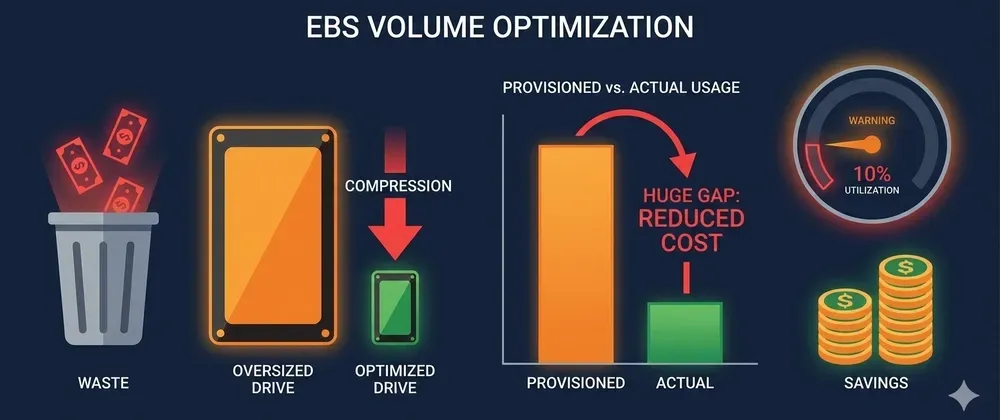
Most EBS volumes are wildly over-provisioned. Here's how to find the bloated ones, safely shrink them, and automate right-sizing with Terraform.
Here's a question nobody asks often enough: How much of your EBS storage are you actually using?
In most AWS accounts, the answer is terrifyingly low. Teams provision 500GB "just in case" and use 40GB. They request
io2 when gp3 would be fine. They set 10,000 IOPS when the volume barely hits 200.You're paying for every unused gigabyte, every idle IOP, every megabyte of throughput — every second of every day.
Let's find the waste and kill it. 🔪
💸 Where the Money Hides
EBS pricing has three dimensions, and most teams overspend on all of them:
1
2
3
4
5
6
7
8
9
10
EBS Cost = Storage (GB) + IOPS + Throughput

gp3 pricing:
  Storage:    $0.08/GB/month
  IOPS:       Free up to 3,000, then $0.005/IOPS
  Throughput: Free up to 125 MB/s, then $0.04/MB/s

io2 pricing:
  Storage:    $0.125/GB/month
  IOPS:       $0.065/IOPS/month  ← This gets expensive FAST
A real example from a production account:
| Volume | Provisioned | Actual Usage | Monthly Waste |
|---|---|---|---|
| 500GB gp3, 5000 IOPS | $50/mo | 45GB used, 200 IOPS peak | $35/mo |
| 200GB io2, 10000 IOPS | $675/mo | 80GB used, 1500 IOPS peak | $537/mo |
| 1TB gp3, 3000 IOPS | $80/mo | 120GB used, 500 IOPS peak | $70/mo |
| Total waste | $642/mo = $7,704/yr 🤯 |
Three volumes. Nearly $8K/year wasted. And most accounts have dozens.
🔍 Step 1: Find the Bloated Volumes (Terraform + CloudWatch)
Deploy this monitoring module to identify over-provisioned volumes:
1
2
3
4
5
6
7
8
9
10
11
12
13
14
15
16
17
18
19
20
21
22
23
24
25
26
27
28
29
30
31
32
33
34
35
36
37
38
39
40
41
42
43
44
45
46
47
48
49
50
51
52
53
54
55
56
57
58
59
60
61
62
63
64
65
66
67
68
69
70
71
72
73
74
75
76
77
78
79
80
81
82
83
84
85
86
87
88
89
90
91
92
93
94
95
96
97
98
99
100
101
102
103
104
105
106
107
108
109
110
111
112
113
114
115
116
117
118
119
120
121
122
123
124
125
126
127
128
129
130
131
132
133
134
135
136
137
138
139
140
141
142
143
144
145
146
147
148
149
150
151
152
153
154
155
156
157
158
159
160
161
162
163
164
165
166
167
168
169
170
171
172
173
174
175
176
177
178
179
180
181
182
183
184
185
186
187
188
189
190
191
192
193
194
195
196
197
198
199
200
201
202
203
204
205
206
# modules/ebs-monitor/main.tf

resource "aws_lambda_function" "ebs_analyzer" {
  filename         = data.archive_file.analyzer.output_path
  function_name    = "ebs-rightsizing-analyzer"
  role             = aws_iam_role.analyzer.arn
  handler          = "index.handler"
  runtime          = "python3.12"
  timeout          = 300
  source_code_hash = data.archive_file.analyzer.output_base64sha256

  environment {
    variables = {
      SNS_TOPIC_ARN    = aws_sns_topic.ebs_alerts.arn
      LOOKBACK_DAYS    = "14"
      USAGE_THRESHOLD  = "50"  # Flag if <50% utilized
    }
  }
}

data "archive_file" "analyzer" {
  type        = "zip"
  output_path = "${path.module}/analyzer.zip"

  source {
    content  = <<-PYTHON
import boto3
import os
from datetime import datetime, timedelta

ec2 = boto3.client('ec2')
cw = boto3.client('cloudwatch')
sns = boto3.client('sns')

def get_metric_max(volume_id, metric_name, days):
    """Get max value of a CloudWatch metric over N days."""
    response = cw.get_metric_statistics(
        Namespace='AWS/EBS',
        MetricName=metric_name,
        Dimensions=[{'Name': 'VolumeId', 'Value': volume_id}],
        StartTime=datetime.utcnow() - timedelta(days=days),
        EndTime=datetime.utcnow(),
        Period=3600,
        Statistics=['Maximum']
    )
    points = response.get('Datapoints', [])
    return max((p['Maximum'] for p in points), default=0)

def handler(event, context):
    days = int(os.environ['LOOKBACK_DAYS'])
    threshold = int(os.environ['USAGE_THRESHOLD'])

    volumes = ec2.describe_volumes(
        Filters=[{'Name': 'status', 'Values': ['in-use']}]
    )['Volumes']

    recommendations = []

    for vol in volumes:
        vol_id = vol['VolumeId']
        vol_type = vol['VolumeType']
        size_gb = vol['Size']
        provisioned_iops = vol.get('Iops', 0)
        provisioned_tp = vol.get('Throughput', 0)

        # Get peak usage over lookback period
        peak_read_ops = get_metric_max(vol_id, 'VolumeReadOps', days)
        peak_write_ops = get_metric_max(vol_id, 'VolumeWriteOps', days)
        peak_iops = (peak_read_ops + peak_write_ops) / 3600  # Convert to per-second

        peak_read_bytes = get_metric_max(vol_id, 'VolumeReadBytes', days)
        peak_write_bytes = get_metric_max(vol_id, 'VolumeWriteBytes', days)
        peak_throughput = (peak_read_bytes + peak_write_bytes) / 3600 / 1024 / 1024  # MB/s

        savings = []

        # Check IOPS utilization
        if provisioned_iops > 3000 and peak_iops < provisioned_iops * (threshold / 100):
            recommended_iops = max(3000, int(peak_iops * 1.3))  # 30% headroom
            iops_savings = (provisioned_iops - recommended_iops) * 0.005
            if vol_type == 'io2':
                iops_savings = (provisioned_iops - recommended_iops) * 0.065
            savings.append(f"  IOPS: {provisioned_iops} → {recommended_iops} (save ${iops_savings:.2f}/mo)")

        # Check if io2 can downgrade to gp3
        if vol_type in ('io1', 'io2') and peak_iops < 16000 and peak_throughput < 1000:
            current_cost = size_gb * 0.125 + provisioned_iops * 0.065
            gp3_iops = max(3000, int(peak_iops * 1.3))
            gp3_cost = size_gb * 0.08 + max(0, gp3_iops - 3000) * 0.005
            type_savings = current_cost - gp3_cost
            if type_savings > 5:
                savings.append(f"  Type: {vol_type} → gp3 (save ${type_savings:.2f}/mo)")

        # Check throughput utilization (gp3 only)
        if vol_type == 'gp3' and provisioned_tp > 125:
            if peak_throughput < provisioned_tp * (threshold / 100):
                recommended_tp = max(125, int(peak_throughput * 1.3))
                tp_savings = (provisioned_tp - recommended_tp) * 0.04
                savings.append(f"  Throughput: {provisioned_tp} → {recommended_tp} MB/s (save ${tp_savings:.2f}/mo)")

        if savings:
            # Get instance name
            attachments = vol.get('Attachments', [])
            instance_id = attachments[0]['InstanceId'] if attachments else 'detached'

            tags = {t['Key']: t['Value'] for t in vol.get('Tags', [])}
            name = tags.get('Name', vol_id)

            recommendations.append(
                f"{name} ({vol_id}) - attached to {instance_id}\n"
                f"  Current: {size_gb}GB {vol_type}, {provisioned_iops} IOPS\n"
                f"  Peak IOPS: {peak_iops:.0f}, Peak Throughput: {peak_throughput:.1f} MB/s\n"
                + "\n".join(savings)
            )

    if recommendations:
        total_recs = len(recommendations)
        message = (
            f"EBS Right-Sizing Report ({total_recs} volumes need attention)\n"
            f"Lookback period: {days} days\n\n"
            + "\n\n".join(recommendations)
        )

        sns.publish(
            TopicArn=os.environ['SNS_TOPIC_ARN'],
            Subject=f'EBS Right-Sizing: {total_recs} volumes over-provisioned',
            Message=message
        )

    return {'volumes_analyzed': len(volumes), 'recommendations': len(recommendations)}
    PYTHON
    filename = "index.py"
  }
}

# Run weekly
resource "aws_cloudwatch_event_rule" "weekly_ebs_check" {
  name                = "ebs-rightsizing-check"
  schedule_expression = "rate(7 days)"
}

resource "aws_cloudwatch_event_target" "ebs_analyzer" {
  rule = aws_cloudwatch_event_rule.weekly_ebs_check.name
  arn  = aws_lambda_function.ebs_analyzer.arn
}

resource "aws_lambda_permission" "allow_eventbridge" {
  action        = "lambda:InvokeFunction"
  function_name = aws_lambda_function.ebs_analyzer.function_name
  principal     = "events.amazonaws.com"
  source_arn    = aws_cloudwatch_event_rule.weekly_ebs_check.arn
}

resource "aws_sns_topic" "ebs_alerts" {
  name = "ebs-rightsizing-alerts"
}

resource "aws_iam_role" "analyzer" {
  name = "ebs-rightsizing-analyzer-role"

  assume_role_policy = jsonencode({
    Version = "2012-10-17"
    Statement = [{
      Action = "sts:AssumeRole"
      Effect = "Allow"
      Principal = { Service = "lambda.amazonaws.com" }
    }]
  })
}

resource "aws_iam_role_policy" "analyzer" {
  name = "ebs-rightsizing-analyzer-policy"
  role = aws_iam_role.analyzer.id

  policy = jsonencode({
    Version = "2012-10-17"
    Statement = [
      {
        Effect   = "Allow"
        Action   = ["ec2:DescribeVolumes"]
        Resource = "*"
      },
      {
        Effect = "Allow"
        Action = [
          "cloudwatch:GetMetricStatistics"
        ]
        Resource = "*"
      },
      {
        Effect   = "Allow"
        Action   = ["sns:Publish"]
        Resource = aws_sns_topic.ebs_alerts.arn
      },
      {
        Effect = "Allow"
        Action = [
          "logs:CreateLogGroup",
          "logs:CreateLogStream",
          "logs:PutLogEvents"
        ]
        Resource = "arn:aws:logs:*:*:*"
      }
    ]
  })
}
You'll get a weekly email like this:
1
2
3
4
5
6
7
8
9
10
11
12
13
EBS Right-Sizing Report (3 volumes need attention)
Lookback period: 14 days

app-server-data (vol-0abc123) - attached to i-0def456
  Current: 500GB gp3, 5000 IOPS
  Peak IOPS: 180, Peak Throughput: 12.3 MB/s
  IOPS: 5000 → 3000 (save $10.00/mo)

database-logs (vol-0xyz789) - attached to i-0ghi012
  Current: 200GB io2, 10000 IOPS
  Peak IOPS: 1420, Peak Throughput: 45.2 MB/s
  Type: io2 → gp3 (save $537.00/mo)
  IOPS: 10000 → 3000 (save $0.00/mo)
Actionable, specific, dollar amounts. No guessing. 📬
🏗️ Step 2: Apply the Right-Sizing (Terraform)
Downgrade io2 → gp3 (Biggest savings)
1
2
3
4
5
6
7
8
9
10
11
12
13
14
15
16
17
18
19
20
21
# Before: io2 with expensive provisioned IOPS 💸
resource "aws_ebs_volume" "database_logs" {
  availability_zone = "us-east-1a"
  size              = 200
  type              = "io2"
  iops              = 10000  # Paying $650/mo for IOPS alone

  tags = { Name = "database-logs" }
}

# After: gp3 with free baseline IOPS ✅
resource "aws_ebs_volume" "database_logs" {
  availability_zone = "us-east-1a"
  size              = 200
  type              = "gp3"
  iops              = 3000       # Free baseline
  throughput        = 125        # Free baseline

  tags = { Name = "database-logs" }
}
# Savings: $659/mo → $16/mo = $643/mo saved 🤯
Reduce over-provisioned IOPS
1
2
3
4
5
6
7
8
9
10
11
12
13
14
15
16
17
18
19
20
# Before: 5000 IOPS but peaks at 180
resource "aws_ebs_volume" "app_data" {
  size       = 500
  type       = "gp3"
  iops       = 5000   # $10/mo for IOPS you don't use
  throughput = 250     # $5/mo for throughput you don't use

  tags = { Name = "app-data" }
}

# After: Use free baselines ✅
resource "aws_ebs_volume" "app_data" {
  size       = 500
  type       = "gp3"
  iops       = 3000   # Free! Covers 180 peak with 16x headroom
  throughput = 125     # Free! Covers 12 MB/s peak easily

  tags = { Name = "app-data" }
}
# Savings: $15/mo → $0 extra = $15/mo saved
Right-Size with Environment-Aware Defaults
1
2
3
4
5
6
7
8
9
10
11
12
13
14
15
16
17
18
19
20
21
22
23
24
25
26
27
28
29
30
31
32
33
34
35
36
37
38
39
40
41
42
43
44
45
46
47
48
49
50
51
52
53
54
55
56
57
# modules/ebs-rightsized/main.tf

variable "environment" {
  type = string
}

variable "size_gb" {
  type = number
}

variable "workload_type" {
  type    = string
  default = "general"  # general, database, logging

  validation {
    condition     = contains(["general", "database", "logging"], var.workload_type)
    error_message = "Must be: general, database, or logging."
  }
}

locals {
  # Smart defaults based on workload + environment
  volume_configs = {
    general = {
      type       = "gp3"
      iops       = 3000   # Free baseline is enough for most workloads
      throughput = 125
    }
    database = {
      type       = var.environment == "prod" ? "gp3" : "gp3"
      iops       = var.environment == "prod" ? 6000 : 3000
      throughput = var.environment == "prod" ? 250 : 125
    }
    logging = {
      type       = "gp3"
      iops       = 3000   # Logs are sequential writes, don't need high IOPS
      throughput = var.environment == "prod" ? 250 : 125
    }
  }

  config = local.volume_configs[var.workload_type]
}

resource "aws_ebs_volume" "this" {
  availability_zone = var.availability_zone
  size              = var.size_gb
  type              = local.config.type
  iops              = local.config.iops
  throughput        = local.config.throughput

  tags = {
    Name        = var.name
    Environment = var.environment
    Workload    = var.workload_type
    ManagedBy   = "terraform"
  }
}
Usage:
1
2
3
4
5
6
7
8
9
10
11
12
13
14
15
16
17
module "app_volume" {
  source        = "./modules/ebs-rightsized"
  name          = "app-data"
  environment   = "dev"
  size_gb       = 100
  workload_type = "general"
  # → gp3, 3000 IOPS (free), 125 MB/s (free) ✅
}

module "db_volume" {
  source        = "./modules/ebs-rightsized"
  name          = "postgres-data"
  environment   = "prod"
  size_gb       = 500
  workload_type = "database"
  # → gp3, 6000 IOPS, 250 MB/s (only pays for extra) ✅
}
⚡ Quick Audit: Run This Right Now
1
2
3
4
5
6
7
8
9
10
11
12
13
14
15
16
17
# Find your most expensive EBS volumes
aws ec2 describe-volumes \
  --query 'Volumes[?State==`in-use`].{
    ID:VolumeId,
    Type:VolumeType,
    Size:Size,
    IOPS:Iops,
    Throughput:Throughput,
    Instance:Attachments[0].InstanceId
  }' \
  --output table

# Find io1/io2 volumes (biggest savings targets)
aws ec2 describe-volumes \
  --filters "Name=volume-type,Values=io1,io2" \
  --query 'Volumes[].{ID:VolumeId,Size:Size,IOPS:Iops,Cost:to_string(Size)}' \
  --output table
If you see any
io1 or io2 volumes — that's where the money is. 🎯💡 Pro Tips
- Never right-size blind — Always check 14+ days of CloudWatch metrics before changing anything
- Add 30% headroom — If peak IOPS is 1,500, set to 2,000 not 1,500. Traffic spikes happen
- io2 → gp3 is the biggest win — io2 IOPS cost 13x more than gp3 ($0.065 vs $0.005)
- gp3 baseline is generous — 3,000 IOPS and 125 MB/s are free. Most workloads never exceed this
- You can modify live volumes — AWS supports online volume modification. No downtime needed for type/IOPS/throughput changes ✅
- Size can only go up — You can't shrink an EBS volume. For oversized storage, you need to create a new smaller volume and migrate data
- Combine with gp2 → gp3 migration — If you haven't migrated from gp2 yet, do that first for an automatic 20% storage savings
⚠️ Important Gotcha
You can change volume type, IOPS, and throughput online — but you CANNOT shrink volume size. EBS only allows increasing size. If a volume is 500GB but you only use 50GB, you'd need to create a new 100GB volume, copy data, and swap. The monitoring Lambda focuses on IOPS/type optimization since those are zero-downtime changes.
📊 TL;DR
| Action | Savings | Effort |
|---|---|---|
| io2 → gp3 downgrade | 60-90% | 10 minutes |
| Remove excess IOPS (gp3) | $5/1000 IOPS/mo | 5 minutes |
| Remove excess throughput (gp3) | $0.04/MB/s/mo | 5 minutes |
| Deploy weekly monitoring | Ongoing alerts | 15 minutes |
| Environment-aware module | Prevent future waste | 20 minutes |
Bottom line: EBS is the silent budget killer. You can't see unused IOPS or throughput in the console — they just quietly drain your wallet. Deploy the analyzer, check the report, and stop paying for air. 💨
Run the audit CLI command above. I bet you'll find at least one io2 volume that should be gp3. Go on, I'll wait. 😏
Found this helpful? Follow for more AWS cost optimization with Terraform! 💬
Series: Save on AWS with Terraform (21 articles)
- …
- 17Right-Size EBS Volume and Save Money 💸 This article
Enjoyed reading this content? Let the author know!
Your likes, comments, shares, and saves help creators reach more builders.

Loading recommendations
Loading article