
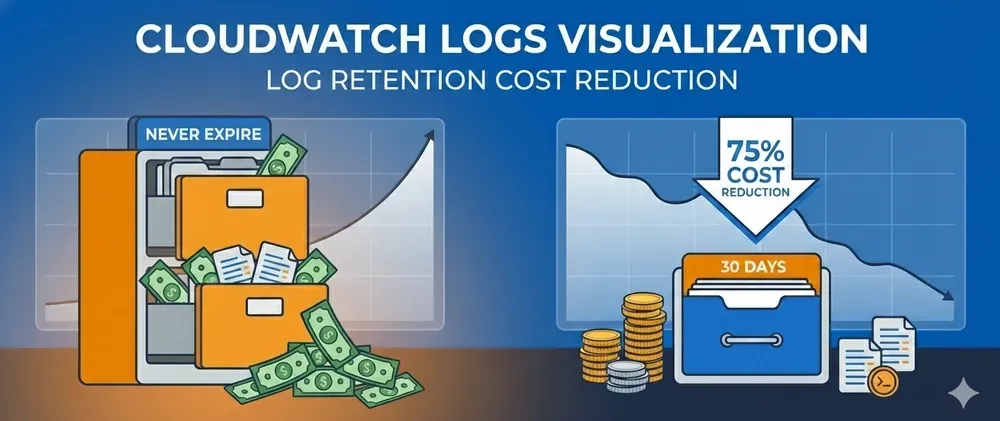
Automate log retention policies with Terraform and slash your logging costs by 90% 📈
How to automate log retention policies with Terraform and slash your logging costs by 90%
Series: Save on AWS with Terraform (21 articles)
- …
- 4Automate log retention policies with Terraform and slash your logging costs by 90% 📈 This article

CloudWatch logs set to “Never Expire” can cost thousands. Here’s how to automate retention policies with Terraform and slash your logging costs by 90%.
Pop quiz: When was the last time you checked your CloudWatch Logs retention settings?
If you’re like 80% of AWS users, the answer is “never” — because the default retention is “Never Expire.”
Here’s what that means for your wallet:
Month 1: $10 in logsMonth 6: $60 in logsMonth 12: $120 in logsMonth 24: $240 in logsYour logs are growing indefinitely. And you’re paying $0.03/GB per month for storage you probably never look at.
Let me show you how to fix this in 10 minutes with Terraform and save 80-90% on CloudWatch costs.
💸 The Hidden Cost of “Never Expire”
CloudWatch Logs pricing is deceptively simple:
- Ingestion: $0.50 per GB
- Storage: $0.03 per GB per month
- Analysis: $0.005 per GB scanned
A typical production app generates 10-50 GB of logs per month. Let’s say you’re at 20 GB/month:
Year 1 accumulation:
Month 1: 20 GB × $0.03 = $0.60Month 2: 40 GB × $0.03 = $1.20Month 3: 60 GB × $0.03 = $1.80...Month 12: 240 GB × $0.03 = $7.20Total Year 1: $46.80 (storage alone)Year 2:
Starting: 240 GBEnding: 480 GB × $0.03 = $14.40/monthTotal Year 2: $164.40Year 3: $285.60
Year 4: $410.40
After 4 years, you’re paying $35/month just to store logs you’ll never read. Multiply this by 50 log groups and you’re at $1,750/month.
🎯 The Solution: Smart Retention Policies
The fix is ridiculously simple: Set retention policies based on log importance.
Here’s a sensible default strategy:
Log Type | Retention | Reasoning |
|---|---|---|
Production errors | 90 days | Compliance & debugging |
Application logs | 30 days | Recent troubleshooting |
Access logs | 14 days | Security reviews |
Debug/verbose logs | 7 days | Active development only |
Lambda logs | 14 days | Quick investigations |
🛠️ Terraform Implementation
Basic Retention Setup
# cloudwatch_logs.tf
# Production application logsresource "aws_cloudwatch_log_group" "app_production" {  name              = "/aws/application/production"  retention_in_days = 30
  tags = {    Environment = "production"    Application = "web-app"  }}
# Lambda function logsresource "aws_cloudwatch_log_group" "lambda_api" {  name              = "/aws/lambda/api-handler"  retention_in_days = 14
  tags = {    Environment = "production"    Function    = "api-handler"  }}
# Development logs (shorter retention)resource "aws_cloudwatch_log_group" "app_dev" {  name              = "/aws/application/dev"  retention_in_days = 7
  tags = {    Environment = "dev"  }}
Bulk Retention Manager Module
For existing log groups, here’s a module that sets retention across all groups:
# modules/cloudwatch-retention-manager/main.tf
terraform {  required_providers {    aws = {      source  = "hashicorp/aws"      version = "~> 5.0"    }  }}
variable "default_retention_days" {  description = "Default retention in days for all log groups"  type        = number  default     = 30}
variable "retention_rules" {  description = "Map of log group patterns to retention days"  type = map(object({    pattern        = string    retention_days = number  }))  default = {    production = {      pattern        = "/aws/*/production/*"      retention_days = 90    }    lambda = {      pattern        = "/aws/lambda/*"      retention_days = 14    }    dev = {      pattern        = "/aws/*/dev/*"      retention_days = 7    }  }}
variable "exclude_patterns" {  description = "Log groups matching these patterns won't be modified"  type        = list(string)  default     = ["/aws/rds/*", "/aws/audit/*"]  # Keep RDS and audit logs longer}
# Data source to get all log groupsdata "aws_cloudwatch_log_groups" "all" {}
locals {  # Filter log groups based on patterns and exclusions  log_groups_to_manage = [    for lg in data.aws_cloudwatch_log_groups.all.log_group_names :    lg if !contains([for pattern in var.exclude_patterns : can(regex(pattern, lg))], true)  ]
  # Map log groups to retention days based on rules  retention_map = {    for lg in local.log_groups_to_manage :    lg => try(      [for k, v in var.retention_rules : v.retention_days if can(regex(v.pattern, lg))][0],      var.default_retention_days    )  }}
# Apply retention policy to each log groupresource "aws_cloudwatch_log_group" "managed" {  for_each = local.retention_map
  name              = each.key  retention_in_days = each.value
  # Prevent recreation of existing log groups  lifecycle {    prevent_destroy = true  }}
# Output savings estimationoutput "estimated_savings" {  value = {    log_groups_managed = length(local.retention_map)    retention_policies = local.retention_map    message = "Retention policies applied. Check AWS Cost Explorer in 30 days to see savings."  }}
Usage Example
# main.tf
module "cloudwatch_retention" {  source = "./modules/cloudwatch-retention-manager"
  default_retention_days = 30
  retention_rules = {    production_errors = {      pattern        = "/aws/*/production/errors"      retention_days = 90    }    production_app = {      pattern        = "/aws/*/production"      retention_days = 30    }    lambda = {      pattern        = "/aws/lambda"      retention_days = 14    }    dev = {      pattern        = "/dev/"      retention_days = 7    }    staging = {      pattern        = "/staging/"      retention_days = 14    }  }
  exclude_patterns = [    "/aws/rds/instance/production-db/audit",  # Compliance requirement    "/aws/cloudtrail"                          # Keep CloudTrail longer  ]}
output "retention_summary" {  value = module.cloudwatch_retention.estimated_savings}
Apply and Monitor
# Preview changesterraform plan
# Apply retention policiesterraform apply
# Output example:# log_groups_managed = 47# Retention policies applied to 47 log groups
🔍 Find Your Biggest Offenders
Before applying retention policies, identify which log groups are costing you the most:
# List all log groups with their sizesaws logs describe-log-groups \  --query 'logGroups[?retentionInDays==`null`].[logGroupName,storedBytes]' \  --output table
# Calculate monthly costaws logs describe-log-groups \  --query 'logGroups[?retentionInDays==`null`].storedBytes' \  --output json | jq '[.[] / 1073741824] | add * 0.03'
Add this as a Terraform data source:
# audit.tf
data "external" "cloudwatch_costs" {  program = ["bash", "-c", <<-EOT    aws logs describe-log-groups \      --query 'logGroups[?retentionInDays==null]' \      --output json | jq '{        count: (. | length | tostring),        total_gb: ([.[].storedBytes | select(. != null)] | add / 1073741824 | tostring),        monthly_cost: ([.[].storedBytes | select(. != null)] | add / 1073741824 * 0.03 | tostring)      }'  EOT  ]}
output "current_cloudwatch_waste" {  value = {    log_groups_without_retention = data.external.cloudwatch_costs.result.count    total_storage_gb            = data.external.cloudwatch_costs.result.total_gb    estimated_monthly_cost      = "$${data.external.cloudwatch_costs.result.monthly_cost}"  }}
📊 Advanced: Dynamic Retention Based on Environment
# dynamic_retention.tf
locals {  environments = {    production = 90    staging    = 30    dev        = 7  }
  log_group_configs = {    for env, retention in local.environments : env => {      api_logs = {        name      = "/aws/api/${env}"        retention = retention      }      app_logs = {        name      = "/aws/application/${env}"        retention = retention      }      worker_logs = {        name      = "/aws/worker/${env}"        retention = retention      }    }  }
  # Flatten into individual log groups  all_log_groups = merge([    for env, configs in local.log_group_configs : {      for service, config in configs :      "${env}-${service}" => config    }  ]...)}
resource "aws_cloudwatch_log_group" "dynamic" {  for_each = local.all_log_groups
  name              = each.value.name  retention_in_days = each.value.retention
  tags = {    ManagedBy   = "terraform"    Environment = split("-", each.key)[0]  }}
💰 Real Savings Example
Before retention policies:
- 50 log groups
- Average 5 GB per group after 1 year
- Total: 250 GB × $0.03 = $7.50/month
- After 3 years: 750 GB × $0.03 = $22.50/month
After implementing 30-day retention:
- 50 log groups
- Average 1.5 GB per group (30 days of data)
- Total: 75 GB × $0.03 = $2.25/month
- Savings: $5.25/month → $63/year
- After 3 years: Still $2.25/month (savings of $242/year)
For a mid-size company with 200 log groups:
- Savings: ~$1,000/year 🎉
⚠️ Important Considerations
1. Compliance Requirements
Some logs must be kept for regulatory reasons:
# compliance.tf
resource "aws_cloudwatch_log_group" "audit_logs" {  name              = "/aws/audit/production"  retention_in_days = 2555  # 7 years for SOX/HIPAA compliance
  tags = {    Compliance = "required"    Retention  = "7-years"  }}
2. Lambda Log Groups Auto-Creation
Lambda creates log groups automatically. Prevent this:
resource "aws_lambda_function" "api" {  # ... other config ...    # Create log group BEFORE the Lambda function  depends_on = [aws_cloudwatch_log_group.lambda_api]}
resource "aws_cloudwatch_log_group" "lambda_api" {  name              = "/aws/lambda/${var.function_name}"  retention_in_days = 14
  # Create this FIRST so Lambda doesn't create it without retention}
3. Existing Data Isn’t Deleted Immediately
Setting retention doesn’t delete old data immediately. AWS cleans up expired logs eventually (within days).
🎓 Quick Implementation Checklist
✅ Audit current log groups - Find groups without retention
✅ Categorize by importance - Production vs dev vs debug
✅ Set retention policies - 7/14/30/90 days based on category
✅ Handle Lambda logs - Create log groups before functions
✅ Document compliance needs - Don’t auto-expire audit logs
✅ Monitor savings - Check Cost Explorer after 30 days
🚀 5-Minute Quick Start
# 1. Check your current wasteterraform initterraform apply -target=data.external.cloudwatch_costs
# 2. Apply retention moduleterraform apply
# 3. Verify in AWS Consoleaws logs describe-log-groups \  --query 'logGroups[*].[logGroupName,retentionInDays]' \  --output table
# 4. Celebrate! 🎉
💡 Pro Tips
1. Start with dev/staging
Apply aggressive retention (7 days) to non-production first. Production can stay at 30-90 days.
2. Use log exports for long-term storage
If you need logs beyond retention period, export to S3 (much cheaper):
resource "aws_cloudwatch_log_subscription_filter" "export_to_s3" { name = "export-old-logs" log_group_name = aws_cloudwatch_log_group.app_production.name filter_pattern = "" destination_arn = aws_kinesis_firehose_delivery_stream.logs_to_s3.arn}S3 storage: $0.023/GB vs CloudWatch: $0.03/GB (23% cheaper + Glacier options)
3. Set up alerts for high ingestion
Catch runaway logging before it costs you:
resource "aws_cloudwatch_metric_alarm" "high_log_ingestion" { alarm_name = "high-cloudwatch-ingestion" comparison_operator = "GreaterThanThreshold" evaluation_periods = 1 metric_name = "IncomingBytes" namespace = "AWS/Logs" period = 3600 statistic = "Sum" threshold = 10737418240 # 10 GB per hour alarm_description = "Alert when log ingestion exceeds 10GB/hour"}🎯 When This Makes the Biggest Impact
This optimization shines when you have:
- Many Lambda functions (each creates a log group)
- Multiple environments (dev/staging/prod all logging)
- Verbose application logging (debug logs in production 😱)
- Long-running workloads (logs accumulating for years)
- Microservices architecture (100+ services = 100+ log groups)
📈 Summary: Why This Matters
CloudWatch Logs retention is one of those “set it and forget it” optimizations:
✅ One-time setup - 10 minutes with Terraform
✅ Automatic savings - Every month, forever
✅ Zero operational impact - Logs you need are kept, old ones purged
✅ Scales with your infrastructure - More log groups = more savings
✅ Compound benefits - Savings grow over time as log accumulation stops
The math is simple: Stop paying to store logs you’ll never read.
Set retention policies today, thank yourself every month. 💰
How much are you spending on CloudWatch Logs? Run the audit script and share in the comments! 💬
Follow for more AWS cost optimization tips with Terraform! 🚀
Series: Save on AWS with Terraform (21 articles)
- …
- 4Automate log retention policies with Terraform and slash your logging costs by 90% 📈 This article
Enjoyed reading this content? Let the author know!
Your likes, comments, shares, and saves help creators reach more builders.

Loading recommendations
Loading article