
Stop Writing Runbooks. Start Building Self-Healing Systems.
A Practical Guide to Autonomous AWS Infrastructure Using EventBridge, Lambda, and SSM Automation
Series: The Future of Cloud Engineering (2 articles)
- 1Stop Writing Runbooks. Start Building Self-Healing Systems. This article

"Your 3 AM on-call rotation shouldn't be your primary disaster recovery strategy."
You've written the runbook. You've drawn the architecture diagram. You've even trained your team on what to do when the EC2 instance CPU spikes, when the SQS queue depth blows past the threshold, or when an RDS failover doesn't quite clean up after itself. And yet at 2:47 AM, someone's phone is ringing.
The problem isn't your runbook. The problem is that your runbook still requires a human.
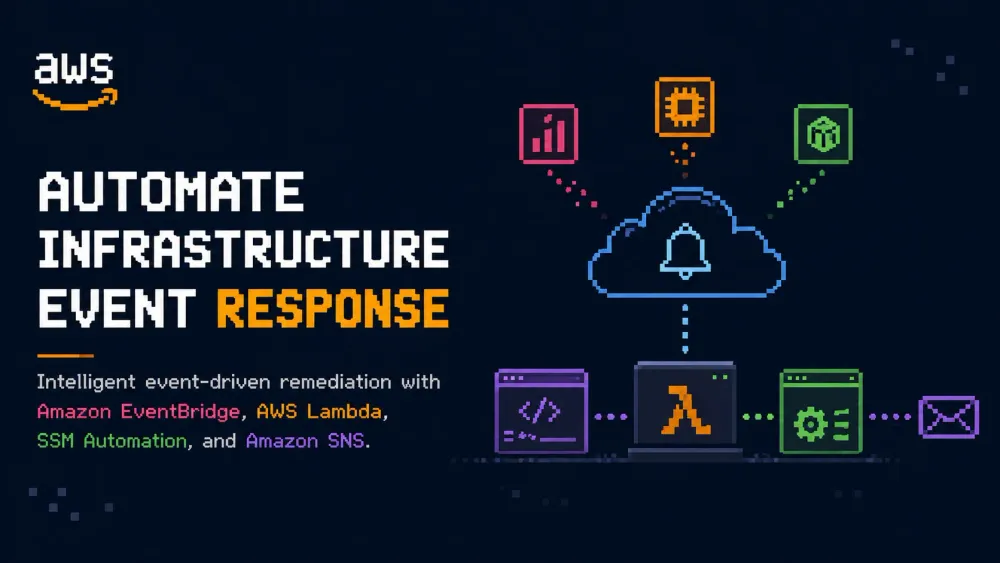
In this post, we're going to build something better: an event-driven, self-healing AWS architecture that detects infrastructure anomalies and remediates them automatically without waking anyone up, and without provisioning anything you don't already use. We'll combine Amazon EventBridge, AWS Lambda, AWS Systems Manager (SSM) Automation, and Amazon CloudWatch into a pattern you can adapt for your own workloads.
By the end, you'll have a real working blueprint not a hello-world demo, but a production-grade remediation loop you can ship.
The Problem with Runbooks (And Why We Keep Writing Them)
Runbooks are documentation artifacts that describe what a human should do when something goes wrong. They're born from good intentions: institutional knowledge capture, consistency, compliance. But they carry a hidden assumption that a human will be available, alert, and fast enough to matter.
Consider a common scenario. An Auto Scaling Group (ASG) launches an EC2 instance that gets stuck in
Pending:Wait because a lifecycle hook script silently fails. The instance is counted as "healthy" by the ASG but serves zero traffic. CloudWatch fires an alarm. Someone gets paged. They SSH in, look at the logs, realize the hook script failed to fetch a secret from Secrets Manager due to a transient network hiccup, manually terminate the instance, and watch the ASG replace it. Total time: 12 minutes. Total business impact: degraded capacity for 12 minutes.What if the system had just done that itself in under 60 seconds?
That's the question this architecture answers.
The Architecture: A Remediation Loop
The pattern we're building has four distinct layers:
Detect → Route → Decide → Remediate
Here's how each layer maps to an AWS service:
- Detect → Amazon CloudWatch Alarms and EventBridge rules listen for infrastructure signals (metric anomalies, lifecycle events, API calls via CloudTrail, and service health events from AWS Health).
- Route → Amazon EventBridge acts as the central nervous system, routing specific event patterns to the right remediation handler.
- Decide → An AWS Lambda function evaluates context (is this a known transient failure? has this happened repeatedly? is there a known maintenance window active?) before acting.
- Remediate → AWS Systems Manager Automation Documents (runbooks-as-code) perform the actual remediation steps — safely, with retries, with full audit trails in SSM execution history.

Step 1: Define Your Event Sources
The first thing we need is to agree on what signals mean "something is wrong and can be fixed automatically." For this walkthrough, we'll implement three concrete scenarios:
Scenario A - An EC2 instance in an Auto Scaling Group has been stuck in
Pending:Wait for more than 5 minutes (lifecycle hook failure).Scenario B - An ECS task on Fargate has exited with a non-zero exit code due to a missing environment variable (recoverable configuration error).
Scenario C - An RDS instance enters
storage-full state (requires automated storage autoscaling toggle or snapshot + alert if already enabled).Each of these has different causes, different remediation actions, and different risk profiles. Our Lambda decision layer will handle all three.
Step 2: EventBridge Rules That Actually Catch Things
Most teams only use EventBridge for CloudTrail API events. That's leaving a lot on the table. EventBridge can route on EC2 lifecycle state changes, Auto Scaling group activity, ECS task state changes, RDS events, and AWS Health advisory events — all natively.
Here are the three EventBridge rules we need, defined in CloudFormation:
1
2
3
4
5
6
7
8
9
10
11
12
13
14
15
16
17
18
19
20
21
22
23
24
25
26
27
28
29
30
31
32
33
34
35
36
37
38
39
40
41
42
43
44
45
46
47
48
49
50
51
52
53
54
55
56
57
58
59
60
61
62
63
64
65
66
67
68
69
70
71
# eventbridge-rules.yaml

Resources:

  # Rule 1: EC2 instance stuck in Pending:Wait
  EC2LifecycleStuckRule:
    Type: AWS::Events::Rule
    Properties:
      Name: detect-ec2-lifecycle-stuck
      EventBusName: default
      # EC2 Auto Scaling fires this event when a lifecycle hook transitions
      EventPattern:
        source:
          - aws.autoscaling
        detail-type:
          - EC2 Instance-launch Lifecycle Action
        detail:
          LifecycleTransition:
            - autoscaling:EC2_INSTANCE_LAUNCHING
      # We pair this with a CloudWatch alarm that checks time-in-state.
      # The alarm itself triggers the route to Lambda via a separate rule (see below).
      Targets:
        - Id: RemediationLambda
          Arn: !GetAtt RemediationRouter.Arn

  # Rule 2: ECS Task stopped with non-zero exit code
  ECSTaskExitFailureRule:
    Type: AWS::Events::Rule
    Properties:
      Name: detect-ecs-task-failure
      EventBusName: default
      EventPattern:
        source:
          - aws.ecs
        detail-type:
          - ECS Task State Change
        detail:
          lastStatus:
            - STOPPED
          stopCode:
            - TaskFailedToStart
            - EssentialContainerExited
      Targets:
        - Id: RemediationLambda
          Arn: !GetAtt RemediationRouter.Arn

  # Rule 3: RDS storage full event from AWS Health
  RDSStorageFullRule:
    Type: AWS::Events::Rule
    Properties:
      Name: detect-rds-storage-full
      EventBusName: default
      EventPattern:
        source:
          - aws.rds
        detail-type:
          - RDS DB Instance Event
        detail:
          EventID:
            - RDS-EVENT-0007  # "Allocated storage has been exhausted"
      Targets:
        - Id: RemediationLambda
          Arn: !GetAtt RemediationRouter.Arn

  # Lambda invoke permission for EventBridge
  LambdaInvokePermission:
    Type: AWS::Lambda::Permission
    Properties:
      FunctionName: !GetAtt RemediationRouter.Arn
      Action: lambda:InvokeFunction
      Principal: events.amazonaws.com
Notice that we're using specific
EventID values and stopCode filters, this keeps our rules precise. A poorly scoped EventBridge rule that matches too broadly will flood your Lambda with noise and make the decision logic harder to reason about.Step 3: The Lambda Decision Layer
This is the brain of the system. The Lambda function receives a normalized event from EventBridge, enriches it with context, and decides whether to trigger automatic remediation or escalate to a human. Here's the full implementation in Python:
1
2
3
4
5
6
7
8
9
10
11
12
13
14
15
16
17
18
19
20
21
22
23
24
25
26
27
28
29
30
31
32
33
34
35
36
37
38
39
40
41
42
43
44
45
46
47
48
49
50
51
52
53
54
55
56
57
58
59
60
61
62
63
64
65
66
67
68
69
70
71
72
73
74
75
76
77
78
79
80
81
82
83
84
85
86
87
88
89
90
91
92
93
94
95
96
97
98
99
100
101
102
103
104
105
106
107
108
109
110
111
112
113
114
115
116
117
118
119
120
121
122
123
124
125
126
127
128
129
130
131
132
133
134
135
136
137
138
139
140
141
142
143
144
145
146
147
148
149
150
151
152
153
154
155
156
157
158
159
160
161
162
163
164
165
166
167
168
169
170
171
172
173
174
175
176
177
178
179
180
181
182
183
184
185
186
187
188
189
190
191
192
193
194
195
196
197
198
199
200
201
202
203
204
# remediation_router.py
import boto3
import json
import os
from datetime import datetime, timezone

ssm = boto3.client("ssm")
sns = boto3.client("sns")
dynamodb = boto3.resource("dynamodb")

# DynamoDB table tracks remediation history to detect repeated failures
history_table = dynamodb.Table(os.environ["REMEDIATION_HISTORY_TABLE"])
alert_topic_arn = os.environ["ALERT_SNS_TOPIC_ARN"]

# Map event sources to SSM Automation Document names and safe thresholds
REMEDIATION_CONFIG = {
    "ec2-lifecycle-stuck": {
        "ssm_document": "AutoHeal-EC2LifecycleStuck",
        "max_auto_remediations_per_hour": 3,  # Safety cap: don't loop forever
        "escalate_after_attempts": 3,
    },
    "ecs-task-failure": {
        "ssm_document": "AutoHeal-ECSTaskRestart",
        "max_auto_remediations_per_hour": 5,
        "escalate_after_attempts": 5,
    },
    "rds-storage-full": {
        "ssm_document": "AutoHeal-RDSStorageExpand",
        "max_auto_remediations_per_hour": 1,  # Storage changes are expensive; be conservative
        "escalate_after_attempts": 1,
    },
}

def lambda_handler(event, context):
    print(f"Received event: {json.dumps(event)}")

    # Normalize the event into a structured remediation request
    remediation_type, resource_id, metadata = classify_event(event)

    if not remediation_type:
        print("Event did not match any known remediation pattern. Ignoring.")
        return {"status": "ignored"}

    config = REMEDIATION_CONFIG[remediation_type]

    # Check how many times we've already tried to auto-fix this resource
    recent_attempts = get_recent_attempts(resource_id, remediation_type)
    print(f"Recent attempts for {resource_id} ({remediation_type}): {recent_attempts}")

    if recent_attempts >= config["escalate_after_attempts"]:
        # We've tried too many times — escalate to a human instead
        print(f"Escalation threshold reached for {resource_id}. Notifying team.")
        notify_human(remediation_type, resource_id, recent_attempts, metadata)
        return {"status": "escalated", "resource_id": resource_id}

    # Check for active maintenance windows — don't auto-remediate during planned work
    if is_maintenance_window_active(resource_id):
        print(f"Maintenance window active for {resource_id}. Skipping auto-remediation.")
        return {"status": "skipped_maintenance_window"}

    # All checks passed — trigger SSM Automation
    execution_id = trigger_ssm_automation(
        document_name=config["ssm_document"],
        resource_id=resource_id,
        metadata=metadata,
    )

    # Record this attempt in DynamoDB for history tracking
    record_attempt(resource_id, remediation_type, execution_id)

    return {
        "status": "remediation_triggered",
        "resource_id": resource_id,
        "ssm_execution_id": execution_id,
    }

def classify_event(event):
    """
    Inspect the EventBridge event and return (remediation_type, resource_id, metadata).
    Returns (None, None, None) if no match is found.
    """
    source = event.get("source", "")
    detail = event.get("detail", {})

    if source == "aws.autoscaling" and event.get("detail-type") == "EC2 Instance-launch Lifecycle Action":
        instance_id = detail.get("EC2InstanceId")
        lifecycle_hook = detail.get("LifecycleHookName")
        asg_name = detail.get("AutoScalingGroupName")
        token = detail.get("LifecycleActionToken")
        return (
            "ec2-lifecycle-stuck",
            instance_id,
            {"lifecycle_hook": lifecycle_hook, "asg_name": asg_name, "token": token},
        )

    if source == "aws.ecs" and event.get("detail-type") == "ECS Task State Change":
        task_arn = detail.get("taskArn")
        cluster_arn = detail.get("clusterArn")
        task_def = detail.get("taskDefinitionArn")
        stop_code = detail.get("stopCode")
        return (
            "ecs-task-failure",
            task_arn,
            {"cluster_arn": cluster_arn, "task_def": task_def, "stop_code": stop_code},
        )

    if source == "aws.rds" and detail.get("EventID") == "RDS-EVENT-0007":
        db_instance_id = detail.get("SourceIdentifier")
        return (
            "rds-storage-full",
            db_instance_id,
            {"event_message": detail.get("Message", "")},
        )

    return None, None, None

def get_recent_attempts(resource_id, remediation_type, window_hours=1):
    """
    Query DynamoDB for how many times we've attempted to remediate this
    resource in the last `window_hours` hours.
    """
    from boto3.dynamodb.conditions import Key, Attr
    from datetime import timedelta

    cutoff = datetime.now(timezone.utc) - timedelta(hours=window_hours)
    cutoff_iso = cutoff.isoformat()

    response = history_table.query(
        KeyConditionExpression=Key("resource_id").eq(resource_id),
        FilterExpression=Attr("remediation_type").eq(remediation_type)
        & Attr("timestamp").gt(cutoff_iso),
    )
    return response["Count"]

def is_maintenance_window_active(resource_id):
    """
    Check AWS Systems Manager Maintenance Windows to see if any active window
    targets the given resource. This prevents auto-remediation during planned work.
    """
    try:
        response = ssm.describe_maintenance_window_executions(
            Filters=[{"Key": "ExecutedAfter", "Values": [datetime.now(timezone.utc).isoformat()]}]
        )
        # A more complete implementation would check window targets against resource tags.
        # For brevity, we return False (no maintenance window) if the API returns no active executions.
        return len(response.get("WindowExecutions", [])) > 0
    except Exception as e:
        print(f"Could not check maintenance windows: {e}. Proceeding with remediation.")
        return False

def trigger_ssm_automation(document_name, resource_id, metadata):
    """
    Start an SSM Automation document execution with the resource context.
    SSM Automation provides retries, approval gates, and a full audit trail.
    """
    parameters = {"ResourceId": [resource_id]}
    # Pass additional metadata as SSM parameters
    for key, value in metadata.items():
        if value:
            parameters[key] = [str(value)]

    response = ssm.start_automation_execution(
        DocumentName=document_name,
        Parameters=parameters,
    )
    execution_id = response["AutomationExecutionId"]
    print(f"Started SSM Automation {document_name}, execution ID: {execution_id}")
    return execution_id

def record_attempt(resource_id, remediation_type, execution_id):
    """
    Write the remediation attempt to DynamoDB.
    TTL is set to 24 hours so the table stays clean automatically.
    """
    import time

    history_table.put_item(
        Item={
            "resource_id": resource_id,
            "timestamp": datetime.now(timezone.utc).isoformat(),
            "remediation_type": remediation_type,
            "ssm_execution_id": execution_id,
            "ttl": int(time.time()) + (24 * 60 * 60),  # 24-hour TTL
        }
    )

def notify_human(remediation_type, resource_id, attempts, metadata):
    """
    When auto-remediation has failed too many times, escalate to a human
    via SNS (which can route to PagerDuty, Slack, OpsGenie, etc.)
    """
    message = {
        "alert": "Auto-remediation escalation required",
        "resource_id": resource_id,
        "remediation_type": remediation_type,
        "auto_attempts_made": attempts,
        "metadata": metadata,
        "action_required": "Manual investigation needed. Auto-remediation has been suppressed.",
    }
    sns.publish(
        TopicArn=alert_topic_arn,
        Subject=f"[AWS Auto-Heal] Escalation: {remediation_type} on {resource_id}",
        Message=json.dumps(message, indent=2),
    )
There are three design decisions in this code worth highlighting explicitly, because they're what make this production-safe rather than just a toy:
The attempt cap (
escalate_after_attempts) is your circuit breaker. If the system has tried three times and the instance is still stuck, something is structurally wrong, continuing to auto-remediate would just mask the real problem. Escalate.The maintenance window check prevents the system from auto-terminating instances while your team is intentionally doing something to them. This seems obvious, but it's the thing that causes incidents when it's missing.
DynamoDB with TTL gives you a rolling history window without manual cleanup. The
ttl attribute tells DynamoDB to automatically delete old records after 24 hours.Step 4: SSM Automation Documents - Runbooks as Code
This is where the actual remediation happens. SSM Automation Documents let you define multi-step remediation workflows in YAML, with retries, branching, and an immutable audit log of every execution. Here's the document for the EC2 lifecycle hook scenario:
1
2
3
4
5
6
7
8
9
10
11
12
13
14
15
16
17
18
19
20
21
22
23
24
25
26
27
28
29
30
31
32
33
34
35
36
37
38
39
40
41
42
43
44
45
46
47
48
49
50
51
52
53
54
55
56
57
58
59
60
61
62
63
64
65
66
67
68
69
70
71
72
73
74
75
76
77
78
79
80
81
82
# AutoHeal-EC2LifecycleStuck SSM Automation Document
description: "Terminates an EC2 instance stuck in Pending:Wait due to a failed lifecycle hook."
schemaVersion: "0.3"
assumeRole: "{{AutomationAssumeRole}}"

parameters:
  ResourceId:
    type: String
    description: "The EC2 instance ID to remediate"
  lifecycle_hook:
    type: String
    description: "Name of the lifecycle hook that failed"
  asg_name:
    type: String
    description: "Auto Scaling Group name"
  token:
    type: String
    description: "Lifecycle action token"

mainSteps:

  # Step 1: Log the remediation start to CloudWatch for audit trail
  - name: LogRemediationStart
    action: aws:executeAwsApi
    inputs:
      Service: logs
      Api: PutLogEvents
      logGroupName: /aws/autoheal/remediations
      logStreamName: ec2-lifecycle-stuck
      logEvents:
        - timestamp: "{{global:DATE_TIME}}"
          message: "Auto-remediation started for {{ResourceId}} in ASG {{asg_name}}"

  # Step 2: Complete the lifecycle action as ABANDON
  # This tells the ASG "this instance failed its launch hook — replace it"
  # rather than leaving it in limbo.
  - name: AbandonLifecycleAction
    action: aws:executeAwsApi
    inputs:
      Service: autoscaling
      Api: CompleteLifecycleAction
      LifecycleHookName: "{{lifecycle_hook}}"
      AutoScalingGroupName: "{{asg_name}}"
      LifecycleActionToken: "{{token}}"
      LifecycleActionResult: ABANDON   # Tells ASG to terminate and replace this instance
    onFailure: step:TerminateDirectly  # If the hook token is expired, fall back to direct termination

  # Step 3: Verify the instance has been replaced by checking ASG activity
  - name: VerifyReplacement
    action: aws:waitForAwsResourceProperty
    maxAttempts: 10
    timeoutSeconds: 300
    inputs:
      Service: autoscaling
      Api: DescribeAutoScalingInstances
      Filters:
        - Name: auto-scaling-group-name
          Values:
            - "{{asg_name}}"
      PropertySelector: "$.AutoScalingInstances[0].LifecycleState"
      DesiredValues:
        - InService
    onFailure: step:EscalateToHuman

  # Fallback Step: If the lifecycle token is expired, terminate the instance directly
  - name: TerminateDirectly
    action: aws:changeInstanceState
    inputs:
      InstanceIds:
        - "{{ResourceId}}"
      DesiredState: terminated
    isEnd: false

  # Final escalation step if verification fails
  - name: EscalateToHuman
    action: aws:executeAwsApi
    inputs:
      Service: sns
      Api: Publish
      TopicArn: "arn:aws:sns:{{global:REGION}}:{{global:ACCOUNT_ID}}:AutoHealEscalation"
      Message: "Verification failed after lifecycle hook remediation for {{ResourceId}}. Manual review required."
    isEnd: true
The key insight here is that the SSM document handles the messy edge cases - what if the lifecycle token has expired by the time we get to it? What if the instance still doesn't come back InService after we abandon the hook? Each step has an
onFailure branch that routes to the next appropriate action, and every execution is stored in SSM execution history with full input/output logging.Step 5: Closing the Loop - Observability for the Self-Healing System
A self-healing system that you can't observe is just a black box with authority over your infrastructure. That's terrifying. Here's how to make it visible:
CloudWatch Dashboard - Create a custom dashboard with four widgets: total auto-remediations per day, success vs. escalation rate by remediation type, top resources that triggered remediation (helps identify systemic problems), and SSM Automation execution duration.
CloudWatch Alarms on the healer itself - If your Lambda function starts erroring, or SSM Automation executions start failing at a high rate, you want to know. Set alarms on
Lambda/Errors and create an EventBridge rule that catches FAILED SSM Automation execution state changes.Structured logging - The Lambda function already prints structured JSON. Configure a CloudWatch Logs Insights query to surface patterns:
1
2
3
4
5
-- Run this in CloudWatch Logs Insights to see remediation summary
fields @timestamp, remediation_type, resource_id, status
| filter status in ["remediation_triggered", "escalated", "skipped_maintenance_window"]
| stats count() by remediation_type, status
| sort count desc
What This Actually Costs (Spoiler: Still Very Little)
Let’s be precise about cost—because while serverless event-driven architectures are generally inexpensive, misunderstandings around pricing can lead to incorrect assumptions.
In practice, this pattern remains highly cost-efficient when designed correctly.
AWS Lambda
AWS Lambda pricing is based on number of requests and execution duration (GB-seconds).
- Free tier: 1 million requests + 400,000 GB-seconds per month (ongoing)
- After free tier: $0.20 per 1 million requests
Lambda executes only when triggered by events, meaning there is no idle cost. For workloads with low-to-moderate event frequency (hundreds to a few thousand invocations per day), both request and compute charges remain minimal.
Typical cost: $0–$2/month
Amazon EventBridge
Amazon EventBridge pricing is based on events processed and delivered.
- Approximately $0.40 per million events (based on AWS pricing examples)
Even with several thousand events per month, total cost remains extremely low.
Typical cost: <$1/month
AWS Systems Manager Automation (SSM)
AWS Systems Manager Automation no longer follows the older free-tier model.
- The previous free tier for automation steps is being phased out
- Pricing is now fully usage-based
Costs depend on:
- Number of automation steps executed
- Duration and type of actions within each step
Because pricing varies by action type and execution time, AWS does not provide a single flat per-step rate across all scenarios.
For typical self-healing workflows:
- Small runbooks (2–5 steps)
- Low execution frequency
- Short execution duration
Typical cost: low dollars per month (usage-dependent)
Amazon DynamoDB
Amazon DynamoDB (on-demand mode) charges based on:
- Read and write request units
- Data storage consumed
With:
- Low request volume
- Small payload sizes
- TTL-based automatic cleanup
the storage footprint and request usage remain minimal.
Typical cost: cents per month
Reality Check: Total Monthly Cost
For a typical mid-sized, event-driven self-healing system:
- Lambda: ~$0–$2
- EventBridge: <$1
- SSM Automation: ~$1–$5 (varies with usage)
- DynamoDB: <$1
Estimated total: ~$2 to $8 per month
Cost vs. Impact
While the operational cost is minimal, the value is significant.
A single production incident can:
- Consume multiple engineering hours
- Disrupt system availability
- Impact user trust
In contrast, an automated self-healing system operating at single-digit monthly cost provides consistent reliability with minimal operational overhead.
This is not just a cost optimization—it is a reliability investment.
What to Build Next
This architecture is a foundation, not a ceiling. Here are three directions to extend it:
Predictive remediation - Instead of reacting to events that have already happened, use CloudWatch anomaly detection and ML-based alarms to catch leading indicators before they become failures. Feed those alarm states into the same EventBridge → Lambda → SSM pattern.
Cross-account remediation - Use EventBridge cross-account event buses to centralize all infrastructure events from every account in your AWS Organization into a single remediation bus. Your Lambda and SSM documents run in one account, but they remediate resources across all of them.
Remediation drift detection - Add a Step Functions workflow that periodically re-evaluates whether previously-remediated resources have drifted back to a bad state. Some infrastructure problems are cyclical - this lets you catch the pattern, not just the symptom.
The Shift in Thinking That Makes This Work
Building self-healing infrastructure isn't primarily a technical challenge - it's a mental model shift. Most teams design their systems to be operated by humans in response to events. Self-healing systems are designed to be operated by the system in response to events, with humans as the exception path rather than the default path.
That means your runbooks don't disappear - they become SSM Automation Documents. Your expertise doesn't go away - it gets encoded into Lambda decision logic. Your on-call rotation doesn't become obsolete - it gets reserved for the genuinely novel problems that automation can't handle yet.
The goal isn't to eliminate human judgment from your infrastructure. It's to stop wasting human judgment on problems that are already solved.
Resources and Next Steps
To deploy everything described in this post, you'll want to look at the following AWS documentation:
- Amazon EventBridge event patterns - master this, it's the core of precise event routing.
- AWS Systems Manager Automation actions reference - the full list of what your SSM documents can do.
- Auto Scaling lifecycle hooks - understand the timing model before building the EC2 remediation.
- CloudWatch anomaly detection - for moving toward predictive remediation.
Start small: pick the one infrastructure failure your team handles most often on-call, and build a single remediation loop for that. Once you've seen it auto-fix itself at 3 AM while everyone sleeps, you'll understand why this pattern is worth the investment.
Ready to stop being your own runbook? Share your own self-healing patterns in the AWS Builder Center comments below - I'd especially love to hear how teams are handling stateful workloads like databases and message queues.
Tags:
architecture serverless eventbridge lambda ssm devops operations self-healing resilience cost-optimizationSeries: The Future of Cloud Engineering (2 articles)
- 1Stop Writing Runbooks. Start Building Self-Healing Systems. This article
Enjoyed reading this content? Let the author know!
Your likes, comments, shares, and saves help creators reach more builders.

Loading recommendations
Loading article