

Building My Tech Superpower: Creating an Interactive AI-Powered Developer Portfolio with AWS
A deep dive into building my interactive developer portfolio with AWS Amplify, Amazon Bedrock and Nova Lite — exploring AI integration, cloud deployment, real-world IAM debugging, and the lessons learned along the way.
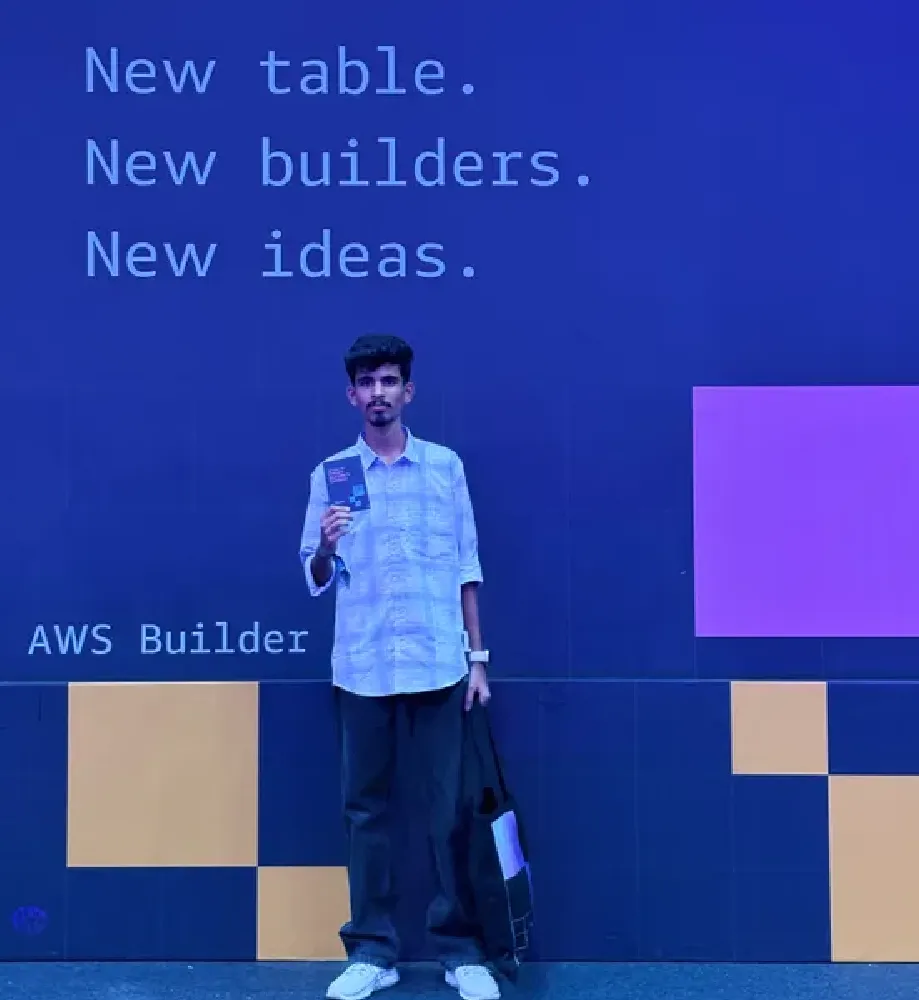
From Portfolio to Cloud-Powered Experience: My Journey Building with AWS Amplify, Amazon Bedrock and Nova Lite
Introduction
When I started working on my project for the AWS Student Builder Challenge: Build Your Tech Superpower, I wanted to create something more interesting than a conventional developer portfolio.
A typical portfolio displays information about a developer, including skills, projects, education, and achievements. I wanted to turn that information into an experience that visitors could actively explore.
My goal was to combine interactive frontend development, generative AI, and AWS cloud services into one application.
This project became an opportunity to work beyond writing frontend code. I experienced the complete process of preparing a repository, deploying a Next.js application, integrating an AI model, configuring cloud permissions, investigating runtime errors, and testing the application in a production environment.

1. The Idea: Three Different Ways to Explore a Portfolio
I designed the portfolio around three interactive experiences.
1.1 Vishnu's Superpower Universe
This is an interactive skill-tree experience representing my academic progress, technical skills, interests, and development journey.
Rather than presenting everything as a conventional list, I wanted visitors to explore different categories through a visual interface.
It brings together areas such as academic excellence, UI/UX design, full-stack development, and experimental projects.

1.2 Vishnu AI
I wanted visitors to interact with my portfolio using natural language.
This led to Vishnu AI, an AI-powered assistant that can answer questions about my education, skills, projects, achievements, and learning journey.
For this feature, I integrated Amazon Bedrock with Amazon Nova Lite.
Instead of requiring visitors to search through multiple pages, the assistant provides a conversational way to discover relevant portfolio information.

1.3 Vishnu OS
Vishnu OS is a simulated desktop environment that runs inside the browser.
It presents portfolio information through interactive applications, windows, a dock, and an app launcher.
The idea was to experiment with a desktop-inspired interface while keeping the experience accessible through a web browser.

2. Technology Choices and Development Tools
The project combines frontend technologies, server-side application logic, and AWS services.
Frontend development
- Next.js 15: Application framework and server-side functionality.
- React 19: Component-based interface development.
- TypeScript: Type safety and maintainability.
- Tailwind CSS: Responsive styling.
- Framer Motion and GSAP: Animations and transitions.
- Three.js and React Three Fiber: 3D visual elements.
AI and backend integration
- Amazon Bedrock: Access to foundation models.
- Amazon Nova Lite: Model powering Vishnu AI.
- AWS SDK for JavaScript: Programmatic communication with AWS.
- Bedrock Converse API: Sending conversational requests and receiving model responses.
- Next.js API routes: Server-side handling of AI requests.
Development and cloud tools
- GitHub: Source-code repository and version control.
- AWS Amplify Console: Application hosting and deployment configuration.
- AWS IAM Console: Role and permission configuration.
- Amazon CloudWatch: Runtime log inspection and troubleshooting.
- Resend API: Contact-form email integration.
Each tool served a different purpose, and understanding how they connected was an important part of the experience.
3. Deploying the Application with AWS Amplify
After preparing the project for deployment, I connected my GitHub repository to AWS Amplify Hosting.

The deployment workflow involved:
- Preparing the project repository on GitHub.
- Connecting the repository to Amplify.
- Selecting the deployment branch.
- Configuring the application build settings.
- Triggering the deployment.
- Checking the build and deployment status.
- Opening the generated Amplify URL to test the application.
One useful part of this setup was the GitHub integration. Once connected, updates pushed to the configured branch could trigger new builds and deployments.
This gave me a practical understanding of how source control and cloud hosting work together in a development workflow.
However, getting the application deployed was only the beginning. The AI integration introduced a more interesting challenge.
4. Integrating Amazon Bedrock and Nova Lite
The main objective of Vishnu AI was to answer questions using information specific to my portfolio.
I integrated Amazon Bedrock and selected Amazon Nova Lite through an APAC inference profile.
The application uses the AWS SDK for JavaScript and the Bedrock Converse API.
How the request works
- A visitor enters a question in the Vishnu AI interface.
- The frontend sends the question to a Next.js API route.
- The server prepares the portfolio-specific context.
- The AWS SDK sends the request to Amazon Bedrock.
- Amazon Nova Lite processes the request.
- The generated response is returned to the API route.
- The frontend displays the answer to the visitor.
An important implementation decision was keeping the AWS interaction on the server side rather than exposing credentials in the browser.
This allowed the application to use its configured AWS execution role for model invocation.
5. My Biggest Debugging Experience: Resolving AccessDeniedException
This was one of the most valuable parts of the project.
After deploying the application, I tested Vishnu AI. The feature worked in the development workflow, but the deployed application encountered an AWS authorization error.
The error was:
AccessDeniedException At first, this was confusing because the model integration and application code were already in place.
I needed to determine whether the problem came from the API implementation, the selected model, or the permissions assigned to the deployed application.
Step 1: Investigating the runtime logs
I used Amazon CloudWatch to inspect the runtime logs associated with the deployed application.
Rather than immediately changing the application code, I looked at the error information to understand which AWS operation was being denied and which resource was involved.
This helped narrow the investigation toward AWS authorization.
Step 2: Understanding the IAM role
I then examined the IAM configuration associated with the Amplify server-side compute environment.
I identified the role used by the application:
VishnuPortfolioAmplifyBedrockRole This was an important discovery.
The application was running on Amplify, but its server-side execution environment also needed permission to invoke Amazon Bedrock.
Having a working Bedrock integration in the code did not automatically mean the deployed application had permission to access the model.
Step 3: Investigating the resource permissions
I reviewed the IAM policy and the resources involved in the Bedrock request.
The integration used an APAC inference profile. The authorization configuration therefore needed to account for the inference profile and its associated regional foundation model resources.
The policy needed the relevant actions:
-
bedrock:InvokeModel
-
bedrock:InvokeModelWithResponseStream
I configured the policy to target the required resources instead of relying on unrestricted permissions.
This taught me that IAM configuration for inference profiles can require more consideration than simply granting access to one model ARN.
Step 4: Applying and testing the correction
After reviewing the permissions, I updated the policy attached to the Amplify compute role.
I then returned to the deployed application and tested Vishnu AI again.
The goal was not merely to make the error disappear. I needed to verify that a real question could travel through the API route, reach Amazon Bedrock, and return a response to the interface.
This debugging process helped me understand the relationship between application code, execution roles, IAM policies, inference profiles, and foundation model resources.
My key takeaway: An application can have correctly written API code and still fail in production when its execution environment does not have the required permissions.
6. Configuring Contact Form Email Delivery
Another integration in the portfolio was the contact form, which uses Resend for email delivery.
During deployment, I encountered an environment-configuration issue because the deployed application needed the
RESEND_API_KEY variable.I investigated the Next.js API route and the Amplify deployment environment configuration.
The important distinction was that environment variables available during local development are not automatically available in the cloud deployment.
I configured the required variable in Amplify while keeping its secret value hidden, then tested the deployed contact form.
This experience reinforced the importance of separating application code from sensitive configuration and verifying integrations in the actual deployment environment.
7. Understanding the Complete Architecture
The application brings together several services with different responsibilities.
Frontend: Next.js and React provide the portfolio interface and interactive experiences.
Hosting: AWS Amplify hosts and deploys the application.
AI request handling: A Next.js API route receives visitor questions and prepares the portfolio context.
Model integration: The AWS SDK communicates with Amazon Bedrock through the Converse API.
AI processing: Amazon Nova Lite generates the response.
Authorization: IAM controls whether the Amplify server-side environment can invoke the required Bedrock resources.
Monitoring: CloudWatch logs help investigate runtime issues.
Email: Resend handles the separate contact-form email integration.
This separation helped me understand how a modern web application can combine frontend experiences, server-side logic, cloud infrastructure, and external APIs.
8. What This Project Taught Me
Before this project, much of my development work focused on building application features and making them function correctly.
Working with AWS introduced another layer of engineering responsibility.
I gained practical experience in:
- Connecting GitHub repositories to AWS Amplify.
- Deploying a Next.js application to a cloud hosting environment.
- Integrating Amazon Bedrock using the AWS SDK.
- Working with Amazon Nova Lite and the Converse API.
- Understanding IAM execution roles and resource-based permissions.
- Investigating authorization failures through CloudWatch logs.
- Configuring environment variables for deployed applications.
- Testing server-side integrations after deployment.
- Understanding how frontend, backend, and cloud services communicate.
The biggest lesson was learning to investigate problems systematically.
Instead of randomly changing code, I learned to follow the request, inspect the logs, identify the failing component, check its configuration, and test the correction.
That approach is something I want to carry into future projects.
9. Future Improvements
I consider this portfolio an ongoing project.
Some improvements I would like to explore include:
- Improving the AI assistant's conversational experience.
- Expanding the portfolio knowledge available to the assistant.
- Adding more interactive elements to the skill tree.
- Improving accessibility and mobile responsiveness.
- Exploring additional AWS services where they provide meaningful value.
- Improving monitoring and error-handling for deployed features.
Conclusion
Building this project for the AWS Student Builder Challenge was more than a frontend development exercise.
It gave me the opportunity to combine interactive design, full-stack development, generative AI, and cloud deployment in one application.
The most valuable experience was not simply integrating Amazon Bedrock. It was understanding why the deployed application initially failed, using CloudWatch to investigate the problem, reviewing IAM permissions, and testing the corrected integration.
I am currently pursuing B.Tech in Computer Science and Engineering (AI & ML) at Amity University Bengaluru. This project reflects my interest in full-stack development, AI-assisted application development, UI/UX design, and practical cloud-based solutions.
I started with the idea of making a developer portfolio more interactive. Along the way, I gained a much better understanding of how real applications are deployed, secured, integrated, and debugged using AWS.
A project is not finished when the code runs locally. It becomes a much more meaningful learning experience when you can deploy it, troubleshoot it, and make it work in the real world.
Project Links
- Live Portfolio: https://main.d3564qv9b34wyv.amplifyapp.com
- GitHub Repository: https://github.com/cvardhan501/vishnu-portfolio-aws
#AWS #AWSStudentBuilderChallenge #BuildYourTechSuperpower #AWSAmplify #AmazonBedrock #AmazonNova #CloudComputing #GenerativeAI #WebDevelopment
Enjoyed reading this content? Let the author know!
Your likes, comments, shares, and saves help creators reach more builders.

Loading recommendations
Loading article