

re:Invent Compass: From your code to your seat, on time
re:Invent Compass is a Kiro Power and MCP server that reads your own code, on your machine or on GitHub, works out which AWS services and technology you actually use, and finds re:Invent sessions to match, each with a reason. It writes your week as a Kiro spec, checks every booking against the 10-minute seat rule and the walk between venues, and puts each seat in Apple or Google Wallet as an unofficial boarding pass that tells you when your gate changes.
Series: AWS re:Invent 2026 (2 articles)
- 1re:Invent Compass: From your code to your seat, on time This article
This is the build story behind re:Invent Compass. From what it does, the demo video and how to try it. The project is live at https://reinvent-compass.vegas until the closure of the 2026 AWS re:Invent conference. After that, you can find the entire project on my GitHub Repository .

An experienced engineer, and a complete beginner
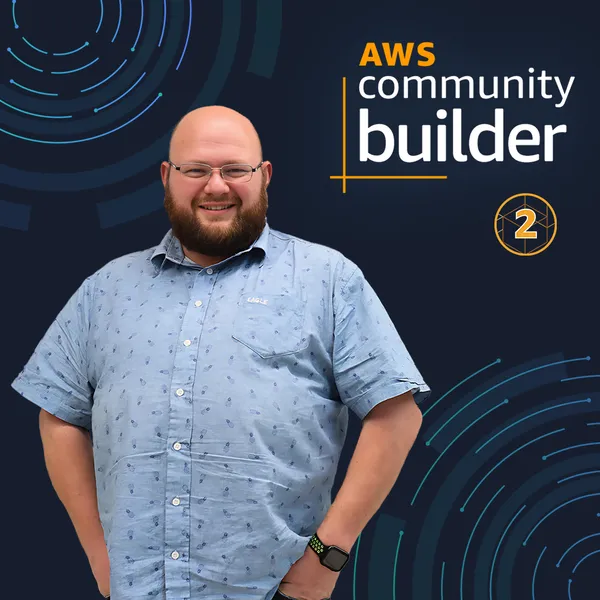
I am an AWS Community Builder for the second year now and the AWS User Group Leader for Cape Town. I have never been to re:Invent and this year is my first, and I am going as an All Builders Welcome Grant recipient. I have the incredible opportunity to take my co-leader for the AWS User Group with, who also happens to be my wife.
So I did what I would do with any new system: I read the documentation before touching anything.
The session catalogue has more than 2,000 sessions. They are spread across several hotels on the Las Vegas Strip, on a campus I had never seen. I opened the campus map, then watched videos of the venues, and the first thing I learned is that Las Vegas is much bigger than it looks on a map.
I read the official FAQ properly, and one line stopped me dead in my tracks: A reserved seat is only held until 10 minutes before the session starts. After that, it goes to the walk-up line.
That changes the question. "Starts 10:30" is the wrong time to look at. The time that matters is "boarding closes at 10:20", plus however long it takes to walk there. AWS's own guidance is to allow 30 to 45 minutes between venues.
Most planning tools help you choose sessions. As a newcomer, choosing wasn't my worry. Getting there, was my biggest worry. I wanted something that gets me into the sessions I picked, and gets me through the week, fed and rested. That became my entry for the re:Invent Catalog API Builder Challenge: re:Invent Compass. I had the idea before the challenge was announced, and the challenge gave me the reason to build it properly. I also wanted to arrive with something every attendee can use, on behalf of our community back home.
The idea: re:Invent already works like an airline
Everyone at re:Invent has flown to get there.
I am an aviation geek and an aspiring pilot, and I wanted my week to run like a well-planned flight. Once I looked at the event that way, most of the design fell into place:
- Your badge is the ticket.
- Each reserved session is a boarding pass.
- The venue is the terminal, and the room is the gate.
- Boarding closes 10 minutes before the start.
- A long walk between hotels is a tight connection.
- Taking the repeat of a session (the
-Rin its code) is rebooking.
- Favourites are your standby list.
- Meals and rest are layovers.
In one line: plan like a spec, board like a flight. Or, from your side: from your code to your seat, on time.
Compass is a Kiro Power plus a local MCP server. It reads your code to find sessions that match what you build, writes your week as a Kiro spec, checks every booking against the seat rule and the walk, and turns each seat into a Wallet boarding pass that follows your plans as they change.

Specs all the way down
There is a loop in this project that still makes me chuckle: I used Kiro specs to build a tool that turns your week into a Kiro spec.
I split the build into eight Kiro specs, one for each part of the system:
- Shared contracts
- Events API client
- Itinerary rules
- Boarding passes
- Kiro Power itself,
- Pass service
- Infrastructure
- Showcase site
Kiro wrote the requirements in EARS, the designs and the task lists, under four steering files that load into every session. Each spec ran in its own Git worktree and branch, with strict file ownership, so no two streams ever touched the same file. On day one, the contracts spec locked the shared pieces: the zod schemas and the OpenAPI file for my small pass API. With those fixed, every other stream could start straight away.
Then, on 17 October, my Kiro credits ran out. Mid-build, with every stream ready to go. This is where spec-driven development paid for itself. Every stream had requirements, a design and a task list with checkboxes, so nothing important lived only in a chat window. I moved the build to my Claude's dev-team agents: one agent per worktree, building from the same Kiro specs, under the same steering and review gates. The three specs still to be written, for the Kiro Power, the pass service and the showcase site, were written in Kiro's format, so the shape never changed, and Kiro can pick up any stream again from its checkboxes.
One lesson from that handover has stayed with me. In one of its last tasks on the client, Kiro had written the API paths without the
/events/{eventId} prefix, and its tests passed, because they checked those same invented paths. Green tests, wrong code. The fix became a rule for every builder, Kiro or agent: take every path and field name from the committed OpenAPI contract, and never write a test that asserts something the contract does not contain. A spec is only as good as the contract underneath it.The design choices that mattered
Guardrails live in the server
One function,
checkReservation , decides whether a booking should go ahead, and the MCP server, the Kiro hook and the browser demo all call that same code. It blocks a clash, or a connection that certainly cannot be made. It warns about a tight connection, a day that loses its only meal break, or a day that is simply too full.Kiro hooks run the same check before every write. But hooks only exist in Kiro, and a workspace can edit them, so I did not want them to be the only line of defence. The server checks every booking again, in every client. Write tools are never auto-approved, and there is no background booking or seat sniping. Catalogue text reaches the assistant as labelled data, and a test proves that a session abstract stuffed with instructions cannot trigger a write.
Then I signed in with my own Builder ID to test on real data, and changed my mind about something. I did not want Compass to be able to change my schedule by accident, at all. So it is read-only by default. It reads the live catalogue and your real reservations and runs the guardrail, and the booking tools tell you what they would have done and that nothing changed. Every Events API write is refused in the adapter, before any request leaves your machine. If you want Compass to book for you, you set one environment variable, and from then on every schedule reply starts with "Writes are on". Boarding passes still work either way, because they live on my own pass service.
Read-only by default does not mean untested. On 29 October I turned writes on and ran the writes against my real re:Invent schedule, from Kiro: reserve and cancel, standby, a layover, a boarding pass, the hand-off to my phone, Add to Google Wallet, and a cancel that voided the pass. All of it worked, except that the layover landed at the wrong time, which became the first war story under "What was hard".

The guardrail blocks a clashing booking, with its reasons in plain English.
No server-side search, so the catalogue is local
The Events API has twelve operations and no server-side search. That one fact shaped more of the design than anything else. Compass reads every page of
ListSessions once, until nextToken is absent, into a private cache on your machine. Searching, planning and checking all work on that cache. It is fast, and it stays well inside the per-attendee quotas.It pushed everything else local too. Your tokens live in your OS keychain, your schedule snapshot in your app-data folder, and the repository scan stays in memory, with only a summary of counts and hashed project names saved on your machine.
The API taught me one more habit.
ReserveSessions returns a result for each session, and a 200 can still hold failures. So Compass never trusts the response on its own. Every write is confirmed by reading GetSchedule back.The typed client implements all twelve operations, with fixture tests for each one and its error paths, and each one is reachable from a Compass tool:
-
GetEventandListEvents: the event dates and time zone, never hard-coded.
-
ListSessionsandGetSession: the local cache, and a fresh copy of a session before its pass is issued.
-
GetSchedule: the source of truth, read back after every write and bysync_passes.
-
ReserveSessionsandCancelReservation: booking, cancelling and the safe swap.
-
AssociateFavoritesandDisassociateFavorite: the standby list.
-
CreatePersonalTime,UpdatePersonalTimeandDeletePersonalTime: layovers that follow your day.
AWS also publishes its own MCP server for the Events API. It is fine for reading alongside Compass, but its write tools skip the guardrail, so the Compass Kiro hook blocks writes through it.
The safe swap
The obvious way to move to a repeat is to cancel, then book. If the repeat fills up in between, you are left with nothing.
Compass does it the other way round. It reserves the repeat first, reads the schedule back to confirm the seat is really held, and only then cancels the original. It refuses the swap if the repeat clashes with something, is not confirmed on your schedule, or would leave you a walk you cannot make. Overriding that needs an explicit "cancel anyway", and a client that cannot ask you the question never gets the override.
Boarding passes that tell the truth

Every pass is marked unofficial, and its back says "This is not a ticket. Your re:Invent badge is your official ticket. Bring it to every session." There is no barcode and there are no AWS logos, and all the artwork is original. The session title is the flight name, with "Boarding closes" next to the date.

An unofficial boarding pass: the session is the flight, the room is the gate, and boarding closes 10 minutes before the start.
A small serverless API in my own AWS account signs the passes: CloudFront and WAF, API Gateway REST built from the OpenAPI contract, two Lambda functions, DynamoDB, and Terraform for all of it. WAF rate rules, a kill switch and CloudWatch alarms keep it safe to run in public, and API Gateway refuses any call that does not come through CloudFront. It serves signed-in attendees only. The ID token from your Builder ID sign-in proves who you are. It is checked and never stored.

How the pieces fit: your tokens, cache and code stay on your computer, and the pass service only receives what a pass needs.
When you cancel a session, its pass is voided. On Apple Wallet, the PassKit web service pushes an update over APNs, and Wallet moves the pass to expired passes. On Google Wallet, the object is set to inactive. No wallet lets anyone delete a pass remotely, so Compass says "void", never "delete". Every pass also expires when its session ends.

The same session as a Google Wallet pass.
Two more airline habits made it in near the end. All of a week's passes share one group (Apple's
groupingIdentifier , Google's groupingInfo ), so they stack as one trip in starting order. And when a session moves, the pass tells you. On an iPhone, the gate, terminal and time fields carry a change message, so Wallet shows "Gate changed to Octavius 4" on the lock screen. On Android, Compass adds a message to the pass and Google Wallet raises the notification. Google allows three of those per pass each day and decides when to show them. In my test, the first message arrived silently and the second one notified.
A room change, told the way an airline tells you about a gate change.
I wanted the airline countdown in the Dynamic Island too, and this is where I hit a wall. That needs a native app: only an app can start a Live Activity, and Wallet's own live cards are for airline boarding passes and NFC event tickets. A Compass pass appears on the lock screen from 40 minutes before its session, which is as close as a pass gets without an app.
Planning happens on a computer, because Builder ID sign-in returns to the computer that started it. A short-lived link or QR code then moves your passes to a board page on your phone, and the wallets themselves shaped that page. Google gives 1,800 characters as the safe length of a save link, which I measured at about 8 passes. A developer report says Safari fails on Apple bundles above 10, and staying under that also keeps a bundle inside the 6 MB a Lambda function can return. So for up to 8 sessions, one Apple and one Google button at the top add the whole week. Above that, each session gets its own button. Your phone only sees its own wallet, and the week's calendar file is always at the top.
I live in South Africa, so privacy under POPIA was part of the design from day one. Pass fields stay on the server only until the session ends, plus 24 hours.
forget_me deletes your records on the server and on your machine, and the table has no point-in-time recovery, on purpose, so no backup can bring an erasure back.The Gremlins
A 7am layover that showed at 3pm
The Events API's OpenAPI document said personal time is in UTC. So in my live run from Cape Town, Compass sent a 07:00 Las Vegas layover as
15:00:00 , and the re:Invent app showed it at 15:00, eight hours late. The live service reads personal time as Las Vegas wall-clock time.Worse, my own safety net missed it. Compass confirms every write by reading the schedule back, but it read the value back as UTC too, so the two matched perfectly. Both sides were wrong in the same way.
Compass now writes and reads personal time in the event's own time zone, taken from the API, never from your laptop. 7am means 7am in Las Vegas, wherever you plan from. That first live run had also refused a layover on badge pickup day, Sunday 29 November, because the event window only starts the next morning. Layovers may now start the day before.
By 31 October, AWS had updated the OpenAPI document: personal time is now documented as wall-clock time in the event's own time zone, not UTC. It also gained a rule that a block ends on the date it starts, which Compass now checks before it writes.
Earlier I said a spec is only as good as the contract underneath it. This bug taught me the next line: a contract is only as good as the live service behind it.
How long is the walk from Wynn to MGM Grand?
AWS publishes no walking times between venues. My first data file had 30 uniform estimates, which was not good enough for a tool whose whole point is getting you there on time.
So I researched them. Each of the 30 ordered pairs between the six official venues now uses the foot-route distance from the OpenStreetMap routing service, at 66.7 metres a minute, plus 15 minutes to get out of one building and into the next, rounded up to 5 minutes. A 30-minute floor matches the AWS advice. Every estimate states its basis and its sources. Wynn to MGM Grand comes out at 75 minutes. I had not expected that.
QA then raised a fair point. An estimate should not carry the authority of an official time. So an impossible walk based on an estimate now warns ("likely impossible"), and only blocks when you would be late even at half the estimated walk.
The board page now answers the question I kept asking while watching those venue videos: how long from here? Tap "Walk from here" on your next session, and the page asks for your location, works out the walk on the phone, and shows the minutes, a "leave by" time and a Directions link. It says plainly that it is an estimate. Your location is never sent or stored.
Project Stats
These are the headline numbers. The full set, with how each one was measured, can be located at: re:Invent Compass: Project Stats and Costs
Stat | Details |
|---|---|
12 of 12 | AWS Events API operations used |
3,491 | Unit tests, with 100% coverage of lines, branches, functions and statements, enforced on every build |
182 × 7 | Browser tests, each run on 7 device profiles (Chromium, Firefox and WebKit on desktop, plus iPad and iPhone in both orientations) |
96 - 100 | Lighthouse score for accessibility and best practices on every page, with 96 to 100 for performance |
±4s | From a room change to the alert on your iPhone’s lock screen (median of 11 test changes) |
±$16 per month | To run dev and prod together; most of it is the firewall, and the serverless parts cost cents |
22 days | From the first commit to submission, in about 546 commits |
8 / 1,168 / 37 | Kiro specs, tasks ticked off, and architecture decision records |
70,500 vs 48,600 | Lines of test code compared with lines of TypeScript product code |
4,449 | Lines of Terraform, covering every piece of infrastructure, with nothing made by hand in the console |
Tips for other builders
- Lock the contracts first. With the OpenAPI file and schemas fixed on day one, eight streams could work at once.
- Never trust a 200 on a batch call. Read the state back.
- Test against the live service early. The documentation and the service can disagree.
- Ship write tools read-only by default, and make turning writes on loud.
- Let an estimate warn, not block. Only facts you are sure of should stop a user.
What is next
I built this so you can arrive on time, keep your seat, and spend your energy on the parts of re:Invent that matter: the learning, the people and the buzz.
If you are heading to your first re:Invent too, I would love to hear what would help you most. See you in Las Vegas.
The real test is still ahead of me. I will use Compass at my own first re:Invent and fix whatever the week teaches me. The whole build is in the open, so you can see exactly how it was made.
re:Invent Compass is an independent community project and is not affiliated with, endorsed by, or sponsored by Amazon Web Services.
Series: AWS re:Invent 2026 (2 articles)
- 1re:Invent Compass: From your code to your seat, on time This article
Enjoyed reading this content? Let the author know!
Your likes, comments, shares, and saves help creators reach more builders.

Loading recommendations
Loading article