
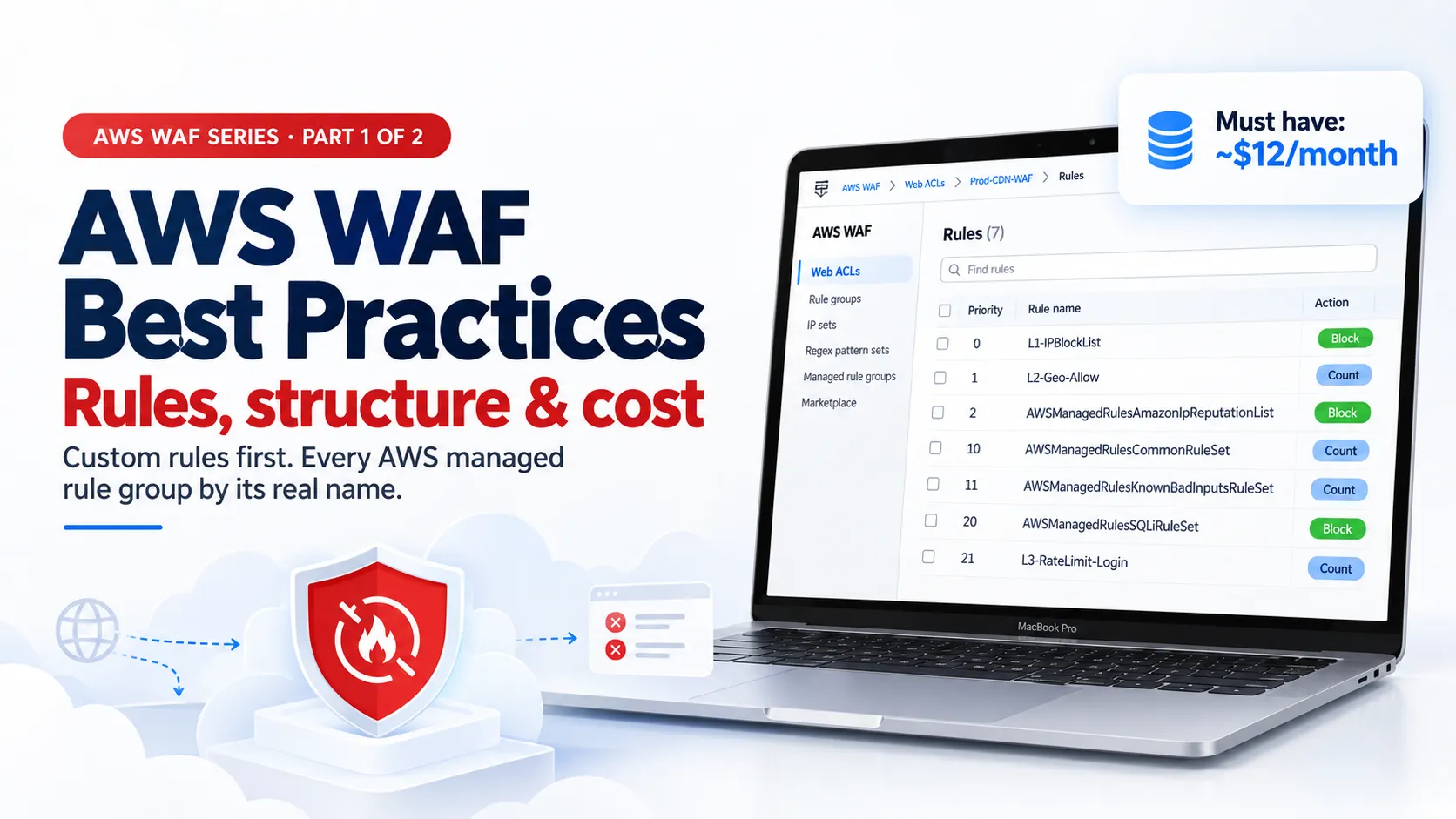
AWS WAF Best Practices, Part 1: Enterprise Web ACL Design, Custom Rules and Every AWS Managed Rule Group
How to structure AWS WAF for production: web ACL design, how requests are inspected, custom rules with JSON, every AWS managed rule group by its real name, must-have vs good-to-have rules with cost, and the OWASP Top 10:2025 mapping.

By Dipnarayan Nandi, Cloud Security Engineer
It's 2:40 on a Saturday morning, and the on-call phone won't stop buzzing.
The checkout API is slow. Then it's timing out. CPU on the application servers is pinned at 100%. Nothing was deployed. Traffic looks "normal" in the load balancer graphs, just a lot more of it. By the time someone finds the pattern, a few thousand IPs have spent four hours hammering
/login with leaked passwords, a scraper has copied the entire product catalogue, and a scanner has tried every path from /wp-admin to /.env .The worst part? The company had AWS WAF. It was attached to the load balancer. It had the Core rule set ticked. And it was in Count mode, because six months earlier it had blocked a customer's file upload and someone switched it off "for now".
I've seen some version of this story more times than I'd like. So this is the guide I wish those teams had: how to build AWS WAF properly, end to end, the way it needs to run in an enterprise. Not a checkbox, but a set of decisions about your traffic: who should reach your app, from where, with which methods, how fast, and carrying what.
This guide comes in two parts, because doing it properly takes more than one post.
Part 1 (this post): building the rules
- Why you need a WAF when you already have security groups and Shield
- The associated resources: what AWS WAF can protect and where the web ACL lives
- Implementation step by step: the web ACL, a rule group, how AWS WAF inspects each request, then every custom rule and every AWS managed rule group by its real name, with its use case
- Must-have vs good-to-have rules, with what each costs, and how it all maps to the OWASP Top 10:2025
Part 2 : running it in production. Bot Control, Anti-DDoS, CAPTCHA and Challenge, logging to S3 and your SIEM, monitoring, the 14-day Count-mode rollout, and the full cost breakdown.
Everything here is based on the current AWS WAF documentation (October 2026), with links at the end.
Why you need a WAF at all
Security groups and network ACLs work at layers 3 and 4. They decide which IPs and ports can talk to your load balancer. Port 443 is open to the world, because it has to be. Everything an attacker does next happens inside that HTTPS request:
- Injection and exploits: SQL injection, cross-site scripting, Log4j-style payloads, path traversal to
/etc/passwd, SSRF to the EC2 metadata endpoint.
- Credential stuffing and brute force: thousands of login attempts per minute with leaked passwords.
- Bots and scrapers: price scraping, inventory hoarding, fake sign-ups, and now AI crawlers reading everything you publish.
- Layer 7 DDoS: HTTP floods that look like normal requests, just millions of them.
AWS Shield Standard (free, always on) absorbs network-level floods. It doesn't read HTTP requests. That's the WAF's job: it inspects every request at layer 7 and decides to allow, block, count, challenge or rate-limit it before your application spends a single CPU cycle on it.
There's also the compliance angle. PCI DSS v4.0 requirement 6.4.2 expects an automated technical solution that detects and prevents web-based attacks for public-facing web applications. A properly configured WAF is the usual answer.
Part 1: The associated resources (what AWS WAF protects)
AWS WAF is a layer 7 firewall. It inspects HTTP(S) requests and decides to allow, block, count, or challenge them, based on rules you put in a web ACL (the console now also calls it a protection pack).
You attach a web ACL to a resource. The resource decides where the web ACL must be created:
Resource | Web ACL scope |
|---|---|
Amazon CloudFront distribution | Global, created in US East (N. Virginia) us-east-1 |
Application Load Balancer (ALB) | Regional, same Region as the ALB |
Amazon API Gateway REST API | Regional |
AWS AppSync GraphQL API | Regional |
Amazon Cognito user pool | Regional |
AWS App Runner service | Regional |
AWS Verified Access instance | Regional |
Amazon Bedrock AgentCore Gateway | Regional |
AWS Amplify | Global (CloudFront) web ACL |
A few rules that catch people out:
- Each resource can have only one web ACL. One web ACL can protect many resources.
- A web ACL attached to CloudFront can't also be attached to a regional resource. Plan separate global and regional web ACLs.
- Body inspection limits differ. For ALB and AppSync, AWS WAF inspects only the first 8 KB of the request body, and that's fixed. For CloudFront, API Gateway, Cognito, App Runner, Verified Access and AgentCore Gateway, the default is 16 KB, configurable up to 64 KB (larger limits cost extra). This matters a lot later when we talk about upload restrictions and SQL injection in large JSON bodies.

My recommendation: if your app sits behind CloudFront, put your main web ACL on CloudFront. You block bad traffic at the edge, before it reaches your Region, and you get the larger body inspection limit. Keep a lean regional web ACL on the ALB as defence in depth, and lock the ALB down so it only accepts traffic from CloudFront.
Part 2: Implementation, step by step
Step 1: Create the web ACL
In the AWS WAF console, choose Protection packs (web ACLs) → Create. A few settings deserve thought:
- Default action: Allow. For a public website, the default is Allow, and your rules block what's bad. (A default Block web ACL makes sense only for private apps with a strict allow-list.)
- Body inspection size limit. For CloudFront and API Gateway, raise it from 16 KB if your app accepts large JSON or form bodies. Every additional 16 KB is billed per request, so pick what you need, not the maximum.
- CloudWatch metrics and sampled requests. Turn both on for every rule. Metrics are free and they're how you'll tune.
- Token domains. If you'll use CAPTCHA, Challenge or Bot Control Targeted across subdomains (for example
www.example.comandapp.example.com), add your apex domain so one token works across them.
- Immunity time. Defaults to 300 seconds for both CAPTCHA and Challenge. CAPTCHA can go as low as 60 seconds and both can go up to 3 days.
Capacity: the WCU budget
Every rule costs web ACL capacity units (WCUs). The first 1,500 WCUs are included in the base price. Beyond that you pay per request for each extra 500 WCUs, up to a hard limit of 5,000 per web ACL.
The managed rule groups add up quickly: the Core rule set alone is 700 WCUs, and Known bad inputs, SQLi and Linux are 200 each (full list with costs in Step 4). Add every group in this post and you're at about 1,775 WCUs before a single custom rule. So decide which groups your stack actually needs: no PHP, no PHP rule group; no WordPress, no WordPress rule group.
Step 2: Create a rule group for your custom rules
You can add custom rules directly to the web ACL, but in an enterprise I put them in a rule group instead. A rule group is a reusable bundle of rules you can attach to many web ACLs. Your geo, method and upload rules then live in one place, and with AWS Firewall Manager you can push the same rule groups to every account in your AWS Organization.
Two things to know:
- A rule group's capacity is fixed when you create it. Leave headroom (for example, set 500 WCUs even if your rules need 200 today), because you can't change it later.
- IP sets and regex pattern sets are separate resources. Create them first, in the same Region (or
us-east-1for CloudFront), and reference them from rules. Updating an IP set updates every rule that uses it, with no rule changes.
How AWS WAF inspects every request (read this before writing rules)
Getting the rule structure right matters more than any single rule. Here's what actually happens to each request:
- The request arrives at the protected resource, for example CloudFront or your ALB, and is handed to the web ACL before it reaches your application.
- Rules run in priority order, lowest number first. A rule group (yours or AWS-managed) counts as one rule in that list, and the rules inside it run in their own order.
- Each matching rule takes its action:
- Allow or Block is terminating. Evaluation stops, and nothing below it runs.
- Count is non-terminating. The match is recorded and labelled, and evaluation continues.
- CAPTCHA and Challenge stop the request if the client has no valid token. If the token is valid, they behave like Count and evaluation continues.
- Labels carry information down the list. Managed rules add labels such as
awswaf:managed:aws:core-rule-set:SizeRestrictions_Body, and a rule with a higher priority number can act on them. This is how you build precise exceptions.
- If nothing terminates the request, the web ACL's default action applies (usually Allow for a public site).
That gives a simple design principle: cheap, high-confidence decisions first; expensive, deep inspection last; label-based follow-ups at the very end.
The best-practice structure: custom rules first, then AWS managed rules
I think of the web ACL in layers:
- 1. Trust and deny lists (priority 0–1): IP allow-list (trusted), IP block-list. Your monitoring and partners never trip a rule, and known-bad IPs stop instantly.
- 2. Business rules (custom) (priority 2–6): Geo allow-list, HTTP methods, rate limits, upload file types. Encode what your business allows. Cheap, and removes most noise early.
- 3. Reputation (managed) (priority 10–11):
AWSManagedRulesAmazonIpReputationList,AWSManagedRulesAnonymousIpList. Low WCU, high signal. Drops known attackers before deep inspection.
- 4. Layer 7 DDoS (managed) (priority 12):
AWSManagedRulesAntiDDoSRuleSet. Must see traffic early to build its baseline and react during an event.
- 5. OWASP baseline (managed) (priority 20–22):
AWSManagedRulesCommonRuleSet+ your label exceptions,AWSManagedRulesKnownBadInputsRuleSet. The OWASP Top 10 protections every app needs.
- 6. Stack-specific (managed) (priority 23–28):
AWSManagedRulesSQLiRuleSet,AWSManagedRulesLinuxRuleSet,AWSManagedRulesUnixRuleSet,AWSManagedRulesWindowsRuleSet,AWSManagedRulesPHPRuleSet,AWSManagedRulesWordPressRuleSet,AWSManagedRulesAdminProtectionRuleSet. Only what matches your technology.
- 7. Bots (managed, paid) (priority 30):
AWSManagedRulesBotControlRuleSet, scoped down. The most expensive per request, so it sees the least traffic.
- 8. Label follow-ups (custom) (priority 31+): Rules that match labels from the groups above. Fine-grained decisions, such as blocking unverified AI bots on one path.
Two practical tips:
- Leave gaps in priority numbers (0, 1, 2… then 10, 20, 30). You'll add rules later, and renumbering a production web ACL is no fun.
- Prefix rule names by layer, for example
L2-Geo-AllowBusinessCountriesorL5-CRS. Your CloudWatch metrics and logs become readable at a glance.
Step 3: The custom rules every enterprise needs, one by one
Managed rules catch known attack patterns. Custom rules encode your business: where your customers are, what your app accepts, and how fast a normal user moves. These are the five I put in almost every web ACL, in priority order.
3.1 IP allow-list and block-list (priority 0–1)
Create two IP sets: one for trusted sources (office egress IPs, monitoring, partner integrations, your own pentest team) and one for known-bad IPs from incident response.
- Allow the trusted set at priority 0, so your own monitoring never trips a managed rule at 3 AM.
- Block the bad set at priority 1.
Keep the allow-list short and reviewed. An allow rule ends evaluation, so everything in that set skips every rule below it.
3.2 Geo restriction based on your business (priority 2)
If you only serve customers in India, the UAE and Singapore, there's no reason to accept traffic from 190 other countries. An allow-list approach (block everything not from your countries) is far stronger than chasing "bad" countries.
JSON
{"Name": "Geo-AllowBusinessCountriesOnly","Priority": 2,"Statement": {"NotStatement": {"Statement": {"GeoMatchStatement": { "CountryCodes": ["IN", "AE", "SG"] }}}},"Action": { "Block": {} },"VisibilityConfig": {"SampledRequestsEnabled": true,"CloudWatchMetricsEnabled": true,"MetricName": "Geo-AllowBusinessCountriesOnly"}}
Two things to check first:
- Legal and business sign-off. Geo-blocking is a business decision, not just a security one. Get it agreed with the product owner.
- Proxies. Behind another proxy or CDN that isn't CloudFront, use the
ForwardedIPConfigoption so WAF reads the client IP from the forwarded header instead of the proxy's IP.
Geo-blocking also keeps a lot of noise out of your logs, which makes everything else easier to tune.
3.3 Allow only the HTTP methods your app uses (priority 3)
Most web apps need
GET , POST and HEAD , plus OPTIONS if browsers make cross-origin (CORS) calls. APIs may add PUT , PATCH and DELETE . Anything else, such as TRACE , PROPFIND or CONNECT , is almost always a scanner.JSON
{"Name": "Allow-OnlyExpectedMethods","Priority": 3,"Statement": { "NotStatement": { "Statement": { "OrStatement": { "Statements": [{ "ByteMatchStatement": { "FieldToMatch": { "Method": {} }, "PositionalConstraint": "EXACTLY", "SearchString": "GET", "TextTransformations": [{ "Priority": 0, "Type": "NONE" }] } },{ "...same for POST, HEAD and OPTIONS...": {} }] } } } },"Action": { "Block": {} },"VisibilityConfig": { "SampledRequestsEnabled": true, "CloudWatchMetricsEnabled": true, "MetricName": "Allow-OnlyExpectedMethods" }}
If different paths need different methods (for example
DELETE only under /api/ ), split it into two rules with a URI scope.3.4 Rate limiting with a proper 429 response (priority 4)
Rate-based rules count requests per aggregation key over an evaluation window of 60, 120, 300 or 600 seconds, and act on anything over your limit (minimum 10 requests per window). You can aggregate by IP, by forwarded IP, by a constant (all matching requests together) or by up to 5 custom keys, such as a header, cookie, query argument or label.
I always run at least two:
- A global per-IP limit, generous enough that no real user ever hits it (for example, 2,000 requests per 5 minutes). This is your flood brake.
- A tight limit on sensitive paths such as
/login,/otp,/password-resetand/api/search, where brute force and scraping actually happen.
Don't just block. Return a 429 Too Many Requests with a friendly body, so legitimate clients and your frontend know what happened. First define the body once at web ACL level (custom response bodies), then reference it:
JSON
{"Name": "RateLimit-Login","Priority": 5,"Statement": {"RateBasedStatement": {"Limit": 20,"EvaluationWindowSec": 300,"AggregateKeyType": "IP","ScopeDownStatement": {"ByteMatchStatement": {"FieldToMatch": { "UriPath": {} },"PositionalConstraint": "STARTS_WITH","SearchString": "/login","TextTransformations": [{ "Priority": 0, "Type": "LOWERCASE" }]}}}},"Action": {"Block": {"CustomResponse": {"ResponseCode": 429,"CustomResponseBodyKey": "too-many-requests","ResponseHeaders": [{ "Name": "Retry-After", "Value": "300" }]}}},"VisibilityConfig": {"SampledRequestsEnabled": true,"CloudWatchMetricsEnabled": true,"MetricName": "RateLimit-Login"}}
For browser traffic, consider CAPTCHA instead of Block on the login limit. A real user who fat-fingers their password six times gets a puzzle, not a wall.
3.5 File upload restrictions: allow only what the business needs
If your app accepts uploads such as invoices or profile pictures, decide the allowed types (for example
.csv , .pdf , .jpg , .png ) and block everything else on the upload endpoint, especially executables ( .exe , .dll , .bat , .ps1 , .sh , .msi , .jar , .js , .hta ) and server-side scripts ( .php , .jsp , .aspx ).The trick is to write it as an allow-list: block an upload whose
filename="..." doesn't end in an approved extension.JSON
{"Name": "Upload-AllowOnlyApprovedFileTypes","Priority": 6,"Statement": {"AndStatement": {"Statements": [{"ByteMatchStatement": {"FieldToMatch": { "UriPath": {} },"PositionalConstraint": "STARTS_WITH","SearchString": "/api/upload","TextTransformations": [{ "Priority": 0, "Type": "LOWERCASE" }]}},{"NotStatement": {"Statement": {"RegexMatchStatement": {"FieldToMatch": { "Body": { "OversizeHandling": "CONTINUE" } },"RegexString": "(?i)filename=\"[^\"]+\\.(csv|pdf|jpe?g|png)\"","TextTransformations": [{ "Priority": 0, "Type": "NONE" }]}}}}]}},"Action": { "Block": {} },"VisibilityConfig": {"SampledRequestsEnabled": true,"CloudWatchMetricsEnabled": true,"MetricName": "Upload-AllowOnlyApprovedFileTypes"}}
I'll be honest about the limits of this rule:
- It checks the file name, not the file. Someone can rename
malware.exetoinvoice.pdf. WAF stops lazy attacks and mistakes. For real protection, scan the stored file too, for example with Amazon GuardDuty Malware Protection for S3, and validate the file's magic bytes in your app.
- Body inspection limits apply. WAF only sees the first 8 KB (ALB) or 16–64 KB (CloudFront and others). The
filename=part of a multipart upload usually appears early, but test it with your client.
- Be careful with SVG. SVG is XML and can carry JavaScript. Only allow it if you sanitise it server-side.
You can also block requests for executable files anywhere in the URI path with a
RegexMatchStatement on UriPath , using a pattern like (?i)\.(exe|dll|bat|cmd|ps1|sh|msi|jar)$ . That stops scanners hunting for leftover installers and scripts.
Step 4: AWS managed rule groups, one by one
AWS Managed Rules are written and maintained by the AWS Threat Research Team and update automatically. You add each one to the web ACL with its vendor (
AWS ) and exact name. Here's every group I use, what it does, its key rules, and how I tune it.4.1 Amazon IP reputation list: AWSManagedRulesAmazonIpReputationList (25 WCU)
What it does: blocks IP addresses Amazon's own threat intelligence (including the MadPot honeypot network) has seen attacking.
Rule | Default | Catches |
|---|---|---|
AWSManagedIPReputationList | Block | IPs actively engaged in malicious activity |
AWSManagedReconnaissanceList | Block | IPs scanning and probing AWS resources |
AWSManagedIPDDoSList | Count | IPs taking part in DDoS attacks |
Use it: always. It's the cheapest high-signal rule group there is. Tune it: consider overriding
AWSManagedIPDDoSList to Block once you've checked its labels in your logs.4.2 Anonymous IP list: AWSManagedRulesAnonymousIpList (50 WCU)
What it does: blocks clients that hide who they are.
Rule | Default | Catches |
|---|---|---|
AnonymousIPList | Block | Tor exit nodes, anonymising VPNs and temporary proxies |
HostingProviderIPList | Block | Traffic from web hosting and cloud providers (not AWS IPs) |
Use it: for consumer-facing apps, login and checkout. Tune it:
HostingProviderIPList is the one that bites. Payment gateway webhooks, uptime monitors and partner integrations often run on cloud providers. Set it to Count for two weeks, then enforce it or allow known partners by label.4.3 Core rule set (CRS): AWSManagedRulesCommonRuleSet (700 WCU)
What it does: the OWASP Top 10 baseline. If you only add one managed group, add this one.
Rule family | Catches |
|---|---|
NoUserAgent_HEADER, UserAgent_BadBots_HEADER | Requests with no User-Agent, and scanners such as nmap and nessus |
SizeRestrictions_QUERYSTRING / _Cookie_HEADER / _BODY / _URIPATH | Query strings over 2 KB, cookies over 10 KB, bodies over 8 KB, URI paths over 1 KB |
EC2MetaDataSSRF_* | SSRF attempts to reach the EC2 instance metadata endpoint |
GenericLFI_* | Local file inclusion such as ../../etc/passwd |
GenericRFI_* | Remote file inclusion using URLs to IPv4 hosts |
RestrictedExtensions_* | Requests for files such as .log, .ini and backups |
CrossSiteScripting_* | XSS in cookies, query arguments, body and URI path |
Use it: always. Tune it:
SizeRestrictions_BODY and CrossSiteScripting_BODY cause most false positives. Fix them with label-based exceptions (covered in Part 2), never by setting the whole group to Count.4.4 Known bad inputs: AWSManagedRulesKnownBadInputsRuleSet (200 WCU)
What it does: blocks request patterns that are known to be exploits. It's effectively free virtual patching for famous CVEs.
Rule family | Catches |
|---|---|
Log4JRCE_* | Log4Shell (CVE-2021-44228 and related), such as ${jndi:ldap://...} in headers, query string, body or path |
JavaDeserializationRCE_* | Java deserialization RCE such as Spring4Shell (CVE-2022-22965) |
ReactJSRCE_BODY | The React RCE CVE-2025-55182 |
Host_localhost_HEADER | A Host: localhost header, a common SSRF and bypass trick |
PROPFIND_METHOD | The WebDAV PROPFIND method |
ExploitablePaths_URIPATH | Paths such as web-inf |
Use it: always. It's rare for it to block legitimate traffic.
4.5 SQL database: AWSManagedRulesSQLiRuleSet (200 WCU)
What it does: blocks SQL injection.
Rule family | Catches |
|---|---|
SQLi_QUERYARGUMENTS / _BODY / _COOKIE / _URIPATH | SQL injection using AWS WAF's built-in SQLi detection |
SQLiExtendedPatterns_QUERYARGUMENTS / _BODY / _HEADER / _URIPATH | Extra SQL patterns the basic rules miss |
Use it: whenever there's a SQL database behind the app, which is almost always. Tune it: search boxes and "notes" fields that legitimately contain SQL-like text sometimes match. Exempt that one path using labels, not the whole group.
4.6 Linux operating system: AWSManagedRulesLinuxRuleSet (200 WCU)
What it does: blocks Linux-specific local file inclusion, such as attempts to read
/proc/version or /etc/shadow . Key rules: LFI_URIPATH , LFI_QUERYSTRING , LFI_HEADER . Use it: if your app runs on Linux, including containers.4.7 POSIX operating system: AWSManagedRulesUnixRuleSet (100 WCU)
What it does: blocks shell command injection and path traversal on Unix-like systems, such as
echo $HOME or ;cat /etc/passwd . Key rules: UNIXShellCommandsVariables_QUERYSTRING , _BODY , _HEADER . Use it: with the Linux rule set. AWS recommends using the two together.4.8 Windows operating system: AWSManagedRulesWindowsRuleSet (200 WCU)
What it does: blocks Windows command injection and PowerShell injection.
Rule family | Catches |
|---|---|
WindowsShellCommands_* | Windows shell injection such as ||nslookup and ;cmd in headers, query, path or body |
PowerShellCommands_* | PowerShell injection such as Invoke-Expression in cookies, query arguments or body |
Use it: only if your backend runs on Windows or IIS. Don't pay the WCUs for a Linux stack.
4.9 PHP application: AWSManagedRulesPHPRuleSet (100 WCU)
What it does: blocks PHP code injection, such as calls to
fsockopen or abuse of $_GET superglobals. Key rules: PHPHighRiskMethodsVariables_HEADER , _QUERYSTRING , _BODY , _URIPATH , plus PHP2Shell_BODY and PHP2Shell_BODY_Extended for the October 2026 PHP2Shell flaws (CVE-2026-109618 and CVE-2026-109619). Use it: for any PHP app, including Laravel and WordPress. Right now it's also your virtual patch for PHP2Shell until PHP is upgraded.4.10 WordPress application: AWSManagedRulesWordPressRuleSet (100 WCU)
What it does: blocks WordPress-specific attacks. Key rules:
WordPressExploitableCommands_QUERYSTRING (such as do-reset-wordpress ) and WordPressExploitablePaths_URIPATH (such as xmlrpc.php ). Use it: with the SQL and PHP rule groups, as AWS recommends.4.11 Admin protection: AWSManagedRulesAdminProtectionRuleSet (100 WCU)
What it does: blocks external access to administrative paths, such as
sqlmanager . Key rule: AdminProtection_URIPATH . Use it: when admin pages exist but shouldn't be reachable from the internet. If your team needs them, allow their IPs with a higher-priority rule.Must-have vs good-to-have: what to turn on first, and what it costs
Not every team needs every rule on day one. This is how I tier them when someone asks "what's the minimum?" and "what's next when we have budget?". Prices are the standard AWS WAF list prices at the time of writing: every rule or rule group in the web ACL is $1 per month, plus $0.60 per million requests for the whole web ACL. The baseline AWS managed rule groups have no subscription fee; the paid ones are marked.
Tier | Rule (in web ACL order) | WCU | Cost/month |
|---|---|---|---|
Must have | IP allow/block lists (custom) | 1 each | $1 each |
Must have | /login rate limit with 429 (custom) | ~4 | $1 |
Must have | HTTP method allow-list (custom) | ~10 | $1 |
Must have | AWSManagedRulesAmazonIpReputationList | 25 | $1 |
Must have | AWSManagedRulesCommonRuleSet | 700 | $1 |
Must have | AWSManagedRulesKnownBadInputsRuleSet | 200 | $1 |
Must have (SQL DB) | AWSManagedRulesSQLiRuleSet | 200 | $1 |
Your stack | AWSManagedRulesLinuxRuleSet + UnixRuleSet | 300 | $2 |
Your stack | Windows / PHP / WordPress rule sets | 100–200 | $1 each |
Good to have | Geo allow-list (custom) | 1 | $1 |
Good to have | Upload file-type allow-list (custom) | ~30 | $1 |
Good to have | AWSManagedRulesAnonymousIpList | 50 | $1 |
Good to have | AWSManagedRulesAdminProtectionRuleSet | 100 | $1 |
Paid | AWSManagedRulesBotControlRuleSet (Common) | 50 | $1 + $10 + $1/M req (10M free) |
Paid | AWSManagedRulesATPRuleSet | 50 | $1 + $10 + request fees |
Paid | AWSManagedRulesAntiDDoSRuleSet | 50 | $1 + subscription + request fees |
Paid | Bot Control (Targeted) | 50 | $1 + $10 + $10/M req (1M free) |
The budget version. A web ACL with the three must-have custom rules and the four baseline managed groups costs $5 + $7 = $12 a month plus $0.60 per million requests. Add the Linux and POSIX rule sets and you are at $14 a month and roughly 1,440 WCUs, still inside the 1,500 included WCUs. Above 1,500 WCUs, every extra 500 adds $0.20 per million requests, so check the capacity number in the console before adding the next group.
The rule of thumb: spend the first $15 on the must-have row, put everything in Count for 14 days, and only then spend on Bot Control, ATP or Anti-DDoS, scoped down to the paths that need them.
Mapping the OWASP Top 10:2025 to AWS WAF
AWS WAF is a strong control for some OWASP risks and a weak one for others. Being honest about that helps you explain to auditors (and yourself) what the WAF really covers:
- A01 Broken Access Control (now includes SSRF): Admin protection, geo and IP rules, CRS
EC2MetaDataSSRF_*andGenericRFI_*, Known bad inputsHost_localhost_HEADER. Coverage: Partial. Access control still has to be enforced in your app.
- A02 Security Misconfiguration: CRS
RestrictedExtensions_*,ExploitablePaths_URIPATH, HTTP method allow-list. Coverage: Partial.
- A03 Software Supply Chain Failures: Virtual patches for vulnerable components: Log4j, Spring4Shell, React RCE, PHP2Shell. Coverage: Partial. Buys time to patch.
- A04 Cryptographic Failures: None. Use TLS policies on CloudFront and ALB. Coverage: Not a WAF control.
- A05 Injection:
AWSManagedRulesSQLiRuleSet, CRS XSS rules, Linux, POSIX, Windows and PHP rule sets. Coverage: Strong.
- A06 Insecure Design: Rate limits, Bot Control, CAPTCHA on business flows. Coverage: Partial.
- A07 Authentication Failures: Login rate limits, CAPTCHA, Account Takeover Prevention (
AWSManagedRulesATPRuleSet). Coverage: Strong for brute force and credential stuffing.
- A08 Software or Data Integrity Failures: Known bad inputs
JavaDeserializationRCE_*. Coverage: Partial.
- A09 Security Logging & Alerting Failures: WAF logging to S3 or Firehose → SIEM, CloudWatch alarms. Coverage: Strong for the edge layer.
- A10 Mishandling of Exceptional Conditions: Size restrictions and malformed-request rules reduce exposure. Coverage: Limited.
What's next
At this point you have a web ACL with a clear structure: trust lists and business rules first, then reputation, then the OWASP baseline, then the groups for your stack. Every rule has a name that tells you which layer it belongs to, and you know what each one costs.
Don't switch anything to Block yet. In Part 2 we add Bot Control and Anti-DDoS, send the logs somewhere useful, build the dashboards and alarms, and run the 14-day Count-mode rollout that keeps this from ever breaking a customer's upload at 2:40 on a Saturday morning.
What's the one rule you always add that isn't on this list? Tell me in the comments.
References
- AWS WAF Developer Guide: Resources you can protect
#AWS #AWSWAF #CloudSecurity #WebApplicationFirewall #AppSec #OWASP Enjoyed reading this content? Let the author know!
Your likes, comments, shares, and saves help creators reach more builders.

Loading recommendations
Loading article