
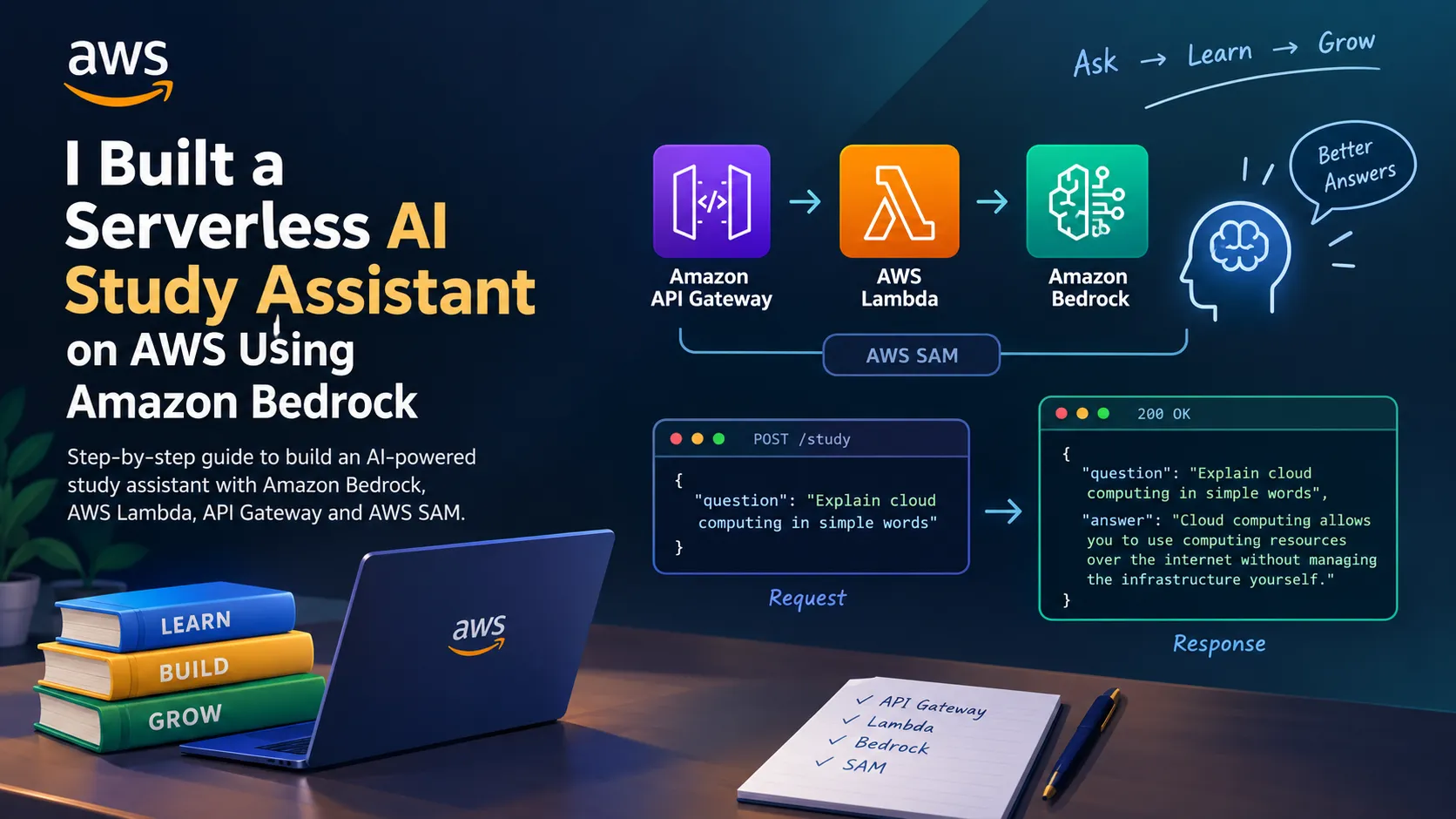
I Built a Serverless AI Study Assistant on AWS Using Amazon Bedrock
Learn how to build an AI-powered study assistant using Amazon Bedrock, AWS Lambda, Amazon API Gateway, and AWS SAM. This step-by-step tutorial covers the architecture, Python implementation, deployment, testing, security, and ideas for extending the project into a document-based AI assistant.

I Built a Serverless AI Study Assistant on AWS Using Amazon Bedrock
What if you could build an API that doesn't just return stored information but generates useful explanations using AI?
Imagine sending a question like this:
curl -X POST "$API_URL/study" \
-H "Content-Type: application/json" \
-d '{"question":"Explain cloud computing in simple words"}'
And receiving an answer like this:
{
"question": "Explain cloud computing in simple words",
"answer": "Cloud computing allows you to use computing resources, such as servers, databases, and storage, over the internet without managing the underlying infrastructure yourself."
}
That's the idea behind this project: a serverless AI Study Assistant that accepts a question and returns an AI-generated explanation.
In this article, we'll explore how to build the foundation of this application using Amazon Bedrock, AWS Lambda, Amazon API Gateway, and AWS Serverless Application Model (AWS SAM).
The goal is not just to call an AI model. It's to understand how to connect AI capabilities to a real application using AWS services.
Let's build it.
1. Understanding the Architecture
Before writing code, let's understand how the application works.
The architecture consists of four main components:
Amazon API Gateway: Receives HTTP requests from the client and routes them to the appropriate backend function.
AWS Lambda: Executes the Python code that validates the question, calls the AI model, and prepares the response.
Amazon Bedrock: Provides access to supported foundation models that generate answers.
AWS SAM: Defines the infrastructure as code and simplifies building and deploying the application.
The request flow looks like this:
User / Client
|
| POST /study
v
Amazon API Gateway
|
v
AWS Lambda
|
| Invoke model
v
Amazon Bedrock
|
| Generated answer
v
AWS Lambda
|
v
Amazon API Gateway
|
v
User receives JSON response
The interesting part is that we don't need to host an AI model on our own server. We connect our application to a managed model service and focus on the application logic.
2. Prerequisites
To follow this tutorial, you'll need:
- An AWS account.
- AWS CLI installed and configured.
- AWS SAM CLI installed.
- Python 3.12 and a compatible development environment.
- "curl" or another HTTP client.
- Access to a supported Amazon Bedrock model in your selected AWS Region.
First, verify your AWS credentials:
aws sts get-caller-identity
Next, open Amazon Bedrock in the AWS Management Console and verify that your selected model is available and that your account has permission to invoke it.
For this example, we'll use the model ID:
"amazon.nova-micro-v1:0"
Model availability and permissions can vary by Region and account, so choose another compatible model if necessary.
3. Create the Project Structure
Create a directory named "ai-study-assistant".
Our project will contain three files:
ai-study-assistant/
├── template.yaml
└── src/
├── app.py
└── requirements.txt
Create the folders:
mkdir ai-study-assistant
cd ai-study-assistant
mkdir src
We'll use "template.yaml" to define the AWS resources, "app.py" for the Lambda function, and "requirements.txt" for Python dependencies.
4. Define the Infrastructure Using AWS SAM
Create a file named "template.yaml" and add the following code:
AWSTemplateFormatVersion: '2010-09-09'
Transform: AWS::Serverless-2016-10-31
Description: Serverless AI Study Assistant
Parameters:
ModelId:
Type: String
Default: amazon.nova-micro-v1:0
Globals:
Function:
Runtime: python3.12
Timeout: 30
MemorySize: 256
Environment:
Variables:
MODEL_ID: !Ref ModelId
Resources:
StudyApi:
Type: AWS::Serverless::HttpApi
Properties:
StageName: $default
StudyFunction:
Type: AWS::Serverless::Function
Properties:
CodeUri: src/
Handler: app.handler
Policies:
- Statement:
- Effect: Allow
Action:
- bedrock:InvokeModel
Resource: '*'
Events:
Study:
Type: HttpApi
Properties:
ApiId: !Ref StudyApi
Path: /study
Method: POST
Outputs:
ApiUrl:
Description: AI Study Assistant API URL
Value: !Sub
- 'https://${ApiId}.execute-api.${AWS::Region}.amazonaws.com'
- ApiId: !Ref StudyApi
Let's understand the important sections.
The "Transform" declaration enables AWS SAM syntax and allows SAM to generate the underlying CloudFormation resources.
The "ModelId" parameter makes it possible to select a different supported model without changing the Python code.
The "StudyApi" resource creates an HTTP API using Amazon API Gateway.
The "StudyFunction" resource defines our Lambda function and grants it permission to invoke a Bedrock model.
The "Events" section connects the "POST /study" endpoint to the Lambda function.
Finally, the "Outputs" section displays the API URL after deployment.
For this demonstration, the IAM policy uses a wildcard resource for model invocation. Before using this in production, restrict the permission to the appropriate model or inference-profile resources.
5. Implement the Python Lambda Function
Create "src/app.py" and add the following code:
import json
import os
import boto3
from botocore.exceptions import ClientError
bedrock = boto3.client("bedrock-runtime")
MODEL_ID = os.environ["MODEL_ID"]
def make_response(status_code, payload):
return {
"statusCode": status_code,
"headers": {
"Content-Type": "application/json"
},
"body": json.dumps(payload)
}
def handler(event, context):
try:
body = json.loads(event.get("body") or "{}")
except (json.JSONDecodeError, TypeError):
return make_response(
400,
{"error": "Request body must be valid JSON."}
)
if not isinstance(body, dict):
return make_response(
400,
{"error": "Request body must be a JSON object."}
)
question = body.get("question")
if not isinstance(question, str) or not question.strip():
return make_response(
400,
{"error": "Please provide a question."}
)
question = question.strip()
if len(question) > 2000:
return make_response(
400,
{"error": "Question must be 2000 characters or fewer."}
)
try:
result = bedrock.converse(
modelId=MODEL_ID,
messages=[
{
"role": "user",
"content": [
{
"text": (
"You are a helpful study assistant. "
"Explain technical concepts in simple "
"language and include examples when useful. "
"If you are uncertain, say so.\n\n"
f"Question: {question}"
)
}
]
}
],
inferenceConfig={
"maxTokens": 500,
"temperature": 0.4
}
)
answer = "".join(
block["text"]
for block in result["output"]["message"]["content"]
if "text" in block
)
return make_response(
200,
{
"question": question,
"answer": answer
}
)
except ClientError as error:
print(f"Bedrock request failed: {error}")
return make_response(
502,
{
"error": (
"Unable to generate an answer right now. "
"Please try again later."
)
}
)
Now create "src/requirements.txt":
boto3
Lambda's Python runtime includes Boto3, but declaring dependencies allows us to package and manage the SDK version used by the application. For a production project, pin and test the dependency versions.
How does the code work?
The function performs four main tasks.
First, it reads the incoming request.
body = json.loads(event.get("body") or "{}")
question = body.get("question")
API Gateway passes the HTTP request to Lambda through an event object. We extract the JSON body and retrieve the question.
Second, it validates the input.
We check whether the question exists, contains text, and stays within the configured length limit.
This prevents obviously invalid requests from reaching the AI model.
Third, it invokes Amazon Bedrock.
The "bedrock.converse()" operation sends the user's question to the selected model.
The "maxTokens" parameter limits the generated output, while "temperature" influences response variability.
Finally, it returns the answer.
The Lambda function returns a JSON object containing the original question and the generated explanation.
We also handle malformed JSON and common AWS SDK service errors, rather than allowing every failure to become an unhandled exception.
6. Build and Deploy the Application
From the project directory, run:
sam build
This prepares the application for deployment.
Next, run:
sam deploy --guided
SAM will guide you through the initial deployment configuration.
Use a stack name such as:
"ai-study-assistant"
Select a Region where your chosen Bedrock model is available, review the proposed resources, and approve the deployment only after checking the permissions and configuration.
Once deployment finishes, look for the "ApiUrl" output.
It will resemble:
Copy your actual URL and assign it to an environment variable.
On Linux or macOS:
On Windows PowerShell:
Replace the example URL with the actual value returned by your deployment.
7. Test the API
Now let's send our first question.
Run:
curl -X POST "$API_URL/study" \
-H "Content-Type: application/json" \
-d '{"question":"Explain machine learning with a simple example"}'
If the configuration and permissions are correct, the response should resemble:
{
"question": "Explain machine learning with a simple example",
"answer": "Machine learning is a way for computers to learn patterns from data..."
}
The exact answer will depend on the model's generated output.
Let's try another question:
curl -X POST "$API_URL/study" \
-H "Content-Type: application/json" \
-d '{"question":"What is the difference between AI and machine learning?"}'
The same endpoint should generate an explanation for the new question.
We can also test input validation:
curl -i -X POST "$API_URL/study" \
-H "Content-Type: application/json" \
-d '{}'
Because the request does not contain a question, the API should return a "400 Bad Request" response.
These tests demonstrate the complete request flow, from an HTTP request to model inference and back to the client.
8. Why Use a Serverless Architecture?
One advantage of this design is that we don't need to manage a dedicated server for our application code.
Amazon API Gateway provides the HTTP endpoint, Lambda executes our function when invoked, and Amazon Bedrock provides managed access to foundation models.
This can simplify the initial development process and make the application easier to extend.
However, serverless does not automatically mean free, unlimited, or maintenance-free.
We still need to monitor request volume, inference costs, latency, quotas, and errors.
For a real application, we should also configure appropriate authentication, request throttling, logging, and alarms.
9. Security Considerations Before Production
The example is intended for learning and experimentation. Before exposing an AI endpoint to real users, consider these improvements.
Authentication: The sample API has no authorizer configured. Add suitable authentication, such as a JWT authorizer, before allowing access to private or paid functionality.
Least-privilege IAM: Restrict the Lambda execution role to the model resources it actually needs.
Cost controls: Apply request limits and throttling, monitor usage, and configure budget alerts. Input-length restrictions alone cannot guarantee predictable costs.
Error handling: Return safe error messages to clients and use CloudWatch Logs to investigate failures without unnecessarily logging sensitive information.
Answer evaluation: Test factual accuracy, relevance, clarity, and behavior when the model does not know an answer. Fluent responses are not necessarily correct responses.
These measures help turn a working demonstration into a more reliable application.
10. Clean Up the Resources
After testing, delete the SAM-managed stack if you no longer need it.
Run:
sam delete
Confirm the prompts to remove the deployed stack and its associated managed resources.
Check the AWS console afterward for any resources created separately, and remember that deleting resources does not reverse charges already incurred.
Always review the resources and billing implications before and after experimenting with cloud services.
11. Ideas for the Next Version
This is only the starting point. We can extend the application in several interesting directions.
Document-based question answering: Add retrieval-augmented generation (RAG) so students can ask questions about their own notes and course materials.
AI quiz generator: Generate multiple-choice questions and explanations from a selected topic.
Learning history: Store previous questions and answers using Amazon DynamoDB.
Web interface: Build a frontend that allows students to interact with the assistant without using the terminal.
Monitoring and evaluation: Track latency, errors, usage, and answer quality to understand how the system performs as it grows.
My preferred next step would be adding RAG. Instead of relying entirely on a model's general knowledge, the assistant could retrieve relevant passages from approved course material and use them to generate grounded answers.
That would make the project more useful for real educational scenarios.
Conclusion
In this tutorial, we explored the foundation of a serverless AI Study Assistant using Amazon Bedrock, AWS Lambda, Amazon API Gateway, and AWS SAM.
We covered the architecture, defined the infrastructure as code, implemented the Python handler, deployed the application, and tested the API.
The main takeaway is that building an AI application involves more than selecting a model. We also need a reliable way to accept requests, validate inputs, manage permissions, handle failures, monitor usage, and evaluate the quality of generated responses.
With this foundation in place, a simple endpoint can evolve into a document assistant, an educational chatbot, or a more complete AI-powered learning platform.
What would you add first: a RAG pipeline for course notes, an AI quiz generator, or a database for learning history?
Share your thoughts in the comments. I'd love to hear how other developers would extend this architecture.
Resources
- Amazon Bedrock: https://docs.aws.amazon.com/bedrock/latest/userguide/what-is-bedrock.html
- Amazon Bedrock Converse API: https://docs.aws.amazon.com/bedrock/latest/userguide/conversation-inference.html
- AWS Lambda: https://docs.aws.amazon.com/lambda/latest/dg/welcome.html
- Amazon API Gateway with Lambda: https://docs.aws.amazon.com/lambda/latest/dg/services-apigateway.html
- AWS Serverless Application Model: https://docs.aws.amazon.com/serverless-application-model/latest/developerguide/what-is-sam.html
- Amazon Bedrock pricing: https://aws.amazon.com/bedrock/pricing/
This article provides a tutorial implementation. Verify model availability, permissions, runtime support, and current pricing in your AWS account before deploying.
Enjoyed reading this content? Let the author know!
Your likes, comments, shares, and saves help creators reach more builders.

Loading recommendations
Loading article