
Auto Scaling on AWS: What Happens When Traffic Suddenly Increases?
Learn how Auto Scaling helps applications handle changing traffic by adjusting resource capacity while balancing performance and costs on AWS.

Auto Scaling on AWS: What Happens When Traffic Suddenly Increases?
Imagine you have an online store. Most of the day, everything runs smoothly, but when a big sale starts, thousands of people visit the website at the same time.
What would you do if your servers couldn't keep up with that increase?
The application might become slow, return errors, or even stop responding. One solution would be to keep enough servers running to handle the highest possible traffic peak. But does it make sense to pay for all that capacity even when hardly anyone is visiting the website?
This is exactly the kind of situation that brings us to Auto Scaling on AWS.
First, What Is Auto Scaling?
The idea is simple: instead of always keeping the same amount of resources running, we can adjust capacity based on what the application needs.
AWS provides Auto Scaling capabilities for different services. In this article, we'll focus on EC2 Auto Scaling, which adjusts the number of Amazon EC2 instances used by an application.
But what is an EC2 instance? Think of it as a virtual server you can use to run an application, process information, or host a website. Instead of buying and maintaining a physical server, you can create this resource on AWS.
With Auto Scaling, we can add instances when more capacity is needed and remove excess capacity when demand decreases. This reduces the need to make these adjustments manually.
How Does It Work in Practice?
To understand how AWS manages this process, we need to know about an Auto Scaling Group, also called an ASG.
An Auto Scaling Group is a group of EC2 instances managed as a single unit. It allows us to define how many instances we want to maintain and the limits the infrastructure must respect.
There are three important settings:
- Minimum capacity: the smallest number of instances the group should maintain.
- Desired capacity: the number of instances the group aims to maintain at a given time.
- Maximum capacity: the largest number of instances the group can have.
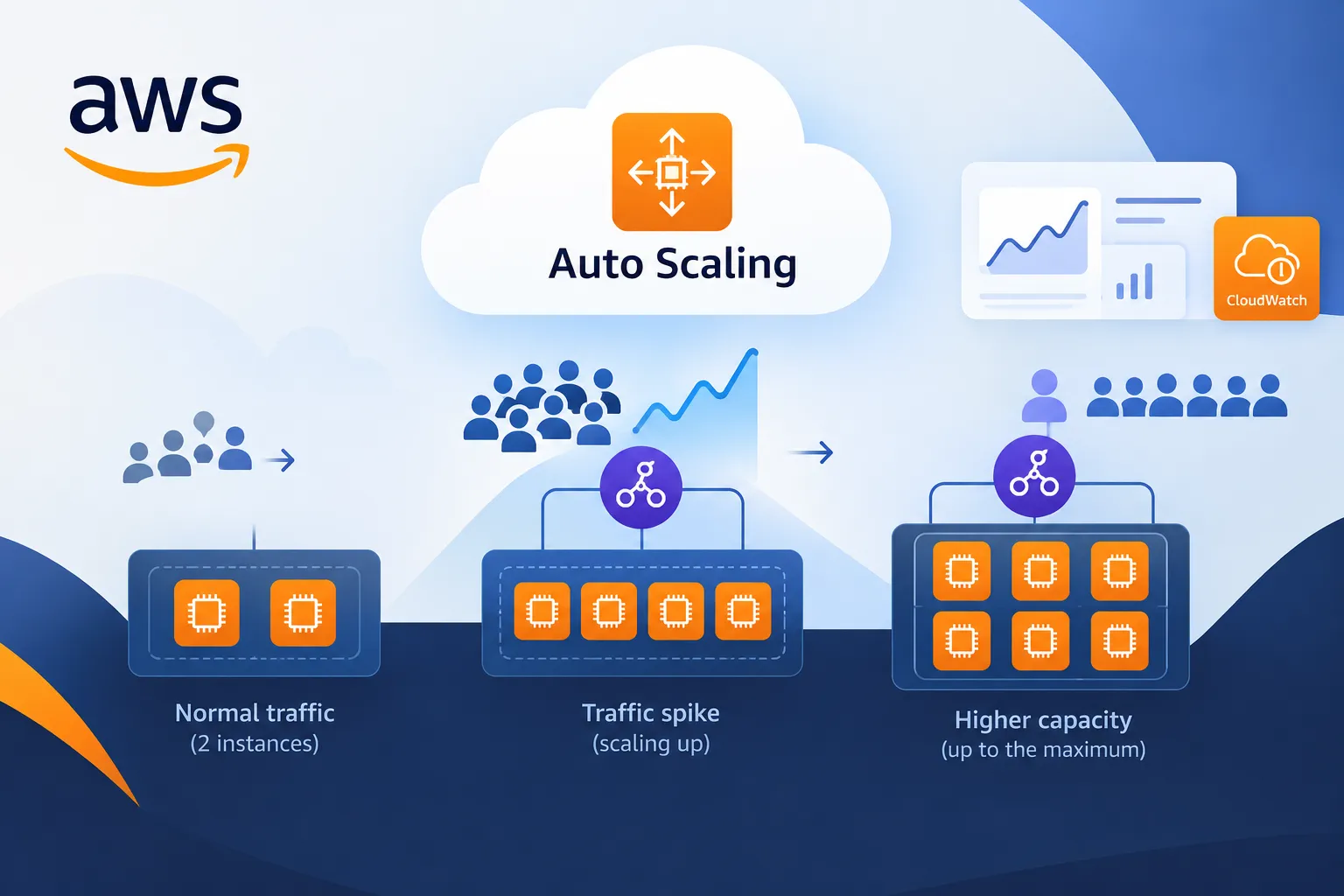
Let's return to our online store. Imagine it starts with two EC2 instances, with a minimum capacity of two and a maximum capacity of six.
When the sale begins, the number of visits increases. If the configured conditions indicate that more capacity is needed, Auto Scaling can launch additional instances, up to the defined maximum.
Later, when traffic decreases, it can reduce the number of instances according to the configured rules.
Notice that we don't need to decide manually how many servers to create every time demand changes. We define the rules in advance, and the service adjusts the group accordingly.
But How Does AWS Know When to Scale Up or Down?
This is an important part of the process. After all, Auto Scaling needs criteria to determine when a change is necessary.
One option is to use metrics, which are measurements that help us monitor a resource's behavior. CPU utilization, for example, indicates how much of a resource's processing capacity is being used.
This is where Amazon CloudWatch comes in.
CloudWatch is an AWS monitoring service. It collects metrics, records logs, and allows us to configure alarms. Logs are records of events that help us investigate what happened in an application or resource.
We can use CloudWatch metrics in scaling policies. For example, a policy can adjust the group's capacity based on the average CPU utilization of its instances.
If utilization remains above a defined level, the policy can increase capacity. If utilization decreases, another condition can allow capacity to be reduced.
This doesn't mean AWS automatically creates servers every time traffic increases. The behavior depends on the policies, metrics, and limits we configure.
That's why choosing the right criteria is just as important as defining the minimum and maximum number of instances.
What About the Load Balancer?
So far, we've seen how to increase the number of servers. But if we have several instances running the same application, how do we distribute requests among them?
For this, we can use Elastic Load Balancing (ELB), an AWS service that distributes incoming traffic across available targets, such as EC2 instances.
Think about our online store again. Auto Scaling can add instances when demand increases, while the load balancer distributes requests among the available targets.
Each service has a different role: one adjusts capacity, while the other distributes traffic.
Working together, they help an application handle changing demand. However, this combination alone doesn't guarantee availability. The application's architecture and the configuration of its other components also matter.
Does Auto Scaling Always Reduce Costs?
Not necessarily, and this is worth keeping in mind.
When we add EC2 instances, costs can increase. When we remove resources that are no longer needed, we can avoid paying for idle capacity. The outcome depends on how the infrastructure is configured and used.
We also need to consider the time required to launch a new instance and prepare it to handle requests. If traffic increases very quickly, the application may experience problems before the additional capacity becomes available.
That's why, in addition to configuring Auto Scaling, we need to monitor application behavior, choose appropriate limits, and keep track of costs.
Auto Scaling helps applications respond to changes, but it doesn't replace capacity planning or guarantee that every performance issue will be solved.
Want to Keep Learning?
Now that you know how Auto Scaling works, why not explore the topic a little further?
AWS has an official page with more information about the service, its features, and how it can be used.
Enjoyed reading this content? Let the author know!
Your likes, comments, shares, and saves help creators reach more builders.

Loading recommendations
Loading article