
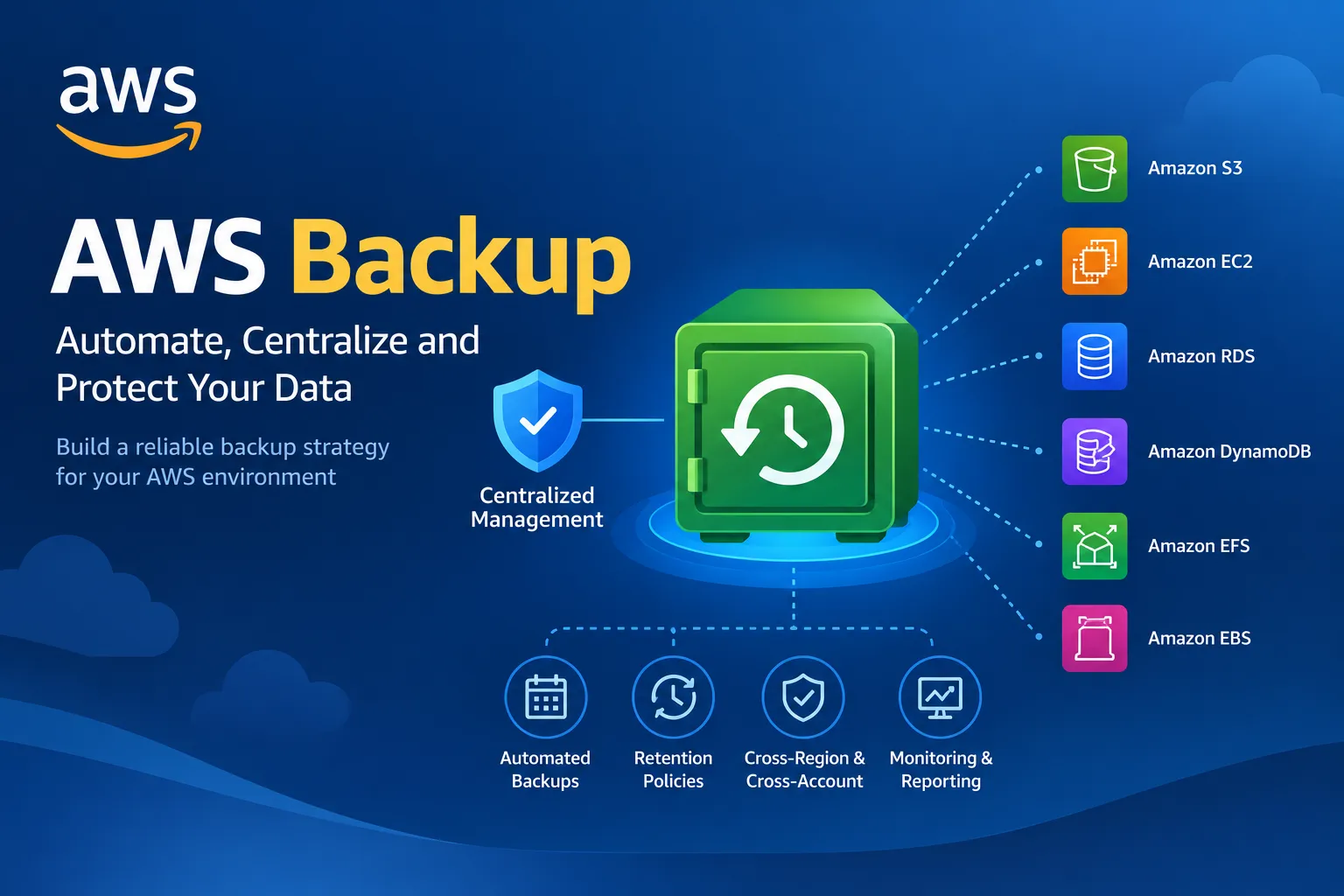
AWS Backup Explained: Automate Data Protection and Disaster Recovery
Learn how AWS Backup helps centralize and automate data protection across supported AWS services. Explore backup plans, backup vaults, retention policies, cross-Region and cross-account backups, recovery testing, and important AWS certification exam concepts.


Introduction
Imagine you run a business application on AWS. It stores customer information in databases, important documents in object storage, and application data across multiple cloud services.
One day, a developer accidentally deletes critical data. A software update corrupts a database, or an unexpected incident makes an application unavailable.
How quickly could your organization recover?
Having reliable backups can make the difference between a temporary inconvenience and a major business disruption.
AWS provides a managed service called AWS Backup to help organizations centralize and automate data protection across supported AWS services.
In this article, we will explore how AWS Backup works, how to design a backup strategy, and which concepts are especially useful for AWS certification preparation.
1. What Is AWS Backup?
AWS Backup is a fully managed service that helps you automate and centrally manage backups of supported AWS resources.
Instead of configuring every backup workflow independently, you can use AWS Backup to define backup policies, schedule backups, manage retention, and monitor backup activity across supported services.
Depending on the resource type and configuration, AWS Backup supports resources such as:
- Amazon Elastic Block Store (Amazon EBS) volumes
- Amazon Relational Database Service (Amazon RDS) databases
- Amazon DynamoDB tables
- Amazon Elastic File System (Amazon EFS) file systems
- Amazon FSx file systems
- Amazon S3 data
- Amazon EC2 instances and other supported resources
Support and available features vary by resource type, Region, and configuration, so always verify the requirements for the resource you plan to protect.
Why use AWS Backup?
AWS Backup can help organizations:
- Automate recurring backups.
- Apply consistent retention policies.
- Manage backups centrally.
- Organize backups into backup vaults.
- Copy backups across supported AWS Regions and accounts.
- Monitor backup and restore jobs.
- Support compliance and disaster recovery requirements.
The main advantage is centralized management rather than maintaining unrelated backup schedules for every resource.
2. Understanding AWS Backup Plans
A backup plan defines when backups run and how long recovery points are retained.
Think of a backup plan as a reusable set of rules for protecting your resources.
A plan can contain one or more backup rules. Depending on the configuration, each rule can specify details such as the backup schedule, destination vault, lifecycle settings, and copy actions.
Example backup strategy
Suppose a company runs a production application that stores important business data.
Its backup plan might include:
- Daily backups for operational recovery.
- Longer retention for selected recovery points.
- Copies to another AWS Region for disaster recovery.
- Separate backup access controls for additional protection.
The actual schedule and retention periods should reflect the organization's business requirements, recovery objectives, and budget.
Important terminology
Backup plan: Defines backup rules and schedules.
Backup rule: Specifies settings such as schedule, target vault, lifecycle, and optional copy actions.
Backup selection: Identifies the resources protected by a backup plan, using supported resource assignments, tags, or other selection mechanisms.
Recovery point: A representation of backed-up data that can be used for recovery.
Understanding these terms makes AWS Backup documentation and certification scenarios easier to follow.
3. What Is an AWS Backup Vault?
A backup vault is a logical container for storing and organizing recovery points managed by AWS Backup.
Vaults also help administrators manage access to backups and apply supported protection features.
Why are backup vaults important?
- They organize recovery points.
- They support access-control policies.
- They can use AWS Key Management Service (AWS KMS) encryption keys, subject to service and resource requirements.
- They can support retention and protection strategies.
- They provide a place to manage backup-related permissions and monitoring.
For additional protection, AWS Backup offers Backup Vault Lock, which can enforce a write-once, read-many (WORM) style retention control under supported configurations.
Vault Lock can help protect recovery points against deletion or modification during the configured retention period. Its behavior depends on the selected mode and configuration, and compliance mode has important implications once its grace period has passed.
Always understand the operational and retention consequences before enabling strong immutability controls.
4. Cross-Region and Cross-Account Backups
Keeping all backups in one location can leave an organization exposed to regional outages or problems affecting a single account.
AWS Backup supports copying recovery points across supported AWS Regions and accounts, subject to the capabilities of the resource and service configuration.
Cross-Region backups
A backup copy in another Region can support disaster recovery if the primary Region becomes unavailable.
For example, an application might operate primarily in one Region while maintaining selected recovery points in a second Region.
A cross-Region copy is not automatically a complete disaster recovery solution. You must also consider infrastructure deployment, networking, identity access, application dependencies, and recovery procedures.
Cross-account backups
A separate backup account can help isolate recovery points from the account running production workloads.
This separation can reduce the impact of certain account-level incidents, including some accidental or malicious actions.
Cross-account backups require appropriate account configuration, permissions, and encryption-key access. Not every resource type supports every copy feature.
Best practice
Use backup isolation as one layer of a broader resilience strategy. Protect the backup destination, restrict administrative access, and regularly verify that the organization can restore its data.
5. Understanding RPO and RTO
Two important disaster recovery concepts are Recovery Point Objective (RPO) and Recovery Time Objective (RTO).
Recovery Point Objective (RPO)
RPO describes how much data loss, measured in time, an organization can tolerate.
For example, an RPO of one hour means the business aims to recover with no more than approximately one hour of data loss.
Backup frequency, replication, and application consistency all influence whether the target can be achieved.
Recovery Time Objective (RTO)
RTO describes the target time within which a system or application should be restored after a disruption.
For example, an RTO of four hours means the organization aims to restore the required service within four hours.
RTO depends on more than the existence of a backup. Restore speed, infrastructure readiness, networking, application configuration, and testing all matter.
Remember: RPO concerns acceptable data loss. RTO concerns acceptable recovery time.
6. A Practical AWS Backup Scenario
Imagine a company runs an application using Amazon EC2, Amazon EBS, and Amazon RDS.
The organization wants automated backups, centralized management, and a way to recover after accidental deletion or a regional incident.
A possible approach is:
- Identify the resources that require protection.
- Define an AWS Backup plan with suitable schedules and retention settings.
- Assign eligible resources to the plan.
- Configure the appropriate backup vault and encryption settings.
- Set up cross-account or cross-Region copies where supported and required.
- Monitor backup jobs and investigate failures.
- Perform regular restore tests.
- Document the recovery procedure and verify that it meets the business's RPO and RTO targets.
The most important step is the last one: a successful backup job does not prove that your application can be recovered successfully.
Regular restore testing validates whether the backup strategy works in practice.
7. AWS Backup vs. Amazon EBS Snapshots
Amazon EBS snapshots and AWS Backup are related, but they serve different roles.
| Feature | Amazon EBS Snapshots | AWS Backup |
|---|---|---|
| Main purpose | Back up EBS volume data | Centrally manage backups across supported resources |
| Scope | EBS volumes | Multiple supported AWS resource types |
| Scheduling | Can be automated using supported tools and workflows | Backup plans provide centralized scheduling and policy management |
| Retention | Managed through snapshot-related capabilities and policies | Managed through configured backup rules and lifecycle settings |
| Centralized backup management | More focused on EBS | Designed for cross-service backup management |
For an EBS-only requirement, snapshots and associated automation may be sufficient. For a centralized strategy covering multiple supported AWS services, AWS Backup may be a better fit.
8. Security Best Practices for AWS Backups
Backups contain valuable data and can become a target during security incidents.
Consider these practices:
- Apply least privilege: Restrict who can create, delete, copy, or restore backups.
- Isolate backups: Consider a dedicated backup account for critical workloads.
- Protect encryption keys: Configure KMS permissions and key policies appropriately.
- Use retention controls: Consider Backup Vault Lock when its protections and operational implications fit your requirements.
- Monitor activity: Use appropriate AWS monitoring and audit capabilities to investigate backup failures and unexpected changes.
- Test restores: Verify that recovery points can restore usable data.
- Document recovery procedures: Ensure the team knows how to recover resources and application dependencies.
- Review retention requirements: Balance business, legal, and compliance obligations against storage costs.
A strong backup strategy protects both the data and the ability to recover it.
9. AWS Certification Exam Tips
When preparing for AWS certification exams, watch for these common scenario clues:
- Centralize and automate backups across supported AWS services: AWS Backup.
- Define recurring backup schedules and retention rules: AWS Backup plans.
- Organize recovery points and manage backup access: Backup vaults.
- Protect supported backups from deletion or modification during retention: Consider AWS Backup Vault Lock.
- Maintain backup copies in another Region: Consider cross-Region backup copy capabilities.
- Separate backups from the production account: Consider supported cross-account backup strategies.
- Understand acceptable data loss: Recovery Point Objective (RPO).
- Understand the target recovery duration: Recovery Time Objective (RTO).
- Verify that recovery procedures work: Perform restore testing.
Read the entire scenario carefully. AWS Backup supports many resource types, but not every resource has identical backup, copy, retention, or restore capabilities.
Conclusion
AWS Backup provides a centralized approach to protecting supported AWS resources through automated backup plans, recovery points, vaults, and optional copy strategies.
When combined with appropriate access controls, isolated backup copies, retention policies, and regular recovery testing, it can strengthen an organization's data protection and disaster recovery capabilities.
As you prepare for AWS certification, remember that backups are not simply about storing copies of data. They are about meeting recovery objectives and ensuring that critical workloads can return to operation when something goes wrong.
Question for the community: If you were designing a backup strategy for a production application, which would you prioritize first: a shorter RPO, a shorter RTO, or stronger protection against backup deletion? Why?
Share your thoughts in the comments!
Official AWS Resources
- AWS Backup: https://aws.amazon.com/backup/
- AWS Backup Developer Guide: https://docs.aws.amazon.com/aws-backup/latest/devguide/whatisbackup.html
- AWS Backup Pricing: https://aws.amazon.com/backup/pricing/
- AWS Well-Architected Framework: https://aws.amazon.com/architecture/well-architected/
Enjoyed reading this content? Let the author know!
Your likes, comments, shares, and saves help creators reach more builders.

Loading recommendations
Loading article