
AWS Sign-In Interface Update: Everything You Need to Know
AWS is rolling out updates to its Sign-In page and Session Selection experience. While the interface gets a fresh new look, all your existing sign-in methods and credentials remain unchanged.

What’s New on the AWS Sign-In Page?
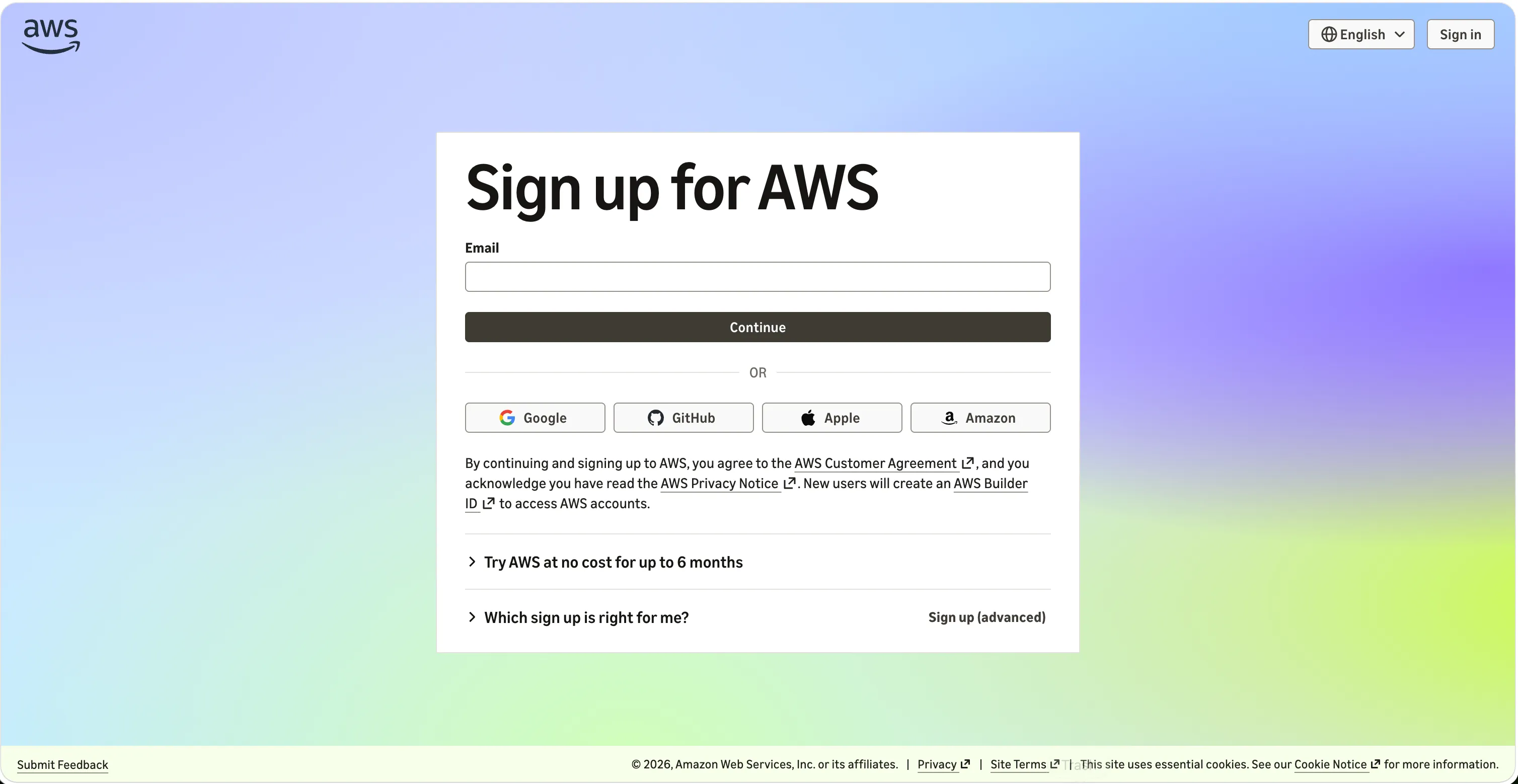
Instead of choosing between Root User or IAM User right away, the redesigned sign-in page introduces a unified email entry point:
- Email-Based Sign-In: Simply enter your email address, and AWS will automatically detect your account type and route you to the correct sign-in flow.
- For IAM Users: Select the IAM User option, then enter your Account ID (or Alias), IAM Username, and Password as usual.
- Third-Party Identity Providers (Social/SSO): The new interface supports direct sign-in via Google, GitHub, Apple, or Amazon.com accounts (available for accounts created using these providers).
- Federated / IAM Identity Center Users: No changes here. Continue accessing AWS through your organization's custom access portal or federation URL.
💡 Important Note for Automation: If your team relies on browser automation or UI scripts for logging in, review these updates to avoid workflow disruptions. AWS recommends switching to Programmatic Access for a stable and reliable experience.
How to Try the New Experience Early
Before the redesigned interface becomes the default for everyone, AWS is displaying an invitation banner on the current sign-in page:
- Click "Change to new experience" to test out the new sign-in flow.
- To switch back to the classic view during the trial period, simply clear your browser cookies.
Improved Session Selection Experience
If you frequently manage multiple AWS accounts or roles simultaneously, the revamped Session Selection page makes multi-session management much smoother:
- Centralized Dashboard: View all active sessions, account details, active roles, and recent sign-in activity in a single, unified view.
- Quick Actions: Easily switch between active sessions, log out of individual or all sessions, or click "Add session" to sign into another account without disconnecting existing ones.
Final Thoughts
This update is primarily focused on optimizing user experience (UX) and modernizing the interface. Your credentials, security configurations, and daily workflows remain secure and intact.
For additional details, consult the AWS Sign-In User Guide, start a thread on IAM re:Post, or open a ticket with AWS Support.
#AWS #CloudSecurity #AWSIdentity #IAM #CloudComputing #TechUpdates #AWSCloud #DevOps #CloudArchitecture #UserExperience
Enjoyed reading this content? Let the author know!
Your likes, comments, shares, and saves help creators reach more builders.

Loading recommendations
Loading article