
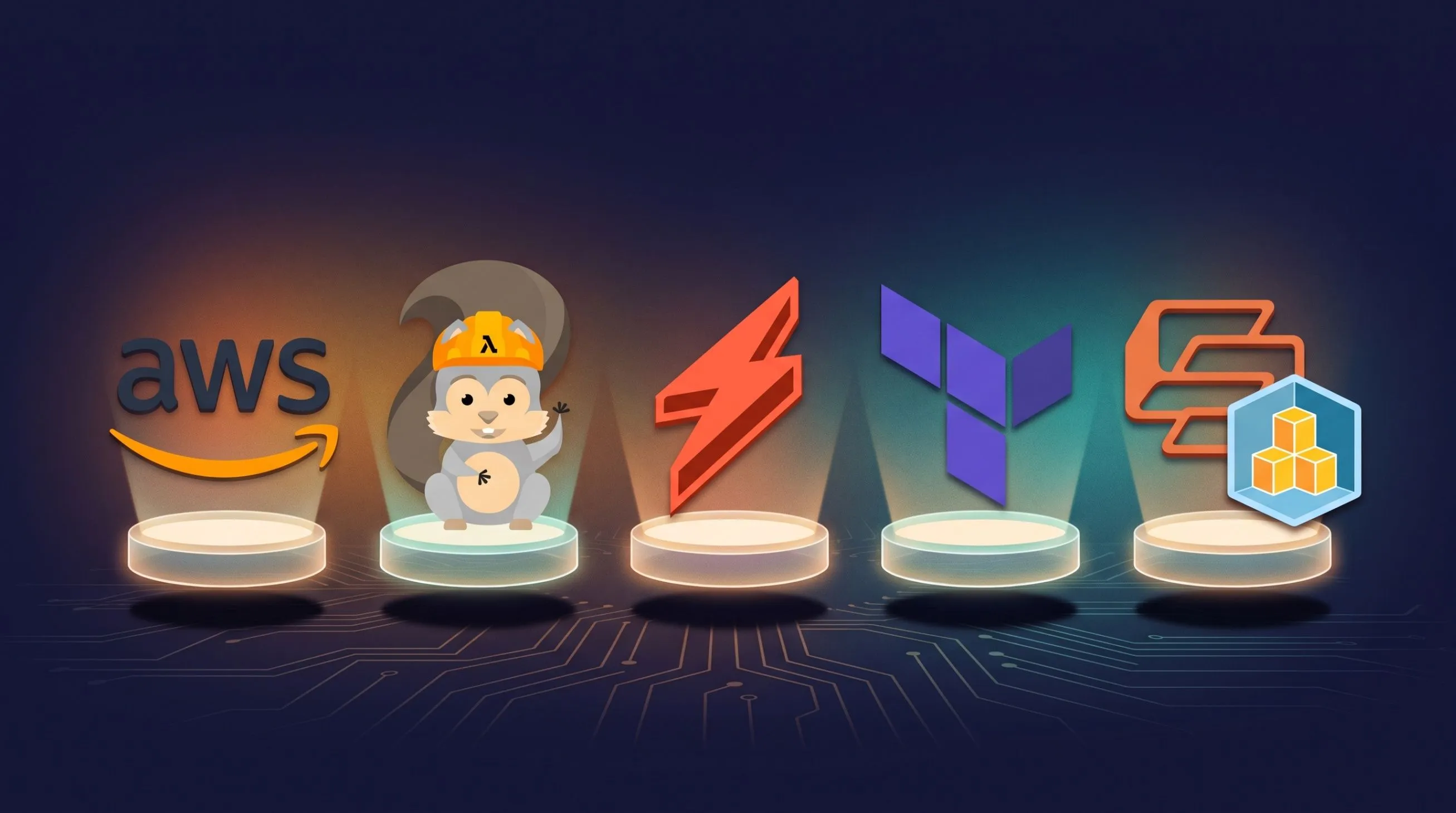
Writing Serverless Functions on AWS: SAM, Serverless Framework, CDK, Terraform and SST
A hands-on comparison of five ways to define and deploy AWS Lambda functions, with the same endpoint built in each, a side-by-side table, and production practices for IAM, cold starts, observability and CI/CD.

Why the tool matters
A Lambda handler is usually 20 lines; the IAM roles, triggers, packaging and environments around it are where projects succeed or rot. Picking the right definition tool decides how fast you ship, how safely you change things, and how painful the second year is.
This article walks through the five common ways to define a serverless function on AWS: AWS SAM, the Serverless Framework, the AWS CDK, Terraform, and SST. Each section deploys the same function, an HTTP endpoint backed by Node.js, so you can compare them directly. It ends with production practices that apply whichever tool you pick.
The shared handler used throughout:
1
2
3
4
5
6
7
8
9
// src/handler.js
export const hello = async (event) => {
  const name = event.queryStringParameters?.name ?? "world";
  return {
    statusCode: 200,
    headers: { "content-type": "application/json" },
    body: JSON.stringify({ message: `hello, ${name}` }),
  };
};
Anatomy of a Lambda function
Every tool below generates the same five things; only the syntax differs. Knowing them makes any template readable.
- Handler: the exported function Lambda calls, referenced as
file.export(herehandler.hello). It receives anevent(the trigger payload) and acontext(request ID, remaining time). - Runtime and settings:
nodejs20.x,python3.12,java21, or a container image; plus memory (128 MB to 10,240 MB), timeout (max 900 s), architecture (x86_64orarm64). - Execution role: an IAM role Lambda assumes. At minimum it needs CloudWatch Logs permissions; anything else (DynamoDB, S3, SQS) must be granted explicitly.
- Triggers: what invokes the function. Common ones are API Gateway (HTTP or REST API), Function URLs, SQS, SNS, EventBridge schedules and rules, S3 events, DynamoDB Streams.
- Package: a zip (up to 50 MB zipped direct upload, 250 MB unzipped including layers) or a container image (up to 10 GB) pushed to ECR.
Everything compiles down to CloudFormation (SAM, Serverless Framework, CDK) or to direct AWS API calls (Terraform, SST v3 via Pulumi). That distinction affects drift handling, deployment speed and rollback behaviour.
AWS SAM
SAM (Serverless Application Model) is AWS's own shorthand for CloudFormation: a
Transform line expands compact AWS::Serverless::* resources into full CloudFormation at deploy time. It is the safest default if you want to stay 100% AWS-native.1
2
3
4
5
6
7
8
9
10
11
12
13
14
15
16
17
18
19
20
21
22
23
24
25
26
27
28
29
30
31
32
33
34
35
36
37
38
39
40
41
42
43
# template.yaml
AWSTemplateFormatVersion: '2010-09-09'
Transform: AWS::Serverless-2016-10-31
Globals:
Function:
Runtime: nodejs20.x
Architectures: [arm64]
MemorySize: 256
Timeout: 10
Tracing: Active
Parameters:
Stage:
Type: String
Default: dev
Resources:
HelloFn:
Type: AWS::Serverless::Function
Properties:
CodeUri: src/
Handler: handler.hello
Environment:
Variables:
STAGE: !Ref Stage
TABLE_NAME: !Ref ItemsTable
Policies:
- DynamoDBReadPolicy:
TableName: !Ref ItemsTable
Events:
Api:
Type: HttpApi
Properties:
Path: /hello
Method: get
ItemsTable:
Type: AWS::Serverless::SimpleTable
Outputs:
ApiUrl:
Value: !Sub "https://${ServerlessHttpApi}.execute-api.${AWS::Region}.amazonaws.com/hello"The workflow:
1
2
3
4
5
6
7
sam init                       # scaffold from a template
sam build                      # install deps, bundle
sam local invoke HelloFn -e events/get.json
sam local start-api            # local API Gateway on :3000 (needs Docker)
sam deploy --guided            # first deploy, writes samconfig.toml
sam sync --watch               # fast dev-loop sync to a dev stack
sam logs -n HelloFn --tail
For TypeScript, add
Metadata: { BuildMethod: esbuild } to the function so sam build bundles and tree-shakes with esbuild.Strengths: official and free; policy templates (
DynamoDBReadPolicy, SQSSendMessagePolicy) give least-privilege IAM in one line; the best local emulation of the group; any raw CloudFormation resource can sit in the same file.Weaknesses: YAML grows verbose for large apps; no loops or real abstraction beyond nested stacks; CloudFormation deploys are slower than direct API calls, and some failures leave stacks in
UPDATE_ROLLBACK_FAILED.Serverless Framework
The Serverless Framework popularised the "functions plus events" YAML style and still has the largest plugin ecosystem. It also compiles to CloudFormation, but hides most of it.
1
2
3
4
5
6
7
8
9
10
11
12
13
14
15
16
17
18
19
20
21
22
23
24
25
26
27
28
29
30
31
32
33
34
35
36
37
38
39
40
41
42
43
# serverless.yml
service: hello-svc
frameworkVersion: '4'

provider:
  name: aws
  runtime: nodejs20.x
  architecture: arm64
  region: eu-south-1
  stage: ${opt:stage, 'dev'}
  memorySize: 256
  timeout: 10
  environment:
    STAGE: ${sls:stage}
    TABLE_NAME: ${self:service}-${sls:stage}-items
  iam:
    role:
      statements:
        - Effect: Allow
          Action: [dynamodb:GetItem, dynamodb:Query]
          Resource: !GetAtt ItemsTable.Arn

functions:
  hello:
    handler: src/handler.hello
    events:
      - httpApi:
          path: /hello
          method: get
  nightly:
    handler: src/jobs.nightly
    events:
      - schedule: cron(0 2 * * ? *)

resources:
  Resources:
    ItemsTable:
      Type: AWS::DynamoDB::Table
      Properties:
        TableName: ${self:provider.environment.TABLE_NAME}
        BillingMode: PAY_PER_REQUEST
        AttributeDefinitions: [{ AttributeName: pk, AttributeType: S }]
        KeySchema: [{ AttributeName: pk, KeyType: HASH }]
1
2
3
4
5
6
npm i -g serverless
sls deploy --stage dev
sls deploy function -f hello # update code only, seconds not minutes
sls invoke local -f hello
sls logs -f hello -t
sls removeVersion 4 bundles TypeScript with esbuild out of the box. Popular plugins include
serverless-offline (local API emulation) and serverless-iam-roles-per-function.Licensing note: v4 requires logging in to a Serverless account, and organisations above a revenue threshold must pay. v3 remains free but is no longer actively developed; the community fork
osls keeps a v3-compatible open-source line.Strengths: the shortest path from zero to deployed; variables (
${opt:…}, ${ssm:…}, ${env:…}) make multi-stage config easy; huge community.Weaknesses: licensing changes; one shared IAM role by default; plugin quality varies; still CloudFormation under the hood, with its 500-resource limit per stack.
AWS CDK
The Cloud Development Kit defines infrastructure in TypeScript, Python, Java, Go or C#, then synthesises CloudFormation. You get loops, types, functions and reusable "constructs" instead of YAML.
1
2
3
4
5
6
7
8
9
10
11
12
13
14
15
16
17
18
19
20
21
22
23
24
25
26
27
28
29
30
31
32
33
34
35
36
37
38
39
40
41
42
// lib/hello-stack.ts
import { Stack, StackProps, Duration, RemovalPolicy } from 'aws-cdk-lib';
import { Construct } from 'constructs';
import * as lambda from 'aws-cdk-lib/aws-lambda';
import { NodejsFunction } from 'aws-cdk-lib/aws-lambda-nodejs';
import * as dynamodb from 'aws-cdk-lib/aws-dynamodb';
import { HttpApi, HttpMethod } from 'aws-cdk-lib/aws-apigatewayv2';
import { HttpLambdaIntegration } from 'aws-cdk-lib/aws-apigatewayv2-integrations';

interface HelloProps extends StackProps { stage: string }

export class HelloStack extends Stack {
  constructor(scope: Construct, id: string, props: HelloProps) {
    super(scope, id, props);

    const table = new dynamodb.Table(this, 'Items', {
      partitionKey: { name: 'pk', type: dynamodb.AttributeType.STRING },
      billingMode: dynamodb.BillingMode.PAY_PER_REQUEST,
      removalPolicy: props.stage === 'prod' ? RemovalPolicy.RETAIN : RemovalPolicy.DESTROY,
    });

    const fn = new NodejsFunction(this, 'HelloFn', {
      entry: 'src/handler.ts',
      handler: 'hello',
      runtime: lambda.Runtime.NODEJS_20_X,
      architecture: lambda.Architecture.ARM_64,
      memorySize: 256,
      timeout: Duration.seconds(10),
      environment: { STAGE: props.stage, TABLE_NAME: table.tableName },
      bundling: { minify: true, sourceMap: true },
    });

    table.grantReadData(fn);   // least-privilege IAM in one line

    const api = new HttpApi(this, 'Api');
    api.addRoutes({
      path: '/hello',
      methods: [HttpMethod.GET],
      integration: new HttpLambdaIntegration('HelloInt', fn),
    });
  }
}
1
2
3
4
5
// bin/app.ts
const app = new App();
for (const stage of ['dev', 'prod']) {
new HelloStack(app, `Hello-${stage}`, { stage });
}1
2
3
4
5
npx cdk init app --language typescript
npx cdk bootstrap # once per account/region
npx cdk diff
npx cdk deploy Hello-dev
npx cdk watch Hello-dev # hotswaps Lambda code without full CFN deployNodejsFunction bundles with esbuild automatically. grant* methods (grantReadData, grantSendMessages, grantPut) are the single biggest quality-of-life win: IAM follows the code.Strengths: real programming language, type-checked infra; constructs let a platform team publish reusable patterns;
cdk diff before every deploy; first-class AWS support.Weaknesses: steeper learning curve; still bound by CloudFormation speed and limits; easy to over-abstract; local testing needs SAM CLI (
sam local invoke -t cdk.out/...) or unit tests with aws-cdk-lib/assertions.Terraform (or OpenTofu)
Terraform has no serverless shorthand: you declare every resource explicitly and it calls AWS APIs directly, tracking state in a backend such as S3. It is the natural choice when your VPCs, databases and DNS already live in Terraform.
1
2
3
4
5
6
7
8
9
10
11
12
13
14
15
16
17
18
19
20
21
22
23
24
25
26
27
28
29
30
31
32
33
34
35
36
37
38
39
40
41
42
43
44
45
46
47
48
49
50
51
52
terraform {
  required_providers { aws = { source = "hashicorp/aws", version = "~> 5.0" } }
  backend "s3" { bucket = "my-tf-state", key = "hello/terraform.tfstate", region = "eu-south-1" }
}

variable "stage" { default = "dev" }

data "archive_file" "zip" {
  type        = "zip"
  source_dir  = "${path.module}/dist"   # pre-bundled with esbuild
  output_path = "${path.module}/build/hello.zip"
}

resource "aws_iam_role" "lambda" {
  name = "hello-${var.stage}"
  assume_role_policy = jsonencode({
    Version = "2012-10-17"
    Statement = [{ Effect = "Allow", Action = "sts:AssumeRole",
                   Principal = { Service = "lambda.amazonaws.com" } }]
  })
}

resource "aws_iam_role_policy_attachment" "logs" {
  role       = aws_iam_role.lambda.name
  policy_arn = "arn:aws:iam::aws:policy/service-role/AWSLambdaBasicExecutionRole"
}

resource "aws_cloudwatch_log_group" "hello" {
  name              = "/aws/lambda/hello-${var.stage}"
  retention_in_days = 14
}

resource "aws_lambda_function" "hello" {
  function_name    = "hello-${var.stage}"
  role             = aws_iam_role.lambda.arn
  handler          = "handler.hello"
  runtime          = "nodejs20.x"
  architectures    = ["arm64"]
  memory_size      = 256
  timeout          = 10
  filename         = data.archive_file.zip.output_path
  source_code_hash = data.archive_file.zip.output_base64sha256
  environment { variables = { STAGE = var.stage } }
  depends_on       = [aws_cloudwatch_log_group.hello]
}

resource "aws_lambda_function_url" "hello" {
  function_name      = aws_lambda_function.hello.function_name
  authorization_type = "NONE"
}

output "url" { value = aws_lambda_function_url.hello.function_url }
1
2
3
4
esbuild src/handler.ts --bundle --platform=node --target=node20 --outdir=dist
terraform init
terraform plan -var stage=dev
terraform apply -var stage=devTo cut boilerplate, the community module
terraform-aws-modules/lambda/aws handles packaging, roles and log groups in one block.Strengths: one tool for all infrastructure, any cloud; fast direct API deploys;
plan is an excellent change review; explicit everything means no hidden magic.Weaknesses: the most verbose option; you build code yourself; state files need locking and care; no local Lambda emulation.
SST
SST (v3, built on Pulumi and Terraform providers rather than CloudFormation) focuses on developer experience for full-stack TypeScript apps. Its standout feature is live Lambda development:
sst dev proxies real AWS invocations to code running on your laptop, so you set breakpoints against real events.1
2
3
4
5
6
7
8
9
10
11
12
13
14
15
16
17
18
19
20
21
22
23
24
25
// sst.config.ts
/// <reference path="./.sst/platform/config.d.ts" />
export default $config({
app(input) {
return {
name: "hello",
home: "aws",
removal: input?.stage === "production" ? "retain" : "remove",
};
},
async run() {
const table = new sst.aws.Dynamo("Items", {
fields: { pk: "string" },
primaryIndex: { hashKey: "pk" },
});
const api = new sst.aws.ApiGatewayV2("Api");
api.route("GET /hello", {
handler: "src/handler.hello",
link: [table], // grants IAM + injects typed resource info
});
return { url: api.url };
},
});1
2
3
// inside the handler
import { Resource } from "sst";
const tableName = Resource.Items.name; // typed, no env-var strings1
2
3
npx sst dev # live dev against a personal stage
npx sst deploy --stage production
npx sst removeStrengths: the best inner loop of any tool here;
link handles IAM and config together with types; high-level components for Next.js, Astro, queues, buckets and cron.Weaknesses: smaller community; major versions have broken compatibility (v2 to v3 was a rewrite); less suited to teams who need CloudFormation-native governance.
Side-by-side comparison
SAM and CDK are the AWS-native picks; Terraform wins on breadth; SST wins on developer experience.
| Tool | Language | Deploys via | Local testing | IAM ergonomics | Cost / licence | Best for |
|---|---|---|---|---|---|---|
| AWS SAM | YAML | CloudFormation | sam local (Docker), sam sync | Policy templates | Free, Apache 2.0 | AWS-native teams, small to mid apps |
| Serverless Framework | YAML | CloudFormation | invoke local, serverless-offline | Manual statements | v4 paid above revenue threshold | Fast starts, plugin-heavy setups |
| AWS CDK | TS, Python, Java, Go, C# | CloudFormation | Unit tests, SAM CLI on cdk.out | grant* methods | Free, Apache 2.0 | Large or multi-service stacks, platform teams |
| Terraform / OpenTofu | HCL | Direct AWS API | None built in | Manual policies | Terraform BSL; OpenTofu MPL | Orgs already on Terraform, multi-cloud |
| SST v3 | TypeScript | Pulumi / direct API | sst dev live Lambda | link | Free, MIT | Full-stack TypeScript apps |
Production best practices
These apply whichever tool you choose; the tool only changes where you write them.
Cold starts and performance
- Bundle and tree-shake (esbuild): a 300 KB bundle starts far faster than a 40 MB
node_moduleszip. - Initialise SDK clients and DB connections outside the handler so warm invocations reuse them.
- Use
arm64(Graviton): roughly 20% cheaper per GB-second and usually as fast or faster. - Tune memory with AWS Lambda Power Tuning; more memory also means more CPU, and is sometimes cheaper overall.
- For latency-critical Java, Python or .NET, enable SnapStart; for strict SLAs use provisioned concurrency, but it bills while idle.
Security and IAM
- One role per function, least privilege. Prefer the tool's helpers (SAM policy templates, CDK
grant*, SSTlink) over hand-written*actions. - Secrets go in SSM Parameter Store or Secrets Manager, never in plain environment variables committed to git. Cache them with the Parameters and Secrets Lambda Extension.
- Put an authoriser (JWT, Cognito, IAM) on every API route that is not intentionally public, and set reserved concurrency to cap blast radius and cost.
Configuration and environments
- Deploy each stage (dev, staging, prod) as a separate stack, ideally in separate AWS accounts via AWS Organizations.
- Keep the handler thin: parse event, call plain business logic, format response. The logic is then unit-testable without any AWS emulation.
Reliability
- Async triggers (SQS, SNS, EventBridge) retry; make handlers idempotent, for example with Powertools' idempotency utility backed by DynamoDB.
- Configure dead-letter queues or on-failure destinations so failed events are kept, not lost.
- For SQS, return
batchItemFailuresso one bad message does not re-run the whole batch.
Observability
- Use Powertools for AWS Lambda (TypeScript, Python, Java, .NET) for structured JSON logs, metrics and tracing in a few lines.
- Set log retention explicitly (CloudWatch keeps logs forever by default and you pay for it).
- Alarm on
Errors,Throttles,Durationp99 and DLQ depth.
CI/CD
- Deploy from a pipeline (GitHub Actions with OIDC to an IAM role, no long-lived keys), never from laptops for staging or prod.
- Gate on a diff or plan (
cdk diff,terraform plan, CloudFormation change sets) and use gradual rollouts with aliases and CodeDeploy (DeploymentPreferencein SAM) for prod.
Cost
Lambda bills per request and per GB-second, with a monthly free tier of 1 million requests and 400,000 GB-seconds. The surprises usually come from elsewhere: NAT Gateways for VPC functions, CloudWatch Logs ingestion, and API Gateway REST API pricing (HTTP APIs and Function URLs are much cheaper).
How to choose
Start with the tool that matches the infrastructure you already have; switching later costs more than any feature gap.
- New to AWS, a handful of functions: SAM. Official, free, good local testing, and the YAML stays readable at that size.
- Need to ship a prototype today: Serverless Framework, if the v4 licence fits; otherwise SAM.
- Many services, shared patterns, a platform team: CDK. Typed constructs and
grant*scale where YAML does not. - Everything else is already in Terraform: Terraform with
terraform-aws-modules/lambda. One state, one review workflow. - Full-stack TypeScript with a frontend: SST, for
sst devalone.
Whichever you pick, the code that matters is the same: a thin handler, least-privilege IAM, stages in separate accounts, structured logs, and deploys from CI. Get those right and the tool becomes a detail you can change later.
Versions, limits and pricing are as known at the time of writing and change often; check the official AWS, Serverless, SST and HashiCorp docs before relying on a specific number.
Enjoyed reading this content? Let the author know!
Your likes, comments, shares, and saves help creators reach more builders.

Loading recommendations
Loading article