
From Localhost to the Cloud: What Every Beginner Developer Should Know
When an application works on our computer, deploying it to the cloud is the next big step. Learn the basic things developers should understand before deploying a web application using AWS.

From Localhost to the Cloud: What Every Beginner Developer Should Know
When we start learning web development, we usually run our applications on our own computers. Everything seems simple because we can test our code and see the results immediately.
But what happens when we want other people to use our application from anywhere in the world?
This is where cloud computing becomes useful. As a developer learning full-stack development and AWS, understanding the journey from localhost to the cloud is an important step.
What Is the Difference Between Localhost and the Cloud?
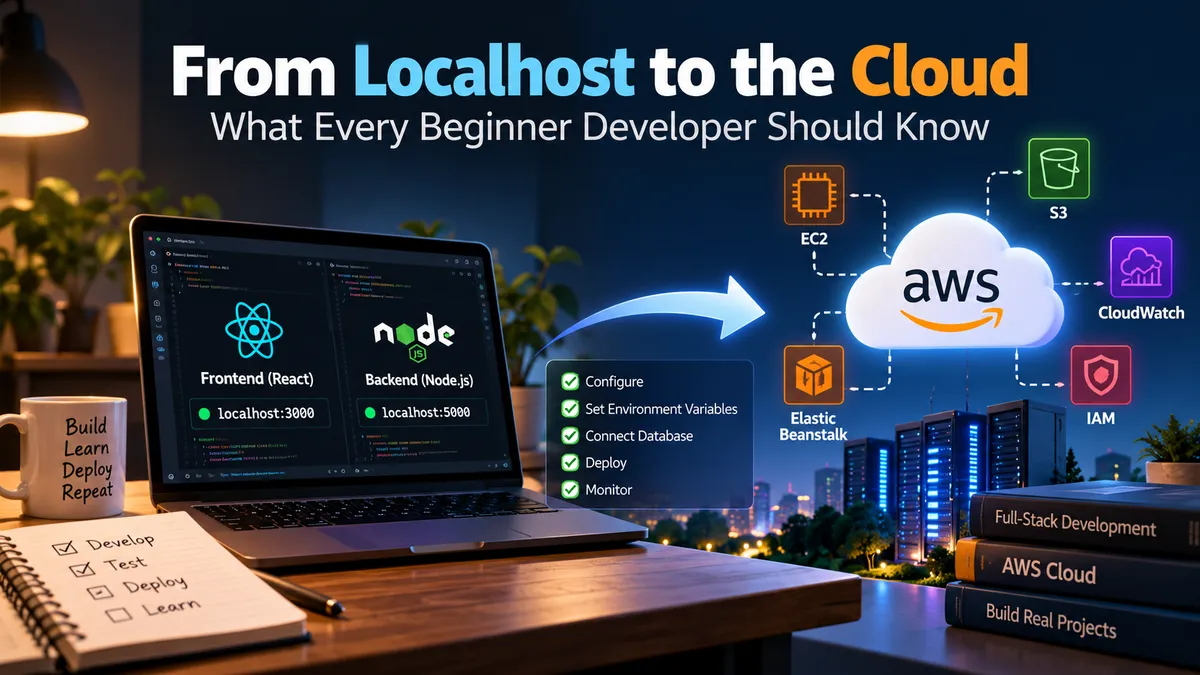
Localhost means running an application on our own computer. For example, a React frontend may run on port 3000, while a Node.js backend may run on port 5000.
This setup is useful during development, but other users cannot normally access the application through our local address.
Cloud computing allows us to use remote servers and services to run applications and store data. AWS provides services that help developers deploy applications and make them available online.
What Should We Prepare Before Deployment?
Before deploying an application, there are a few important things to check.
1. Frontend and backend configuration
The frontend must communicate with the correct backend URL. A common beginner mistake is keeping localhost URLs in the production code. These URLs point to the developer's own computer, not the deployed backend.
2. Environment variables
Applications often need database URLs, API keys, and other configuration values. These should be managed carefully instead of being written directly into the source code.
3. Database connectivity
The backend must be able to connect to the database after deployment. We need to check the connection settings, network access, and database permissions.
4. Security
We should avoid exposing passwords, secret keys, or database credentials in public repositories. AWS Identity and Access Management (IAM) helps control access to AWS resources.
5. Logs and errors
An application may work locally but fail after deployment. Logs help us understand what went wrong and where we should investigate.
How Can AWS Help?
AWS provides different services for different deployment needs.
- Amazon EC2: Runs applications on virtual servers that we can configure and manage.
- AWS Elastic Beanstalk: Helps deploy and manage supported applications without requiring us to manage every part of the infrastructure manually.
- Amazon S3: Stores files and can host static website content in suitable configurations.
- Amazon CloudWatch: Helps collect logs and monitor application performance.
- AWS IAM: Helps manage permissions for users, applications, and AWS services.
- AWS Elastic Beanstalk: Helps deploy and manage supported applications without requiring us to manage every part of the infrastructure manually.
- Amazon S3: Stores files and can host static website content in suitable configurations.
- Amazon CloudWatch: Helps collect logs and monitor application performance.
- AWS IAM: Helps manage permissions for users, applications, and AWS services.
We do not need to learn every AWS service at once. It is better to understand one service, try a small example, and then move to the next.
A Simple Example
Imagine that we build a student management application using React, Node.js, Express, and a database.
During development, the React frontend sends requests to a backend running on localhost. The backend reads or updates student records in the database.
When we deploy the application, we need to make sure the frontend uses the deployed backend address, the backend can reach the database, and the required settings are configured securely.
We should then test important operations, such as adding a student, viewing student records, and handling invalid requests.
Deployment is not just about putting code on a server. It is also about making sure all parts of the application work together correctly.
What I Want to Learn Next
As a beginner developer, I want to understand how real applications move from development to production. Learning about cloud servers, environment variables, databases, security, and monitoring can help me build applications that are more reliable.
My approach is to start with a small project, understand each deployment step, and learn from the errors I encounter along the way.
Final Thoughts
Moving an application from localhost to the cloud may seem difficult at first, but it becomes easier when we divide the process into smaller steps.
For developers learning full-stack development, AWS is not just about servers. It also teaches us how applications are deployed, secured, monitored, and maintained.
The best way to learn is to build a small project, deploy it carefully, test it, and understand how each part works.
I believe these practical skills are an important step toward becoming a better software developer.
Enjoyed reading this content? Let the author know!
Your likes, comments, shares, and saves help creators reach more builders.

Loading recommendations
Loading article