
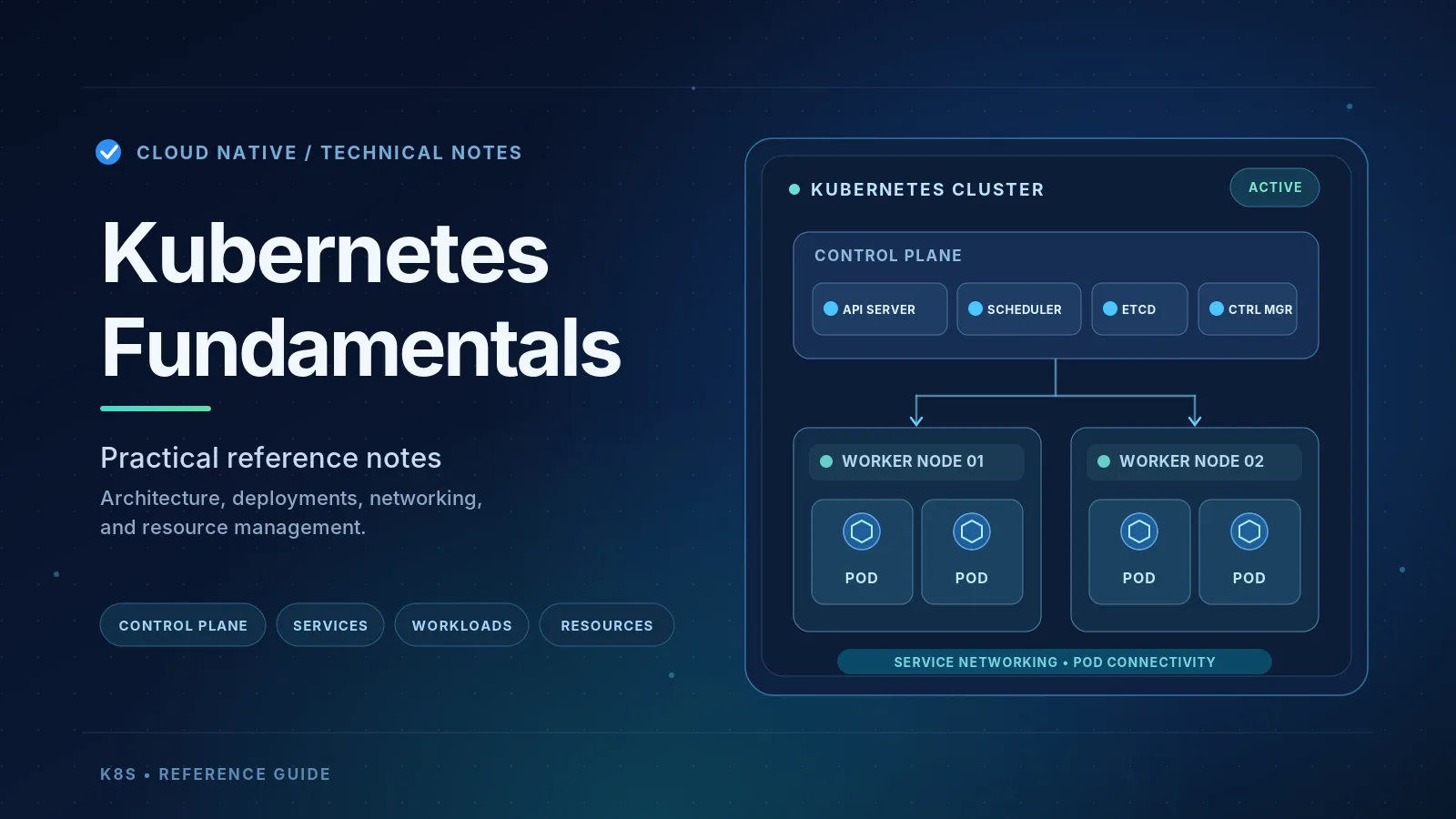
Kubernetes Fundamentals and Operations
Technical notes on Kubernetes architecture, workloads, networking, security, and resources.

Kubernetes Fundamentals: Practical Notes
Kubernetes is a container orchestration platform that automates the deployment, scaling, and management of containerized applications.
These notes summarize the fundamental concepts of Kubernetes, focusing on how its components interact, how networking works, and how applications are managed in real-world environments.
1. Kubernetes Architecture
A Kubernetes Cluster consists of two main parts: Control Plane and Worker Nodes.
Control Plane
| Component | Responsibility |
|---|---|
| API Server | Central interface for Kubernetes API requests |
| etcd | Distributed key-value database storing cluster state |
| Scheduler | Determines which Node should run a Pod |
| Controller Manager | Reconciles desired state with observed state |
| Cloud Controller Manager | Integrates Kubernetes with cloud infrastructure |
Worker Nodes
| Component | Responsibility |
|---|---|
| kubelet | Manages Pod execution on a Node |
| Container Runtime | Creates and runs containers |
| kube-proxy | Configures Service traffic forwarding |
| Pod | Smallest schedulable workload unit |
Key concepts:
kubectlis an API client that communicates with the Kubernetes API Server.- etcd stores cluster state, including resource specifications and reported statuses.
- The Scheduler selects Nodes but does not execute containers.
- The Controller Manager maintains the desired state.
- kubelet communicates with the container runtime through CRI.
Important: Kubernetes components coordinate primarily through the API Server, not through direct communication with each other.
Desired State and Reconciliation
Kubernetes uses a declarative model.
- Desired State: What the configuration specifies.
- Actual State: What is currently running.
- Cluster State: Kubernetes resource configurations and reported statuses.
If a Deployment requires three Pods but only two exist, the controllers attempt to create the missing Pod.
This continuous process is called the Reconciliation Loop.
2. Pods, Deployments, and Rollouts
A Pod can contain one or more containers sharing the same network namespace and Pod IP.
The relationship between workloads is:
Deployment → ReplicaSet → Pods → Containers
- Deployment: Manages application updates and desired replicas.
- ReplicaSet: Maintains the required number of Pods.
- Pod: Runs the application containers.
RollingUpdate vs. Recreate
RollingUpdate replaces Pods incrementally, allowing old and new versions to coexist temporarily.
Recreate terminates the old Pods before creating new ones, usually causing downtime.
Two important RollingUpdate settings:
maxSurge: Maximum additional Pods during rollout.maxUnavailable: Maximum number of desired Pods allowed to be unavailable.
Rollout Operations
A rollout is the process of deploying changes, while the deployment strategy determines how those changes are applied.
Useful commands:
| Command | Purpose |
|---|---|
| kubectl rollout status | Monitor rollout progress |
| kubectl rollout history | View deployment revisions |
| kubectl rollout undo | Restore a previous Pod template |
| kubectl rollout restart | Replace Pods without necessarily changing the image |
| kubectl rollout pause | Pause new rollout processing |
| kubectl rollout resume | Resume rollout processing |
Pause/Resume: Useful when applying multiple Pod template changes before initiating a new rollout.
ProgressDeadlineSeconds: Detects a rollout that has stopped progressing. Kubernetes reports the failure but does not automatically roll back.
Important: Updating a YAML file alone does not change the Cluster. The configuration must be submitted through
kubectl apply or another deployment mechanism.3. Kubernetes Services and Networking
Pod IP addresses are ephemeral. When a Pod is replaced, its IP may change.
Kubernetes Services provide stable network endpoints to access backend Pods.
ClusterIP
ClusterIP provides a stable internal Service IP.
A Service uses Label Selectors to identify backend Pods, while EndpointSlices maintain the current endpoint information.
Example:
- Service ClusterIP:
10.96.0.10 - Pod A:
10.244.1.5 - Pod B:
10.244.1.6
If Pod A is replaced and receives a different IP, the Service can continue operating without changing its ClusterIP.
Key takeaway: ClusterIP does not make Pod IPs static. It provides a stable endpoint in front of dynamic Pod IPs.
NodePort
NodePort exposes a Kubernetes Service through a port on Worker Nodes.
Example configuration:
| Field | Example | Purpose |
|---|---|---|
| nodePort | 30080 | Port exposed on Worker Nodes |
| port | 80 | Internal Service port |
| targetPort | 8080 | Application port inside the Pod |
External access:
NodeIP:30080Internal access:
backend-service:80Both routes can reach the application listening on Pod port
8080.Important: NodePort does not create a separate external IP. It uses the existing Worker Node IP.
A request received on Node 1 can be forwarded to a Pod on Node 2, depending on the Service traffic policy.
LoadBalancer
A LoadBalancer Service integrates with an external load balancer, such as an AWS Network Load Balancer on EKS.
It provides:
- A stable external endpoint.
- Traffic distribution.
- Health checks for registered targets.
- Reduced dependency on individual Node IPs.
NodePort vs. LoadBalancer:
NodePort exposes a Service through
NodeIP:NodePort, while LoadBalancer provides an external entry point that directs traffic to healthy targets.Depending on configuration, LoadBalancer traffic may pass through NodePort or reach Pod IPs directly.
Both NodePort and LoadBalancer Services normally receive a ClusterIP automatically.
ExternalName
ExternalName creates a DNS alias pointing to another hostname. It does not perform conventional Service-to-Pod load balancing.
Cross-Node Networking
Pods on different Worker Nodes can communicate using ClusterIP. NodePort is not required.
The responsibilities are:
- CoreDNS: Resolves Service DNS names.
- kube-proxy / Service dataplane: Routes Service traffic to endpoints.
- CNI / Pod Network: Provides networking connectivity between Pods, including across Nodes.
On Minikube,
minikube service --url may be needed because the host machine cannot always directly access the Minikube Node network.4. Namespaces
Namespaces provide logical isolation and resource organization within the same Kubernetes Cluster.
They are commonly used for separating environments, teams, and applications.
For example,
dev and production can both contain a Service named payment.Kubernetes Service DNS follows this pattern:
<service>.<namespace>.svc.cluster.localExamples:
- Same Namespace:
http://payment:8080 - Different Namespace:
http://payment.production:8080
Common built-in Namespaces include:
default: Default resource namespace.kube-system: System workloads.kube-public: Commonly readable cluster information.kube-node-lease: Node heartbeat Lease objects.
Important: Namespaces do not automatically provide network isolation. NetworkPolicy can be used to restrict traffic when supported by the CNI.
5. Resource Management
Kubernetes provides several mechanisms for controlling resource allocation.
| Concept | Purpose |
|---|---|
| Requests | Resources considered during scheduling |
| Limits | Container runtime resource boundaries |
| ResourceQuota | Aggregate resource quotas for a Namespace |
| LimitRange | Default and min/max resource settings for individual containers or Pods |
Requests and Limits
- CPU Request: Used by the Scheduler to evaluate Node capacity.
- CPU Limit: Can cause CPU throttling when exceeded.
- Memory Request: Used for scheduling and resource management.
- Memory Limit: Excess memory consumption may cause OOMKilled.
CPU limits should be evaluated carefully for latency-sensitive workloads because excessive throttling can reduce performance.
ResourceQuota vs. LimitRange
ResourceQuota controls the total resources allocated within a Namespace.
Example: Namespace
dev can have a maximum of 2 CPU cores in total requests.LimitRange controls individual workload resource specifications.
Example: Each container can declare a maximum CPU limit of 1000m.
Both apply at the Namespace level, but enforce different constraints through Kubernetes Admission Control.
6. Metrics Server and Add-ons
Metrics Server
Metrics Server collects CPU and memory usage metrics from kubelets.
It enables commands such as:
kubectl top podskubectl top nodes
It also provides resource metrics for Horizontal Pod Autoscaler (HPA).
Core Components vs. Add-ons
Core Components provide Kubernetes' essential orchestration functionality.
Examples: API Server, Scheduler, Controller Manager, kubelet.
Add-ons extend Kubernetes with additional capabilities.
Examples: Metrics Server, CoreDNS, Ingress Controller, Dashboard.
Important: An add-on is not a special Kubernetes resource type.
Metrics Server can run through a normal Deployment, ReplicaSet, and Pod, just like an application backend. The difference is its purpose: it provides cluster functionality rather than business logic.
In Minikube, built-in add-on management simplifies installation:
minikube addons enable metrics-serverThis deploys the required resources; it does not mean every supported add-on was already running.
7. Authentication and Authorization
The Kubernetes API Server handles API access security.
- Authentication (AuthN): Determines the client's identity using credentials such as tokens or certificates.
- Authorization (AuthZ): Determines whether the identity has permission to perform an operation.
- Admission Control: Validates or modifies permitted requests before persistence.
Kubernetes commonly uses RBAC for authorization through Role, ClusterRole, RoleBinding, and ClusterRoleBinding.
RBAC resources are stored as part of the Kubernetes cluster state in etcd.
8. Docker Command and Kubernetes Args
Docker images define startup behavior using
ENTRYPOINT and CMD.Kubernetes supports overriding those values:
| Kubernetes | Docker |
|---|---|
| command | Overrides ENTRYPOINT |
| args | Overrides CMD |
Example Docker image:
- ENTRYPOINT:
node - CMD:
server.js
If Kubernetes defines
args: ["worker.js"], the container runs node worker.js.This supports the build once, deploy many approach by allowing the same image to run with different startup parameters.
9. Practical Kubernetes Workflow
A practical deployment and troubleshooting workflow is:
- Update the YAML manifest.
- Apply the configuration with
kubectl apply -f. - Verify deployment progress using
kubectl rollout status. - Check resource status with
kubectl get pods. - Investigate issues using
kubectl describeandkubectl logs. - Fix the configuration or roll back when necessary.
Common troubleshooting scenarios:
| Issue | What to check |
|---|---|
| Pending | Scheduling, resources, Node capacity |
| ImagePullBackOff | Image tag and registry access |
| CrashLoopBackOff | Application logs and startup configuration |
| OOMKilled | Memory limits and usage |
| Rollout stuck | Readiness probes, events, and progress deadline |
In production, CI/CD and GitOps tools such as Argo CD can automate manifest deployment and reconciliation.
On Amazon EKS, AWS manages the Kubernetes Control Plane, while application configuration, workload management, security policies, and resource management remain important operational responsibilities.
Final Takeaways
Kubernetes is fundamentally a distributed desired-state management system.
Understanding how the API Server, controllers, scheduler, kubelet, and container runtime interact explains how workloads are deployed and maintained.
Understanding ClusterIP, NodePort, LoadBalancer, Pod networking, and Namespace DNS explains how applications communicate.
Understanding Requests, Limits, ResourceQuota, and LimitRange explains how Kubernetes manages resource allocation.
These concepts form the foundation for operating Kubernetes workloads on both local Minikube clusters and managed platforms such as Amazon EKS.
References
Enjoyed reading this content? Let the author know!
Your likes, comments, shares, and saves help creators reach more builders.

Loading recommendations
Loading article