
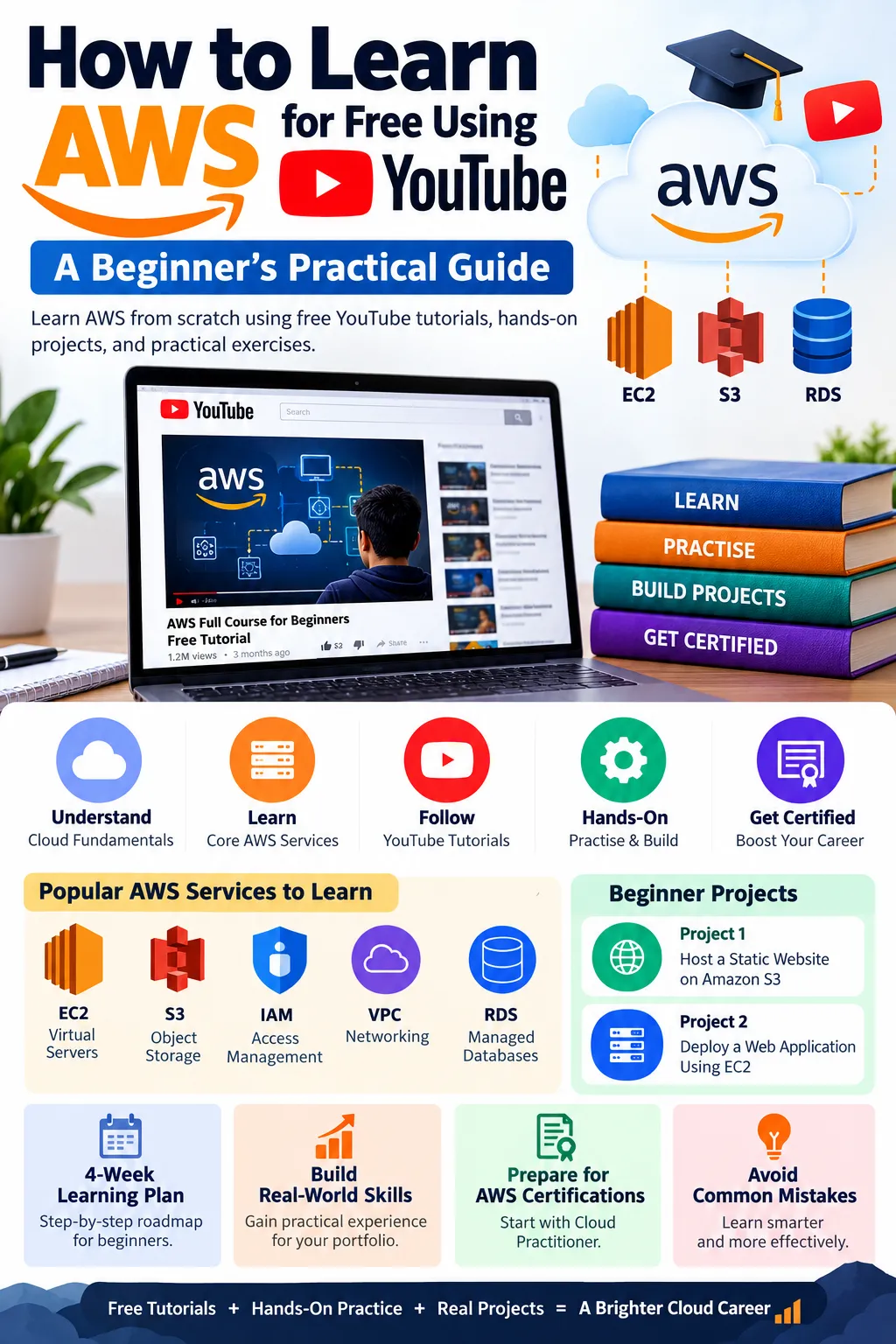
How to Learn AWS for Free Using YouTube: A Beginner’s Practical Guide
Learn AWS from scratch using free YouTube tutorials, hands-on projects, and practical exercises. Discover how to choose the right learning resources, practise cloud skills, and prepare for AWS certifications without spending money on expensive courses

B.Tech CSE Student | Full-Stack Developer | AI/ML & Cloud | Java | AWS
Amazon Web Services (AWS) is one of the leading cloud computing platforms, offering services for computing, storage, networking, databases, security, and application deployment. Learning AWS can help students and aspiring cloud engineers build skills for careers in cloud computing, DevOps, and software development.
But do you need to purchase an expensive course to learn AWS?
No. You can learn a significant portion of AWS through free YouTube tutorials, provided you combine watching videos with hands-on practice.
This article explains how beginners can use YouTube effectively to learn AWS, practise real-world skills, and build projects for their portfolios.
1. Start With the Fundamentals of Cloud Computing
Before exploring individual AWS services, understand the basic concepts of cloud computing.
Start by learning:
- What cloud computing is and why companies use it.
- The difference between public, private, and hybrid clouds.
- The difference between IaaS, PaaS, and SaaS.
- AWS Regions and Availability Zones.
- The basics of scalability, elasticity, and pay-as-you-go pricing.
For example, a company can host its website on an AWS virtual server instead of purchasing and maintaining a physical server.
Similarly, a company can store images and documents in Amazon S3 instead of managing its own storage infrastructure.
YouTube learning tip: Search for beginner-friendly cloud computing and AWS fundamentals tutorials. Focus on understanding the concepts rather than memorising service names.
2. Learn the Most Important AWS Services
Once you understand cloud computing, move on to the core AWS services.
Amazon EC2
Amazon Elastic Compute Cloud (EC2) provides virtual servers in the cloud.
You can use EC2 to host websites, run applications, and perform computing tasks.
Example: Deploy a simple web application on an EC2 instance.
Amazon S3
Amazon Simple Storage Service (S3) provides object storage for files, images, backups, and other data.
Example: Store application images and downloadable documents in an S3 bucket.
AWS IAM
AWS Identity and Access Management (IAM) helps control who can access AWS resources and what actions they can perform.
Example: Create a user or role with limited permissions to access a specific S3 bucket.
Amazon VPC
Amazon Virtual Private Cloud (VPC) allows you to define a logically isolated network for your AWS resources.
Example: Place an application server in a VPC and configure network access using security groups and routing rules.
Amazon RDS
Amazon Relational Database Service (RDS) simplifies the setup and management of relational databases.
Example: Connect a web application to a managed MySQL database.
Learn the purpose of each service before attempting complicated architectures.
3. Use YouTube Channels Strategically
YouTube has several useful resources for AWS learning. Instead of watching random videos, select a structured course and follow it from beginning to end.
Some channels and resources to explore include:
- freeCodeCamp.org: Long-form tutorials covering cloud computing and AWS fundamentals.
- AWS official YouTube channel: Official demonstrations, service explanations, announcements, and technical sessions.
- TechWorld with Nana: Beginner-friendly explanations of DevOps, Docker, Kubernetes, and related technologies.
- Stephane Maarek: AWS certification preparation courses and exam-focused explanations; check which content is freely available.
Use one primary course for structure and other videos only when you need clarification.
Watching multiple complete courses on the same topic is usually less effective than finishing one course and applying what you learn.
4. Practise AWS Instead of Only Watching Videos
Watching someone create an EC2 instance does not mean you know how to create and troubleshoot one yourself.
After each tutorial, repeat the task independently.
A useful learning cycle is:
- Watch a short lesson.
- Reproduce the task in your own AWS environment.
- Change a configuration and observe the result.
- Troubleshoot any errors.
- Write down what you learned.
For example, after learning Amazon S3, create a bucket, upload a test file, and explore permissions.
After learning EC2, launch an appropriate test instance, connect to it, and practise basic server administration.
AWS offers free learning materials through AWS Skill Builder, while its Free Tier and other promotional offers may provide eligible usage at no cost. However, not every service or activity is free. Check current pricing, set billing alerts, and remove resources you no longer need.
5. Build Projects to Demonstrate Your Skills
Projects help you convert theoretical knowledge into demonstrable experience.
Here are two beginner-friendly project ideas.
Project 1: Host a Static Website on AWS
Use Amazon S3 to store a static website and learn how web content is delivered.
You will practise:
- Creating and configuring an S3 bucket.
- Uploading HTML, CSS, and JavaScript files.
- Understanding bucket permissions.
- Exploring website hosting and secure delivery options.
For a production-ready website, consider using Amazon CloudFront with appropriate access controls and HTTPS.
Project 2: Deploy a Web Application Using EC2
Deploy a simple application on an EC2 instance and make it accessible through a suitable network configuration.
You will practise:
- Launching and connecting to a virtual server.
- Installing application dependencies.
- Configuring security groups.
- Running an application as a service.
- Diagnosing deployment and connectivity problems.
Document the architecture, commands, configuration decisions, and troubleshooting steps in a GitHub repository.
Never upload AWS access keys, passwords, or other secrets to GitHub.
6. Prepare for AWS Certifications
If you want to validate your foundational knowledge, consider the AWS Certified Cloud Practitioner certification.
A sensible preparation process is:
- Study the official exam guide.
- Learn the main AWS services and cloud concepts.
- Watch relevant YouTube lessons.
- Practise with legitimate sample questions.
- Review weak areas before scheduling the exam.
You can also explore the AWS Certified Solutions Architect – Associate certification after developing a stronger understanding of cloud architecture.
YouTube tutorials can help you prepare, but they do not guarantee that you will pass an exam. Always verify the current exam requirements and use official AWS documentation alongside videos.
7. A Practical Four-Week Learning Plan
If you can dedicate around two hours per day, use the following schedule as a starting point.
Week 1: Cloud fundamentals
Learn cloud computing, AWS global infrastructure, IAM, and basic security.
Week 2: Core services
Study EC2, S3, VPC, and RDS. Perform small exercises after each lesson.
Week 3: Hands-on projects
Build a static website and deploy a basic application. Record your implementation steps and troubleshooting notes.
Week 4: Revision and portfolio
Review important concepts, complete practice questions, improve your GitHub documentation, and identify areas requiring further study.
At two hours per day, this plan provides approximately 56 hours of learning and practice. That is a useful foundation, not a guarantee of job readiness.
8. Common Mistakes to Avoid
Avoid these mistakes when learning AWS through YouTube:
- Watching tutorials without performing the exercises.
- Jumping between multiple courses without completing any.
- Memorising certification questions without understanding the concepts.
- Copying project code without understanding the architecture.
- Ignoring security, IAM permissions, and cloud costs.
- Assuming that completing a course is equivalent to professional experience.
The goal should be to explain what you built, why you chose a particular service, how the components interact, and how you would troubleshoot a failure.
Conclusion
YouTube is a valuable free resource for learning AWS, especially for students and beginners who want to understand cloud computing before paying for training.
However, videos alone are not enough. Combine structured tutorials with official documentation, hands-on exercises, small projects, and consistent revision.
Start with cloud fundamentals, learn core AWS services, build two practical projects, and document your progress. This approach can help you develop a stronger foundation for cloud engineering and DevOps.
The most important rule is simple: for every hour you spend watching AWS tutorials, make time to practise what you learned.
Enjoyed reading this content? Let the author know!
Your likes, comments, shares, and saves help creators reach more builders.

Loading recommendations
Loading article