If you’re starting your cloud computing journey, one of the best ways to learn AWS is by doing hands-on practice. Reading documentation and watching tutorials are helpful, but working with AWS services can help you understand how cloud technology works in real-world situations.
The good news is that AWS Skill Builder offers free digital training and selected hands-on learning experiences that can help you develop your cloud skills without immediately paying for a subscription.
Whether you’re preparing for the AWS Certified Cloud Practitioner exam, studying through AWS re/Start, or exploring cloud computing independently, these resources are a great place to begin.
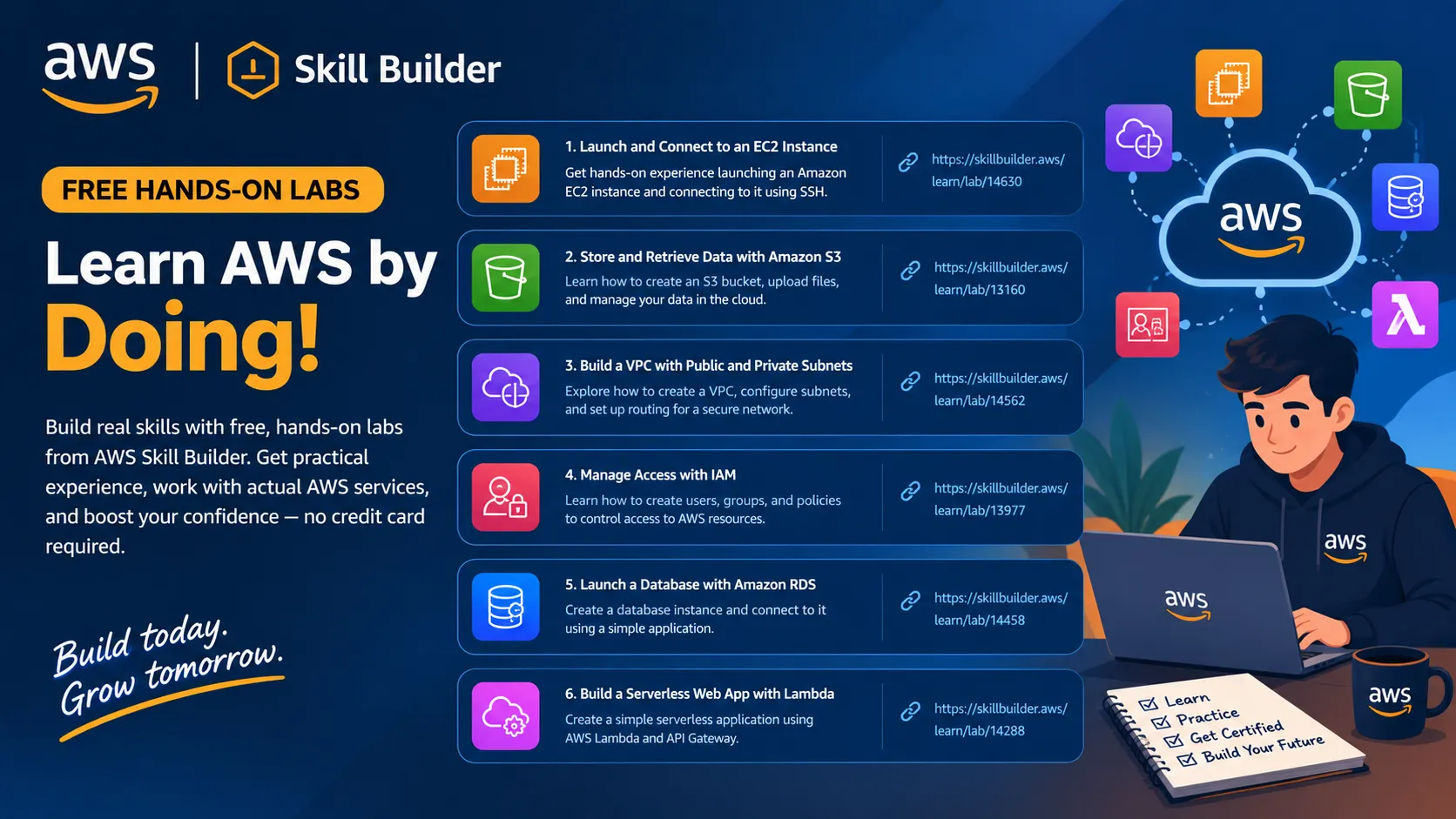
6 AWS hands-on learning resources to explore
1. Launch and connect to an Amazon EC2 instance
Learn how to launch a virtual server, choose an Amazon Machine Image (AMI), configure security groups, and connect to your instance.
Practice: Compute and server administration
2. Store and retrieve data with Amazon S3
Practice creating buckets, uploading files, organizing objects, and understanding cloud storage permissions.
Practice: Storage and data management
3. Explore Amazon VPC and networking
Understand virtual private clouds, subnets, route tables, internet gateways, and security groups.
Practice: Cloud networking
4. Manage access with AWS IAM
Learn about users, groups, roles, policies, and the principle of least privilege. Practice understanding who can access AWS resources.
Practice: Identity and access management
5. Explore Amazon RDS
Learn how managed relational databases work, how to create a database, and how applications connect to database services.
Practice: Managed databases
6. Build with AWS Lambda
Discover serverless computing and learn how code can run in response to events without managing servers directly.
Practice: Serverless computing
Note: The links above lead to official AWS learning resources and tutorials; they are not all direct Skill Builder lab pages. Check each resource for its current access requirements.
Where to find free hands-on labs
These are the best starting points for finding available exercises:
- AWS Skill Builder — Official digital learning platform. Browse free courses, learning plans, and available interactive experiences.
- AWS Workshops — Step-by-step technical workshops covering cloud services, architecture, security, and more. Some activities may incur AWS charges.
- AWS Free Tier — Review current free offers and eligibility before launching resources in your own AWS account.
How to get the most out of each lab
- Read the instructions before starting.
- Identify the AWS service and its purpose.
- Complete the exercise yourself instead of just copying instructions.
- Write down what you learned and any errors you encountered.
- Delete resources when finished if they are no longer needed, and check for any remaining billable resources.
Important: Free training does not automatically mean every AWS resource is free. Check pricing, account eligibility, and lab instructions before launching services.
My recommendation for beginners
Start with IAM fundamentals, then practice EC2, S3, and VPC. These topics help you understand identity, compute, storage, and networking — important foundations for the AWS Certified Cloud Practitioner exam and further cloud engineering studies.
If you're learning on a limited budget, prioritize Skill Builder activities explicitly marked free before experimenting in your own AWS account.
Final thoughts
You don't need to master every AWS service in one day. Start small, practice consistently, and learn from your mistakes. Each lab is an opportunity to build confidence and develop practical cloud skills.
Your turn: Which AWS service are you most excited to practice first — EC2, S3, VPC, IAM, RDS, or Lambda? Share your experience and help other beginners learn alongside you.



Loading article