
IaaS, PaaS, and SaaS Explained With One Simple Idea: Getting to Work
IaaS, PaaS, and SaaS explained by comparing them to ways of getting to work, with AWS examples and a simple list of who manages what.

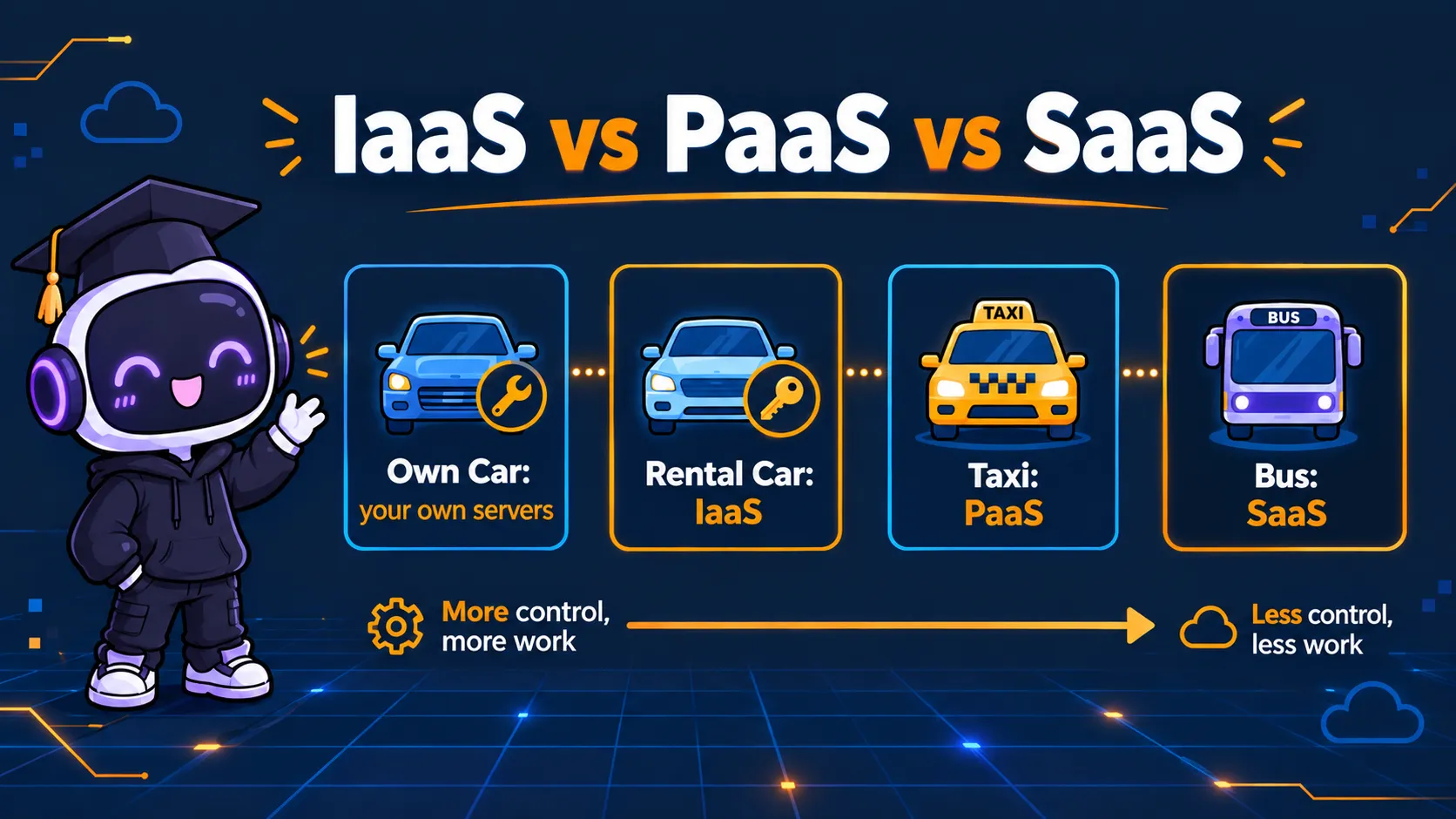
Imagine you need to get to work every day. You have four choices.
1. Buy your own car.
You pay for it, fuel it, fix it, insure it, and find a place to park it. You also drive. This is like running your own servers. Everything is your job.
You pay for it, fuel it, fix it, insure it, and find a place to park it. You also drive. This is like running your own servers. Everything is your job.
2. Rent a car.
Someone else owns the car and keeps the engine working. But you still drive, buy the fuel, and choose the road. This is IaaS, Infrastructure as a Service.
Someone else owns the car and keeps the engine working. But you still drive, buy the fuel, and choose the road. This is IaaS, Infrastructure as a Service.
3. Take a taxi.
You say where you want to go. The driver handles the car and the driving. This is PaaS, Platform as a Service.
You say where you want to go. The driver handles the car and the driving. This is PaaS, Platform as a Service.
4. Take the bus.
You get on and ride. Someone else runs everything. This is SaaS, Software as a Service.
You get on and ride. Someone else runs everything. This is SaaS, Software as a Service.
The more the provider does, the less you do. But you also lose some control. That is the whole idea.
IaaS: you rent the car
With IaaS, the provider gives you the basic building blocks: servers, storage, and networking. You build everything else on top.
On AWS, the classic example is Amazon EC2. You get a virtual server and choose the operating system. You install your software, keep it updated, and set the security group rules yourself.
I felt this on my first EC2 deployment. I had to set up the server, open the right port, and deploy my backend by hand. I was the one driving.
PaaS: you take the taxi
With PaaS, the provider manages much of the underlying infrastructure and platform, so you can focus more on your application code and data.
A good AWS example is AWS Elastic Beanstalk. You upload your code, and AWS provisions and manages much of the infrastructure for you, such as servers, load balancing, and scaling. You still configure your environment and choose its settings. Amazon RDS, a managed database, is often described as PaaS-like too.
AWS Lambda is another way to run code without managing servers. AWS calls it a serverless compute service, so it does not fit neatly into one box.
SaaS: you take the bus
With SaaS, you use a finished product. You don’t build or run anything. Gmail, Zoom, and Microsoft 365 are common examples. AWS mostly sells building blocks, so most well-known SaaS products come from other companies. Some AWS services, like Amazon Connect (a cloud contact center), work more like SaaS.
Who manages what?
- Your own servers: you manage everything.
- IaaS: the provider manages the hardware and the network. You manage the operating system, your software, and your data.
- PaaS: the provider manages much of the infrastructure and platform. You manage your application and your data.
- SaaS: the provider manages the application and its infrastructure. You remain responsible for how you use it, including access controls, account security, and data handling.
Even on the bus, you still have to look after your own ticket and your own bag. This is the same idea as AWS’s Shared Responsibility Model: AWS is responsible for security of the cloud, and you are responsible for security in the cloud. What you are responsible for depends on the service you use.
How to choose
- Need full control, like a custom operating system or special software? Choose IaaS.
- Want to focus on your code and not on servers? Choose PaaS.
- Just need a ready tool to use? Choose SaaS.
More control means more work. Less work means less control. Neither choice is always right.
A small note
The lines between these three are not sharp, and AWS does not label every service with these words. Think of IaaS, PaaS, and SaaS as a way to understand how much you manage, not as strict boxes.
Official reference
Your turn: have you used IaaS, PaaS, or SaaS in a project? Which one have you used the most?
Enjoyed reading this content? Let the author know!
Your likes, comments, shares, and saves help creators reach more builders.

Loading recommendations
Loading article