
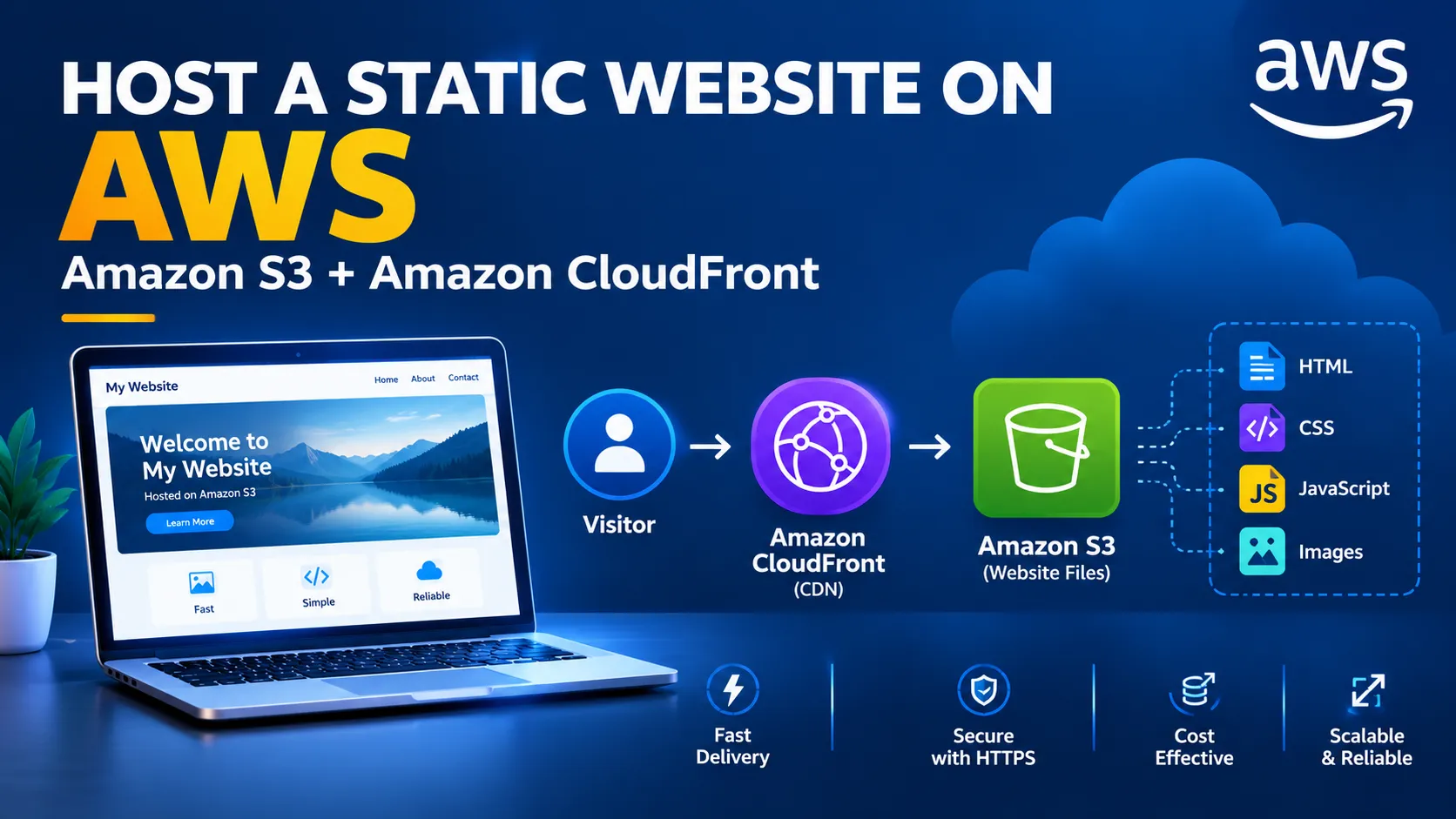
Host a Static Website on AWS Using Amazon S3
Learn how Amazon S3 can store static website files, explore the architecture behind static hosting, and discover important security, performance, and cost considerations when deploying a website on AWS.

Host a Static Website on AWS Using Amazon S3
Building and publishing a website is a great way to begin learning cloud computing. You do not always need a traditional web server to make a website available online. For websites that contain static files, Amazon Web Services (AWS) offers a straightforward storage-based approach.
In this article, we will explore how Amazon Simple Storage Service (Amazon S3) can be used to store website files, understand the architecture, and discuss important considerations before deploying a website.
What Is a Static Website?
A static website consists of files that are delivered to visitors without requiring server-side code to generate each page.
Typical files include:
HTML for page structure CSS for styling JavaScript for browser interactions Images, icons, and other media
Examples include personal portfolios, documentation pages, project showcases, and simple landing pages.
A static website can still include interactive features through JavaScript and connect to APIs for dynamic functionality.
Why Use Amazon S3?
Amazon S3 is an object storage service that stores data as objects inside buckets.
For a static website, an S3 bucket can hold the HTML, CSS, JavaScript, and image files required by the site.
Some benefits include:
No traditional web server to maintain: You do not need to manage an EC2 instance solely to serve static files.
Flexible storage: You can store website assets alongside other supported object-storage use cases.
Usage-based pricing: Charges depend on factors such as storage, requests, and data transfer.
Integration with other AWS services: You can combine S3 with services such as Amazon CloudFront to improve website delivery.
Understanding the Architecture
A basic static website architecture can look like this:
Visitor
↓
Website Endpoint or CDN
↓
Website Files in Amazon S3
↓
HTML, CSS, JavaScript, and Images
↓
Website Endpoint or CDN
↓
Website Files in Amazon S3
↓
HTML, CSS, JavaScript, and Images
For a production website, Amazon CloudFront can serve as the content delivery network (CDN) in front of S3.
CloudFront can cache content at edge locations, helping deliver files efficiently to visitors in different geographic regions.
Step 1: Prepare Your Website Files
Start with a simple website containing an index.html file.
For example:
<!DOCTYPE html> <html lang="en"> <head> <meta charset="UTF-8"> <meta name="viewport" content="width=device-width, initial-scale=1.0"> <title>My AWS Website</title> </head> <body> <h1>Welcome to My Website</h1> <p>Hosted using Amazon S3.</p> </body> </html>
You can add a CSS file to customize the appearance and JavaScript to provide browser-side interactions.
Before uploading the files, test the website locally to confirm that the page and its assets work correctly.
Step 2: Create an S3 Bucket
Open the AWS Management Console and navigate to Amazon S3.
Create a bucket and choose a suitable name. Bucket names must follow AWS naming requirements and be unique within the applicable namespace.
Choose the AWS Region that fits your requirements.
Keep security in mind when configuring the bucket. Do not disable security protections simply to make a website work.
Step 3: Upload the Website Files
Upload your website files to the bucket.
For a simple site, the bucket might contain:
index.html styles.css script.js images/ logo.png banner.jpg
Make sure the filenames and directory paths match the references in your HTML.
For example, if the HTML refers to styles.css, the file must be available at the expected path.
Step 4: Choose a Website Delivery Method
Amazon S3 supports static website hosting through a website endpoint. However, S3 website endpoints do not themselves provide HTTPS.
For a public production website, a common approach is to use Amazon CloudFront with an S3 origin and an appropriate HTTPS configuration.
This setup can provide encrypted connections, content caching, and additional delivery controls.
A private S3 bucket with CloudFront Origin Access Control is a common option for keeping the origin private while allowing CloudFront to serve the website.
If you use S3 website hosting directly, understand the access and HTTPS limitations before choosing that design.
Step 5: Test the Website
After configuring the delivery method, open the website URL and test the following:
Does the home page load correctly? Are images and styles displayed? Do navigation links work? Does the site display correctly on mobile devices? Is HTTPS configured when required? Are visitors able to access only the intended content?
If something fails, check file paths, delivery configuration, permissions, and browser developer tools.
Security Best Practices
Website hosting should be designed with security in mind.
Keep the S3 origin private when appropriate. A CloudFront distribution with Origin Access Control can allow content delivery without making the underlying bucket publicly accessible.
Use HTTPS. Protect information exchanged between visitors and your website.
Avoid storing secrets in frontend files. Anything delivered to a browser can be viewed by visitors. Never include AWS access keys, passwords, or private credentials in JavaScript or HTML.
Review permissions carefully. Grant only the access needed for the chosen architecture.
Protect important files. Consider versioning and suitable backup or recovery practices for content that would be difficult to recreate.
Monitoring and Cost Considerations
Before publishing a website, review the current AWS pricing for the services you plan to use.
Potential costs may include S3 storage and requests, CloudFront requests and data transfer, domain registration, and related services.
For a small website, these costs may be modest, but actual charges depend on usage, configuration, and applicable pricing.
AWS Budgets and billing alerts can help you monitor spending. Remember that alerts help you identify costs; they do not automatically prevent every charge.
What Can You Build Next?
Once your static website is running, you can extend it into a more useful project.
For example, you could:
Create a personal developer portfolio. Publish project documentation. Add a custom domain and HTTPS. Configure automated deployments from a code repository. Connect a frontend to a serverless API. Use CloudFront to improve content delivery.
These extensions introduce additional AWS concepts without requiring you to rebuild the entire website.
Conclusion
Amazon S3 provides a useful starting point for learning how cloud storage can support website hosting.
By preparing static files, uploading them to S3, selecting an appropriate delivery architecture, and testing the result, you can learn practical skills in storage, cloud networking, security, and deployment.
For a production website, consider combining a private S3 origin with CloudFront and HTTPS rather than exposing storage resources unnecessarily.
Start with a small website, understand each configuration choice, and expand the project as your skills grow.
A simple website can be the first step toward understanding real-world cloud architecture.
Enjoyed reading this content? Let the author know!
Your likes, comments, shares, and saves help creators reach more builders.

Loading recommendations
Loading article