
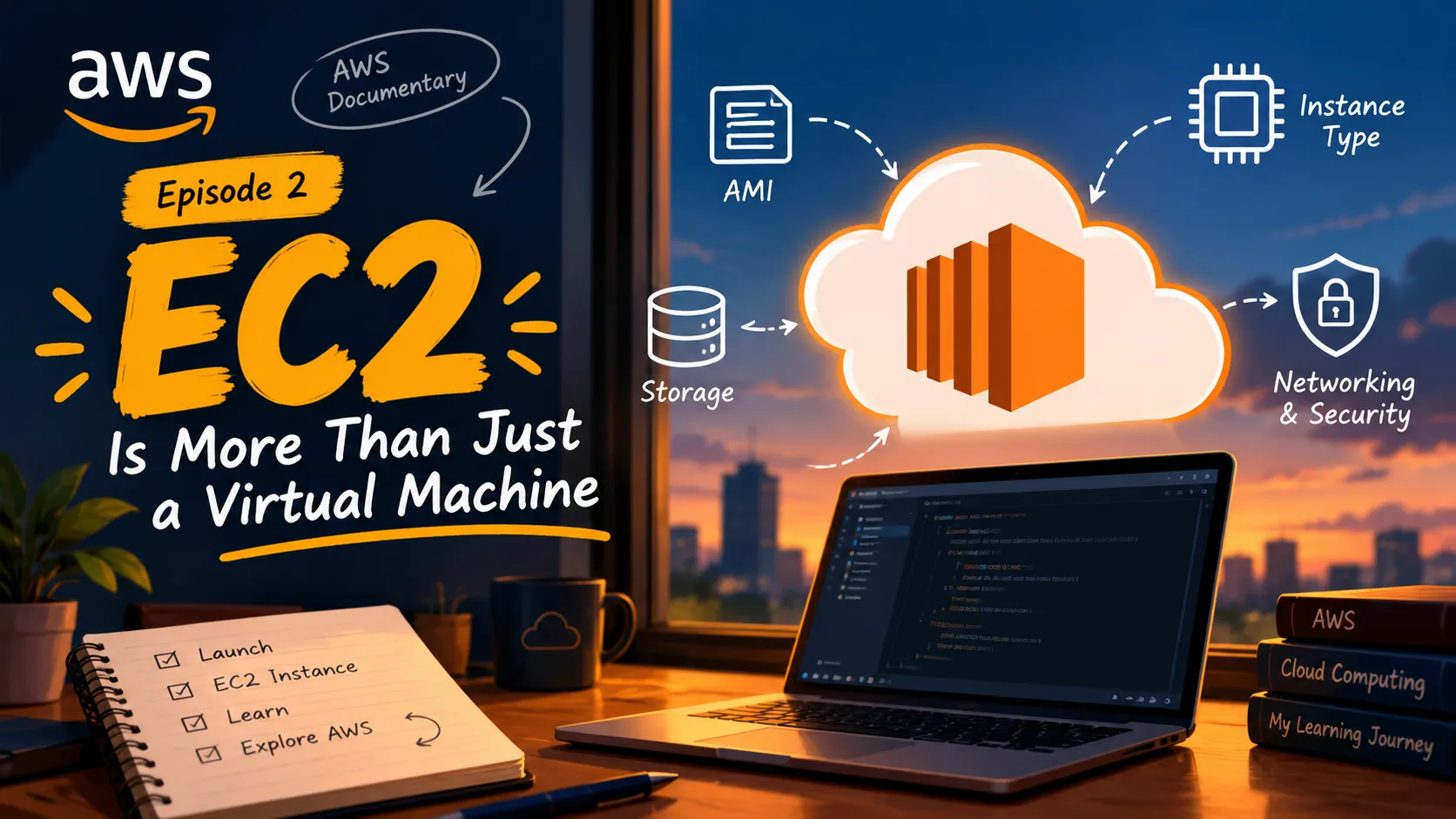
My AWS Journey - Episode 2 : EC2 Is More Than Just a Virtual Machine
Diving into AWS EC2, this article explores instances, how they work, connectivity, security, and costs - building a foundation for deeper cloud learning.
Series: Learning AWS Documentry (2 articles)
- 2My AWS Journey - Episode 2 : EC2 Is More Than Just a Virtual Machine This article

In my last article, I introduced a few services I had learned and understand about. EC2 was one of them, while first time studying, the concept felt pretty simple, "Gives you a virtual server in the cloud."
Since, there is always more into story, so here is as well there is a lot to dive deep in and understand the whole framework and working of the EC2 service.
So, for this episode, I decided to explore what EC2 actually does, how it works at a basic level and why it is such an important part of cloud computing.
We will deep dive into each aspects of EC2 step by step and over a period of time in my next articles we will be actually exploring these steps more in detail only.
Before getting into the details, though, there's one term we need to understand first: instance.
First, What Is an Instance?
In simple terms, an instance is a virtual server running on a physical server managed by AWS.
Think of it this way: imagine you want to run a website. Your website needs computing resources to process requests, execute code, and deliver responses. Instead of buying a physical server yourself, you can launch a virtual server on AWS.
That virtual server is called an EC2 instance.
You can choose its operating system, computing resources, storage, and networking configuration depending on what you need. You can also launch multiple instances for different applications or workloads.
So, whenever you hear someone say, "I launched an EC2 instance," it simply means they created a virtual server using Amazon EC2.
Let's explore how it all works :

Step 1: Understanding What EC2 Actually Is
EC2 stands for Amazon Elastic Compute Cloud. It is an AWS service that provides resizable computing capacity in the cloud.
Think of it this way: if you want to run an application, you need computing resources. Traditionally, you might use your own physical server. With EC2, you can launch a virtual server on AWS infrastructure instead.
These virtual servers are called EC2 instances.
But why is it called Elastic Compute Cloud? The idea is that computing capacity can be adjusted according to your requirements. You can launch instances when you need them and terminate them when you no longer need them.
Step 2: Understanding How an EC2 Instance Is Created
Launching an EC2 instance involves making a few important choices. You don't simply press a button and get a server without configuration.
At a high level, you need to consider:
- Amazon Machine Image (AMI): The template used to launch an instance, including an operating system and potentially preconfigured software.
- Instance type: The combination of computing resources, such as CPU, memory, and networking capabilities.
- Storage: The space required for the operating system, application, and data.
- Networking and security: How the instance connects to other resources and which traffic is allowed.
Each choice affects how the instance is configured and used.
I'll explore these components separately in future episodes because each one deserves more than just a quick definition.
Step 3: Understanding Instance Types
Not every application needs the same amount of computing power.
A small application may work perfectly well with modest resources, while a demanding application may need more CPU, memory, or networking capacity.
This is why AWS offers different EC2 instance types, designed for different workload requirements.
Choosing an instance type is not simply about picking the biggest or most powerful option. It's about understanding what your application needs and choosing resources accordingly.
This also brings up an interesting question: how do we decide which instance type is appropriate for a particular workload?
Step 4: Understanding Storage in EC2
A server needs storage to hold its operating system, applications, and other data.
EC2 commonly uses Amazon Elastic Block Store (EBS) to provide persistent block storage for instances. Depending on the setup, an instance can have one or more EBS volumes attached to it.
The important thing to understand at this stage is that computing and storage are different parts of the setup.
An instance provides computing capacity, while its storage configuration determines how data is stored and accessed.
There are different storage options and configurations to understand here, so I'll leave those for a dedicated deep dive.
Step 5: Understanding Networking and Security
A server needs more than computing power and storage. It also needs to communicate with other systems, and that communication must be controlled.
EC2 instances operate within AWS networking environments, commonly using an Amazon Virtual Private Cloud (VPC).
Security groups act as virtual firewalls, controlling permitted inbound and outbound traffic. Other networking components determine how the instance communicates with resources inside and outside the network.
For example, a web server might need to accept HTTPS traffic from users, while administrative access should be restricted to appropriate sources.
This is where EC2 starts connecting with other AWS concepts, including VPCs, networking, and security.
Step 6: Understanding How We Access an EC2 Instance
Once an instance is running, how do we actually work with it?
The answer depends on the operating system and configuration.
For example, SSH is commonly used to connect to Linux instances, while Windows instances can be accessed using remote desktop tools.
Authentication methods, key pairs, network connectivity, and security group rules all play a role in establishing access.
There is a lot to understand here, especially when it comes to connecting securely. I'll explore the details when I get to the practical side of EC2.
Step 7: Understanding EC2 Pricing
Cloud computing gives us flexibility, but it doesn't mean that every resource is free.
EC2 costs can depend on factors such as the pricing model, instance usage, storage, and applicable data transfer charges.
For example, stopping an instance generally stops its instance compute charges, but attached EBS storage can continue to incur charges.
This is an important part of learning EC2 because understanding how to launch a server is only one side of the story. Understanding how to manage its cost is equally useful.
Step 8: Understanding What Happens After Launch
Launching an instance is not necessarily the end of the process.
Once an application is running, we may need to monitor its performance, troubleshoot problems, adjust its resources, or manage multiple instances as demand changes.
AWS provides services and features for these tasks. For example, Amazon CloudWatch can help monitor resources and collect metrics, while EC2 Auto Scaling can help adjust the number of instances according to configured conditions.
These capabilities become especially important when moving from a basic learning exercise to a real application.
What Comes Next?
This is my current overview of EC2. I haven't explored every component hands-on yet, but breaking the service into steps has helped me understand how the different pieces fit together.
Rather than treating EC2 as just a virtual machine, I now see it as a service involving several decisions: what kind of server to launch, how to configure its resources, how to connect to it, how to secure it, and how to manage its cost.
In the upcoming episodes, I'll revisit these steps, learn more about the concepts behind them, and eventually connect the theory to practical experiments.
One service, multiple layers, and plenty left to explore. Until the next AWS rabbit hole!
Series: Learning AWS Documentry (2 articles)
- 2My AWS Journey - Episode 2 : EC2 Is More Than Just a Virtual Machine This article
Enjoyed reading this content? Let the author know!
Your likes, comments, shares, and saves help creators reach more builders.

Loading recommendations
Loading article