
60 Seconds From "I Should Plan a Workshop" to "Here's the WhatsApp Invite"
Fill a form, get a run-of-show timeline, checklist, and WhatsApp invite ready to copy—60 seconds total.

The Two-Hour Google Doc That Nobody Needed
Three weeks ago I'm planning an AWS workshop for my tech community. Small thing. Hands-on Lambda project, Saturday afternoon, Innovation Hub. I know what I'm doing, I know where, I know when.
So why did it take me TWO HOURS to turn that into an actual plan?
I open Google Docs. Stare at blank page. Start typing timeline. Realize I forgot to book the projector. Stop. Add checklist. Wonder if I should send the invite now or wait until I confirm the venue. Delete half of what I wrote. Start again.
My co-organizer messages me: "Did you send the invite?"
Me: "Still working on it."
Her: "It's been two hours."
Yeah.
Last week someone in our WhatsApp group asks: "How do you write event invites that people actually read?" GREAT QUESTION. Most event announcements are walls of text. People skim, miss the time, don't RSVP, show up confused or don't show up at all.
I built Event Planner to fix both problems. Give organizers a starting point. Give them an invite that's ready to copy into WhatsApp. No two-hour Google Doc session. Sixty seconds.
Live URL: https://d2m52g483v6zhi.cloudfront.net
How It Works (The Fast Version)
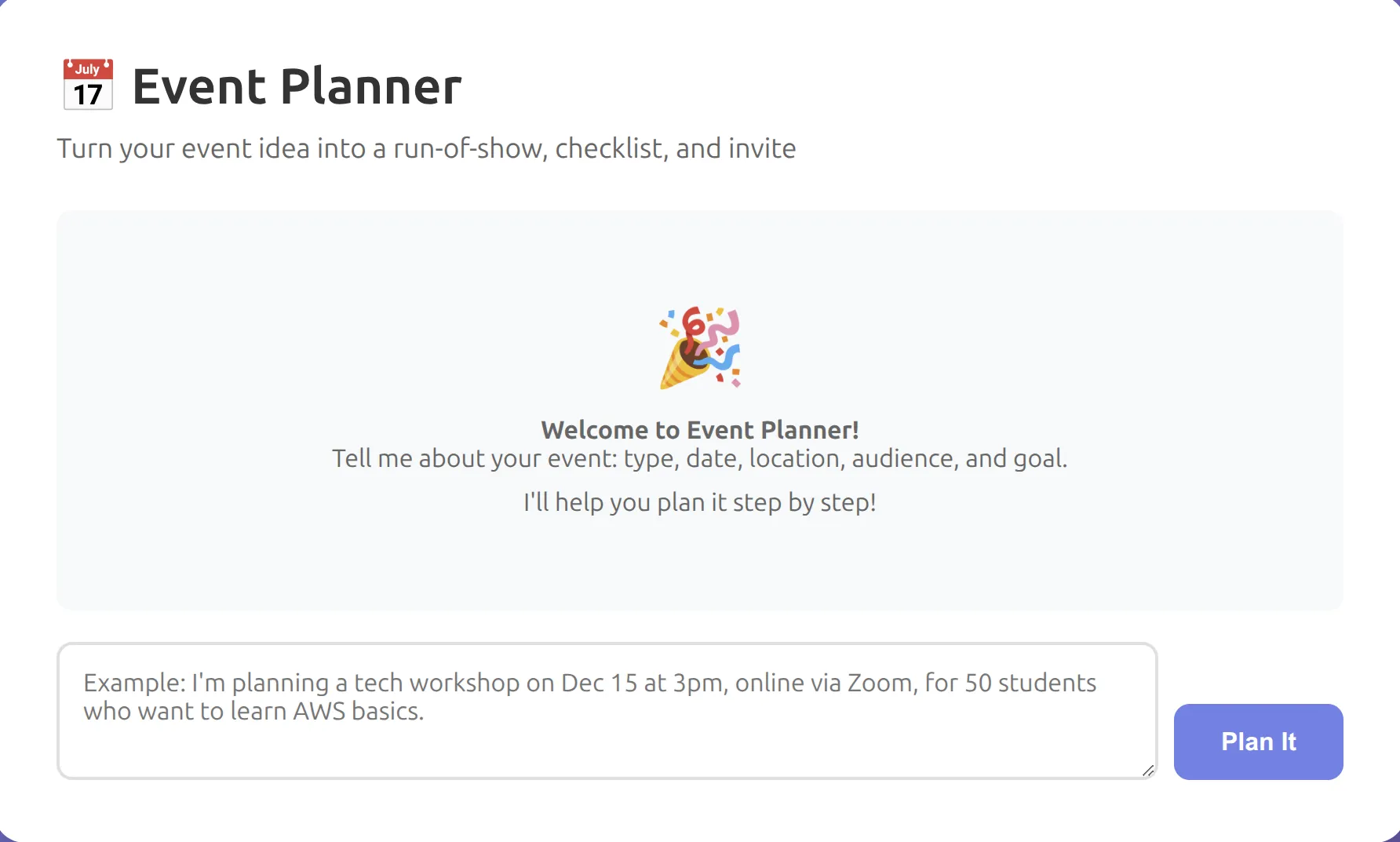
Five fields:
- Event type (workshop / meetup / hackathon)
- Event name
- Date & time
- Location
- Goal (what are people learning/building/discussing)
One button: Create Event Plan
Three seconds later you get:
✅ Run-of-show timeline (what happens when)
✅ Pre-event checklist (2 weeks before, 1 week before, day before, day of)
✅ WhatsApp invite message under 200 words, emoji-friendly, with COPY button
✅ Pre-event checklist (2 weeks before, 1 week before, day before, day of)
✅ WhatsApp invite message under 200 words, emoji-friendly, with COPY button
The WhatsApp message is the key. It's formatted for mobile. Natural language. Clear call to action. ONE CLICK to copy, paste into your group chat, done.
No selecting text. No cleaning up formatting. Just copy and send.
The WhatsApp Message Format (What Makes It Work)
Here's what a good event invite looks like on WhatsApp:
1
2
3
4
5
6
7
8
9
10
11
12
13
14
15
16
17
18
19
20
📢 AWS Lambda Workshop – This Saturday!

Hey everyone! 🙌

We're running a hands-on Lambda workshop this Saturday, Oct 14 at 2 PM.
Location: Innovation Hub (Engineering Block).

What we're building:
✅ Serverless API from scratch
✅ Deploy to AWS in 1 hour
✅ Walk away with working code

Who should come:
Anyone curious about serverless or wanting to build something real.

RSVP: Drop a ✋ in the chat by Thursday so we know how many seats to set up.

Questions? Reply here or DM me.

See you Saturday! 🚀
Notice what it does:
- Title with date right at the top
- Brief context (what/when/where)
- Bullet points (easy to scan)
- Clear call to action (RSVP by Thursday)
- Friendly tone without being too casual
- Emoji (not spammed, just enough)
- Under 200 words
That's what the agent generates. Every time.
What I Tested (Three Event Types)
I ran this with three different scenarios to see if the output makes sense.
Test 1: AWS Workshop (2 hours, 30 people)
Input:
- Type: Workshop
- Name: "Serverless API with Lambda"
- Date: Saturday, Oct 14, 2 PM
- Location: Innovation Hub
- Goal: "Teach students to build and deploy a serverless API"
Output:
- Timeline: Registration (10 min), Intro (15 min), Setup (15 min), Build (60 min), Deploy (15 min), Q&A (15 min)
- Checklist: Confirm venue, test WiFi, prep slide deck, create AWS account IAM roles, send reminder 24h before, print handouts
- WhatsApp message: 168 words, mentions what they'll build, who should come, RSVP deadline
Verdict: ✅ Makes sense. Timeline is realistic. Checklist includes things I would have forgotten (test WiFi, prep IAM roles).
Test 2: Community Meetup (casual, 50 people)
Input:
- Type: Meetup
- Name: "Tech Career Stories"
- Date: Friday, Nov 3, 6 PM
- Location: Tech Hub Awka
- Goal: "Share career journeys and network"
Output:
- Timeline: Networking (20 min), Intro (5 min), Speaker stories (40 min), Open discussion (20 min), Wrap-up (5 min)
- Checklist: Book venue, invite speakers, set up chairs in circle format, prep name tags, send location map
- WhatsApp message: 142 words, casual tone, mentions "bring your questions"
Verdict: ✅ Checklist included "name tags" and "circle format"—nice touches I wouldn't have thought of.
Test 3: Hackathon (full day, 100+ people)
Input:
- Type: Hackathon
- Name: "Build for Good Hackathon"
- Date: Saturday, Oct 21, 9 AM - 6 PM
- Location: Engineering Faculty
- Goal: "Build solutions for local community problems"
Output:
- Timeline: Registration & breakfast (30 min), Team formation (30 min), Hacking (5 hours), Judging (45 min), Awards (15 min)
- Checklist: Form judging panel, arrange food/drinks, set up power strips, create Slack workspace, print challenge briefs, test presentation setup
- WhatsApp message: 187 words, mentions prizes, team size (3-5), judging criteria
Verdict: ✅ Checklist is comprehensive. "Create Slack workspace" and "print challenge briefs"—both things I've forgotten at past hackathons.
The Copy Button (Small Detail, Big Impact)
Best tools disappear. You shouldn't have to:
- Read the plan
- Scroll to WhatsApp message
- Select the text (hope you got all of it)
- Right-click, copy
- Open WhatsApp
- Paste
You should just click Copy WhatsApp Message and paste.
The button changes to "✅ Copied!" for 2 seconds so you know it worked.
One catch: Clipboard API requires HTTPS. Won't work on localhost. That's why CloudFront deployment matters.
Code:
1
2
3
4
5
6
7
8
9
10
11
async function copyWhatsAppMessage() {
    try {
        await navigator.clipboard.writeText(whatsappMessage);
        button.textContent = '✅ Copied!';
        setTimeout(() => {
            button.textContent = 'Copy WhatsApp Message';
        }, 2000);
    } catch (err) {
        alert('Copy failed. Select and copy manually.');
    }
}
Tested on:
- Chrome desktop ✅
- Firefox desktop ✅
- Safari mobile ✅
- Chrome mobile ✅
Works everywhere HTTPS is present.
The Tech Stack (Intentionally Simple)
Frontend: HTML form with 5 inputs. JavaScript to call Lambda and display results. S3 bucket + CloudFront.
Backend: Python Lambda function. Builds a structured prompt with event details. Sends to Bedrock (Claude Haiku 4.5). Extracts WhatsApp message from code block in response.
System prompt (the key part):
1
2
3
4
5
6
7
8
9
10
11
12
13
14
15
16
17
You are an event planning assistant.

Given:
- Event type: [workshop/meetup/hackathon]
- Name: [...]
- Date/time: [...]
- Location: [...]
- Goal: [...]

Generate:
1. Run-of-show timeline
2. Pre-event checklist (2 weeks / 1 week / day before / day of)
3. WhatsApp invite message (under 200 words, emoji, friendly tone)

Format the WhatsApp message in a code block so it can be parsed.

Be warm and practical. Avoid corporate speak.
Why enforce structure? Without it, Claude sometimes mixes the WhatsApp message into the timeline. Code block lets me parse it reliably.
Response time: 3-4 seconds average
Token usage: 700-1000 tokens per request
Cost per plan: ~$0.0004 (negligible)
Token usage: 700-1000 tokens per request
Cost per plan: ~$0.0004 (negligible)
What I Learned (The Mistakes)
First version had a chat interface. You typed "I'm planning a workshop..." and it asked follow-up questions. Felt conversational but took 5 minutes. People don't want conversation. They want results. Switched to a form. Now it's 60 seconds.
Early WhatsApp messages were too long. 300+ words. Nobody reads that. Added "under 200 words" to prompt and raised temperature to 0.7. Messages are now punchy.
Copy button didn't work on mobile Safari initially. Clipboard API needs direct user interaction. Can't trigger from Promise callback. Fixed by calling
navigator.clipboard.writeText() directly in onclick handler.What's Missing (For Now)
Right now it's one-shot. Fill form, get plan, done. Next version should have:
✅ Edit mode: Tweak the generated plan, regenerate just the WhatsApp message
✅ Calendar export: Download .ics file with the timeline
✅ Multi-language: Generate invites in Pidgin/Igbo/Hausa for local communities
✅ Venue profiles: If your space has no projector, don't include "presentation slides" in timeline
✅ Calendar export: Download .ics file with the timeline
✅ Multi-language: Generate invites in Pidgin/Igbo/Hausa for local communities
✅ Venue profiles: If your space has no projector, don't include "presentation slides" in timeline
But for v1? This works.
Try It
If you're planning an event and staring at a blank doc, fill the form. See what it gives you. The plan won't be perfect but it's a starting point. The WhatsApp invite? Copy and paste. Done.
Live URL: https://d2m52g483v6zhi.cloudfront.net
Enjoyed reading this content? Let the author know!
Your likes, comments, shares, and saves help creators reach more builders.

Loading recommendations
Loading article