
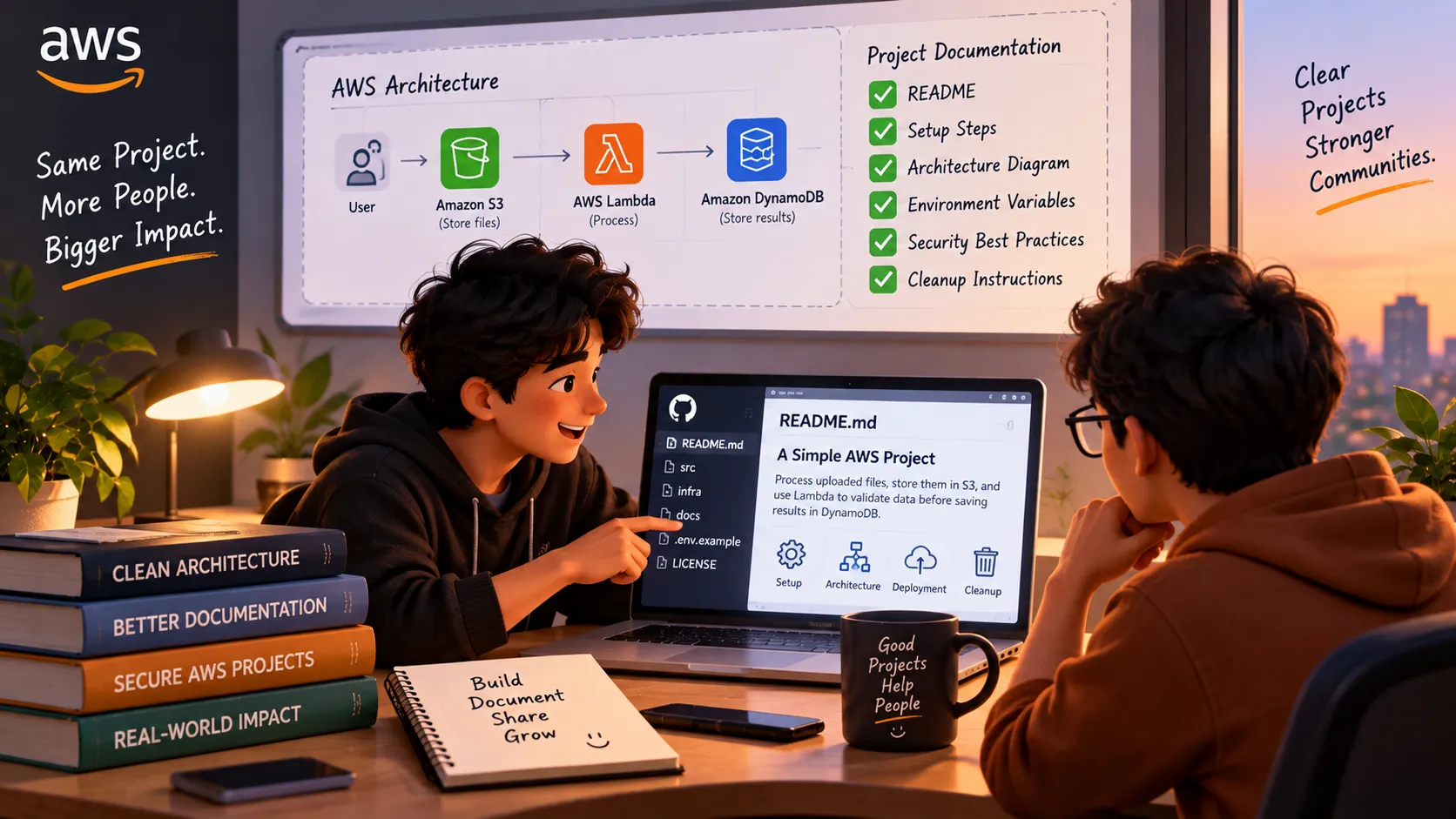
Your AWS Project Works. But Can Someone Else Use It?
A working AWS project is a great start, but can another developer understand, run, and maintain it? Explore why clear documentation, architecture diagrams, security, and cleanup instructions matter just as much as the code itself.

Imagine this.
You spend a weekend building an application on AWS. You fix the errors, connect the services, test the features, and finally get everything working.
You feel proud of what you built.
Then someone visits your GitHub repository and asks a simple question:
“How do I run this project on my machine?”
Suddenly, you realize that the application works, but the instructions are missing. The environment variables are unclear. The architecture is difficult to understand. Nobody knows which AWS resources need to be created first.
Your project is working, but another developer cannot easily use it.
This is a small problem that teaches a much bigger lesson about cloud engineering.
Building the application is only half the work
When we learn AWS, we naturally focus on the services.
We learn how to store files in Amazon S3, deploy applications, configure IAM permissions, connect databases, and automate tasks.
These are important skills.
But there is another skill that often gets less attention: making our work understandable to other people.
In a real development team, you may not be the person who maintains your application forever. Someone else might need to debug it, deploy it, update a dependency, or investigate a production issue.
If only the original developer understands the system, maintaining it becomes difficult.
Good engineering means thinking about the next person who will work on your project.
What makes a cloud project genuinely useful?
I think every project should answer five simple questions.
1. What does it do?
Explain the problem your application solves. A reader should understand its purpose before looking at the code.
2. How does it work?
Include a simple architecture diagram. Show how the application, AWS services, database, and external APIs communicate.
3. How can someone run it?
Document the prerequisites, setup steps, configuration, and deployment process. Never include real passwords, secret keys, or AWS credentials in your repository.
4. What can go wrong?
Mention common errors, required permissions, configuration issues, and troubleshooting steps. You do not need to document every possible failure, but the obvious ones are worth explaining.
5. How can someone clean it up?
Cloud resources may continue generating charges after an experiment ends. Explain how to remove temporary resources safely and check for anything that might still incur costs.
These steps do not require an advanced architecture. They require a little planning and care.
Your README is more important than you think
A README file can look like a small part of a project, but it often creates the first impression.
Compare these two descriptions.
Version A:
“An AWS-based application built using Lambda, S3, and DynamoDB.”
Version B:
“This application processes uploaded files, stores them in Amazon S3, and uses AWS Lambda to validate the data before saving the results. The README includes the architecture, setup instructions, permissions required, and cleanup steps.”
The second description helps readers understand what the project does and what they can expect from it.
A useful README should not be a list of technologies added just to make a project look impressive. It should help someone understand and use the project.
Don't confuse complexity with quality
It is tempting to add more services to a project because the architecture looks more impressive.
But a small application with a clear purpose, appropriate permissions, useful documentation, and reliable behavior can be a stronger learning project than a complicated system nobody can maintain.
Before adding another AWS service, ask yourself:
- Does this service solve a real problem?
- Do I understand why I need it?
- Can I explain its role to another developer?
- Have I considered its security and cost implications?
If you cannot answer these questions yet, take a step back and understand the existing architecture first.
You do not need to use every AWS service to demonstrate that you can build on AWS.
A challenge for your next project
Before publishing your next AWS project on GitHub, try this small experiment.
Pretend you are a developer who has never seen your repository before.
Can you understand the project in five minutes?
Can you follow the setup instructions without asking the author for help?
Can you identify the AWS resources it needs?
Can you find out how to configure it securely?
Can you clean up the resources when you finish testing?
If the answer to some of these questions is no, that gives you a useful next step.
You do not have to rewrite the entire project. Improve the documentation, add a diagram, explain the configuration, or clarify the cleanup process.
Small improvements make a real difference.
The lesson I want to carry into my cloud journey
Learning AWS is not just about knowing which service to choose. It is also about understanding how services fit together and how other people will work with the systems we create.
A project should demonstrate more than the fact that we managed to make something run.
It should show that we understand what we built, why we built it, and what someone else needs to maintain it.
That is the difference between a project that looks good in a portfolio and one that is genuinely useful to another developer.
Your code proves that you can build something. Your documentation helps someone else build on it.
I'm curious about your experience:
When you explore someone's GitHub repository, what makes you want to keep reading — a clear README, an architecture diagram, a working demo, or the code itself?
Share your thoughts. I'd love to hear what other AWS builders look for in a good project.
Enjoyed reading this content? Let the author know!
Your likes, comments, shares, and saves help creators reach more builders.

Loading recommendations
Loading article