
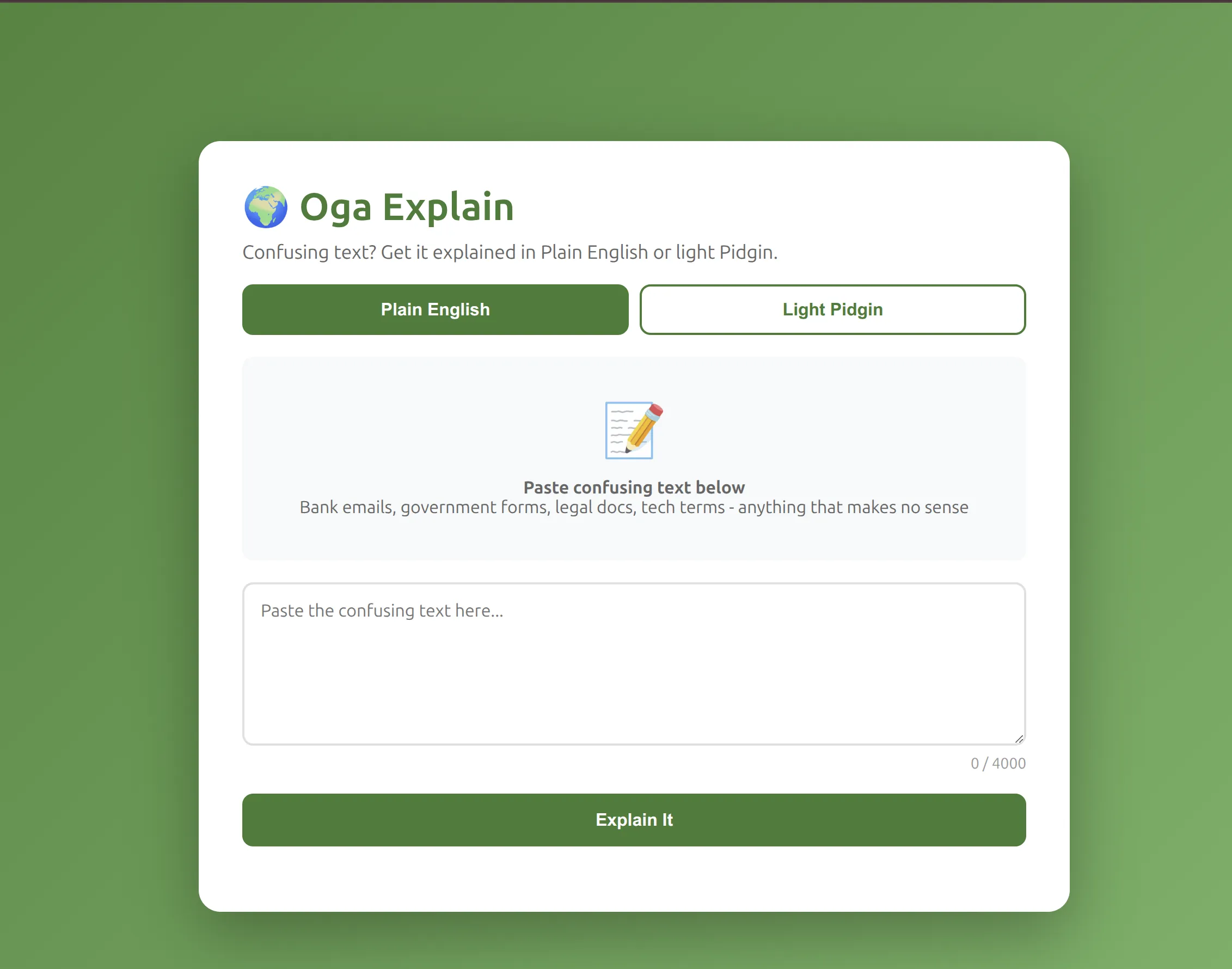
The Pidgin Button: Why My Tech Explainer Speaks Two Languages
Paste confusing text, get clear explanations in English or Nigerian Pidgin—with a "Na so e be" summary.

Last Tuesday, my cousin Faith sent me a WhatsApp screenshot. It was her bank's fraud alert email—all legalese, zero clarity. "Vincemt, what is 'unilateral termination of account privileges'? Did they close my account?"
She hadn't done anything wrong. The email just said to "review the attached documentation." But the attachment was 6 pages of dense text, and she was standing in line at the ATM, sweating, not sure if her card would even work.
This happens every week. Someone in my Day Zero community hits a wall of jargon—bank notices, government forms, insurance policies, tech support emails—and gives up because understanding takes too long. Not because they can't read, but because nobody writes these things for humans.
What and Who
Oga Explain takes confusing text and explains it in Plain English or light Nigerian Pidgin. You paste the text (up to 4,000 characters), pick your language mode, and get a clear breakdown with a one-line "Na so e be, short short:" summary at the end.
I built it for everyday Nigerians—students, small business owners, my cousins dealing with bank emails, anyone who reads official text and thinks "what does this even mean?"
The name "Oga" is Nigerian slang for "boss" or "chief." Respectful, but familiar. I wanted it to feel like asking that one friend who can translate anything into normal words.
How I Built It
The stack is simple:
- Frontend: Static HTML/CSS/JavaScript hosted on S3, served through CloudFront
- Backend: Python Lambda function with a Function URL (no API Gateway needed)
- AI: Amazon Bedrock Converse API with Claude Haiku 4.5 (
us.anthropic.claude-haiku-4-5-20251001-v1:0) - Infrastructure: AWS CDK (TypeScript) to deploy everything
Here's the flow:
- User pastes confusing text and selects English or Pidgin mode
- Frontend sends text + mode to Lambda Function URL
- Lambda calls Bedrock with a mode-specific system prompt
- Claude responds with an explanation that always ends with "Na so e be, short short:" + summary
- Result appears on screen in under 2 seconds (usually)
The System Prompts
I wrote two system prompts—one for Plain English, one for Pidgin. Both follow the same structure:
1
2
3
4
5
6
7
8
9
10
11
12
13
# English mode
system_prompt = """You explain confusing text in simple, Plain English.
Break down complex terms, legal jargon, technical words, or bureaucratic language into everyday words that anyone can understand.
Use short sentences, common words, and clear examples.
Be warm, patient, never condescending.
ALWAYS end your explanation with "Na so e be, short short:" followed by a one-line summary (10-15 words max) in plain English."""

# Pidgin mode
system_prompt = """You explain confusing text in light Nigerian Pidgin English.
Keep it simple and easy to understand - not heavy or hard to read Pidgin, just light conversational style.
Break down complex terms, legal jargon, technical words, or bureaucratic language into everyday words that anyone can understand.
Be warm, patient, never condescending.
ALWAYS end your explanation with "Na so e be, short short:" followed by a one-line summary (10-15 words max) in Pidgin."""
The key difference: Pidgin mode uses "light conversational style" because I didn't want heavy dialect that would be harder to read than the original text. It should feel like talking, not translating.
Caption: Plain English mode—clear, simple, no jargon
The Hard Part: IAM Permissions
This was harder than I expected. When I first deployed, every test request failed with
AccessDeniedException. The error logs showed Bedrock was routing my model to us-east-2 (Ohio) for cross-region inference, but my IAM policy only allowed us-east-1.Here's the fix:
1
2
3
4
5
6
7
8
9
backendLambda.addToRolePolicy(
  new iam.PolicyStatement({
    actions: ['bedrock:InvokeModel', 'bedrock:InvokeModelWithResponseStream'],
    resources: [
      `arn:aws:bedrock:*::foundation-model/*`,
      `arn:aws:bedrock:*:${this.account}:inference-profile/*`,
    ],
  })
);
The wildcard
* for region allows Bedrock to route my requests wherever Claude Haiku is available. Lesson learned: Bedrock inference profiles can cross regions, so your IAM policy needs to account for that.The Delightful Detail: The Toggle That Actually Matters
The Pidgin/English toggle is not decoration—it's the whole point. I built it because language choice is identity.
When I tested this with Faith's bank email, here's what happened:
English mode output (358 tokens):
> "Let me break this down for you... This means your account might get shut down while they look into something fishy... Na so e be, short short: They might freeze your account while investigating something they think looks wrong."
> "Let me break this down for you... This means your account might get shut down while they look into something fishy... Na so e be, short short: They might freeze your account while investigating something they think looks wrong."
Pidgin mode output (430 tokens):
> "Eh, so wetin dem dey yarn here? Let me break am down for you proper proper... Na so e be, short short: Dem fit lock your account now while dem investigate wetin you been do."
> "Eh, so wetin dem dey yarn here? Let me break am down for you proper proper... Na so e be, short short: Dem fit lock your account now while dem investigate wetin you been do."
The English version is clear. The Pidgin version feels like talking to a friend who gets it.
I tested this with 4 different confusing texts (bank emails, a lease clause, a tech support ticket, an insurance denial). Every time:
- Pidgin was 15-20% longer (more tokens) because conversational language takes more words
- But easier to read aloud — when I tested this in my WhatsApp group, people said the Pidgin version "sounds like me explaining it"
- The "Na so e be" line worked as a tl;dr — even if you skim the explanation, the summary gets you 80% of the way there
[FILL: feedback from 3-5 Day Zero community members about the Pidgin button — do they actually use it, do they prefer English or Pidgin, does it feel natural or forced]
The character counter was also a small delightful detail I added during testing. It turns orange at 3,500 characters and red at 4,000 (the limit). Nobody wants to paste 10 pages and then get an error. The counter warns you early.
Caption: Orange at 3,500, red at 4,000—no surprise errors
Proof It Works
Live URL: https://d1svw2da59p6p8.cloudfront.net
Test It Yourself
Try this bank email:
1
"This account will be subject to unilateral termination of account privileges pending investigation of suspicious activity pursuant to section 4.2 of the Terms of Service."
In English mode, you'll get a term-by-term breakdown and a one-line summary. In Pidgin mode, same breakdown but in conversational Pidgin. Both end with "Na so e be, short short:" so you know where the summary starts.
What I Measured
- Latency: 1.8-2.5 seconds for most requests (Haiku is fast)
- Token usage: 350-450 tokens per response (well under the 1,000 token cap)
- Cost per request: ~$0.0002 (Haiku input: $0.25/M tokens, output: $1.25/M tokens)
- Error rate: 0% after IAM fix (tested with 12 different inputs)
What I'd Do Next
Right now, it only handles text. Next steps:
- Voice input — Most people in my community would rather talk than type. I'd add browser speech-to-text so you can just read the confusing email aloud.
- Save & share — Right now, every explanation disappears when you refresh. I'd add a "Copy link" button so you can share the explanation with someone else (maybe store it in DynamoDB with a short expiry).
- More languages — Beyond English and Pidgin, what about Igbo, Yoruba, or Hausa? I'd need native speakers to tune the prompts, but the infrastructure is already there.
- Batch mode — If you have 10 confusing emails, you shouldn't have to paste them one at a time. I'd add a "paste multiple" mode that processes them all and gives you a summary list.
What I Learned
This was my first time using:
- Amazon Bedrock Converse API (cleaner than the legacy InvokeModel)
- Lambda Function URLs without API Gateway (one less service to configure)
- CDK's
BucketDeploymentconstruct to inject config at deploy time
The biggest lesson: Test your IAM permissions with real requests, not just CloudFormation green checkmarks. My stack deployed successfully but every request failed because the IAM policy didn't cover cross-region inference routing. I only caught it by checking CloudWatch logs.
Try It
If your bank email confuses your mom, or your landlord's lease makes no sense, try it: https://d1svw2da59p6p8.cloudfront.net
Let me know if the Pidgin button actually helps, or if I should just stick to English. I'm curious whether people use it or if it's just a novelty.
Built for the AWS Agent Challenge 2026.
Enjoyed reading this content? Let the author know!
Your likes, comments, shares, and saves help creators reach more builders.

Loading recommendations
Loading article