
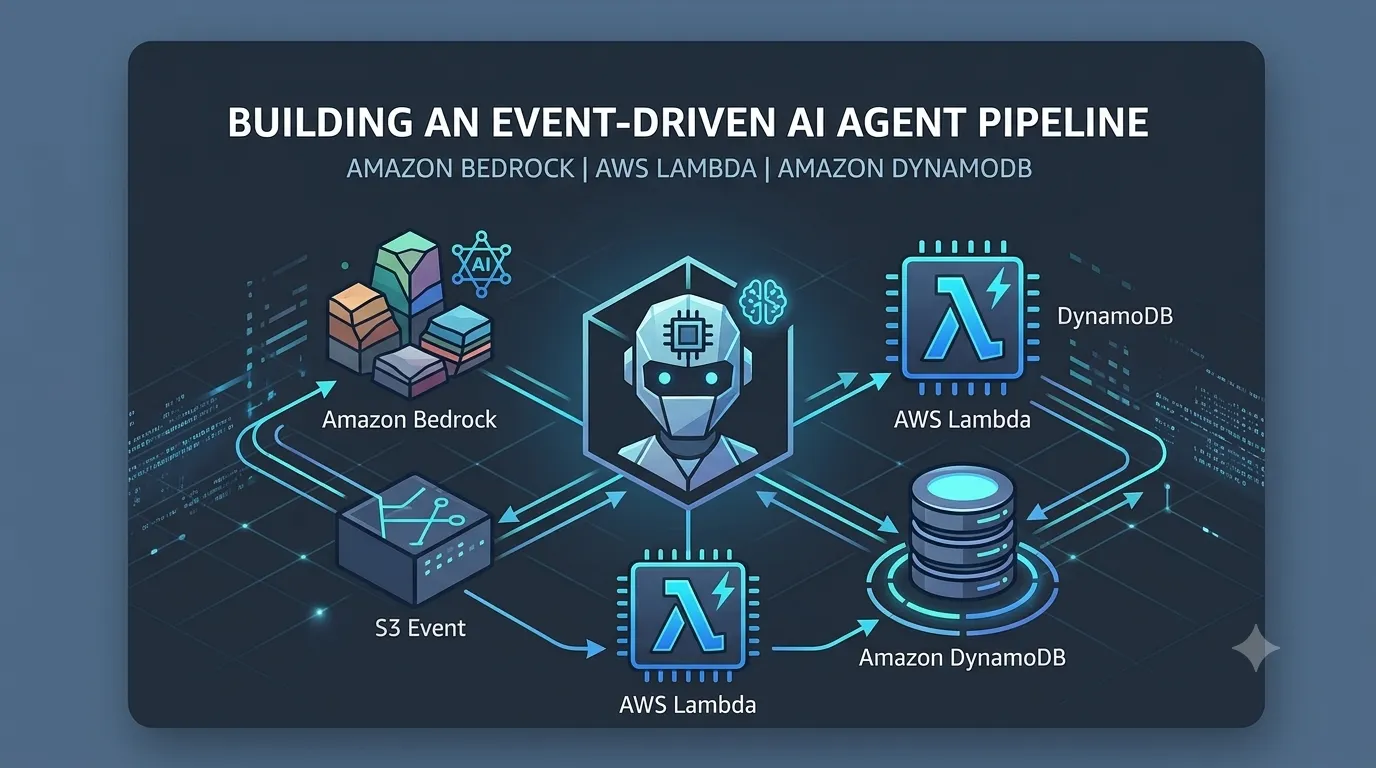
Building an Event-Driven AI Agent Pipeline using Amazon Bedrock and AWS Lambda
Learn how to build an autonomous, serverless AI agent workflow that processes asynchronous event triggers, executes custom code actions, and securely logs findings using AWS Lambda, Amazon Bedrock, and DynamoDB.

Building an Event-Driven AI Agent Pipeline using Amazon Bedrock and AWS Lambda
Autonomous AI agents are transforming cloud automation by dynamically making decisions based on real-time event triggers. In this tutorial, we will build a serverless AI agent pipeline that ingests incoming events, processes prompt reasoning via Amazon Bedrock, and executes targeted actions using AWS Lambda.
🏗️ System Architecture
- Trigger: An Amazon S3 file upload or EventBridge scheduled rule emits an event.
- Execution: AWS Lambda receives the event and routes the payload to an Agent powered by Amazon Bedrock.
- Action & Output: Bedrock selects an action group (Lambda function) to process the task and writes structured output to Amazon DynamoDB.
🛠️ Step-by-Step Implementation
Step 1: Set Up the Amazon Bedrock Action Group
First, create a Lambda function that defines the specific action tool your agent can invoke. Below is a Python-based AWS Lambda function that processes incoming tasks requested by Bedrock.
1
2
3
4
5
6
7
8
9
10
11
12
13
14
15
16
17
18
19
20
21
22
23
24
25
26
27
28
29
30
31
32
33
34
35
36
37
import json

import boto3


dynamodb = boto3.resource('dynamodb')

table = dynamodb.Table('AgentTaskLogs')


def lambda_handler(event, context):

    agent = event.get('agent', 'Unknown')

    actionGroup = event.get('actionGroup', '')

    function = event.get('function', '')

    parameters = event.get('parameters', [])


    # Process reasoning output from Bedrock

    response_body = {

        "status": "SUCCESS",

        "result": f"Executed action '{function}' successfully for agent '{agent}'."

    }


    # Log task execution into DynamoDB

    table.put_item(

        Item={

            'ExecutionId': context.aws_request_id,

            'Action': function,

            'Status': 'COMPLETED'

        }

    )


    return {

        'messageVersion': '1.0',

        'response': {

            'actionGroup': actionGroup,

            'function': function,

            'functionResponse': {

                'responseBody': {'TEXT': {'body': json.dumps(response_body)}}

            }

        }

    }
Step 2: Configure Agent Permissions (IAM Policy)
Ensure your execution role follows the principle of least privilege:
Ensure your execution role follows the principle of least privilege:
----------------------------------------------------------------------------------------
JSON
{
"Version": "2012-10-17",
"Statement": [
{
"Effect": "Allow",
"Action": [
"bedrock:InvokeModel",
"bedrock:InvokeAgent"
],
"Resource": ""
},
{
"Effect": "Allow",
"Action": [
"dynamodb:PutItem"
],
"Resource": "arn:aws:dynamodb::*:table/AgentTaskLogs"
}
]
}
{
"Version": "2012-10-17",
"Statement": [
{
"Effect": "Allow",
"Action": [
"bedrock:InvokeModel",
"bedrock:InvokeAgent"
],
"Resource": ""
},
{
"Effect": "Allow",
"Action": [
"dynamodb:PutItem"
],
"Resource": "arn:aws:dynamodb::*:table/AgentTaskLogs"
}
]
}
---------------------------------------------------------------------------------------------
-------🔍 Verification & Testing-----
To verify your workflow:
To verify your workflow:
Trigger the event source with a sample JSON payload.
Monitor Amazon CloudWatch Logs to trace the event execution path.
Query the AgentTaskLogs DynamoDB table to confirm output verification.
Bash
aws dynamodb scan --table-name AgentTaskLogs
aws dynamodb scan --table-name AgentTaskLogs
----------📌 Summary--------
By decoupling task triggers from execution logic, serverless AI agents allow scalable, cost-effective automation across AWS workloads. Try expanding this agent with custom OpenAPI schemas or multi-agent orchestrations!
By decoupling task triggers from execution logic, serverless AI agents allow scalable, cost-effective automation across AWS workloads. Try expanding this agent with custom OpenAPI schemas or multi-agent orchestrations!
Enjoyed reading this content? Let the author know!
Your likes, comments, shares, and saves help creators reach more builders.

Loading recommendations
Loading article