
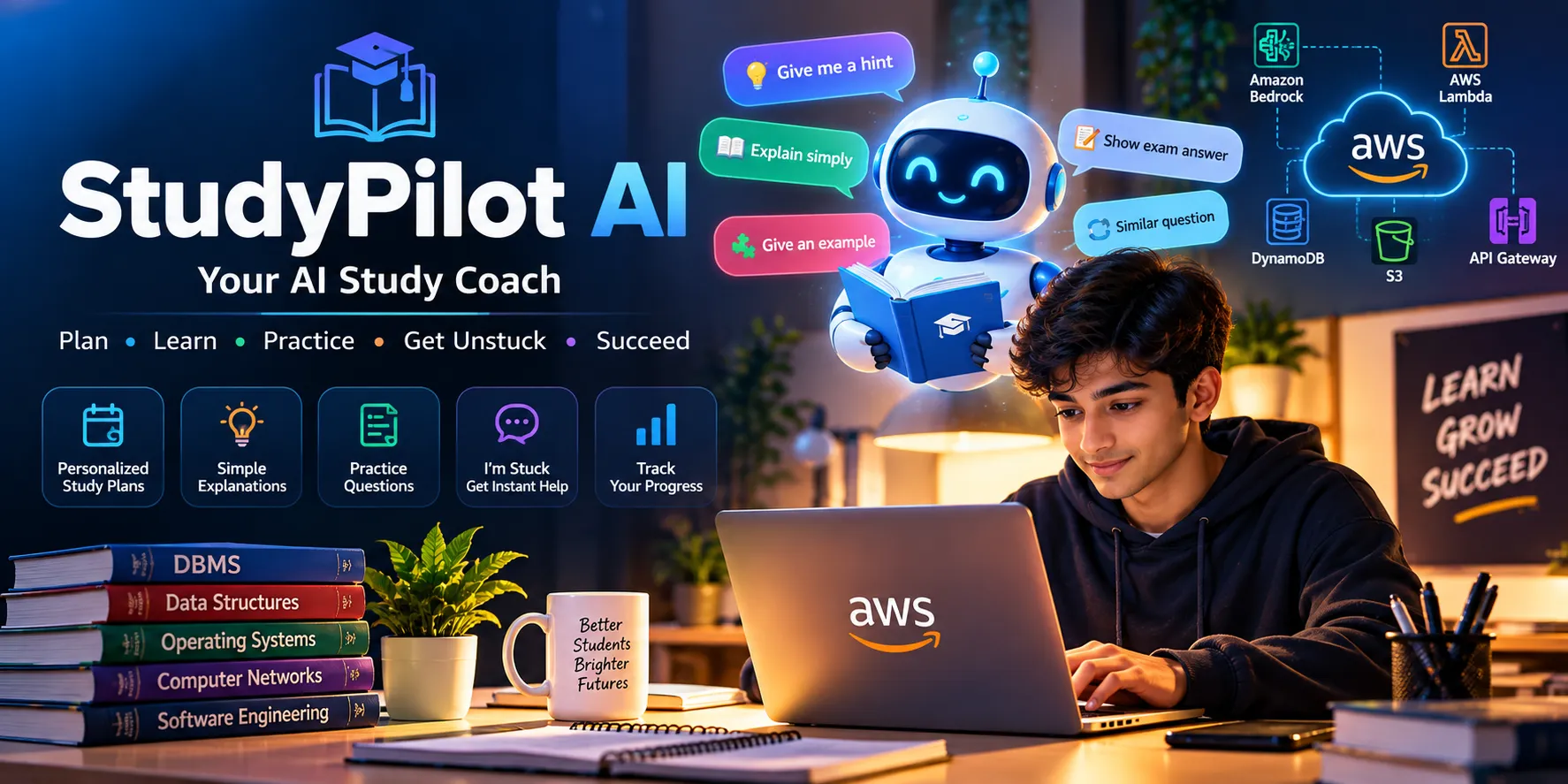
StudyPilot AI: An AI Study Coach That Helps Students Get Unstuck
StudyPilot AI is a friendly AI study coach that creates personalized study plans, explains difficult concepts in simple language, and helps students get unstuck with hints, examples, and exam-focused guidance.

Absolutely. Paste the following into the Body section of your AWS Builder Center article.
StudyPilot AI: Building a Friendly AI Study Coach for Students
Introduction
Students often have access to a huge amount of learning material, but the hardest part is knowing what to study, how to study it, and what to do when they get stuck.
That is the problem I wanted to solve with StudyPilot AI, a friendly AI study coach designed to make exam preparation more personalized and less stressful.
Instead of simply asking an AI chatbot a question, a student can tell StudyPilot AI their subject, topic, goal, and available study time. The agent then helps create a focused study session and provides explanations, practice questions, and exam-oriented guidance.
The goal was not to build the biggest AI application possible. The goal was to build something that a student could actually enjoy using.
What and who is StudyPilot AI for?
StudyPilot AI is designed primarily for students preparing for exams, learning difficult subjects, or revising topics they already studied.
A student can choose a subject such as DBMS, select a topic such as Normalization, choose a goal such as Exam Prep, and specify how much time they have available.
Based on this information, StudyPilot AI can create a personalized study plan.
The agent can also act as a Study Coach. Students can ask questions in simple language and receive explanations designed around their learning goal.
The main use cases are:
- Learning a new topic
- Revising an existing topic
- Practicing questions
- Preparing for exams
- Understanding difficult concepts
- Identifying weak areas
- Getting help when stuck
How I built it
I built the application with a modern web architecture.
The frontend uses React and Vite to provide a simple and responsive interface. The backend uses Python and FastAPI for the application and agent logic.
For the AI layer, I designed the application to work with Amazon Bedrock, allowing the study coach to use a foundation model for generating explanations, study plans, and interactive responses.
The AWS architecture is designed around the following services:
- Amazon Bedrock — AI model and agent intelligence
- AWS Lambda — serverless backend and agent logic
- Amazon API Gateway — API entry point
- Amazon DynamoDB — storing student progress and study information
- Amazon S3 — storing study materials and resources
- Amazon CloudWatch — monitoring and application logs
The overall flow looks like this:
1
2
3
4
5
6
7
8
9
10
11
12
13
Student
   ↓
StudyPilot AI Web Interface
   ↓
API
   ↓
Agent / Backend
   ↓
Amazon Bedrock
   ↓
Personalized Study Response
   ↓
Student
I also created a demo mode so the application can be explored without requiring AWS credentials during the initial development and testing phase.
The delightful detail: “I'm Stuck”
The feature I focused on most was a simple “I'm Stuck” button.
When students don't understand something, they often don't know how to write the perfect AI prompt. Asking them to formulate a detailed question creates unnecessary friction.
StudyPilot AI turns that moment into a simple choice.
When the student clicks I'm Stuck, they can choose:
- 💡 Give me a hint
- 📖 Explain it simply
- 🧩 Give me an example
- 📝 Show me an exam answer
- 🔄 Give me a similar question
This small interaction is what makes StudyPilot AI feel more like a study partner rather than a generic chatbot.
For example, if a student is struggling with database normalization, they don't have to write a complicated prompt. They can simply choose “Explain it simply” and get a beginner-friendly explanation.
If they understand the concept but don't know how to write it in an exam, they can choose “Show me an exam answer.”
How I know it works
I tested the main StudyPilot workflow by selecting a subject, topic, learning goal, and available study time and then generating a personalized study plan.
I also tested the Study Coach interaction and the I'm Stuck workflow to make sure the experience could move naturally from confusion to explanation and then to practice.
The most important thing I learned was that a useful AI experience does not always need more features. Sometimes a small feature that removes one frustrating step can make the entire application feel better.
Proof that it works
The StudyPilot AI project and source code are available on GitHub:
I also included screenshots of the application showing the dashboard, personalized study plan, and I'm Stuck experience.
These screenshots demonstrate the actual user flow rather than only describing the architecture.
What I learned
Building StudyPilot AI taught me that creating an AI application is not only about connecting a model to an API.
The user experience matters just as much.
A student may not care which model generated an answer. They care whether the answer is understandable, whether the next step is obvious, and whether the application helps them continue learning instead of making them feel more confused.
That is why I focused on making StudyPilot AI simple, friendly, and useful.
Conclusion
StudyPilot AI started with a simple question:
What if an AI study assistant could help students not only learn, but also know what to do when they get stuck?
The result is a study coach that combines personalized planning, AI explanations, exam preparation, practice, and a simple I'm Stuck experience.
My next steps are to expand the agent with stronger progress tracking, more personalized recommendations, additional study material integrations, and deeper AWS deployment.
The project is available on GitHub, and I hope StudyPilot AI can make studying feel a little less overwhelming and a little more enjoyable.
#agents
Enjoyed reading this content? Let the author know!
Your likes, comments, shares, and saves help creators reach more builders.

Loading recommendations
Loading article