
Config, Not Code: Build and Deploy an AI Agent on AWS with the AgentCore Harness
Building an AI agent used to mean writing the same plumbing every time: an orchestration loop, tool calling logic, context management, retries, session state and a secure place to run it all.

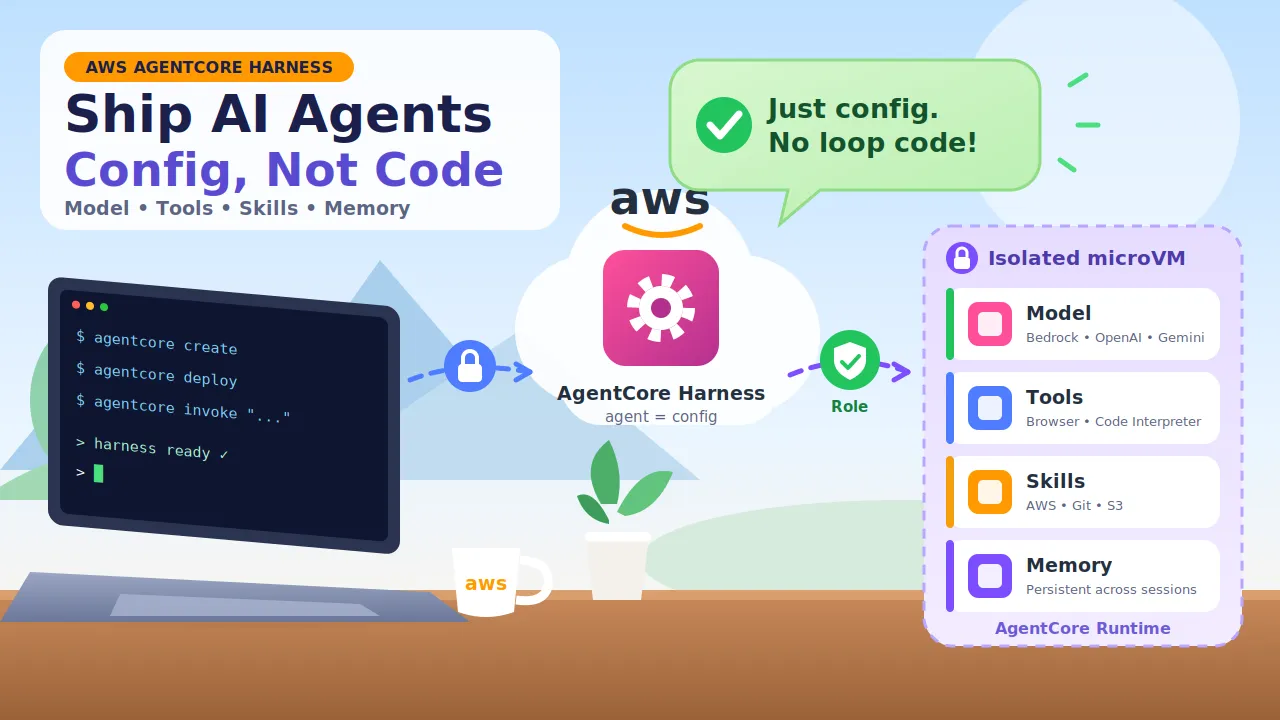
Amazon Bedrock AgentCore harness is AWS's answer. It's now generally available, and it lets you define an agent in configuration instead of code. This guide explains what it is, how to get a first agent running, and when you should graduate to custom code.
What is the AgentCore harness?
A helpful way to think about it: if the model is the brain, the harness is the body. It runs the orchestration loop, executes tools, manages the context window, persists state across turns, recovers from failures and isolates each session.
You describe the agent. AgentCore assembles and runs the loop. A harness bundles these pieces into one declarative config:
| Piece | What it controls |
|---|---|
| Model | Bedrock, Anthropic, OpenAI or Gemini, and you can switch providers without touching agent logic |
| System prompt | The instructions the agent follows |
| Tools | Built-ins like the AgentCore Browser and Code Interpreter, plus Gateway targets (including MCP servers) |
| Skills | Reusable instruction packs from AWS Skills, Git, Amazon S3 or a local path |
| Memory | Persistent context across sessions |
| Limits | Max iterations, max tokens and timeouts |
Each session runs in an isolated environment (a microVM), so one agent session can't see another's.
At the API level, you define an agent with
CreateHarness and run it with InvokeHarness. There's no container to build and no orchestration code to write.Quick start with the AgentCore CLI
Prerequisites: an AWS account with AgentCore available in your region, Node.js 20+, and AWS credentials configured.
bash
1
2
3
4
5
6
7
8
9
10
11
12
13
# Install the CLI (check the docs for the current install channel)
npm install -g @aws/agentcore

# Create a harness project
agentcore create --name myresearchagent --model-provider bedrock

# Deploy it to your account
agentcore deploy

# Talk to it
agentcore invoke --harness myresearchagent \
  --session-id "$(uuidgen)" \
  "Research three tropical vacation options under $3k, within five hours of NYC."
That's the whole loop: create, deploy, invoke. The
--session-id groups calls into one conversation, so the agent keeps its context between messages.Customize it: tools, skills and prompts
Add a harness with your own model, prompt and tools:
bash
1
2
3
4
5
6
7
agentcore add harness \
  --name research-agent \
  --model-id <a-bedrock-model-id-you-have-access-to> \
  --system-prompt "You are a research assistant." \
  --tools agentcore-browser

agentcore deploy
You can also create one directly with the AWS CLI:
bash
1
2
3
4
5
aws bedrock-agentcore-control create-harness \
  --harness-name "research-agent" \
  --execution-role-arn "arn:aws:iam::<ACCOUNT_ID>:role/MyHarnessRole" \
  --system-prompt '[{"text": "You are a research assistant."}]' \
  --tools '[{"type": "agentcore_browser", "name": "browser"}]'
Always check the model ID against the models enabled in your account and region. IDs and availability change often.
The best feature: override at invoke time
Settings you define at create time are defaults. You can override many of them per call, without redeploying:
bash
1
2
3
4
5
6
7
8
9
# Try a different model for one request
agentcore invoke --harness research-agent \
  --model-id <another-model-id> \
  "Summarize this research paper"

# Swap tools for one request
agentcore invoke --harness research-agent \
  --tools agentcore-browser,code-interpreter \
  "Plot the citation counts as a bar chart"
Overridable fields include the model, system prompt, tools, allowed tools, skills, max iterations, max tokens, timeout and actor ID. That makes three things easy:
- A/B testing prompts or models on the same agent
- Multi-tenancy, with different settings per customer or user
- Rapid prototyping, where swapping a model, tool or skill is a config change, not a rebuild
Production checklist
A fast start doesn't remove the need for good security habits.
- Least-privilege execution role. The harness runs with the IAM role you give it. Grant only what the agent's tools need.
- Protect the endpoint. If a harness is exposed beyond a trusted caller, configure an authorizer (the CLI supports
--authorizer-configuration). - Limit the blast radius. Set sensible
maxIterations,maxTokensand timeout values so a confused agent can't loop forever. - Keep secrets out of config. Use environment variables for non-sensitive settings only, and store API keys in a credential provider.
- Turn on observability. Review traces so you know what the agent did and why.
- Consider guardrails. AWS has integrated Amazon Bedrock Guardrails with AgentCore, so agent actions can be checked for things like prompt injection and sensitive data exposure. Check the docs for current availability.
When to outgrow the harness
The harness is not a toy you'll hit a ceiling with. When you need custom orchestration, a CLI export command converts the harness into Strands-based code that runs on the same AgentCore compute and primitives. You get a smooth path:
1
2
Config (harness)  ──►  Export  ──►  Custom code (Strands)
   fastest start                     full control, same platform
A rule of thumb:
| If you need... | Start with |
|---|---|
| A working agent fast, standard tool-use patterns | AgentCore harness |
| Multi-step workflows triggered by events | Harness + AWS Step Functions integration |
| Custom control flow, multi-agent patterns | Strands Agents code (export from a harness) |
Key takeaways
- The harness turns agent plumbing into configuration: model, tools, skills, memory and limits.
- The workflow is three commands: create, deploy, invoke.
- Invoke-time overrides make experimentation cheap.
- Security still matters: least privilege, authorizers and limits.
- You can export to code when you need more control.
Enjoyed reading this content? Let the author know!
Your likes, comments, shares, and saves help creators reach more builders.

Loading recommendations
Loading article