

Implementing URL-Based Authorization with AWS Verified Access and Cedar
hands-on demonstration of group-based and URL path-based access restrictions using AWS verified access

Implementing URL-Based Authorization with AWS Verified Access and Cedar
A hands-on lab for identity-aware, URL path-based authorization and CloudWatch auditing
AWS Community Builders | AWS Security & Networking | Region: us-west-2
Overview
What if employees could access an internal application homepage, while administrative URLs were restricted to a privileged group—without adding authorization logic to the Apache application? In this lab, we connect Keycloak as an OIDC identity provider to AWS Verified Access, publish an Apache website hosted on a private Amazon Linux 2 EC2 instance, and enforce group- and URL-path-based access through Cedar policies.
The lab uses the illustrative domain app.vtech.com. All published screenshots and log examples have been anonymized. This domain is a publication placeholder, not a deployment instruction.
Architecture and request flow
Browser → AWS Verified Access endpoint → Cedar policy evaluation using Keycloak OIDC group claims → private EC2 (Apache, port 80). Verified Access sends audit events to Amazon CloudWatch Logs. Keycloak authenticates users; Verified Access authorizes each request before forwarding allowed traffic.
Cost optimization: Publishing a private EC2 application without an ALB
One practical benefit of this lab is that AWS Verified Access can provide identity-aware HTTPS access to a private Apache application running on a single Amazon EC2 instance without requiring a separate Application Load Balancer (ALB). We configured a network-interface Verified Access endpoint that forwards authorized requests to the private server.
This avoids the additional ALB hourly and load balancer capacity unit (LCU) charges that would otherwise apply if an ALB were deployed solely to publish this one application. It also reduces the number of infrastructure components to configure and maintain.
Request flow: Remote user → Verified Access HTTPS endpoint → Keycloak OIDC authentication and Cedar authorization → private EC2 network interface → Apache HTTP Server.
When this design makes sense
A direct network-interface endpoint is a useful option for single-instance internal web applications, proof-of-concept environments, and administrative portals where identity-based access control is needed but load balancing across multiple servers is not.
Important cost and availability considerations
Verified Access is not free: endpoint/application-hour and data-processing charges still apply, alongside the underlying EC2, networking, DNS, certificate-related (if applicable), identity-provider, and logging costs. Avoiding an ALB does not automatically mean the total solution costs less. Compare current regional prices and expected traffic before selecting the architecture.
A single EC2 backend remains a single point of failure. This configuration does not replace ALB capabilities such as distributing traffic among multiple targets or implementing a multi-instance high-availability architecture. Where those capabilities are required, consider an ALB-based Verified Access endpoint and design for redundancy.
Takeaway: For this single-EC2 lab, Verified Access lets us enforce Keycloak group and URL-path policies at the access layer while avoiding the need to deploy a separate ALB. The benefit is architectural simplicity and elimination of ALB-specific charges—not a universal lowest-cost guarantee.
Understanding Keycloak, Cedar and Verified Access
What is Keycloak?
Keycloak is an open-source identity and access management platform that supports OpenID Connect (OIDC) and SAML. It centralizes user sign-in, group membership and identity federation. In this lab, Keycloak authenticates users and supplies group claims such as va-users and va-admins to AWS Verified Access.
What is Cedar?
Cedar is a policy language for expressing authorization decisions in a clear, auditable form. A Cedar permit statement defines the conditions under which a request is allowed. In AWS Verified Access, the policy can evaluate identity claims from the trust provider alongside supported request context, including the URL path used in this lab. Requests that match no permit rule are denied.
Why choose Keycloak as the identity provider?
We selected Keycloak for this hands-on demonstration because it is open source, self-hostable on EC2, supports standards-based OIDC integration, and makes it easy to create test users and groups without depending on a commercial identity subscription. Its configurable token mappers can expose group membership to Verified Access, allowing us to demonstrate least-privilege authorization with two distinct roles.
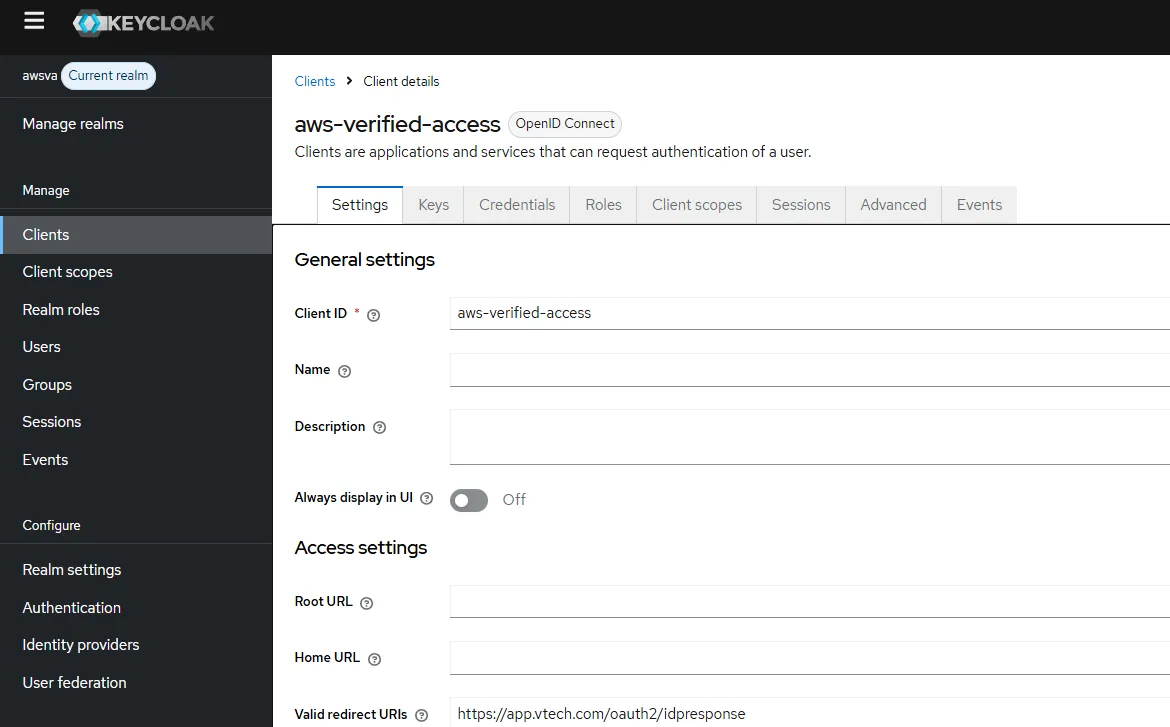
Keycloak is a lab choice, not an AWS Verified Access requirement. Organizations can use another supported OIDC identity provider where it better fits existing identity governance, operational support and compliance needs. Self-hosting Keycloak also means maintaining its availability, patches, database, TLS configuration and administrative security.
How the components work together
Keycloak answers “Who is this user and which groups do they belong to?” Cedar answers “Is this authenticated user permitted to request this URL?” AWS Verified Access performs the policy evaluation before forwarding permitted traffic to the private Apache server; CloudWatch Logs records access outcomes for auditing.
Prerequisites
· A VPC with a private Amazon Linux 2 EC2 instance running Apache HTTP Server.
· An AWS Verified Access instance, group, trust provider and active endpoint in us-west-2.
· Keycloak configured as an OIDC identity provider with group claims in the relevant token.
· Two test accounts: test in va-users, and vaadmin in va-admins.
· A DNS hostname and ACM certificate for the Verified Access application endpoint.
· CloudWatch Logs permissions and a log group for Verified Access audit delivery.
1. Configure the Keycloak trust provider
Create a user-type OIDC trust provider for the Keycloak realm and assign policy reference name keycloak. This reference name is used by the Cedar policy when reading Keycloak group claims. Configure the client ID, client secret, issuer and OIDC endpoints to match the realm, and register the Verified Access redirect URI with Keycloak.

Figure 1. Keycloak OIDC trust provider configured in AWS Verified Access.
2. Create the Verified Access group and Cedar policy
Associate the trust provider with the Verified Access instance and place the application endpoint in a Verified Access group. The following policy grants administrators all paths and grants regular users only the homepage. In this tested lab, both empty-string and slash root representations are allowed.
`permit(principal, action, resource)
when {
context.keycloak.groups.contains("va-admins")
};
when {
context.keycloak.groups.contains("va-admins")
};
permit(principal, action, resource)
when {
context.keycloak.groups.contains("va-users")
&& (
context.http_request.path == "" ||
context.http_request.path == "/"
)
};`
when {
context.keycloak.groups.contains("va-users")
&& (
context.http_request.path == "" ||
context.http_request.path == "/"
)
};`

Figure 2. Verified Access group with inline Cedar policy for group and URL-path authorization.
3. Publish the private Apache application
Create an active network-interface Verified Access endpoint targeting the private EC2 instance on HTTP port 80. Configure the application hostname and certificate. Keep the EC2 private and restrict its inbound HTTP access to the Verified Access endpoint security group. Do not expose the origin directly to untrusted networks.

Figure 3. Active Verified Access endpoint associated with the application group.
4. Validate access using two Keycloak identities
| URL path | test / va-users | vaadmin / va-admins |
|---|---|---|
| / | Allow (200) | Allow (200) |
| /public/ | Deny (403) | Allow (200) |
| /admin/ | Deny (403) | Allow (200) |
| /dashboard/ | Deny (403) | Allow (200) |
Use separate private browser sessions for the two accounts. The homepage remains accessible to the regular user, while any non-root suffix is denied. Administrators are permitted to access all paths. A permit decision does not guarantee that the origin serves a page: nonexistent paths may still return a 404 from Apache.
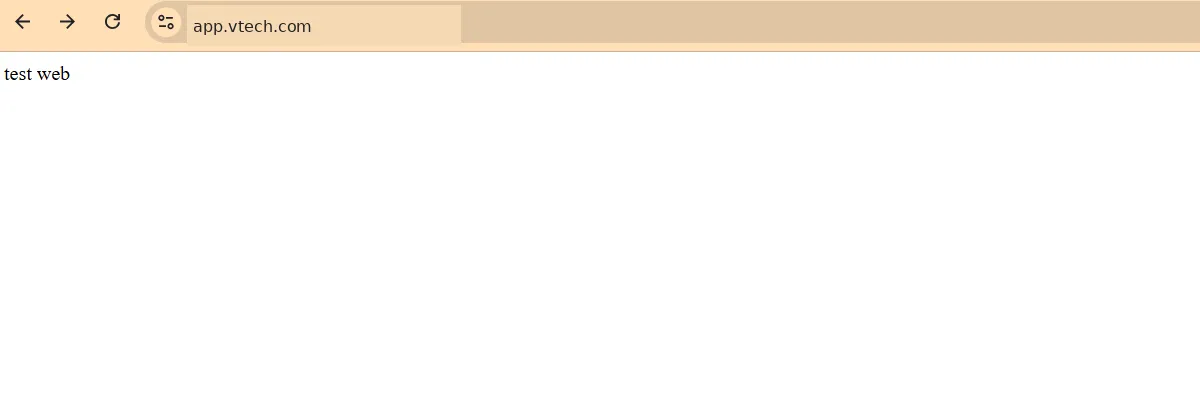
Figure 4. Homepage successfully served through Verified Access.

Figure 5. HTTP 403 Unauthorized when a regular user requests /public/.
5. Send Verified Access audit events to CloudWatch Logs
In VPC → Verified Access instances, select the instance and modify logging configuration. Enable CloudWatch Logs delivery, choose a log group, and enable trust context only if the additional identity information is needed and handled appropriately. Generate new test requests after enabling logging; historical events are not backfilled.
CloudWatch Logs Insights — first inspect the actual event schema:
fields @timestamp, @message | sort @timestamp desc | limit 50For the OCSF access-activity events observed in this lab, the key fields were actor.user.uid, activity_name, actor.authorizations, http_request.url.path, http_response.code and status_detail. Exact fields depend on log format and delivery configuration.
6. Sample audit evidence (sanitized)
{
 "activity_name": "Access Grant",
 "actor": {"user": {"uid": "vaadmin"},
 "authorizations": [{"decision": "Allow"}]},
 "http_request": {"url": {"hostname": "app.vtech.com", "path": "/"}},
 "http_response": {"code": 200},
 "status_detail": "Access Granted"
 }
{
"activity_name": "Access Deny",
"actor": {"user": {"uid": "test"},
"authorizations": [{"decision": "Deny"}]},
"http_request": {"url": {"hostname": "app.vtech.com", "path": "/public/"}},
"http_response": {"code": 403},
"status_detail": "Authorization Denied"
}These excerpts are shortened and sanitized representations of the supplied CloudWatch events. They preserve the tested authorization outcomes without publishing client IP addresses, account IDs, email addresses, trace IDs or identity UUIDs.
Security and operational considerations
· Verify URL-path context behavior in the target Verified Access deployment and test trailing slashes, query strings and URL encoding before production rollout.
· Cedar is deny-by-default when no permit statement matches. Test both privileged and regular accounts after every policy change.
· Keep the application origin inaccessible except through approved entry points, and secure the Keycloak OIDC configuration and signing credentials.
· Set CloudWatch retention and access controls appropriately. Including trust context can expose identity attributes in logs.
· Verified Access and CloudWatch may incur usage charges; verify current pricing for the deployment region.
Conclusion
This lab demonstrates how AWS Verified Access and Keycloak can protect a private Apache application with identity-aware authorization. The same Cedar policy allows a regular user to reach the homepage while denying other paths, and gives an administrator broader access. CloudWatch provides auditable evidence of both successful and denied requests—all without implementing a separate authorization service in the web application.
Further reading
AWS Verified Access User Guide: https://docs.aws.amazon.com/verified-access/latest/ug/what-is-verified-access.html
AWS Verified Access logging: https://docs.aws.amazon.com/verified-access/latest/ug/access-logs.html
Enjoyed reading this content? Let the author know!
Your likes, comments, shares, and saves help creators reach more builders.

Loading recommendations
Loading article