
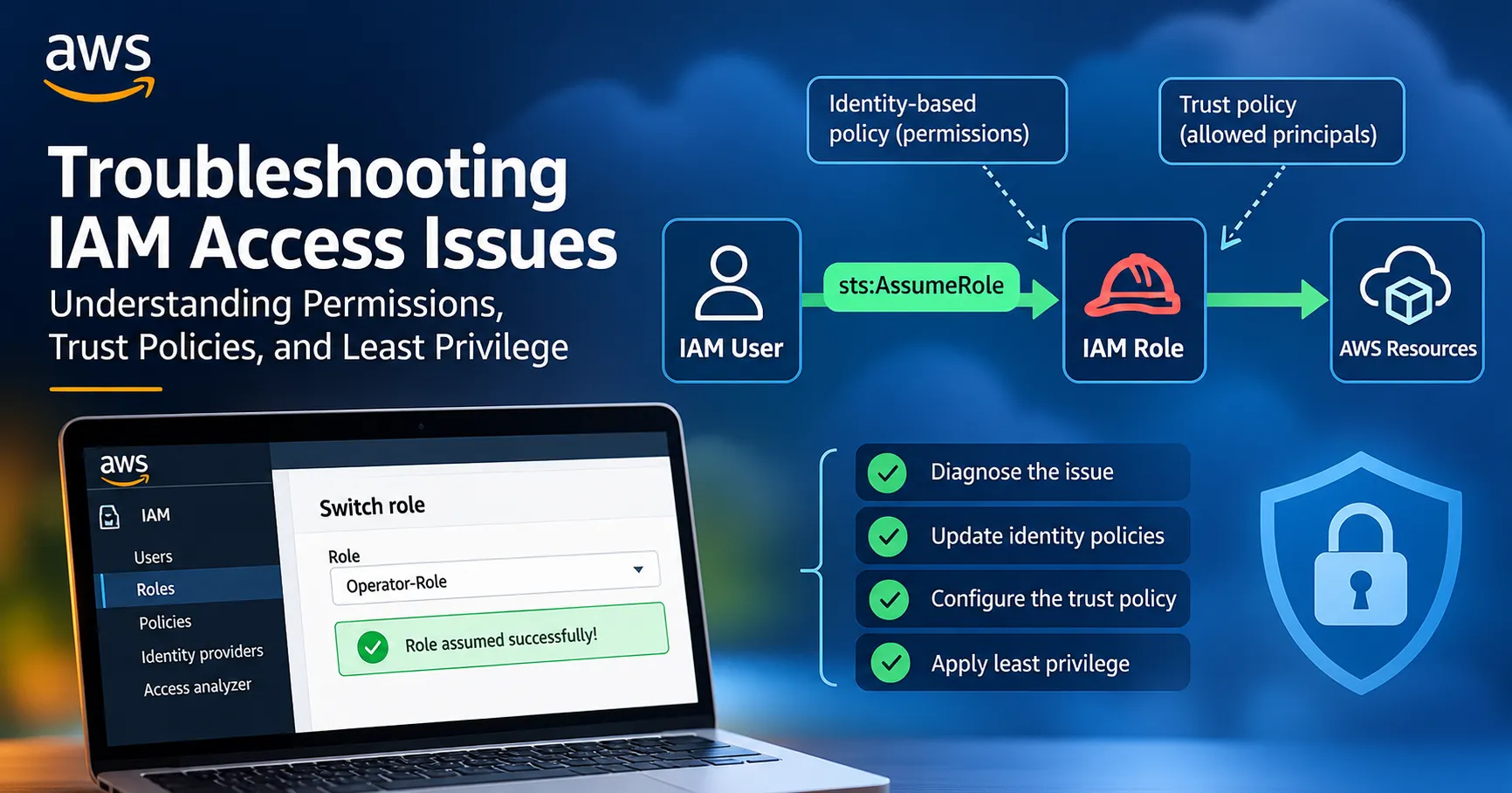
Troubleshooting AWS IAM Access Issues: Understanding Permissions, Trust Policies, and Least Privilege
One of the things I have learned while working with AWS is that access problems are not always caused by a missing permission in the obvious place. Sometimes a user has the right permissions attached to their identity, but the operation still fails. In other cases, the role has the correct permissions, but its trust policy does not allow the intended principal to assume it.


One of the things I have learned while working with AWS is that access problems are not always caused by a missing permission in the obvious place.
Sometimes a user has the right permissions attached to their identity, but the operation still fails. In other cases, the role has the correct permissions, but its trust policy does not allow the intended principal to assume it.
This is because AWS Identity and Access Management (IAM) evaluates access from different perspectives.
I explored this in an AWS Builder Lab titled “Troubleshooting - IAM Access Issues.” The lab presented a break/fix scenario where an IAM user could log in to the AWS Management Console but could not assume an IAM role that they were supposed to use.
The objective was not simply to make the role switch work. The solution also had to follow the principle of least privilege.
That made the exercise particularly useful from a cloud security perspective.
The Scenario
The lab simulated a typical situation in a cloud environment.
AnyCompany had a policy that users should not have the permissions required for their day-to-day AWS tasks attached directly to their IAM identities.
Instead, users should be able to assume an IAM role containing the permissions required for their work.
The environment contained:
- An IAM user named
Operator-User - An IAM role named
Operator-Role - An EC2 instance named
CommandHost - AWS Systems Manager Session Manager
- An administrative
AWSLabUserused to troubleshoot the problem
The intended workflow was:
1
2
3
4
5
6
7
8
9
10
11
12
13
14
Operator-User
      │
      │ AssumeRole
      ▼
Operator-Role
      │
      ▼
Session Manager
      │
      ▼
CommandHost
      │
      ▼
Required scripts
The problem was that
Operator-User could successfully log into the AWS Management Console but could not switch to Operator-Role.The lab therefore became a troubleshooting exercise rather than simply a configuration exercise.
The scenario also imposed two important least-privilege requirements:
Operator-Usershould only be allowed to assumeOperator-Role.Operator-Roleshould only be assumable byOperator-User.
Why IAM Role Assumption Can Fail
One of the most important concepts from this lab is that assuming a role requires the correct configuration on both sides of the relationship.
There is a permission side and a trust side.
The user's identity-based policy needs to allow the
sts:AssumeRole action against the intended role.At the same time, the role's trust policy must trust the principal that is attempting to assume it.
Conceptually:
1
2
3
4
5
6
7
8
9
10
11
12
Operator-User
     │
     │ Identity-based policy
     │
     │ sts:AssumeRole
     ▼
Operator-Role
     │
     │ Trust policy
     │
     ▼
Allows Operator-User
If either side is incorrectly configured, the role assumption can fail.
This is one of those IAM concepts that becomes much clearer when troubleshooting an actual access failure.
Reproducing the Problem
The first step was to reproduce the issue instead of immediately changing configuration.
I accessed the AWS Management Console using the
Operator-User credentials and attempted to switch to Operator-Role.From the user menu, I selected Switch role and provided the AWS account ID and the role name.
The attempt failed with the message:
“Invalid information in one or more fields. Check your information or contact your administrator.”
This confirmed that the problem was real.
The lab specifically designed this as a break/fix scenario, so reproducing the failure first was important. It established a baseline against which the eventual fix could be verified.
Looking at IAM from Both Sides
After reproducing the problem, I switched back to the administrative console.
This is where the troubleshooting process became more interesting.
When debugging IAM access, it is easy to focus on the user and assume that the problem must be in the user's permissions.
But role assumption involves two separate authorization relationships.
Identity-based policy
The IAM user's permissions determine what actions the user is allowed to request.
In this case, the user needs permission to call:
sts:AssumeRoleagainst the specific
Operator-Role.Trust policy
The IAM role has a trust policy that determines which principals are allowed to assume it.
So even if the user has permission to call
sts:AssumeRole, the role must also trust that user.This distinction is fundamental:
The identity policy says what the principal is allowed to do.
The trust policy says who is allowed to assume the role.
Applying Least Privilege
The lab did not simply ask for the quickest possible fix.
It required the solution to follow least privilege.
The
Operator-User should not receive broad permissions such as:1
sts:AssumeRole on *
when the user only needs to assume one specific role.
Instead, the permission should be limited to the intended role.
Conceptually, the permission should look like:
1
2
3
4
5
{
  "Effect": "Allow",
  "Action": "sts:AssumeRole",
  "Resource": "arn:aws:iam::<account-id>:role/Operator-Role"
}
The important part is the
Resource.Rather than allowing the user to assume arbitrary roles, the permission is scoped to
Operator-Role.This significantly reduces the potential impact if the user's credentials are compromised.
The lab also restricted the solution to preconfigured customer-managed policies whose names began with
IAM-User-Policy; creating a new identity-based policy was not permitted.Configuring the Role Trust Policy
The second half of the solution involved the
Operator-Role trust policy.The trust relationship needed to allow
Operator-User to assume the role.This is different from the permissions attached to the role.
The role's permission policies determine what the role can do after it has been assumed.
The trust policy determines who can assume it in the first place.
This gives us another useful distinction:
1
2
3
4
5
6
7
Trust Policy
     │
     └── Who can assume this role?

Permission Policy
     │
     └── What can the role do after assumption?
For this scenario, the trust relationship needed to be restricted to
Operator-User.That satisfies the second least-privilege requirement: the role should only be assumable by the intended user.
The lab's stated objective specifically required viewing and updating both the user's identity-based policy and the IAM role's trust policy.
The Two Policies Must Work Together
This was probably the most important lesson from the lab.
For the role assumption to succeed, the configuration needs to form a valid authorization relationship.
1
2
3
4
5
6
7
                 sts:AssumeRole
Operator-User ──────────────────────► Operator-Role
     │                                      │
     │                                      │
     ▼                                      ▼
Identity Policy                       Trust Policy
allows assumption                     trusts user
If the identity policy allows the action but the role does not trust the user, the request fails.
If the role trusts the user but the user's identity policy does not allow the operation, the request also fails.
Therefore, troubleshooting IAM access requires looking at the complete authorization path, not just one policy.
Verifying the Fix
After making the required IAM changes, I returned to the
Operator-User console and attempted to switch roles again.This time, the role switch succeeded.
The AWS Management Console redirected to the console with
Operator-Role shown as the active identity.That confirmed that the IAM configuration had been corrected.
The lab therefore followed a useful troubleshooting pattern:
1
2
3
4
5
6
7
8
9
10
11
12
13
Reproduce the failure
        ↓
Identify the intended access path
        ↓
Inspect identity permissions
        ↓
Inspect role trust policy
        ↓
Apply least privilege
        ↓
Retry the operation
        ↓
Verify successful role assumption
Why Role-Based Access Is Important
The scenario also demonstrates why organizations often prefer role-based access over attaching broad permissions directly to users.
Imagine an organization where employees are given powerful permissions directly on their IAM users.
Over time, permissions can accumulate.
A user might eventually have permissions for services they no longer need, increasing the organization's attack surface.
With role-based access, permissions can instead be associated with specific responsibilities.
For example:
1
2
3
4
5
6
7
8
9
10
11
Developer User
      │
      └── Assume Developer Role

Security Analyst
      │
      └── Assume Security Role

Operations User
      │
      └── Assume Operations Role
Each role can have a defined permission boundary based on the user's current responsibilities.
This makes access easier to reason about and can reduce excessive permissions.
Least Privilege in Practice
Least privilege is often described simply as:
Give users only the permissions they need.
But the lab showed that this principle needs to be applied at multiple levels.
For the
Operator-User:- Allow only the required
sts:AssumeRoleaction. - Restrict the resource to
Operator-Role. - Do not allow the user to assume arbitrary roles.
For
Operator-Role:- Restrict the trust relationship to
Operator-User. - Give the role only the permissions required for its intended workload.
This creates a much tighter authorization model than simply allowing broad access.
Troubleshooting IAM Requires a Structured Approach
IAM errors can sometimes be frustrating because the visible error message does not always immediately tell you which policy is responsible.
A useful troubleshooting approach is to work through the authorization chain systematically.
1. Identify the principal
Who is making the request?
In this case:
Operator-User2. Identify the requested action
What is the user trying to do?
In this case:
sts:AssumeRole3. Identify the target resource
Which role is being assumed?
Operator-Role4. Check the identity-based policy
Does the principal have permission to perform the action against that role?
5. Check the trust policy
Does the target role trust the principal?
6. Check for restrictions
Are there other policies or controls that could explicitly deny the request?
7. Retry and verify
After making the smallest necessary change, test the original operation again.
This method is much more reliable than randomly adding permissions until something works.
The Security Lesson
One of the biggest lessons I took from this exercise is that "fixing access" and "fixing access securely" are two different things.
A broad permission could potentially make the role assumption work, but it would not necessarily be a good security solution.
For example, allowing:
1
sts:AssumeRole → *
might solve a particular access problem, but it would also allow the user to attempt to assume other roles for which they were not intended to have access.
The better approach is to make the smallest change necessary to satisfy the business requirement.
In this case:
1
2
3
4
5
6
7
8
9
Operator-User
      │
      │ Can assume only
      ▼
Operator-Role
      │
      │ Trusts only
      ▼
Operator-User
This creates a tightly controlled relationship.
Connecting the Lab to Cloud Security
Although the lab was focused on IAM troubleshooting, the concepts extend directly into cloud security engineering.
IAM is one of the most important security boundaries in AWS.
A compromised credential with excessive permissions can potentially become a much larger security problem.
This is why several IAM principles matter:
- Least privilege
- Role-based access
- Explicit trust relationships
- Resource-level permission scoping
- Avoiding unnecessary permissions
- Regular permission review
The lab also reinforced an important operational principle:
When troubleshooting access, do not immediately grant more permissions.
Instead, determine exactly what action is required, identify the principal and resource involved, and inspect the policies governing that relationship.
What I Learned
This lab strengthened my understanding of several IAM concepts.
1. Identity policies and trust policies have different purposes
An identity-based policy determines what a principal can do.
A trust policy determines who can assume a role.
2. Role assumption requires the relationship to be correctly configured
The user needs permission to assume the role, and the role needs to trust the user.
3. Least privilege should be applied to role assumption itself
It is not enough to restrict the permissions inside the role. The ability to assume the role should also be restricted.
4. Reproducing the problem is part of troubleshooting
Rather than immediately changing configuration, I first confirmed the failure. This provided a clear baseline for verification.
5. IAM troubleshooting should be systematic
Instead of adding permissions randomly, trace the request from the principal to the action and then to the target resource.
This AWS Builder Lab was a good reminder that IAM is more than creating users and attaching policies.
Understanding how identity-based policies, trust policies, role assumption, and least privilege interact is essential when working with AWS security.
The most useful takeaway for me was the distinction between:
“Who is allowed to assume this role?”
and
“What is this role allowed to do?”
The first question is answered by the role's trust policy.
The second is answered by the permissions attached to the role.
When those two concepts are combined with least-privilege access, IAM becomes much easier to reason about and troubleshoot.
For cloud security, this is an important skill because access failures are inevitable in real environments. The goal is not simply to make the error disappear.
The goal is to understand why the request was denied, make the smallest appropriate change, and preserve the security boundaries while restoring access.
That is the difference between simply fixing an IAM problem and fixing it securely.
Enjoyed reading this content? Let the author know!
Your likes, comments, shares, and saves help creators reach more builders.

Loading recommendations
Loading article