
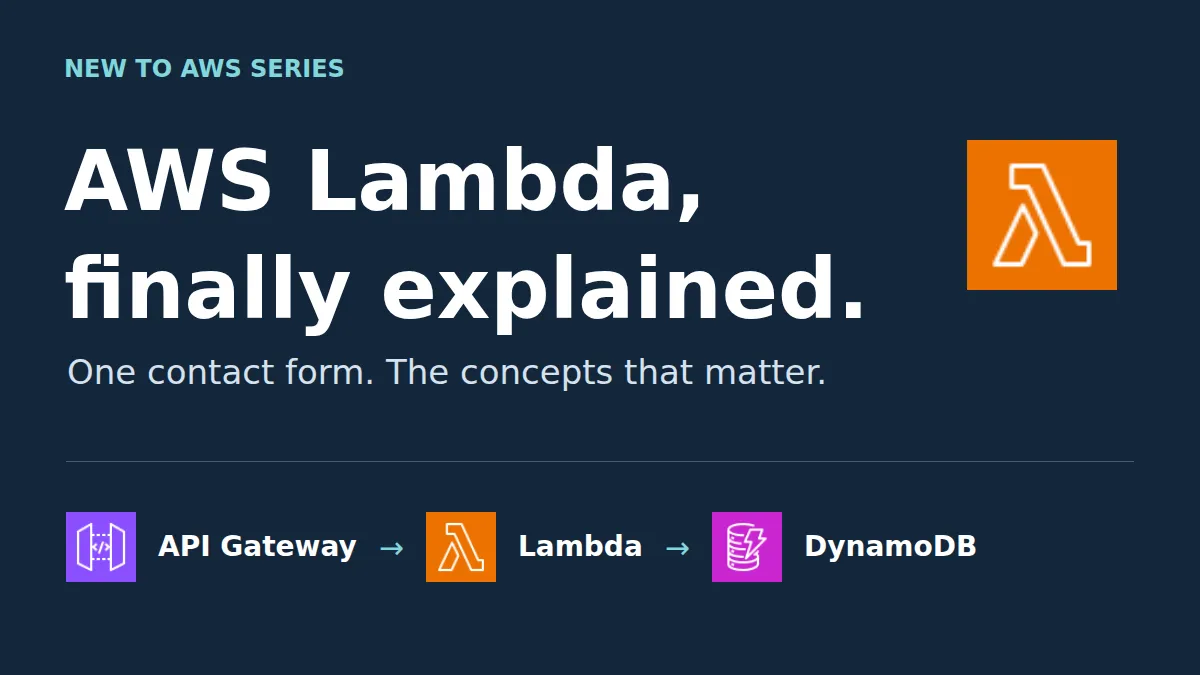
AWS Lambda for beginners: What it is, how it works, and a serverless project to apply the concepts.
Learn Lambda events, handlers, concurrency, cold starts, and permissions by following one contact form request. Then build it with API Gateway and DynamoDB.
Series: New To AWS Beginners Guide (11 articles)
- …
- 5AWS Lambda for beginners: What it is, how it works, and a serverless project to apply the concepts. This article

What happens after someone clicks Submit? Follow one contact form request to learn Lambda functions, events, handlers, concurrency, cold starts, permissions, and failures. Then build the backend on AWS with help from Agent Toolkit for AWS.
What is AWS Lambda?
AWS Lambda is a serverless compute service that runs your code without you provisioning or maintaining the servers underneath it. You deploy a function, configure what can invoke it, and give it permission to reach the resources it needs. AWS runs the execution infrastructure.
On a contact form, Lambda can validate a submission, save the message in a database, and send back a result. The browser shows the form. Lambda runs the backend logic.
This guide covers standard on-demand Lambda functions. Lambda Managed Instances and durable workflows have different capabilities, and they can wait for a later lesson.
How does AWS Lambda work? Follow one contact form submission
Picture your portfolio website. A visitor types their name, email, and message, then clicks Submit.
On its own, a Submit button has the backend skills of a doorbell. It makes a noise. Someone else has to answer. Your app needs a backend that receives the request, checks it, writes the data, and tells the browser what happened.
This is the architecture you'll build:

- The browser sends an HTTPS request. It includes the form fields and a unique submission ID.
- Amazon API Gateway receives it. The HTTP API has a
POST /messagesroute connected to Lambda. - AWS Lambda runs the handler. Your code validates the input and tries to save the message.
- Amazon DynamoDB stores the record. The data sticks around after the function finishes.
- The response travels back. The website shows "Message received!" only after the write succeeds.
The execution role controls what Lambda may access. Amazon CloudWatch holds the logs and performance data you'll inspect later. Neither one sits in the browser-to-database path as an extra processing step.
AWS Lambda key terms, mapped to the contact form
| Concept | Plain-language meaning | Where it appears in this example |
|---|---|---|
| Function | Your deployed code and its configuration | The code that validates and saves messages |
| Trigger | What causes the function to run | An API Gateway request to POST /messages |
| Event | The input passed to the function | Request metadata plus the submitted JSON body |
| Handler | The entry point Lambda calls | Python's handler(event, context) |
| Invocation | One execution request | One attempt to process a submitted message |
| Runtime | The language environment that runs your code | Python in the starter project |
| Execution role | The function's AWS permissions | Access to the messages table and its logs |
| Concurrency | Invocations in progress at the same time | Several submissions processed together |
| Cold start | Preparation for a new execution environment | Loading the runtime, code, and dependencies |
| Timeout | The time limit you configure for one run | Stop a request that takes too long |
| Stateless design | Don't depend on memory surviving between requests | Keep saved messages in DynamoDB |
| Idempotency | Repeating a request doesn't repeat its effect | Retrying the same submission doesn't create another record |
You don't need to memorize them before building. Keep coming back to one question: what happens to this one message?
What problem does serverless solve?
With a server you manage, someone has to pick its capacity, patch the operating system, keep the application process healthy, and plan for traffic that changes. Those chores make sense when you need that control. For a small contact form backend, they're a lot of babysitting for a box that mostly waits for someone to say hello.
Lambda moves much of that infrastructure work to AWS. You focus on the code that processes the request, plus its configuration.
Serverless still has servers, and you still have work to do. AWS keeps the servers out of sight, the way a restaurant keeps the kitchen behind a door. You still own application correctness, input validation, permissions, dependencies, monitoring, and how the system behaves when something fails.
In this project, you won't run a permanent web server inside Lambda. API Gateway invokes your handler when a request arrives.
What are a Lambda event and a Lambda handler?
The website sends ordinary JSON:
1
2
3
4
5
6
{
  "submissionId": "fc003739-5739-4606-9439-8bc345f4288e",
  "name": "Demo Builder",
  "email": "demo@example.com",
  "message": "Can you tell me more about your work?"
}
API Gateway wraps that HTTP request in a Lambda event. With HTTP API payload format
2.0, a simplified event looks like this:1
2
3
4
5
6
{
"version": "2.0",
"requestContext": { "http": { "method": "POST" } },
"body": "{\"name\":\"Demo Builder\",\"email\":\"demo@example.com\"}",
"isBase64Encoded": false
}This second example is trimmed to show the envelope, not a full submission. Look at
body: it's a string containing JSON. The handler parses it before reading the fields. The full starter also handles an encoded body and rejects invalid input.The handler's job description is short:
1
2
3
4
5
def handler(event, context):
    # Parse and validate the request.
    # Save the message in DynamoDB.
    # Return an HTTP status and JSON response.
    ...
event describes the input. context carries information about the current invocation, including its request ID. A function can have several triggers, and each trigger produces a different event shape. An SQS event looks nothing like an API Gateway event.How does Lambda scale? Concurrency explained
Say one person submits your form. Lambda runs your code in an execution environment. If a second request arrives while that environment is busy, Lambda can use another environment to process it in parallel.
Ten requests processing at the same instant means a concurrency of ten. Each one runs the same deployed function code against its own request.
Think of a grocery store opening more checkout lanes. Scaling adds lanes. Concurrency counts how many lanes have a customer in them right now.

Concurrency is different from your number of users or your daily submissions. A thousand people can visit your website and leave without invoking the contact function once.
For roughly steady traffic, this estimate works:
Average concurrency ≈ requests per second × average execution duration in seconds.
If 100 submissions arrive each second and each takes 0.2 seconds, average concurrency is about 20. Bursts and slow requests can push the peak higher.
What are Lambda's scaling limits?
Lambda scales within your account's Regional concurrency quota and its scaling rate. A sudden burst doesn't unlock unlimited instant capacity. The API and the database have their own limits, too.
If Lambda can't accept a synchronous invocation because capacity is used up, it can throttle the request. The browser may receive an integration error through API Gateway, so don't assume every Lambda throttle shows up as an HTTP
429 in the browser. Check both services' metrics.Reserved vs. provisioned concurrency: what's the difference?
| Setting | What it does | Contact form example |
|---|---|---|
| Reserved concurrency | Reserves a share of account concurrency for a function and caps its simultaneous executions | Limit the lab function to two concurrent runs, if your account quota permits |
| Provisioned concurrency | Keeps a configured number of environments initialized ahead of requests | Reduce startup delay for an interactive feature with a measured latency requirement |
Reserved concurrency does not keep two environments running or warm. It reserves capacity, like booking a table at a restaurant that hasn't started cooking yet. Provisioned concurrency adds charges, and requests beyond the provisioned capacity can still hit a cold start.
For this learning project, leave provisioned concurrency off.
What is a Lambda cold start?
A cold start is the setup Lambda does when it needs a new execution environment. Before your handler runs, Lambda prepares the runtime and initializes your code and dependencies.
For the person submitting your form, that can mean a slightly longer wait for the confirmation message.

Cold starts can happen when the function runs for the first time, after Lambda removes an unused environment, or when overlapping requests need extra environments. A busy function can see cold starts while it scales up, which surprises people who assumed "cold" meant "lonely."
A warm start reuses an available initialized environment. It skips the setup, but your handler and its database calls still take time.
AWS doesn't publish a rule like "it goes cold after exactly X minutes," so don't design around one. Keep dependencies lean, measure startup and response times, and reach for startup optimizations only when your application needs them.
Why should Lambda functions be stateless?
Imagine saving every message in a Python list inside the function. A later request might land in a different environment with an empty list. Lambda may also remove the original environment. Your inbox would have the memory of a goldfish.
Use DynamoDB as the durable record. Variables are working memory, and your database is where messages live.
You can create an SDK client outside the handler and reuse it when Lambda reuses an environment. That speeds things up, but it doesn't guarantee business data will survive.
What permissions does a Lambda function need?
Lambda permissions answer two separate questions: who may invoke the function, and what may the function do once it runs?

In this project:
- A Lambda resource-based policy lets your API Gateway route invoke the function.
- An execution role trusts the Lambda service and grants the function database and logging access.
- Your coding agent uses your project credentials to deploy resources. Those credentials are separate from the execution role the function uses at runtime.
The starter grants
dynamodb:PutItem and dynamodb:GetItem on one table. PutItem saves the message. GetItem lets a duplicate request check whether the original payload already exists. The function doesn't need to scan the table, delete it, or administer IAM.An ARN is an AWS resource identifier. This policy fragment shows the database scope. Replace the placeholders with your Region, account ID, and table name:
1
2
3
4
5
{
  "Effect": "Allow",
  "Action": ["dynamodb:PutItem", "dynamodb:GetItem"],
  "Resource": "arn:aws:dynamodb:REGION:ACCOUNT_ID:table/TABLE_NAME"
}
The complete role also needs its trust policy and logging permissions. The supplied infrastructure template creates all three parts.
Does the new AWS signup experience create IAM roles for you?
Yes. IAM role manager is turned on in the new experience and can create roles automatically in supported workflows. For open-ended compute tasks, those roles can be broad. Automatic creation is convenient, but a convenient role isn't the same as a role limited to your one table.
Inspect the policies you got. Adding a narrow Allow next to a broad Allow doesn't remove the broad access, much like adding a "please knock" sign to a door with no lock. Use a dedicated scoped role for this exercise, as the starter does, or carefully replace the broad permissions on the function's own role. You don't need to disable role manager.
What happens when a Lambda function fails?
A real form needs more than a happy path. Your code should tell apart invalid input, temporary failures, and an uncertain outcome.
| Situation | Desired behavior |
|---|---|
| Missing or invalid email | Return 400, explain what to fix, and don't write a record |
| Database write fails | Return a failure response, keep the form fields, and log a diagnostic message |
| Write succeeds but the response is lost | Allow a retry with the same submission ID without creating another record |
| Lambda times out or is throttled | Show a useful error, then check logs and metrics instead of claiming success |
Does Lambda retry failed requests?
It depends on how the function is invoked.

This contact form uses a synchronous API request, so the caller waits for the result. API Gateway doesn't automatically retry the Lambda invocation. An error response doesn't send the submission to a hidden queue.
Other patterns behave differently. An asynchronous Lambda invocation, such as an S3 event, retries function errors twice by default. With SQS, failed messages can become visible again, and the queue's redrive policy can move repeat offenders to a dead-letter queue. An SQS-triggered function uses the queue's DLQ configuration, not Lambda's asynchronous DLQ setting.
How do you make Lambda retries safe? Use a submission ID
The browser creates a UUID for each new message and reuses it when retrying an uncertain result. The backend writes conditionally, only if that ID doesn't exist yet.
If the same ID and payload arrive again, the starter returns "Message already received." If someone reuses that ID with different content, it returns
409 and leaves the original alone. That makes the database write idempotent: one message, one record, no matter how many times an anxious visitor clicks Submit.Email delivery, if you add it later, needs its own duplicate handling.
How should you configure your first Lambda function?
These are starting values for this lab. Production settings depend on your workload.
| Setting | Starting point | Why it matters |
|---|---|---|
| Runtime and handler | Python 3.13; app.handler | Selects the language environment and entry point |
| Memory | 256 MB | Memory also affects available CPU, so measure before tuning |
| Timeout | 5 seconds | Stops an unexpectedly slow invocation. Test normal and failure paths |
| Environment variable | TABLE_NAME | Keeps resource configuration out of your code |
| Execution role | Dedicated table and log permissions | Limits the function's runtime access |
| Reserved concurrency | Unset at first; try 2 when quota permits | Makes overlapping work and throttling observable |
| Provisioned concurrency | Off | You don't need it to learn the basics |
| Log retention | 7 days for this lab | Keeps a useful debugging window |
Standard on-demand Lambda invocations have a maximum timeout of 15 minutes. That's a service ceiling. Nobody wants to wait 15 minutes to hear "Message received!" API Gateway also has its own integration timeout, so raising Lambda's timeout won't make a browser request wait forever.
In CloudWatch, check
Invocations, Duration, Errors, Throttles, and ConcurrentExecutions. A failure your code catches and returns as HTTP 503 won't necessarily count in the Lambda Errors metric, because from Lambda's point of view, the handler returned normally. Check API responses and structured application logs too. Avoid logging the full form submission.When should you use AWS Lambda?
Lambda fits work that runs as separate, bounded executions, especially when requests or events arrive at irregular times.
| Example | What starts the work | What the function does |
|---|---|---|
| Contact form or feedback API | HTTP request | Validate and save a submission |
| Payment-provider webhook | Provider's HTTP callback | Verify the signature and record the event idempotently |
| Daily reminder or report | EventBridge Scheduler | Query a small dataset and create a summary |
| Background order task | Message in SQS | Process a unit of work without blocking the checkout request |
| File-processing task | S3 object event | Inspect or transform a newly uploaded file |
Before choosing Lambda, ask three questions. Can this job finish within the applicable limits? Can I store durable state outside the function? Does the latency fit the user experience?
A long-running process, specialized machine requirements, or a task that exceeds standard invocation limits may fit EC2, containers, or a batch service better. Run a cost comparison for sustained workloads, too. Serverless is an operating model, and it doesn't promise a smaller bill for every workload.
Tutorial: build a serverless contact form with Lambda, API Gateway, and DynamoDB
Your challenge is to build ContactFormLab, a form running on your laptop connected to an AWS backend. The frontend stays local for this lesson. Hosting it with AWS Amplify makes a good follow-up project.
The included starter has the form, Python handler, infrastructure template, and offline tests. You can also ask your coding agent to create the same design with the prompts below.
Step 1: Create or select your AWS project
Start at AWS Signup page and choose the new signup experience if you see it. It creates an initial project with an AWS account and collaboration settings. Rename the project to
ContactFormLab and note its assigned Region.The experience is still rolling out, so you may see different signup options. Payment verification and Free Tier eligibility can vary. If you already have an AWS account, use a dedicated development environment. The Lambda lesson works the same way.
API Gateway, Lambda, DynamoDB, and CloudWatch are on the new experience's supported Free Tier service list. "Supported" doesn't mean "free forever, use as much as you like." Review your plan and credit balance before creating resources.
On a paid plan, project spend limits can pause a project when it reaches its limit. The minimum is the greater of $20 or AWS's conservative estimate of likely spend. It's a monthly pre-tax ceiling, not a subscription fee. Ordinary budget notifications in an older account don't give you the same automatic protection.
Step 2: Connect your coding agent with Agent Toolkit for AWS
Agent Toolkit for AWS gives coding agents AWS documentation, skills, and authenticated resource-management tools. It works with tools such as Kiro, Claude Code, Cursor, and Codex. It helps you build and troubleshoot the app. It doesn't process contact form submissions.
In the new signup experience, open your project in AWS Settings, choose Create and manage cloud infrastructure, then Use your AWS credentials with AI coding tools. Copy the provided agent prompt into your coding agent and follow the setup flow. Pick a clear profile name such as
contact-form-dev. Future you will appreciate not having to decode profile-final-2.1
aws configure agent-toolkitRestart your agent after setup. Ask it to confirm the selected project, account, Region, and credential profile before deploying anything. For example:
1
2
3
Use Agent Toolkit for AWS to inspect my connection. Report the active
account, Region, and profile without printing credentials. Read the latest
Lambda, API Gateway HTTP API, and DynamoDB guidance. Do not create resources yet.
Use the project's browser sign-in flow and temporary credentials. Don't paste access keys into chat. Your prompt guides the agent, and IAM permissions decide what it can do.
Step 3: Give the agent a bounded build request
1
2
3
4
5
6
7
8
9
10
11
12
13
14
15
16
17
18
19
20
21
22
Help me learn AWS Lambda by building ContactFormLab in my selected AWS project.
Use Agent Toolkit for AWS and current AWS documentation. Explain each step.

Build a local browser form and an AWS backend:
- POST /messages on an API Gateway HTTP API, Lambda payload format 2.0.
- Python Lambda validates name, email, message, and a UUID submissionId.
- DynamoDB on-demand table with submissionId as the partition key.
- Conditional writes and payload comparison make retries idempotent.
- Dedicated execution role: PutItem and GetItem on this table only,
  plus logging access to this function's log group.
- Scope API Gateway's permission to invoke this function to the project API.
- 256 MB memory, 5-second timeout, TABLE_NAME environment variable.
- No provisioned concurrency. Check quota before setting reserved concurrency.
- CloudWatch logs retained for 7 days; never log the form body or email.
- Allow browser CORS from http://localhost:8000; POST and content-type only.
- Apply modest API rate throttling. Explain that CORS is not authentication.
- No VPC, NAT gateway, custom domain, or frontend hosting for this lesson.

Use infrastructure as code and show the resources, IAM policies, and cost
considerations before deployment. Keep all changes in this project and Region.
Include a cleanup procedure and failure tests. Do not upgrade my plan or increase
quotas automatically. Use only made-up contact details during testing.
This is a learning API. Before you accept real submissions, add abuse controls and authentication, review data retention, and protect any admin read path. CORS controls browser cross-origin behavior, but anyone with a terminal can still call the API directly.
Step 4: Inspect the configuration before you call it done
Ask the agent to show the deployed function's runtime, handler, timeout, memory, environment variables, execution role, and concurrency setting. Confirm the role's complete set of effective policies, not only the new statement it added.
Check the API's
POST /messages integration and payload format, then the DynamoDB key and table name. The starter's GetItem permission exists to recognize retries. It doesn't open your inbox to the public.With the supplied project, follow
project/README.md to deploy with AWS SAM. The template uses an explicitly scoped role instead of a console-created default.Step 5: Connect the local frontend
From the project folder, run:
1
python3 -m http.server 8000 --directory frontend
Open
http://localhost:8000, paste the deployed ApiUrl output into the form's endpoint field, and submit made-up data.Confirm three things: the browser reports success, DynamoDB has exactly one record, and CloudWatch has a log for the invocation. A green "deployment succeeded" message proves your infrastructure exists. Only these three checks prove your app works.
Step 6: Learn by changing one thing at a time
This is the fun part, where you break things on purpose and nobody files a ticket.
| Experiment | Action | What to observe |
|---|---|---|
| Validate input | Send a malformed email through an API client | 400, no database record |
| Retry safely | Send the same payload and submission ID twice | The first request creates a record, and the second reports it already exists |
| Reuse an ID incorrectly | Change the message but keep its ID | 409, and the original record is unchanged |
| Inspect database permissions | Temporarily remove only PutItem from this lab role, then restore it | The handler returns failure and logs AccessDeniedException |
| Observe overlap | Turn on the lab's two-second delay and send ten requests together | Concurrent executions rise, and some requests may be throttled |
| Apply a concurrency cap | If quota permits, set reserved concurrency to 2 | No more than two handler executions run at once |
| Trigger a timeout | Set the lab delay above the function timeout | A timeout in the logs and an error at the API, with no success confirmation |
| Compare startup paths | Invoke a newly published version, then invoke that same version again | Inspect initialization timing, and don't assume a fixed cold-start delay |
You, the owner, control the delay and forced-failure switches through deployment parameters. Visitors can't flip them from the form. Reset them to zero and false after the exercises. Keep the load test small. Ten requests are enough to show the idea, though metrics aggregation and API throttling can affect what you see.
New-account concurrency caveat: AWS requires some capacity to stay available to unreserved functions. A new account with a low quota may reject a reservation of even two. Ask the agent to inspect
get-account-settings and the current quota. If AWS blocks the reservation, leave reserved concurrency unset, run the small overlap test, and revisit the cap after an approved quota increase. Don't turn on paid features just to finish the exercise.After each experiment, try this learning prompt:
1
2
3
4
Explain the result using this project's request path. Show the relevant
response, configuration, and log or metric. Distinguish an API throttle,
a Lambda throttle, a handled application error, and an unhandled error.
Then restore the previous working lab settings.
Step 7: Clean up your AWS resources
Remove only the resources you created for this lab. With the starter, use the SAM cleanup command in its README. The stack owns the function, API, table, runtime role, and log group, so deleting the stack also deletes its sample data. Check separately for the SAM deployment-artifact bucket and any extras the agent created.
Finish by checking AWS Settings or Billing for leftover resources and usage. Lambda compute, API requests, database operations, and logs can all add to your bill, even with no server in sight.
AWS Lambda FAQ for beginners
Is AWS Lambda a server or a database?
Neither. Lambda runs your code on infrastructure AWS manages, and it doesn't store your application's data. This example uses DynamoDB to keep messages after an invocation ends.
Do I need API Gateway to use Lambda?
No. You can invoke Lambda directly or connect it to other event sources. API Gateway fits here because the website needs an HTTP endpoint with routing and API configuration.
Does every Lambda request have a cold start?
No. Lambda can reuse initialized environments. New environments need initialization, including the ones Lambda adds while scaling.
Does reserved concurrency prevent cold starts?
No. Reserved concurrency reserves and limits execution capacity. Provisioned concurrency prepares environments in advance, and it's a separate setting.
Does Lambda automatically retry a failed contact form request?
Not through this API Gateway path. Your client decides whether to retry. Keep a submission ID so a retry after an uncertain result doesn't create a second message.
Can an AI coding agent build a Lambda app for me?
Yes, with the right AWS access. Agent Toolkit for AWS helps your agent consult documentation, provision resources, and troubleshoot. Ask it to explain and demonstrate each configuration so you understand what it built.
Your take-home challenge
Using your AI coding assistant, build the frontend which contains a form allowing users to submit a message. Connect it to API Gateway and Lambda backend. Look at the different configuration options and try to tweak or break one piece on purpose at a time to understand more. Then explain what happened before you read the agent's answer.
You've learned the fundamentals when you can trace a request, point to the handler and its event, explain a cold start, tell concurrency apart from traffic, show the database permissions, and retry a submission without duplicating it.
From there, try a feedback collector, a newsletter signup endpoint, or an event registration form. The concepts carry over, and your Submit buttons will finally have someone to answer the door.
Series: New To AWS Beginners Guide (11 articles)
- …
- 5AWS Lambda for beginners: What it is, how it works, and a serverless project to apply the concepts. This article
Enjoyed reading this content? Let the author know!
Your likes, comments, shares, and saves help creators reach more builders.

Loading recommendations
Loading article