
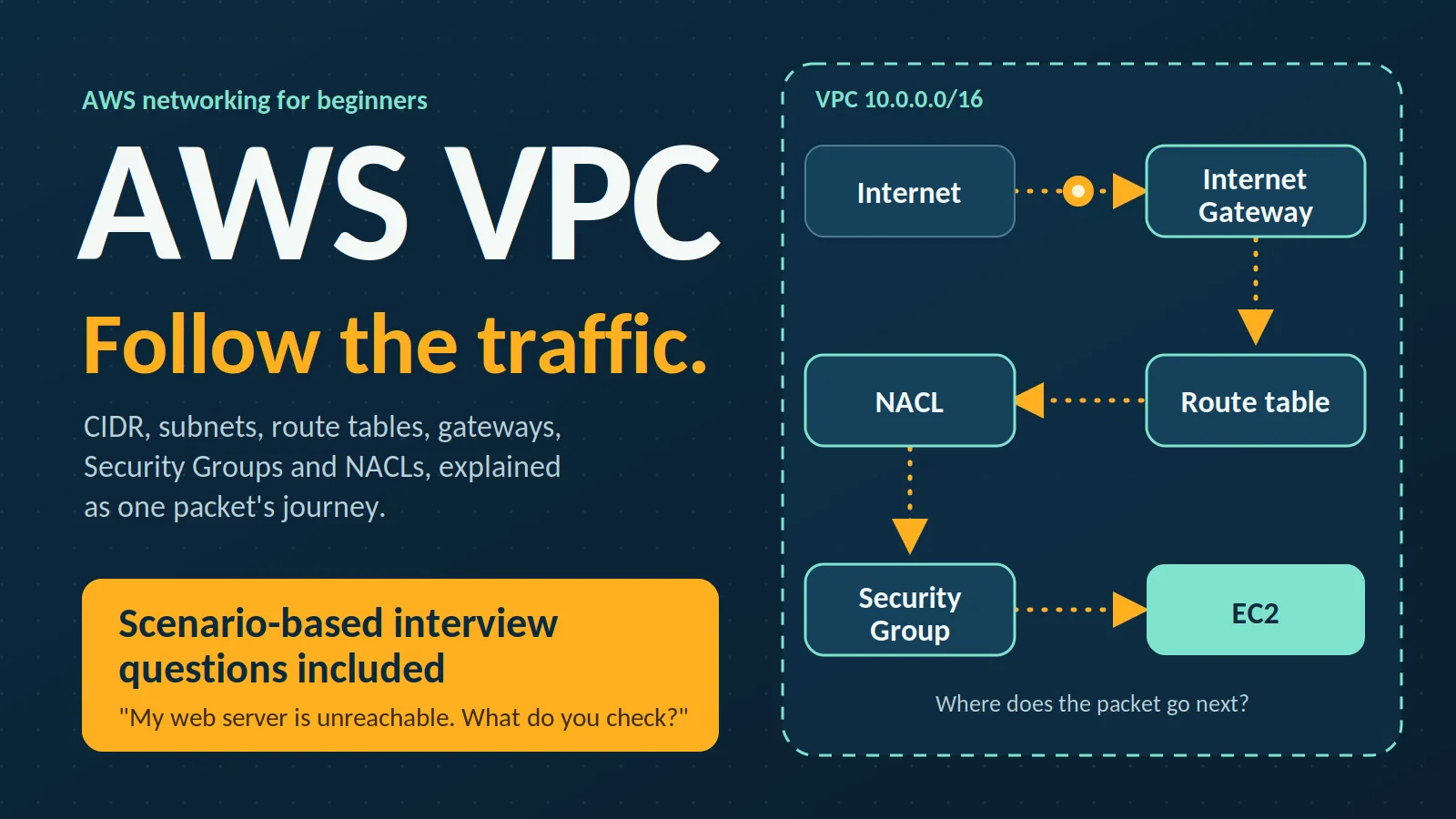
AWS VPC Explained for Beginners: From CIDR to Interview Questions
Learn AWS VPC from the basics with simple explanations of CIDR, subnets, routing, Internet Gateway, NAT Gateway, Security Groups, and NACLs, plus common interview questions and real world troubleshooting scenarios.

When I first started learning AWS networking, VPC looked simple at first but quickly became confusing.
What exactly is a subnet?
Why do we need route tables?
What makes a subnet public or private?
What is the difference between a Security Group and a Network ACL?
After working through these concepts, I realized that VPC becomes much easier when you stop memorizing components and start following the traffic.
This article is my beginner-friendly guide to AWS VPC, followed by common VPC interview questions.
What is an AWS VPC?
Amazon VPC (Virtual Private Cloud) is a logically isolated network that you create inside AWS.
Think of it as your own private network in AWS, where you control:
- IP address ranges
- Subnets
- Routing
- Internet connectivity
- Network security
Suppose you are deploying a web application. You might want a web server that the internet can reach and a database that it cannot. A VPC gives you the building blocks for exactly that.
Note: Every AWS account comes with a default VPC in each region (172.31.0.0/16) with public subnets already set up. That's why your first EC2 instance can "just work" with internet access. In real projects, you'll often build your own VPC.
1. VPC and CIDR
When creating a VPC, one of the first things you specify is its CIDR block, for example:
1
10.0.0.0/16
CIDR tells AWS how large your network is.
The number after the slash is how many of the 32 bits of an IPv4 address are fixed as the network portion. The remaining bits are available for addresses:
1
Total addresses = 2^(32 - prefix)
| CIDR | Total IP Addresses | AWS Usable IPs | Typical Use |
|---|---|---|---|
| /16 | 65,536 | — | VPC CIDR |
| /24 | 256 | 251 | Subnet |
| /28 | 16 | 11 | Small subnet |
Note: A
/16 is commonly used as the CIDR block for a VPC. AWS reserves 5 IPv4 addresses in each subnet, so the usable IP count applies to subnet CIDRs such as /24 and /28, not to the overall VPC CIDR.AWS reserves 5 addresses in every subnet (network address, VPC router, DNS, one for future use, and broadcast), which is why a
/24 gives 251 usable IPs, not 256.We then divide the VPC range into smaller ranges called subnets:
1
2
3
4
5
VPC 10.0.0.0/16
   |
   +---- 10.0.1.0/24  -> Public Subnet
   |
   +---- 10.0.2.0/24  -> Private Subnet
Plan for growth and avoid overlap: if two VPCs have overlapping CIDR blocks, you can't peer them. Choose ranges carefully up front, because changing them later can be painful.
2. What is a Subnet?
A subnet is a smaller IP range inside your VPC. Each subnet lives in exactly one Availability Zone (AZ).
Subnets help us organize resources and control their connectivity. In production, we spread resources across AZs for availability, so each AZ typically gets its own public and private subnet:
1
2
3
4
5
6
7
8
9
VPC 10.0.0.0/16
|
+--- AZ-A
|     +--- Public Subnet   10.0.1.0/24
|     +--- Private Subnet  10.0.2.0/24
|
+--- AZ-B
      +--- Public Subnet   10.0.3.0/24
      +--- Private Subnet  10.0.4.0/24
3. Public vs Private Subnet
This is one of the most common points of confusion for beginners.
A public subnet is a subnet whose route table has a route to an Internet Gateway:
1
0.0.0.0/0 -> Internet Gateway
A private subnet has no route to an Internet Gateway.
The two are siblings inside the VPC, each with its own route table:
1
2
3
4
5
6
7
8
9
10
11
12
13
14
15
16
                         Internet
                           |
                    Internet Gateway
                           |
+--------------------- VPC 10.0.0.0/16 ---------------------+
|                                                           |
|  +---------------------+     +---------------------+      |
|  | Public Subnet       |     | Private Subnet      |      |
|  | 10.0.1.0/24         |     | 10.0.2.0/24         |      |
|  | Web server, NAT GW  |     | Database            |      |
|  | Routes:             |     | Routes:             |      |
|  | 10.0.0.0/16 -> local|     | 10.0.0.0/16 -> local|      |
|  | 0.0.0.0/0 -> IGW    |     | 0.0.0.0/0 -> NAT GW |      |
|  +---------------------+     +---------------------+      |
|                                                           |
+-----------------------------------------------------------+
Notice that the web server and the database talk to each other over the local route. No gateway is needed between subnets in the same VPC.
A private subnet can still reach the internet for outbound traffic through a NAT Gateway, but the internet cannot initiate connections to its resources.
4. Route Tables
A route table determines where network traffic should go. Think of it as a signpost at a junction: it matches the destination and points to the next hop.
1
2
3
4
Destination        Target

10.0.0.0/16        local
0.0.0.0/0          Internet Gateway
- The first rule means traffic for resources inside my VPC stays inside the VPC. This
localroute exists in every route table and can't be deleted. - The second means all other IPv4 traffic goes to the Internet Gateway.
If several routes match, the most specific one wins (longest prefix match). A subnet is associated with one route table, and that table decides how its traffic is handled.
5. Internet Gateway
An Internet Gateway (IGW) allows communication between your VPC and the internet.
Attaching an IGW to a VPC does not make any subnet public by itself. For an instance to be reachable from the internet, you need all of these:
- An IGW attached to the VPC
- A route
0.0.0.0/0 -> IGWin the subnet's route table - A public IPv4 address (auto-assigned public IP or an Elastic IP) on the instance
- Security Group (and NACL) rules that allow the traffic
Miss any one and it won't work.
6. NAT Gateway
Suppose a server in a private subnet needs to download updates, but we don't want it reachable from the internet. This is what a NAT Gateway is for.
The key detail: the NAT Gateway itself lives in a public subnet and uses an Elastic IP. The private subnet's route table points to it.
1
2
3
4
5
6
7
8
9
10
11
12
Private EC2  (10.0.2.x)
   |
   | private route table: 0.0.0.0/0 -> NAT Gateway
   v
NAT Gateway  (sits in the PUBLIC subnet, has an Elastic IP)
   |
   | public route table: 0.0.0.0/0 -> Internet Gateway
   v
Internet Gateway
   |
   v
Internet
The private instance can initiate outbound connections, and replies can come back. The internet cannot start a connection to it.
Internet Gateway -> two-way internet access for public resources****NAT Gateway -> outbound-only internet access for private resources
Production note
A NAT Gateway is a single-AZ resource and is billed hourly plus per GB processed. For high availability, deploy one per AZ. For heavy S3 or DynamoDB traffic, VPC endpoints can reduce unnecessary NAT Gateway usage and costs.
7. Security Groups
A Security Group acts as a virtual firewall for resources such as EC2 instances. It attaches to their network interfaces.
For example:
1
2
SSH   Port 22  Source: My IP
HTTP  Port 80  Source: 0.0.0.0/0
SSH is allowed only from my IP, while HTTP is allowed from anywhere.
Key points
- Stateful: if a request is allowed in, the response is automatically allowed out (and vice versa).
- Only allow rules; there are no explicit deny rules.
- All rules are evaluated before deciding.
- A new Security Group denies all inbound and allows all outbound by default.
8. Network ACL
A Network ACL (NACL) is another security layer that works at the subnet level.
1
2
3
4
5
6
7
+------------- Subnet (protected by NACL) -------------+
|                                                      |
|     +----- Security Group ------+                    |
|     |   EC2 instance            |                    |
|     +---------------------------+                    |
|                                                      |
+------------------------------------------------------+
Key points
- Stateless: return traffic is not automatically allowed. You must allow it explicitly in the other direction.
- Supports both allow and deny rules.
- Rules are evaluated in rule-number order, lowest first, and the first match wins.
- The default NACL allows all traffic. A custom NACL denies everything until you add rules.
The classic gotcha
Because NACLs are stateless, if you allow inbound HTTP on port 80, you must also allow outbound ephemeral ports (1024-65535) so the response can return to the client.
Security Group vs Network ACL
| Security Group | Network ACL |
|---|---|
| Works at instance / network interface level | Works at subnet level |
| Stateful | Stateless |
| Allow rules only | Allow and deny rules |
| All rules evaluated before deciding | Rules evaluated in number order, first match wins |
| New SG: inbound denied, outbound allowed | Default NACL: all allowed |
Easy way to remember:
Security Group = security around the resource.
NACL = security around the subnet.
9. Putting Everything Together
A production-style web application spread across two Availability Zones could look like this:
1
2
3
4
5
6
7
8
9
10
11
12
13
14
15
16
17
18
19
20
                         Internet
                           |
                    Internet Gateway
                           |
+--------------------- VPC 10.0.0.0/16 ---------------------+
|                                                           |
|     AZ-A                      AZ-B                        |
|  +---------------------+     +---------------------+      |
|  | Public Subnet       |     | Public Subnet       |      |
|  | 10.0.1.0/24         |     | 10.0.3.0/24         |      |
|  | Web server, NAT GW  |     | Web server, NAT GW  |      |
|  +---------------------+     +---------------------+      |
|                                                           |
|  +---------------------+     +---------------------+      |
|  | Private Subnet      |     | Private Subnet      |      |
|  | 10.0.2.0/24         |     | 10.0.4.0/24         |      |
|  | Database            |     | Database (standby)  |      |
|  +---------------------+     +---------------------+      |
|                                                           |
+-----------------------------------------------------------+
- Web servers receive internet traffic through the IGW.
- Web servers reach the databases over the local route; no gateway is involved.
- Databases can get outbound internet access for patches through the NAT Gateway in their AZ.
- Two AZs mean the application can continue operating if one AZ becomes unavailable, assuming the application is designed for that level of resilience.
10. Follow the Traffic
When you're confused, trace the packet.
A user reaching a public EC2 web server:
1
2
User -> Internet -> Internet Gateway -> Route Table
     -> Public Subnet (NACL) -> Security Group -> EC2
A private EC2 instance reaching the internet:
1
2
Private EC2 -> Private Route Table -> NAT Gateway (in public subnet)
            -> Public Route Table -> Internet Gateway -> Internet
This is the approach that helped me understand VPC better: don't just ask what a component does—ask where the traffic goes next.
A Few More Pieces Worth Knowing
How do I reach an instance in a private subnet?
Two common approaches are a bastion host (a small public instance you SSH through) or AWS Systems Manager Session Manager, which needs no open SSH port and is generally the safer choice.
VPC endpoints
VPC endpoints let resources in your VPC communicate with AWS services without going through the public internet or a NAT Gateway.
There are two important types to know:
- Gateway endpoints — used for services such as S3 and DynamoDB. They are added as a route-table target and have no hourly charge.
- Interface endpoints — powered by AWS PrivateLink and create a private network interface for supported AWS services and other endpoint services.
Connecting VPCs
VPC Peering connects two VPCs directly. It is non-transitive: if A peers with B and B peers with C, A still cannot reach C through B.
For many VPCs, AWS Transit Gateway is often a better choice.
For connecting AWS to an on-premises environment, common options include Site-to-Site VPN and AWS Direct Connect.
Try It Yourself
The best way to make these concepts stick is to build a small VPC yourself.
You can try:
- Create a VPC (
10.0.0.0/16) - Create one public and one private subnet
- Attach an Internet Gateway and add
0.0.0.0/0 -> IGWto the public subnet's route table - Launch an EC2 instance in each subnet
- Try to reach both
- Add a NAT Gateway and test outbound access from the private instance
While practicing, don't worry if something doesn't work on the first attempt.
For me, this was actually one of the useful parts of learning VPC. A resource having a public IP doesn't automatically mean it is reachable. You have to follow the complete path: route table → gateway → subnet → NACL → Security Group → resource.
Those small troubleshooting moments helped me understand the concepts much better than simply reading definitions.
Common AWS VPC Interview Questions
1. What is a VPC?
A VPC is a logically isolated virtual network in AWS where you control IP ranges, subnets, routing, and security.
2. What is CIDR, and how many IPs does a /24 give?
CIDR (Classless Inter-Domain Routing) describes an IP range such as
10.0.0.0/16, where the number is how many bits are used for the network portion.A
/24 has:1
2^(32 - 24) = 256 addresses
AWS reserves 5 addresses in each subnet, leaving 251 usable IPv4 addresses.
3. What is a subnet?
A subnet is a smaller IP range inside a VPC. Each subnet lives in exactly one Availability Zone.
4. What makes a subnet public?
Its route table has a route:
1
0.0.0.0/0 -> Internet Gateway
The instance also needs a public IP and appropriate security rules to actually be reachable from the internet.
5. What does 0.0.0.0/0 mean?
It represents all IPv4 addresses.
In a route table, it acts as the default route: anything not matched by a more specific route goes there.
6. What is a route table?
A route table is a set of rules that decides where a subnet's traffic goes.
Every route table has an undeletable
local route for traffic within the VPC, and the most specific matching route wins.7. Internet Gateway vs NAT Gateway?
Internet Gateway:
Provides internet connectivity for resources with public IP addresses when routing and security rules allow it.
NAT Gateway:
Allows private resources to make outbound connections to the internet without accepting unsolicited inbound connections.
The NAT Gateway sits in a public subnet.
8. Can a private subnet access the internet?
Yes.
A typical flow is:
1
2
3
4
5
6
7
8
9
Private EC2
    ↓
Private Route Table
    ↓
NAT Gateway
    ↓
Internet Gateway
    ↓
Internet
The NAT Gateway must be in a public subnet.
9. Security Group vs NACL?
Security Groups:
- Resource/network-interface level
- Stateful
- Allow rules only
NACLs:
- Subnet level
- Stateless
- Allow and deny rules
- Evaluated in rule-number order
Because NACLs are stateless, you must allow return traffic such as ephemeral ports when required.
10. Can two VPCs communicate?
Yes.
Common options include:
- VPC Peering
- AWS Transit Gateway
- Site-to-Site VPN
- AWS Direct Connect
VPC Peering requires non-overlapping CIDRs and is non-transitive.
11. Can two subnets in the same VPC communicate?
Yes, by default through the local route, subject to Security Group and NACL rules.
12. How can resources in a private subnet reach S3 without using the internet?
With a Gateway VPC endpoint for S3.
It keeps traffic within the AWS network and can avoid NAT Gateway data-processing charges for that traffic.
Scenario-Based Interview Questions
These are particularly useful because interviewers often want to know whether you can troubleshoot, not just define terms.
A. Your web server is in a public subnet but is not reachable from the internet. What do you check?
Walk through the traffic:
- Is an Internet Gateway attached to the VPC?
- Does the subnet's route table have
0.0.0.0/0 -> IGW? - Does the instance have a public IPv4 address or Elastic IP?
- Does the Security Group allow the required port?
- Does the NACL allow both inbound and outbound traffic?
- Are the application and OS-level firewalls allowing the traffic?
The important part is to troubleshoot step by step, rather than immediately assuming the Security Group is the problem.
B. Your private instance can't reach the internet. What do you check?
Check:
- Does the private route table point
0.0.0.0/0to a NAT Gateway? - Is the NAT Gateway in a public subnet?
- Does the NAT Gateway have an Elastic IP?
- Does the public subnet's route table point to the IGW?
- Do the Security Group's outbound rules allow the traffic?
- Does the NACL allow the required traffic in both directions?
C. What would you change in this design for production?
Some improvements could include:
- One NAT Gateway per AZ for better resilience
- Resources spread across at least two AZs
- VPC endpoints for services such as S3 and DynamoDB where appropriate
- Systems Manager Session Manager instead of exposing SSH unnecessarily
- Properly planned CIDR ranges
- Least-privilege Security Group and NACL rules
Beginner Mistakes I Found Easy to Make
1. Assuming an Internet Gateway makes a subnet public
It doesn't.
The route table and public IP configuration matter too.
2. Confusing Security Groups and NACLs
Remember:
1
2
3
Security Group -> Resource level + Stateful

NACL -> Subnet level + Stateless
3. Thinking private means "no internet"
Private subnets can still have outbound internet access through a NAT Gateway.
4. Putting the NAT Gateway in the private subnet
A NAT Gateway needs to be in a public subnet so it can communicate with the Internet Gateway.
5. Forgetting ephemeral ports in NACLs
Responses can get blocked even when the inbound rule looks correct.
6. Memorizing without following traffic
Instead of asking:
"What does this component do?"
try asking:
"Where does this packet go next?"
That question makes VPC much easier to understand.
My Simple VPC Mental Model
Whenever I look at a VPC architecture, I try to break it down into five questions:
1. Where is the resource?
Public or private subnet? Which Availability Zone?
2. What IP range does it belong to?
Check the VPC and subnet CIDRs.
3. Where does the traffic go?
Check the route table.
4. Can the traffic enter or leave?
Check the Security Group and NACL.
5. Does it need internet access?
Check the Internet Gateway or NAT Gateway, along with the public IP configuration.
These five questions can help troubleshoot many beginner-level VPC problems.
Final Takeaway
VPC can look complicated because AWS gives us many networking components:
1
2
3
4
5
6
7
8
VPC
 ├── CIDR
 ├── Subnets (one AZ each)
 ├── Route Tables
 ├── Internet Gateway
 ├── NAT Gateway
 ├── Security Groups
 └── Network ACLs
But these components make much more sense when you look at the flow of traffic instead of learning each definition separately.
If you're preparing for an AWS interview, don't just memorize what each component does. Be ready to explain why it's needed and how traffic moves through it.
For me, the biggest shift was going from:
"I know what a route table is."
to:
"I can look at a route table and tell where the traffic will go."
And that's when AWS VPC started making much more sense.
If you're also learning AWS, which VPC concept confused you the most when you started?
Enjoyed reading this content? Let the author know!
Your likes, comments, shares, and saves help creators reach more builders.

Loading recommendations
Loading article