
From localhost to the cloud: What a PHP and React developer learns first on AWS
A self-taught React and PHP developer maps familiar tools like MySQL and localhost to AWS services such as S3, EC2, and RDS.

Introduction
I am a self-taught full-stack developer and a university student. I build web apps with React, Tailwind CSS, PHP, Laravel, and MySQL. Until now, most of my projects have lived on my own computer, on localhost. Recently, I started learning AWS to understand how real applications go live. This article shares how I connect what I already know to AWS services.
- My local setup vs. AWS
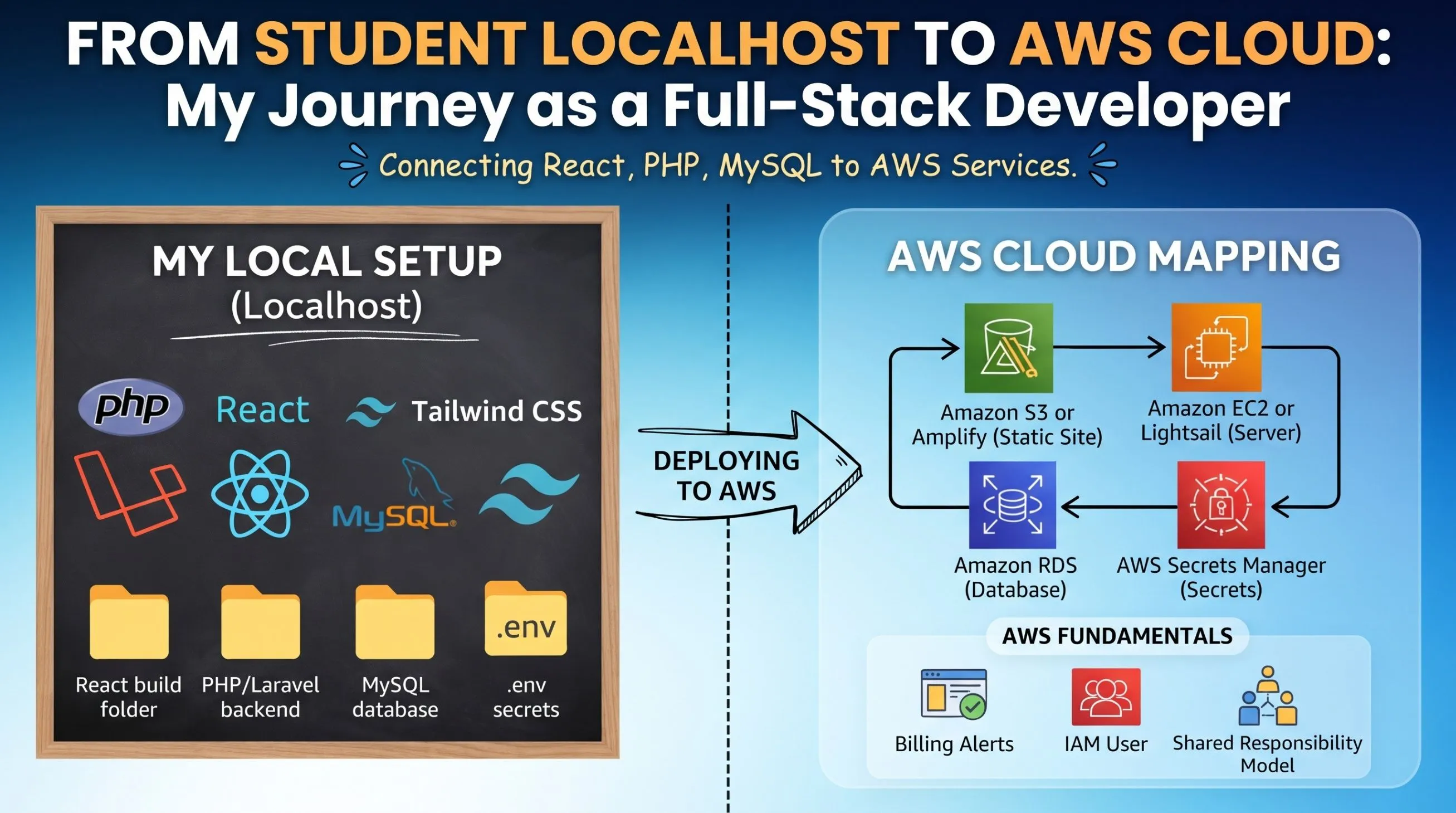
On my computer, I use a local server, a MySQL database, and a React build folder. AWS has a service for each of these:
- React build folder -> Amazon S3 (static website hosting) or AWS Amplify
- PHP / Laravel backend -> Amazon EC2 or Amazon Lightsail (a virtual server)
- MySQL database -> Amazon RDS
- Passwords and secrets in my .env file -> AWS Secrets Manager
Seeing this map made AWS feel much less scary. The services are new, but the idea behind each one is familiar.
- Three things I learned first
Billing alerts. Before using any service, I learned to create a budget and a billing alert. This protects students from surprise charges.
IAM basics. I should not use the root account for daily work. Instead, I create a separate user with limited permissions.
The shared responsibility model. AWS secures the cloud infrastructure, but I am responsible for how I configure my app, including passwords and access rules.
- What I am doing next
- Deploying one small project (a React frontend with a PHP API) to AWS
- Writing about the mistakes I make so that other beginners can avoid them
Conclusion
As a beginner, my biggest lesson is that the cloud is not magic. It is the same web development concepts, running on someone else's servers. If you are also a student developer learning AWS, I would love to hear which service you started with and what confused you most.
Enjoyed reading this content? Let the author know!
Your likes, comments, shares, and saves help creators reach more builders.

Loading recommendations
Loading article