
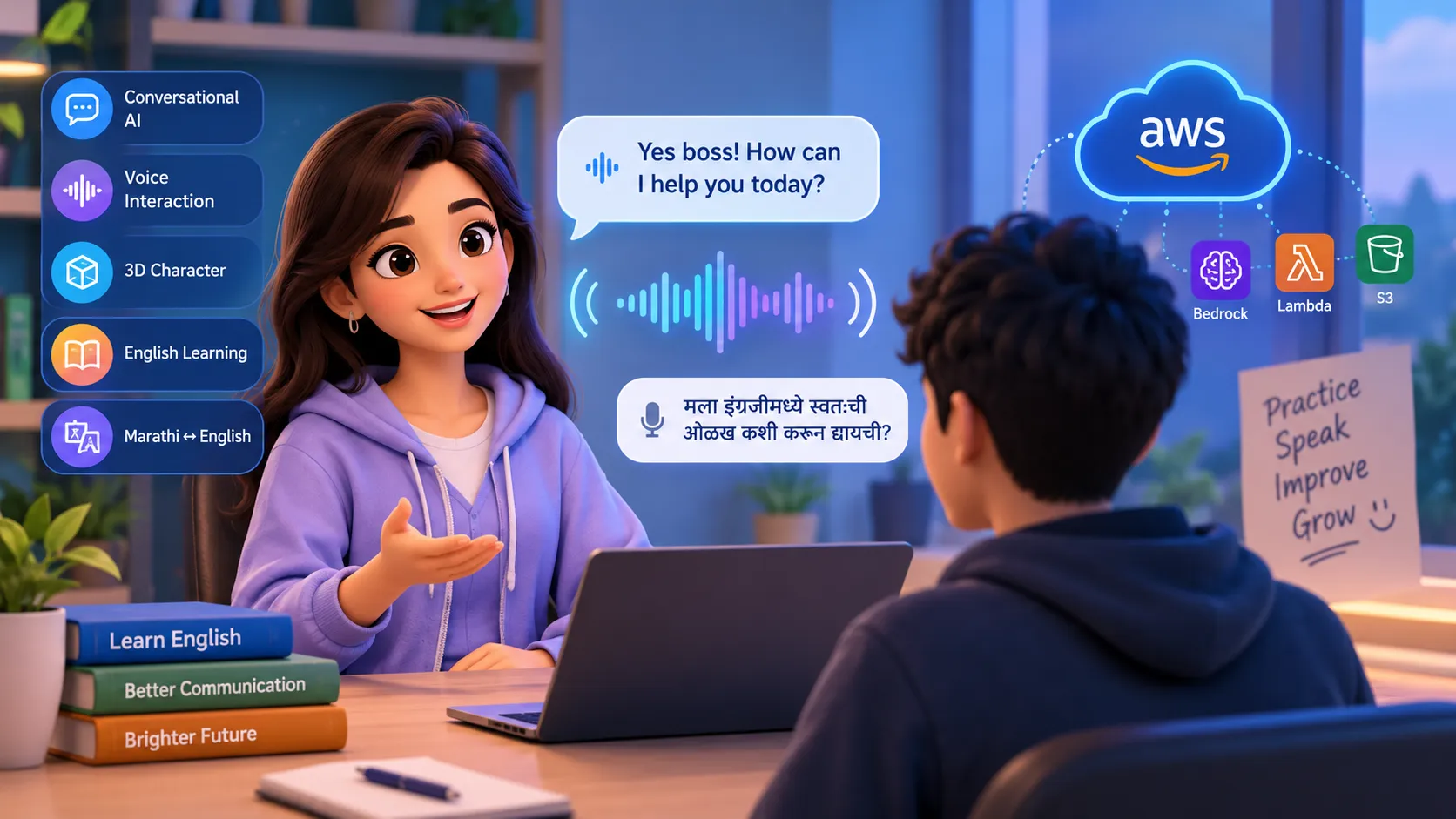
Building an AI-Powered English Learning Voice Bot with a 3D Character
I’m building an interactive AI English-learning application where a 3D cartoon character communicates with users through natural voice conversations. The goal is to make English practice more engaging by combining conversational AI, speech technology, and an animated character.

Building an AI-Powered English Learning Voice Bot with a 3D Character
Learning English can be difficult when there is no one to practice speaking with. I wanted to build something more interactive than a traditional language-learning app, so I started developing an AI-powered voice bot with a 3D cartoon character.
The goal of the project is simple:
Create an AI character that can have natural conversations with users and help them improve their English communication skills.
💡 Project Idea
The application combines:
- 🎭 A 3D cartoon character
- 🎙️ Real-time voice conversation
- 🤖 Conversational AI
- 📚 English-learning assistance
- 🌐 Marathi-to-English learning support
- 📱 Flutter for the application
Instead of typing questions, the user can speak naturally with the character.
For example, a user can speak in Marathi:
"मला इंग्रजीमध्ये स्वतःची ओळख कशी करून द्यायची?"
The AI character can explain the concept in Marathi and then teach the user how to say it naturally in English.
🧑💻 Technology Stack
The current prototype uses:
- Flutter for the application
- A GLB 3D character model
- Model Viewer for displaying the 3D character
- ElevenLabs Conversational AI for voice interaction
- Gemini as the conversational AI model
- Speech-to-speech interaction for natural conversations
The 3D character is designed to make the experience feel more like talking to a real tutor instead of interacting with a traditional chatbot.
🎙️ Natural Voice Conversation
One of the important goals of this project is to avoid making the user repeatedly press a microphone button.
The character should feel like a conversation partner.
The AI teacher can:
- Listen to the user's speech
- Understand the user's question
- Respond naturally
- Help correct English grammar
- Explain difficult concepts in Marathi when necessary
- Continue the conversation with a follow-up question
For example:
AI: Yes boss! How can I help you today?
User: I want to improve my English speaking.
AI: That's great! Let's practice together. Tell me about yourself in two or three sentences.
This makes the learning process more interactive and conversational.
🎭 3D Character
The application also uses a 3D cartoon character instead of displaying only text.
The character model is loaded as a GLB asset inside the Flutter application.
I am experimenting with the character's existing animations so that the character can react while communicating.
One of the challenges is synchronizing the character's animation with the AI's voice without constantly reloading the 3D model.
🧠 AI Teacher Behavior
The AI teacher is designed to behave like a friendly English-speaking tutor.
Its main responsibilities are:
- Encourage the learner
- Correct mistakes gently
- Explain grammar in simple language
- Ask natural follow-up questions
- Use Marathi explanations when they help the learner
- Keep conversations short and understandable
- Avoid sounding robotic
The objective is not simply to answer questions, but to help the learner actually practice communication.
🚧 Challenges
While building the prototype, I encountered several interesting technical challenges.
1. Voice latency
A voice conversation needs to feel fast. If the user has to wait too long for a response, the interaction feels unnatural.
2. Character animation
Reloading the 3D model whenever the character starts or stops speaking can cause visual flashing and delays.
Keeping the model loaded and controlling the existing animations is a better approach.
3. Speech and animation synchronization
The next step is to improve synchronization between the character's voice and facial/body animations so that the character feels more alive.
4. Multilingual learning
The application should allow beginners to use Marathi when they are stuck while gradually encouraging them to speak more English.
🚀 Future Improvements
I plan to improve the project by adding:
- Better lip-sync
- More facial expressions
- Emotion-aware responses
- Multiple English difficulty levels
- Conversation practice scenarios
- Progress tracking
- Vocabulary exercises
- Pronunciation feedback
- AWS-based backend infrastructure
- Cloud deployment and scalable AI services
🎯 Final Goal
The long-term goal is to create an AI communication teacher that feels less like an application and more like a friendly conversation partner.
Instead of simply reading English lessons, users should be able to speak, make mistakes, receive feedback, and improve through natural conversations.
I'm currently working on improving the voice interaction, 3D character animation, and overall conversational experience.
I'd love to hear from other builders:
What would you add to make an AI English-learning character feel more natural and useful?
Enjoyed reading this content? Let the author know!
Your likes, comments, shares, and saves help creators reach more builders.

Loading recommendations
Loading article