
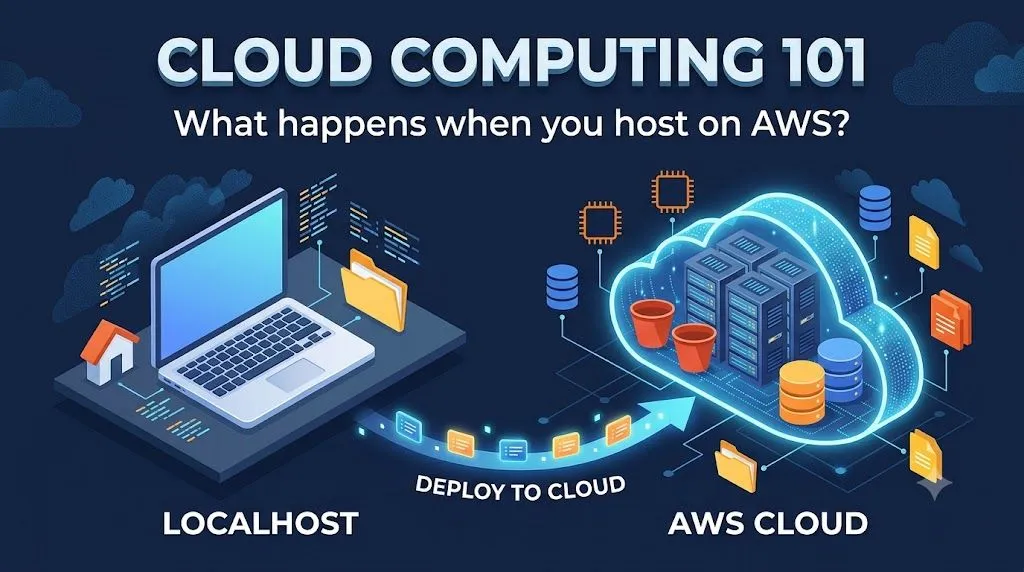
Cloud Computing 101: What Actually Happens When You Host a Web App on AWS?
🚀 Just published my first article on AWS Builder! Ever wondered what actually happens behind the scenes when you move your app from localhost to the cloud? I wrote a beginner-friendly guide breaking down core AWS services—S3, EC2, Lambda, and RDS—using simple web development analogies. Check it out and let me know your thoughts! 👇

Hi guys Like👍 and comment✒️ to my article📝, thankyou.❤️
Introduction
When learning web development, running an app locally on
localhost:3000 or 127.0.0.1 is straightforward. But what actually happens when you push that code to the cloud so anyone in the world can access it?In this guide, we’ll demystify cloud hosting by mapping the components of a standard local web project directly to their core AWS cloud equivalents.
1. Storage: Where Do Your Files Live?
- On Your Local PC: Your HTML, CSS, JavaScript files, and images live in folders on your hard drive (
C:/or/home). - In AWS: You use Amazon Simple Storage Service (S3).
How S3 Works:
Amazon S3 stores data as objects inside containers called buckets. It acts like a global disk drive accessible over HTTP. If you have a static portfolio site (pure HTML/CSS/JS), you can upload your files into an S3 bucket and make them publicly accessible to serve your website instantly.
Amazon S3 stores data as objects inside containers called buckets. It acts like a global disk drive accessible over HTTP. If you have a static portfolio site (pure HTML/CSS/JS), you can upload your files into an S3 bucket and make them publicly accessible to serve your website instantly.
2. Compute: Running Your Backend Code
- On Your Local PC: Your backend server (Node.js, Express, Python Flask, or Java Spring) runs on your local CPU.
- In AWS: You use Amazon Elastic Compute Cloud (EC2) or AWS Lambda.
| AWS Service | How It Works | Analogy |
|---|---|---|
| Amazon EC2 | Provides a virtual server running Linux or Windows. You configure the OS, install your software dependencies, and keep it running 24/7. | Renting a virtual PC in a giant data center. |
| AWS Lambda | Serverless compute: You upload a single function (e.g., Python code), and AWS executes it only when a user triggers it. | Ordering a taxi—it runs only when requested. |
3. Databases: Storing Application Data
- On Your Local PC: A local database instance like MySQL or PostgreSQL installed on your computer.
- In AWS: You use Amazon RDS or Amazon DynamoDB.
- Amazon Relational Database Service (RDS): A managed SQL database service supporting PostgreSQL, MySQL, and MariaDB. AWS automatically handles database backups, operating system updates, and storage scaling.
- Amazon DynamoDB: A fully managed NoSQL key-value database designed for ultra-fast performance at any scale.
4. Networking: Connecting Everything Securely
- On Your Local PC: Network ports (
localhost:8080) routing traffic inside your operating system. - In AWS: You use an Amazon Virtual Private Cloud (VPC).
A VPC creates an isolated private virtual network inside AWS. Within your VPC:
- Public Subnets: Hold public-facing services like web servers.
- Private Subnets: Hold databases and backend services that should never be directly exposed to the internet.
- Security Groups: Act as virtual firewalls controlling incoming and outgoing network traffic.
Summary Architecture Checklist
When a user visits your cloud application:
- The user requests your domain name via DNS (Amazon Route 53).
- The browser fetches static frontend files directly from Amazon S3.
- API requests travel through a firewall into your virtual network (Amazon VPC).
- The request is processed by an application server (Amazon EC2 or AWS Lambda).
- The server queries persistent data stored safely in Amazon RDS or DynamoDB.
Conclusion
Cloud computing isn't magic—it's modular computing infrastructure delivered over the internet on demand.
Enjoyed reading this content? Let the author know!
Your likes, comments, shares, and saves help creators reach more builders.

Loading recommendations
Loading article