
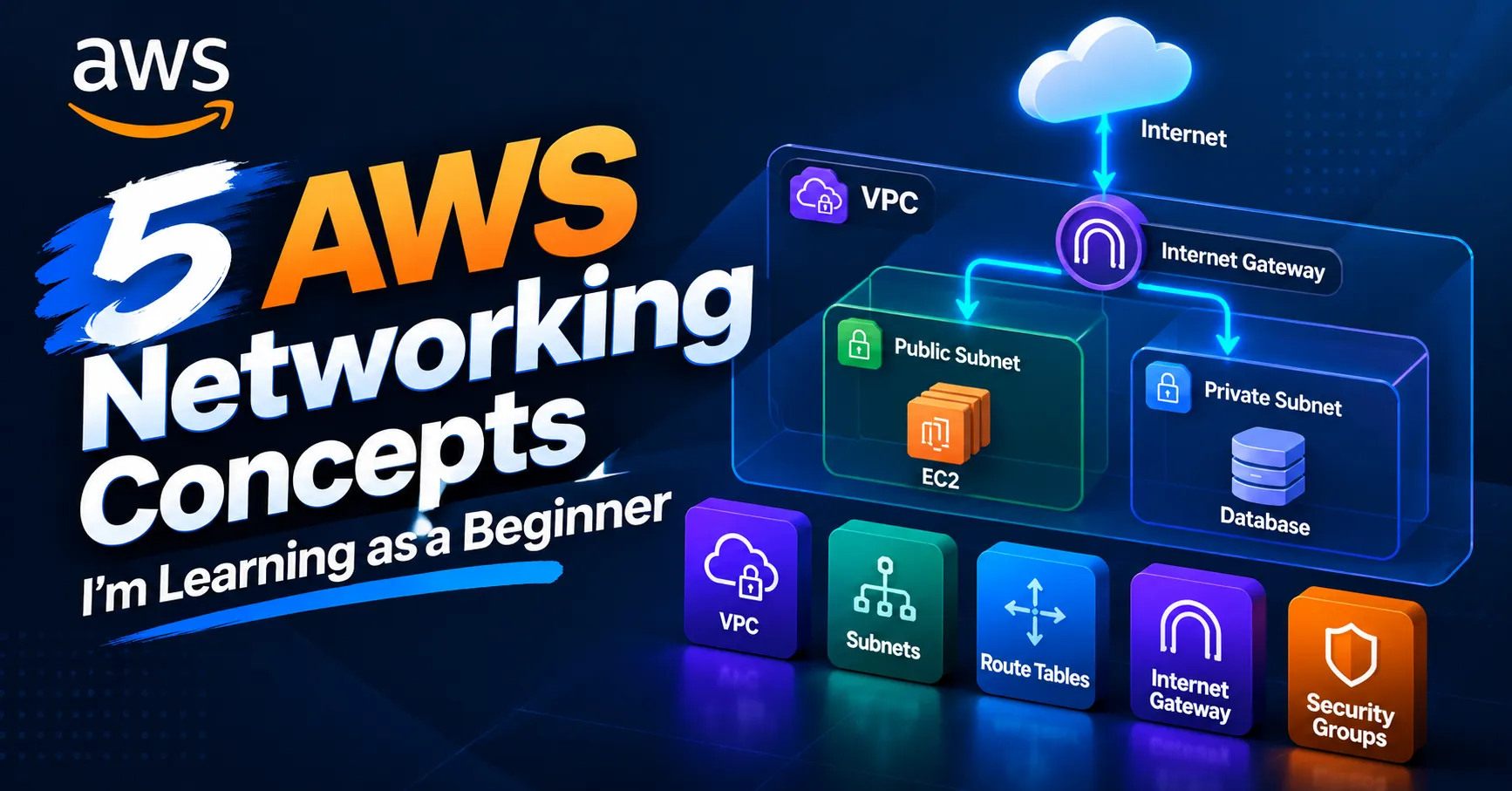
5 AWS Networking Concepts I'm Learning as a Beginner
I'm learning AWS networking as part of my Cloud and DevOps journey. In this article, I share five beginner-friendly concepts that helped me understand how VPCs, subnets, route tables, Internet Gateways, and Security Groups work together.

5 AWS Networking Concepts I'm Learning as a Beginner
I'm currently learning AWS as part of my journey toward Cloud and DevOps engineering.
As I started working with AWS resources, I realized that understanding networking is an important part of understanding how cloud infrastructure works.
At first, concepts such as VPCs, subnets, route tables, and Internet Gateways were a little confusing. After spending time learning and experimenting with AWS, these concepts started to make much more sense.
Here are five AWS networking concepts that helped me build a better foundation.
1. Amazon VPC
An Amazon VPC (Virtual Private Cloud) is a logically isolated network that we can create in AWS.
When we create resources such as EC2 instances, they can be placed inside a VPC.
A VPC allows us to control how our AWS resources communicate with each other, with the internet, and with other networks.
For example, a VPC can have an IP address range such as:
10.0.0.0/16
This provides a large private IP address space that can be divided into smaller networks called subnets.
One important thing I learned is that the VPC is the foundation of networking in AWS.
It provides the environment where we can configure subnets, routing, security, and connectivity for our resources.
2. Subnets
A subnet is a smaller network inside a VPC.
When creating a VPC, we can divide its IP address range into multiple subnets.
For example:
VPC
10.0.0.0/16
│
├── Public Subnet
│ 10.0.1.0/24
│
└── Private Subnet
10.0.2.0/24
10.0.0.0/16
│
├── Public Subnet
│ 10.0.1.0/24
│
└── Private Subnet
10.0.2.0/24
Subnets help us organize our resources and control how they communicate.
A common architecture could have web servers in a public subnet while databases are placed in private subnets.
For example:
Internet
│
▼
Public Subnet
│
▼
Web Server
│
▼
Private Subnet
│
▼
Database
│
▼
Public Subnet
│
▼
Web Server
│
▼
Private Subnet
│
▼
Database
This separation can improve both security and network organization.
I also learned that a subnet exists within a specific Availability Zone.
This helped me understand how AWS networking connects with AWS infrastructure and availability.
3. Route Tables
A route table contains rules that determine where network traffic should go.
In simple terms, a route table tells AWS:
"When traffic is going to this destination, send it through this target."
For example:
Destination Target
0.0.0.0/0 Internet Gateway
0.0.0.0/0 Internet Gateway
The 0.0.0.0/0 route represents traffic destined for anywhere that doesn't match a more specific route.
A simplified example could look like this:
EC2 Instance
│
▼
Subnet
│
▼
Route Table
│
▼
Internet Gateway
│
▼
Internet
│
▼
Subnet
│
▼
Route Table
│
▼
Internet Gateway
│
▼
Internet
One important thing I learned is that simply placing an EC2 instance in a public subnet does not automatically make it accessible from the internet.
The subnet needs an appropriate route through a route table, along with the necessary network configuration and security rules.
Understanding route tables helped me see how AWS controls the path that network traffic takes.
4. Internet Gateway
An Internet Gateway (IGW) is a VPC component that enables communication between resources in a VPC and the internet.
For example:
Internet
│
▼
Internet Gateway
│
▼
Route Table
│
▼
Public Subnet
│
▼
EC2 Instance
│
▼
Internet Gateway
│
▼
Route Table
│
▼
Public Subnet
│
▼
EC2 Instance
The Internet Gateway is attached to the VPC.
However, simply attaching an Internet Gateway to a VPC does not automatically give every resource internet access.
The subnet's route table must have a route that directs internet-bound traffic to the Internet Gateway.
The resource also needs the appropriate IP addressing and security configuration.
This helped me understand that several AWS networking components work together rather than working independently.
5. Security Groups
Security Groups act as virtual firewalls for AWS resources such as EC2 instances.
They control which inbound and outbound traffic is allowed.
For example, an EC2 instance running a web server might allow:
HTTP → Port 80
HTTPS → Port 443
SSH → Port 22
HTTPS → Port 443
SSH → Port 22
Instead of allowing all traffic, we should only allow the traffic that is actually required.
For example, a web server might need HTTP and HTTPS access from the internet, while SSH access could be restricted to a trusted IP address.
One important lesson I learned is the principle of least privilege.
We should avoid opening unnecessary ports or allowing unnecessary sources.
Security Groups helped me understand that networking and security are closely connected in cloud environments.
What I Learned
These five concepts helped me understand the basic structure of AWS networking:
VPC
│
├── Subnets
│ │
│ └── Resources
│
├── Route Tables
│
├── Internet Gateway
│
└── Security Groups
│
├── Subnets
│ │
│ └── Resources
│
├── Route Tables
│
├── Internet Gateway
│
└── Security Groups
At first, terms such as VPC, subnet, route table, and Internet Gateway seemed confusing.
After learning how they work together, I started to understand how AWS controls connectivity, traffic flow, and access to cloud resources.
I also realized that networking is not something separate from DevOps.
When deploying applications in AWS, we need to understand where our resources are located, how they communicate, how traffic is routed, and how access is secured.
Conclusion
Learning AWS networking has shown me that understanding cloud infrastructure is not only about launching servers.
We also need to understand how those servers communicate, how network traffic is routed, and how access is controlled.
I'm still at the learning stage, but these five networking concepts have given me a stronger foundation for my journey toward Cloud and DevOps engineering.
If you're also learning AWS as a beginner, I hope these concepts help you understand the basics of AWS networking.
What AWS networking concept did you find confusing when you first started learning?
Let's learn together! 🚀
Enjoyed reading this content? Let the author know!
Your likes, comments, shares, and saves help creators reach more builders.

Loading recommendations
Loading article