
AWS Just Made Getting Started Way Less Painful, Here's What Changed
AWS just made getting started easier: no credit card needed, keyless local auth, simpler team access, and hard spending limits. Here's what changed.

If you've ever tried to get a friend or teammate set up on AWS, you already know the pain. Creating an account felt like a small project on its own, and once you were in, managing access keys, IAM policies, and budget alerts added even more friction before you could actually build anything.
AWS has quietly been fixing a lot of this throughout 2026, and honestly, these changes deserve more attention than they're getting. Here's a breakdown of four areas where the developer experience genuinely improved, and why each one matters more than it might seem at first glance.
1. Signing up no longer feels like a chore
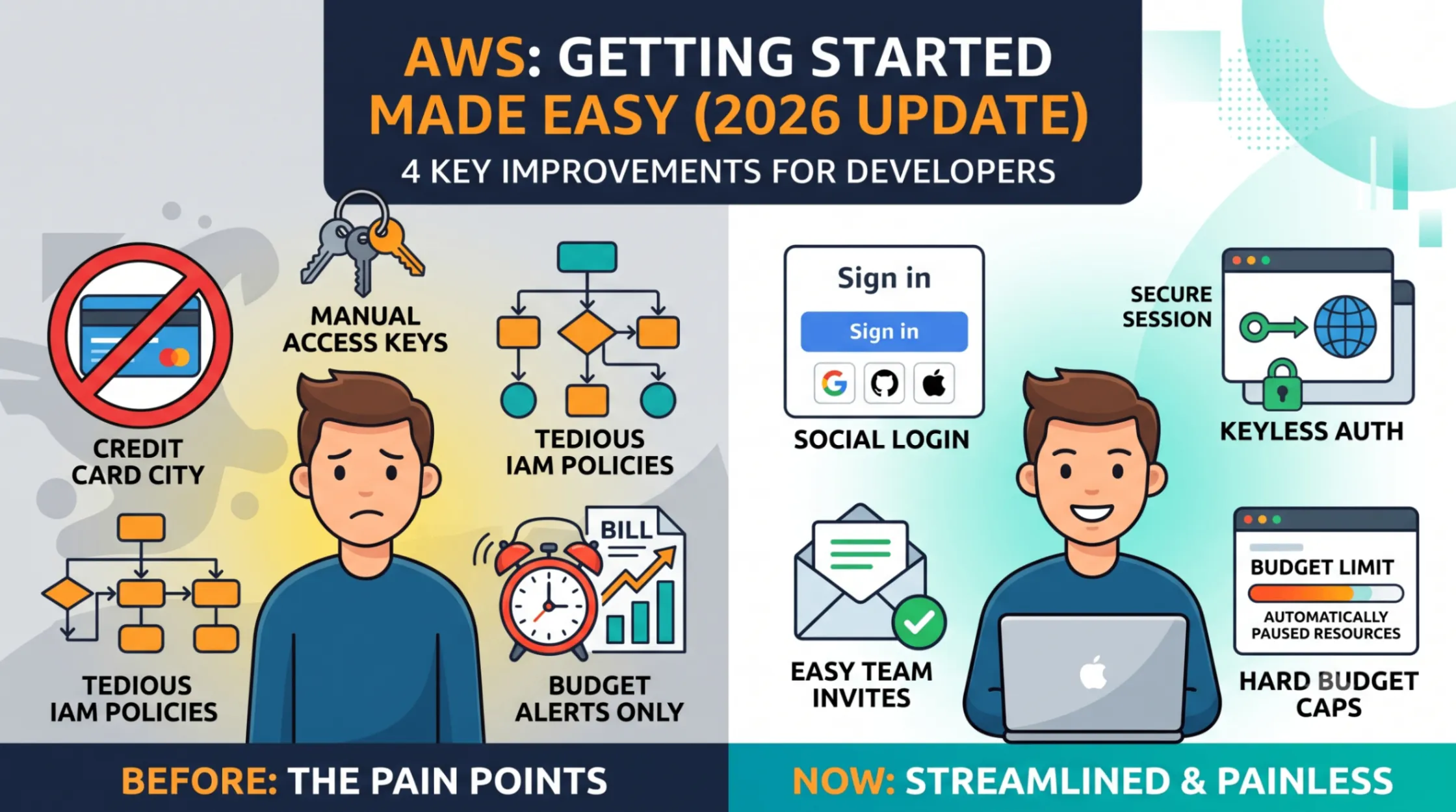
Getting started used to mean registering strictly with an email address, and for most new users, you'd also need to hand over a credit card before doing much of anything.
Now you can sign up using Google, GitHub, Apple, or Amazon credentials, and most new users aren't asked for a credit card just to get started. This sounds small, but it removes two of the biggest drop off points in onboarding. Anyone who's tried to get a student, a friend, or a non technical teammate onto AWS knows that the credit card requirement alone used to kill a lot of curiosity before it even started.
2. No more manually juggling access keys
This one is probably the biggest quality of life change for actual developers. Connecting a local laptop or dev environment to AWS used to mean creating access keys yourself, then storing them somewhere safe, and remembering to rotate or revoke them later. It worked, but it was also one of the most common sources of accidentally leaked credentials, since those keys would end up hardcoded in a script or committed to a repo more often than anyone wants to admit.
Now, you can copy a single prompt into Cloud Code or another coding agent, and it handles installing the right dependencies and authenticating your session through your browser automatically. No keys to copy, no keys to store, no keys to accidentally leak. For anyone who read my earlier post on IAM mistakes, this directly removes one of the most common mistakes from the list before it can even happen.
3. Giving teammates access without writing IAM policies by hand
Previously, adding a collaborator to a project meant creating IAM users and manually writing out permission policies for them, which is doable, but genuinely tedious for something as simple as "let my friend help me on this project."
Now, sharing access is as simple as sending an email invitation directly to a teammate. This matters a lot for smaller teams, side projects, hackathons, or anyone mentoring someone new, situations where the old process was enough friction that people would just skip proper access management entirely and share a single login instead, which is exactly the kind of shortcut that causes problems later.
4. Budgets that actually stop spending, not just warn you about it
This is the one I think most people will appreciate immediately. Before, setting a budget alert, say at twenty dollars, would just send you an email once you hit that number. Your resources kept running the entire time, quietly racking up cost while you were busy doing literally anything else with your day.
Now, paid plans support hard limits. Set a twenty dollar cap, and once you hit it, your project resources automatically pause until the next month starts. No more waking up to a bill that's three times what you expected because you missed an email notification while you were asleep or away from your laptop. This is a genuinely meaningful change for anyone experimenting on a budget, students, hobbyists, or just cautious builders who don't want cloud costs turning into a stressful surprise.
Why these changes matter together, not just individually
Looking at these four changes side by side, there's a clear pattern. Account setup, authentication, team access, and spending control used to all share the same problem, they required you to already understand AWS fairly well just to do basic things safely. Each one of these fixes removes a piece of that barrier.
This matters beyond convenience. A lower barrier to entry means more people actually experiment with AWS instead of giving up during setup, more teammates get added properly instead of through shared logins, and more people avoid nasty billing surprises that used to scare beginners away entirely after one bad experience.
Final thought
None of these four changes are flashy the way a new AI model announcement is. There's no keynote moment built around "you can now sign up with GitHub." But if you zoom out, these are the kinds of changes that quietly make AWS more approachable for the next wave of builders, the ones who would have bounced off the platform during setup before ever getting to build something.
If you've run into any of these pain points yourself in the past, the old key management process, a budget surprise, or just the account setup friction, I'd love to hear how it affected you and whether these changes actually help. Drop a comment, genuinely curious what others think.
Enjoyed reading this content? Let the author know!
Your likes, comments, shares, and saves help creators reach more builders.

Loading recommendations
Loading article