
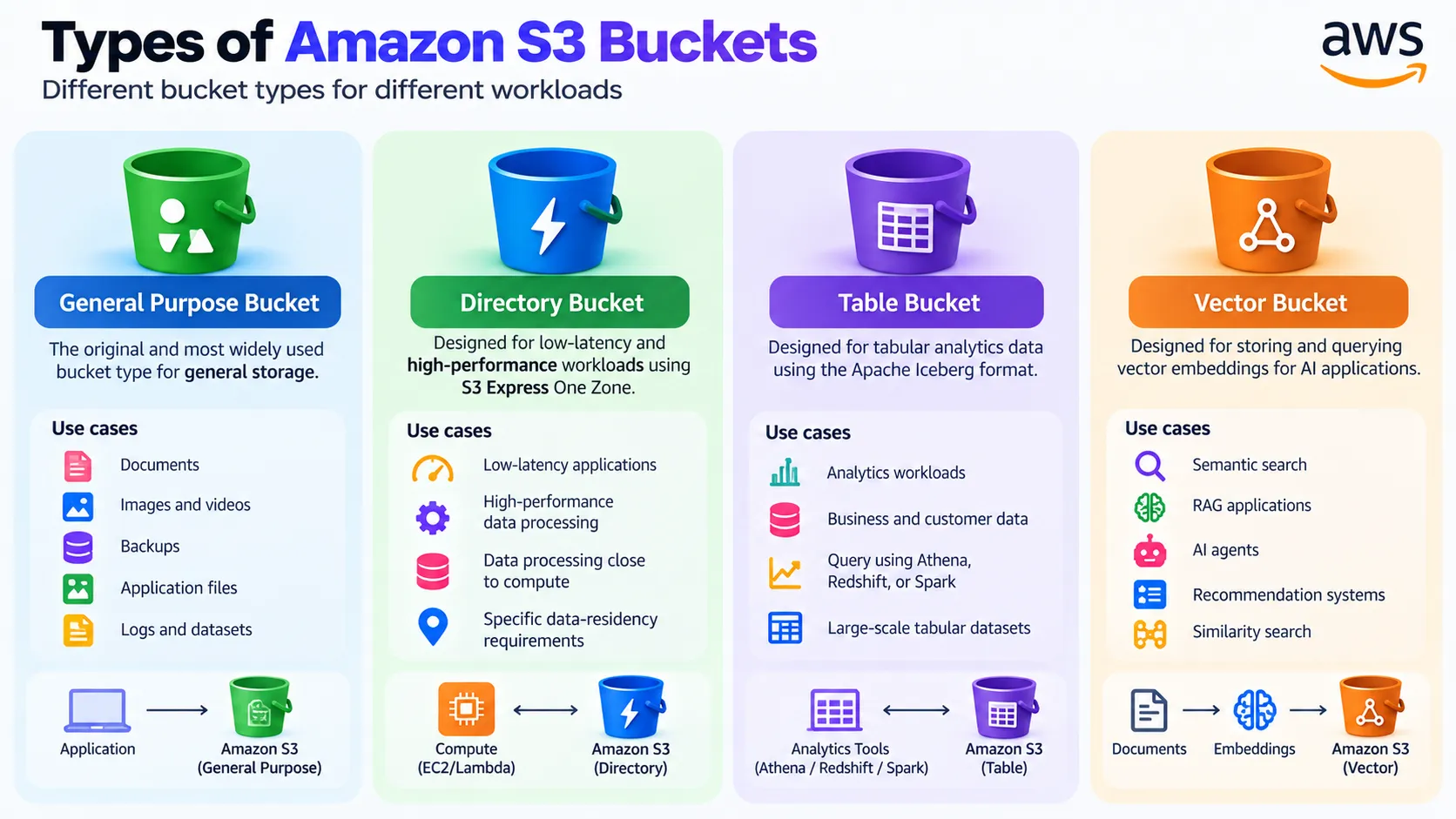
Amazon S3 Bucket Types Explained: General Purpose, Directory, Table, and Vector
Amazon S3 now supports multiple bucket types designed for different workloads. This article explains general purpose, directory, table, and vector buckets and when each one makes sense.

Amazon S3 Bucket Types Explained
Amazon S3 is commonly introduced as an object storage service where you create a bucket and upload files. However, S3 has evolved beyond traditional object storage and now supports different bucket types for different workloads.
AWS currently provides four types of S3 buckets:
- General purpose buckets
- Directory buckets
- Table buckets
- Vector buckets
Choosing the right bucket type depends on what kind of data you are storing and how your application needs to access it.
1. General Purpose Buckets
General purpose buckets are the original and most commonly used S3 bucket type. They are recommended for most general storage use cases.
You can use them to store:
- Images and videos
- Documents
- Backups
- Application files
- Logs
- Datasets
A typical application might look like:
1
2
3
4
5
6
7
8
9
Application
     |
     v
Amazon S3
     |
     +-- images/
     +-- documents/
     +-- backups/
     +-- datasets/
General purpose buckets support objects across S3 storage classes except S3 Express One Zone.
2. Directory Buckets
Directory buckets are designed for workloads that need very low latency or specific data-residency requirements.
They work with S3 Express One Zone for high-performance workloads and organize data using a hierarchical directory structure.
They are useful for applications such as:
- High-performance data processing
- Latency-sensitive applications
- Data processing close to compute resources
- Certain data-residency workloads
The key idea is:
1
2
3
4
5
6
7
8
9
10
11
General Purpose
     |
Flexible storage
     |
Most applications

Directory Bucket
     |
Low latency
     |
Performance-sensitive workloads
3. Table Buckets
Table buckets are designed specifically for tabular analytics data.
They use the Apache Iceberg table format and are optimized for analytics workloads. Data can be queried using services and engines such as Amazon Athena, Amazon Redshift, and Apache Spark.
For example:
1
2
3
4
5
6
Table Bucket
     |
     +-- Customer Transactions
     +-- Sensor Data
     +-- Ad Impressions
     +-- Sales Data
Instead of treating everything as individual files, table buckets are designed around tables and analytics operations.
4. Vector Buckets
Vector buckets are designed for storing and querying vector embeddings.
This is particularly interesting for modern AI applications such as:
- Semantic search
- RAG applications
- AI agents
- Recommendation systems
- Similarity search
A simplified workflow is:
1
2
3
4
5
6
7
8
9
10
11
12
13
Documents
    |
    v
Embedding Model
    |
    v
Vector Embeddings
    |
    v
S3 Vector Bucket
    |
    v
Similarity Search
S3 Vectors provides dedicated capabilities for storing and querying vectors without requiring you to provision separate infrastructure.
Which Bucket Should You Choose?
| Bucket Type | Best For |
|---|---|
| General Purpose | General object storage |
| Directory | Low-latency and performance-sensitive workloads |
| Table | Analytics and tabular data |
| Vector | AI embeddings and similarity search |
The important distinction is that these are bucket types, while S3 Storage Classes such as S3 Standard, S3 Standard-IA, and S3 Glacier are different concepts.
Final Thoughts
Amazon S3 has expanded from traditional object storage into a broader storage platform supporting general applications, high-performance workloads, analytics, and AI.
For most applications, general purpose buckets remain the default choice. But if your workload involves low-latency access, Iceberg-based analytics, or vector search, the specialized bucket types can provide capabilities designed specifically for those requirements.
Understanding the difference between bucket types and storage classes is an important step toward designing the right S3 architecture.
Enjoyed reading this content? Let the author know!
Your likes, comments, shares, and saves help creators reach more builders.

Loading recommendations
Loading article