
5 Easy Ways to Improve Your Cloud Security
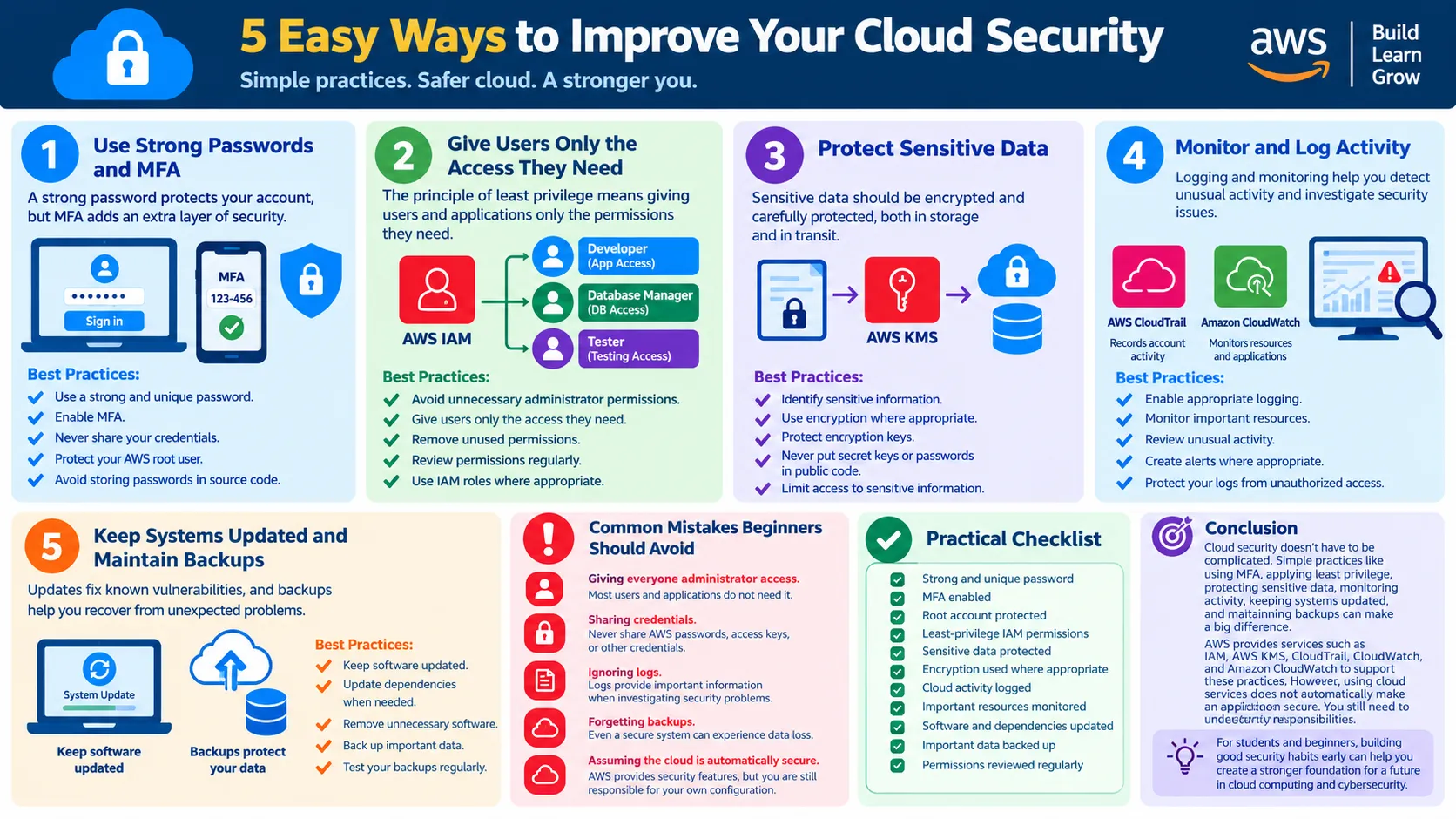
Cloud security is important for everyone using cloud services, especially students and beginners. In this article, we explore five simple practices to improve cloud security, including strong passwords and MFA, least-privilege access, data protection, monitoring and logging, and regular updates and backups. The article also introduces relevant AWS services such as IAM, AWS KMS, AWS CloudTrail, and Amazon CloudWatch in a simple and practical way.

5 Easy Ways to Improve Your Cloud Security:
Introduction:
Cloud computing has changed the way we build and use applications. Students, developers, startups, and organizations can use cloud services without managing all the physical hardware themselves.
But moving to the cloud does not mean security can be ignored.
Whether you are working on a university project, learning AWS, or developing a real application, basic security practices can help protect your accounts, data, and resources.
In this article, we will look at five simple ways to improve cloud security:
- Use strong passwords and MFA
- Follow least-privilege access
- Protect sensitive data
- Monitor and log activity
- Keep systems updated and maintain backups
Use Strong Passwords and Multi-Factor Authentication:
Your cloud account is an important entry point to your resources. If someone gets access to your credentials, they may be able to access your cloud environment.
A strong and unique password is the first step, but it should not be the only security measure.
Multi-Factor Authentication (MFA) adds another verification step when signing in. This means that knowing the password alone is not enough.
Simple Example
Imagine you use an AWS account for a university project. Someone somehow obtains your password.
If MFA is enabled, the attacker would still need the additional authentication factor to access the account.
Good Practices:
- Use a strong and unique password.
- Enable MFA.
- Never share your credentials.
- Protect your AWS root user.
- Avoid storing passwords in source code.
Give Users Only the Access They Need:
One common security mistake is giving users or applications more permissions than they actually need.
The principle of least privilege means giving a user, application, or service only the permissions required to perform its task.
AWS IAM:
AWS Identity and Access Management (IAM) helps manage users, roles, and permissions in AWS.
For example, an application that only needs to read files from an S3 bucket does not necessarily need permission to delete files or access other resources.
Simple Example
Consider a university project with three team members:
| User | Required Access |
|---|---|
| Developer | Application resources |
| Database Manager | Database resources |
| Tester | Testing resources |
Giving everyone administrator access would create unnecessary risk.
Instead, each person should receive only the permissions required for their work.
Good Practices
- Avoid unnecessary administrator permissions.
- Give users only the access they need.
- Remove unused permissions.
- Review permissions regularly.
- Use IAM roles where appropriate.
Protect Sensitive Data:
Cloud applications can store important information such as documents, customer information, student records, application data, and business information.
Sensitive data should be protected carefully.
One important security method is encryption. Encryption helps protect information so that unauthorized users cannot easily read it.
AWS KMS
AWS Key Management Service (AWS KMS) helps create and manage cryptographic keys used to protect data.
Simple Example:
Suppose a university application stores student documents in cloud storage.
Instead of leaving sensitive information unprotected, the application can use encryption to add an additional layer of security.
Good Practices
- Identify sensitive information.
- Use encryption where appropriate.
- Protect encryption keys.
- Never put secret keys or passwords in public code.
- Limit access to sensitive information.
Monitor and Log Cloud Activity:
Security is not only about preventing problems. You also need to know what is happening in your cloud environment.
Logging and monitoring can help you investigate unexpected activity.
AWS CloudTrail:
AWS CloudTrail records activity associated with actions performed in an AWS environment.
For example, if an important AWS resource is unexpectedly changed, CloudTrail logs can help you investigate what happened.
Amazon CloudWatch:
Amazon CloudWatch helps monitor applications, resources, and activity.
Simple Example:
Imagine that your application normally uses a small amount of computing resources, but suddenly its usage becomes much higher.
Monitoring can help you notice this unusual behavior and investigate the reason.
Good Practices
- Enable appropriate logging.
- Monitor important resources.
- Review unusual activity.
- Create alerts where appropriate.
- Protect your logs from unauthorized access.
Keep Systems Updated and Maintain Backups:
Cloud security is an ongoing process.
Applications, operating systems, libraries, and dependencies can contain security vulnerabilities. Keeping them updated can reduce the risk of known vulnerabilities being exploited.
Backups are also important.
Even if your security controls are strong, data can still be lost because of accidental deletion, application problems, or security incidents.
Simple Example:
Imagine you are working on a university project and accidentally delete important project data.
If you have a suitable backup, you can recover the data instead of starting the project again.
Good Practices
- Keep software updated.
- Update dependencies when required.
- Remove unnecessary software.
- Back up important data.
- Test your backups regularly.
Common Mistakes Beginners Should Avoid:
When learning cloud computing, beginners may focus mainly on making their application work and forget about security.
Here are some mistakes to avoid:
❌ Giving Everyone Administrator Access
Most users and applications do not need administrator permissions.
❌ Sharing Credentials
Never share AWS passwords, access keys, or other credentials with classmates or friends.
❌ Ignoring Logs
Logs can provide important information when investigating security problems.
❌ Forgetting Backups
Even a secure system can experience accidental data deletion or other problems.
❌ Assuming the Cloud Is Automatically Secure
Cloud providers provide security features, but users are still responsible for properly configuring and securing their own resources.
Practical Cloud Security Checklist:
Before deploying your cloud project, check the following:
- ✅ Strong and unique password
- ✅ MFA enabled
- ✅ Root account properly protected
- ✅ Least-privilege IAM permissions
- ✅ Sensitive data protected
- ✅ Encryption used where appropriate
- ✅ Cloud activity logged
- ✅ Important resources monitored
- ✅ Software and dependencies updated
- ✅ Important data backed up
- ✅ Permissions reviewed regularly
Conclusion:
Cloud security does not have to be complicated, especially when you are just starting.
Simple practices such as using MFA, applying least privilege, protecting sensitive data, monitoring activity, keeping systems updated, and maintaining backups can provide a strong foundation for safer cloud projects.
AWS provides services such as AWS IAM, AWS KMS, AWS CloudTrail, and Amazon CloudWatch that can support these security practices. However, using cloud services does not automatically make an application secure. Users must also understand their security responsibilities and configure their resources correctly.
For students and beginners, developing good security habits early can help build a strong foundation for a future in cloud computing and cybersecurity.
Enjoyed reading this content? Let the author know!
Your likes, comments, shares, and saves help creators reach more builders.

Loading recommendations
Loading article