
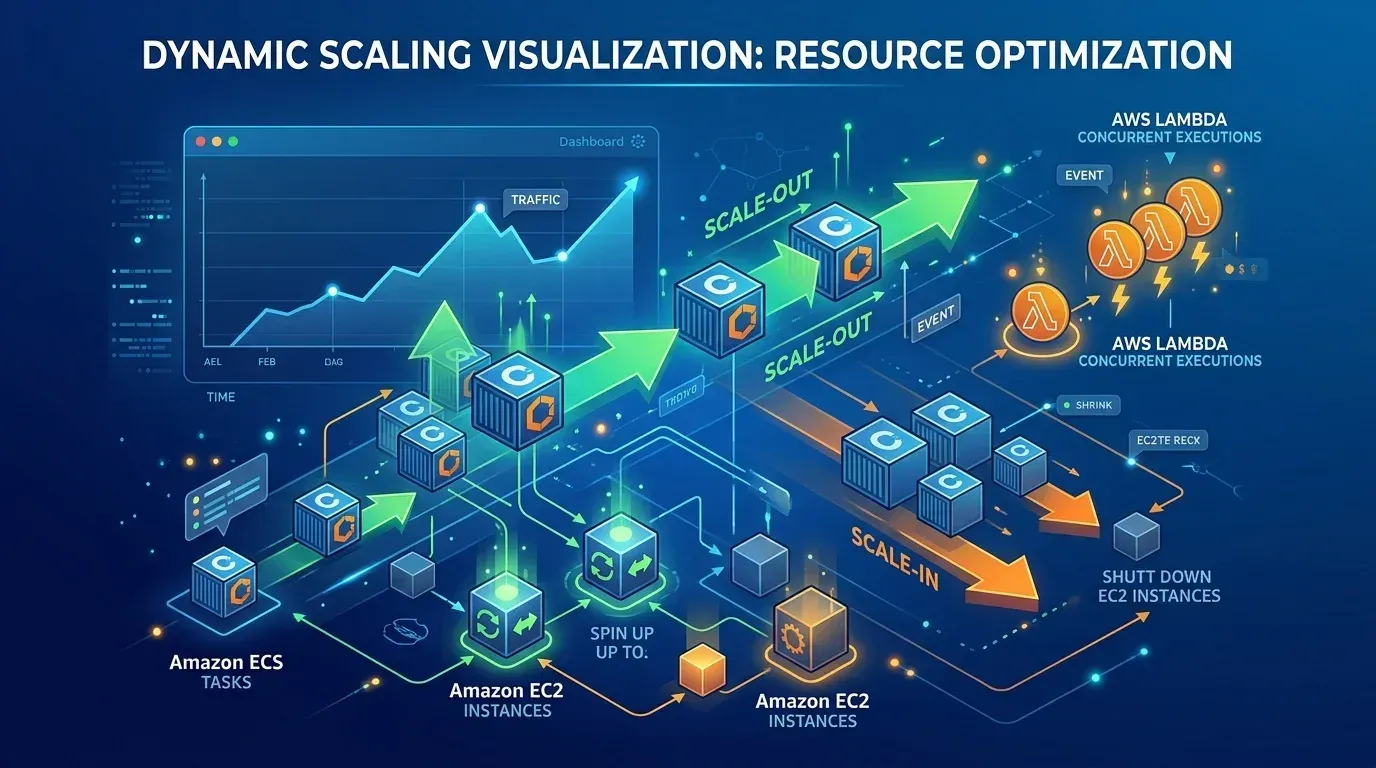
What Happens When an AWS Resource Gets Too Busy? Understanding Scaling as a Beginner
As a beginner learning AWS, I initially thought that launching an application was enough. But what happens when the number of users suddenly increases? This article explains the basic idea of AWS scaling and how services such as Amazon EC2, Elastic Load Balancing, Auto Scaling, and CloudWatch can work together to handle changing workloads.

Introduction
Imagine building a web application and successfully deploying it on AWS.
At first, everything works perfectly.
There are only a few users, the application responds quickly, and the server has enough resources to handle the workload.
Then suddenly, more users start accessing the application.
The number of requests increases.
The server becomes busy.
The application starts responding slowly.
This made me wonder:
“What happens when one server is no longer enough?”
That is where the concept of scaling becomes important.
Step 1: One Server Handles the Application
Let's start with a simple setup.
An application is running on an Amazon EC2 instance.
The basic flow is:
User → EC2 → Application
For a small number of users, one EC2 instance may be enough.
The server processes requests and sends responses back to users.
But what happens when the workload increases?
Step 2: More Users Create More Workload
Imagine that an application normally has 50 users.
Then, because of a new event or popular feature, 500 users start accessing it.
Now the EC2 instance has much more work to handle.
We may notice:
- Higher CPU utilization
- Slower response times
- Increased network traffic
- More application requests
- Reduced performance
The problem is no longer the application itself.
The problem is that the workload has increased.
Step 3: Understanding Scaling
Scaling means adjusting computing resources according to the workload.
There are two basic ways to think about it.
Scale Up
Increase the capacity of an existing server.
For example:
Small EC2 instance → Larger EC2 instance
This gives the existing server more computing power.
Scale Out
Add more servers to handle the workload.
For example:
1 EC2 instance → 2 EC2 instances → 3 EC2 instances
Instead of asking one server to handle everything, multiple instances can share the workload.
This idea helped me understand why cloud platforms are useful for applications with changing demand.
Step 4: Distributing Requests
If multiple EC2 instances are running, another question appears:
“How does the application decide which server should receive each request?”
This is where Elastic Load Balancing becomes useful.
A load balancer can distribute incoming application traffic across multiple targets.
The simplified flow becomes:
Users
↓
Load Balancer
↓
EC2 Instance 1
EC2 Instance 2
EC2 Instance 3
EC2 Instance 2
EC2 Instance 3
Instead of sending every request to one server, traffic can be distributed across available instances.
Step 5: Automatically Adjusting Resources
Manually creating and removing EC2 instances whenever traffic changes would not be very efficient.
This is where Amazon EC2 Auto Scaling becomes important.
Auto Scaling can help maintain the required number of EC2 instances based on configured conditions.
For example:
Low workload → Fewer instances
Higher workload → More instances
Workload decreases → Instances can scale down
This allows the infrastructure to respond to changing demand.
Step 6: Where Does Monitoring Come In?
Before automatically responding to changing workloads, we need information about what is happening.
This is where Amazon CloudWatch can help.
CloudWatch can provide metrics and monitoring information that can be used to understand resource behavior.
For example, CPU utilization can help indicate whether an EC2 instance is becoming heavily loaded.
A simplified idea could be:
CloudWatch observes
↓
Workload increases
↓
Scaling condition is reached
↓
Additional resources are added
This helped me understand that monitoring and scaling are closely connected.
🔄 The Complete Journey
A simplified architecture can look like this:
👤 Users
↓
⚖️ Load Balancer
↓
💻 EC2 Instances
↓
📊 CloudWatch
↓
🔄 Auto Scaling
As demand changes, the infrastructure can adjust to handle the workload.
The goal is not simply to run more servers.
The goal is to provide the right amount of resources at the right time.
💡 What I Learned
Before learning about scaling, I mostly thought about cloud computing as:
“Create a server and run the application.”
Now I understand that real-world applications also need to consider:
- Changing workloads
- Application performance
- Availability
- Traffic distribution
- Monitoring
- Resource management
This made me realize that building a cloud application is not just about making it work.
It is also about making it ready for change.

Understanding how AWS Load Balancing, EC2 Auto Scaling, and CloudWatch work together to handle changing application workloads and maintain performance. ☁️
🚀 Why Scaling Matters for Cloud Applications
User traffic is rarely constant.
An application might have:
Low traffic → Normal traffic → Sudden traffic spike → High traffic → Low traffic again
Cloud platforms allow applications to be designed around these changing conditions.
Instead of permanently running a large amount of infrastructure, scaling concepts help resources respond to demand.
For students learning AWS, understanding this concept provides a useful foundation for learning more advanced cloud architectures.
Conclusion
My biggest takeaway from learning about scaling is simple:
A cloud application should not only work when everything is normal. It should also be prepared for change.
Starting with one EC2 instance helped me understand the basic concept.
Then learning about Load Balancing, Auto Scaling, and CloudWatch showed me how AWS can help applications handle changing workloads.
As I continue learning AWS, I want to explore more about high availability, fault tolerance, and scalable architectures.
Because in the cloud, the question isn't only:
“Can my application handle today's users?”
It's also:
“What happens when tomorrow brings many more?” ☁️
Enjoyed reading this content? Let the author know!
Your likes, comments, shares, and saves help creators reach more builders.

Loading recommendations
Loading article