
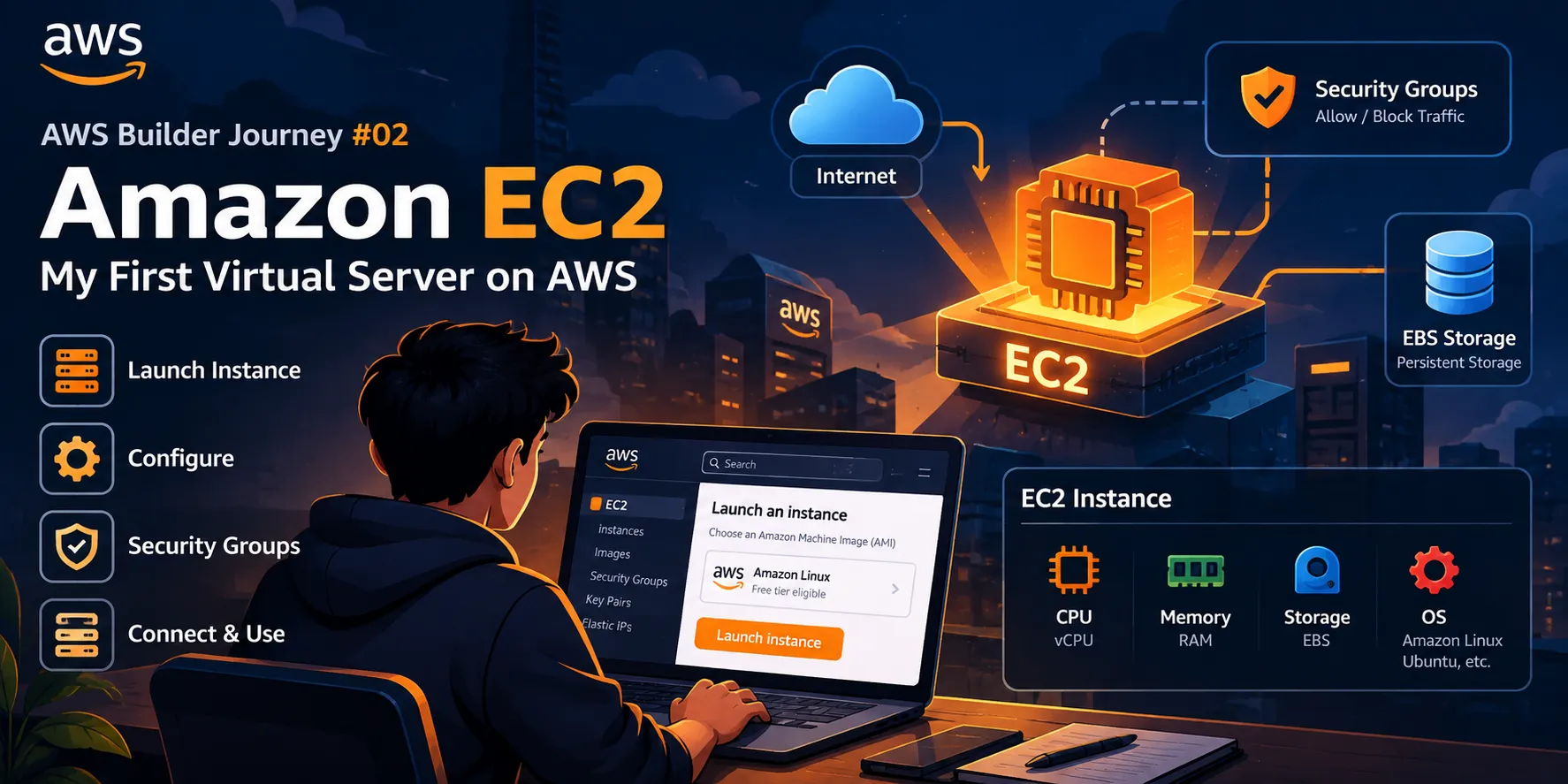
AWS Builder Journey #02 — Amazon EC2: My First Virtual Server on AWS
My first hands-on look at Amazon EC2 — understanding virtual servers, instances, AMIs, instance types, security groups, and the basics of launching a server on AWS.

Amazon EC2: My First Virtual Server on AWS
After learning the fundamentals of cloud computing in my first AWS Builder Journey article, I wanted to understand one of the most important building blocks of AWS: Amazon EC2.
When I first heard the term “EC2,” it sounded like another AWS abbreviation to memorize.
But after exploring it, I realized the basic idea is quite simple:
Amazon EC2 allows us to create and use virtual servers in the AWS Cloud.
This article is about what I learned while understanding my first virtual server.
🖥️ What is Amazon EC2?
Amazon Elastic Compute Cloud (Amazon EC2) provides resizable compute capacity in the AWS Cloud.
In simple terms, EC2 lets us create a virtual machine that can run applications, websites, APIs, scripts, and other workloads.
Instead of purchasing a physical server, we can create an EC2 instance when we need one.
A simplified view is:
1
2
3
4
5
6
7
8
9
Developer
    ↓
AWS Console
    ↓
Amazon EC2
    ↓
Virtual Server
    ↓
Application
This was one of the first concepts that made cloud computing feel more practical to me.
🤔 Why Do We Need EC2?
Imagine that I want to deploy a backend application.
Traditionally, I might need:
- A physical server
- CPU
- Memory
- Storage
- Networking
- Operating system
- Maintenance
With EC2, I can provision a virtual server in AWS and configure it according to my application's requirements.
For example:
1
2
3
4
5
6
7
My Application
      ↓
   EC2 Instance
      ↓
CPU + Memory + Storage
      ↓
    AWS Cloud
This makes it much easier to experiment, deploy applications, and scale computing resources when needed.
🧩 Understanding an EC2 Instance
An EC2 instance is essentially a virtual server running in AWS.
When creating an instance, we make several choices about its configuration.
Some important concepts include:
- AMI
- Instance type
- Key pair
- Network settings
- Security group
- Storage
- Region
At first, this may look like a lot of options.
But each one solves a specific problem.
💿 What is an AMI?
AMI stands for Amazon Machine Image.
An AMI provides the information needed to launch an instance.
It can include things such as:
- Operating system
- Software configuration
- Application configuration
- Required settings
For example, I might choose a Linux-based AMI when creating an EC2 instance.
The simplified process looks like:
1
2
3
4
5
6
7
Choose AMI
    ↓
Choose Instance Type
    ↓
Configure Instance
    ↓
Launch EC2 Instance
So, an AMI is essentially the starting template for the instance.
⚙️ What is an Instance Type?
The instance type determines the compute resources available to an EC2 instance.
Different applications have different requirements.
For example, one application may need more CPU, while another may need more memory.
An instance type determines resources such as:
- vCPUs
- Memory
- Network performance
- Other compute characteristics
This means I shouldn't simply choose the largest instance.
Instead, I should select an instance type based on the workload.
🔑 What is a Key Pair?
When connecting securely to an EC2 instance, key pairs can be used for authentication.
A key pair consists of:
- A public key
- A private key
The public key is associated with the instance, while the private key is kept securely by the user.
The important lesson I learned here is:
Never share or expose your private key.
Security starts with small practices like protecting credentials properly.
🛡️ What is a Security Group?
This was one of the most important concepts I learned while exploring EC2.
A security group acts as a virtual firewall for an EC2 instance.
It controls network traffic based on configured rules.
For example, a web server may need HTTP traffic:
1
2
3
4
5
6
7
Internet
   ↓
HTTP / HTTPS
   ↓
Security Group
   ↓
EC2 Instance
We can configure rules for specific traffic such as:
- SSH
- HTTP
- HTTPS
- Application-specific ports
A security group should allow only the traffic that is actually required.
🌐 EC2 and Networking
An EC2 instance doesn't exist independently.
It runs within AWS networking infrastructure, commonly inside an Amazon VPC.
A simplified architecture looks like:
1
2
3
4
5
6
7
8
9
10
AWS Region
    │
    ↓
   VPC
    │
    ↓
Subnet
    │
    ↓
EC2 Instance
This helped me connect what I learned in the first article about AWS Regions and networking with actual compute resources.
I'll explore VPC and networking in much more detail later in this series.
💾 EC2 Storage
An EC2 instance also needs storage.
AWS provides storage options that can be attached to EC2 instances, including Amazon EBS (Elastic Block Store).
EBS provides persistent block storage for EC2.
A simplified view:
1
2
3
4
5
6
7
EC2 Instance
     │
     ↓
  EBS Volume
     │
     ↓
Application Data
This is useful for storing operating system files, application data, and other information that needs persistent storage.
🚀 What Happens When We Launch an EC2 Instance?
The overall process can be thought of like this:
1
2
3
4
5
6
7
8
9
10
11
12
13
14
15
1. Choose an AWS Region
          ↓
2. Choose an AMI
          ↓
3. Choose an Instance Type
          ↓
4. Configure Networking
          ↓
5. Configure Security Group
          ↓
6. Configure Storage
          ↓
7. Launch Instance
          ↓
8. Connect to the Server
The exact options vary depending on the workload, but this gives me a useful mental model.
💻 Connecting to the Server
Once the instance is running, we can connect to it and interact with the operating system.
For a Linux instance, SSH is commonly used.
Conceptually:
1
2
3
4
5
My Computer
     │
     │ SSH
     ↓
EC2 Linux Instance
After connecting, I can run commands just as I would on a Linux server.
For example:
1
uname -a
or:
1
df -h
These commands can help inspect the system and its available resources.
The interesting part for me was realizing that the server I was interacting with could be running in AWS infrastructure rather than on my own computer.
🧪 What I Learned From Exploring EC2
The biggest lesson wasn't simply learning how to launch an instance.
It was understanding the relationship between the different components.
1
2
3
4
5
6
7
8
9
10
11
12
13
              AWS
               │
              VPC
               │
             Subnet
               │
          ┌────┴────┐
          ↓         ↓
       EC2       Security
     Instance     Group
          │
          ↓
        EBS
Each component has a purpose.
EC2 → Compute
Security Group → Network access control
EBS → Block storage
VPC/Subnet → Networking environment
This way of thinking is helping me understand AWS architecture instead of simply memorizing service names.
⚠️ Common Beginner Mistakes
While learning EC2, there are several things I want to avoid.
1. Leaving unnecessary resources running
Cloud resources can incur charges depending on usage and configuration.
It's important to understand what resources are active and stop or terminate resources when appropriate.
2. Opening unnecessary ports
Security groups should not allow unrestricted access unless there is a specific reason.
3. Sharing private keys
Private credentials should always be protected.
4. Choosing resources without understanding the workload
More resources don't automatically mean better architecture.
5. Ignoring networking
An EC2 instance is part of a larger networking environment.
Understanding VPCs, subnets, routes, and security groups becomes important as applications become more complex.
🧠 My Biggest Takeaway
Before learning EC2, I thought of a server mainly as a physical machine.
Now I'm starting to think about a server as a computing resource that can be provisioned, configured, secured, and managed through the cloud.
That's one of the ideas that makes cloud computing powerful.
Instead of thinking:
"I need to buy a server."
I can start thinking:
"What computing resources does my application need, and how should I provision them?"
That shift in thinking is one of the most valuable things I'm taking from this learning journey.
🚀 What's Next?
Now that I've started understanding compute, I want to explore another fundamental part of cloud applications:
AWS Builder Journey #03 — Amazon S3: Understanding Cloud Storage
I'll explore how Amazon S3 stores objects, how buckets work, common use cases, storage concepts, and how S3 can be used in real applications.
🎯 Key Takeaways
- EC2 provides virtual computing capacity in AWS.
- An EC2 instance is a virtual server.
- AMIs provide templates for launching instances.
- Instance types determine compute resources.
- Security groups control network traffic.
- Key pairs help with secure authentication.
- EBS provides persistent block storage for EC2.
- EC2 instances operate within AWS networking infrastructure.
- Understanding why each component exists is more valuable than memorizing configuration steps.
- Cloud computing allows infrastructure to be provisioned much more flexibly than traditional physical servers.
One more step completed in my AWS journey. ☁️🚀
Enjoyed reading this content? Let the author know!
Your likes, comments, shares, and saves help creators reach more builders.

Loading recommendations
Loading article