
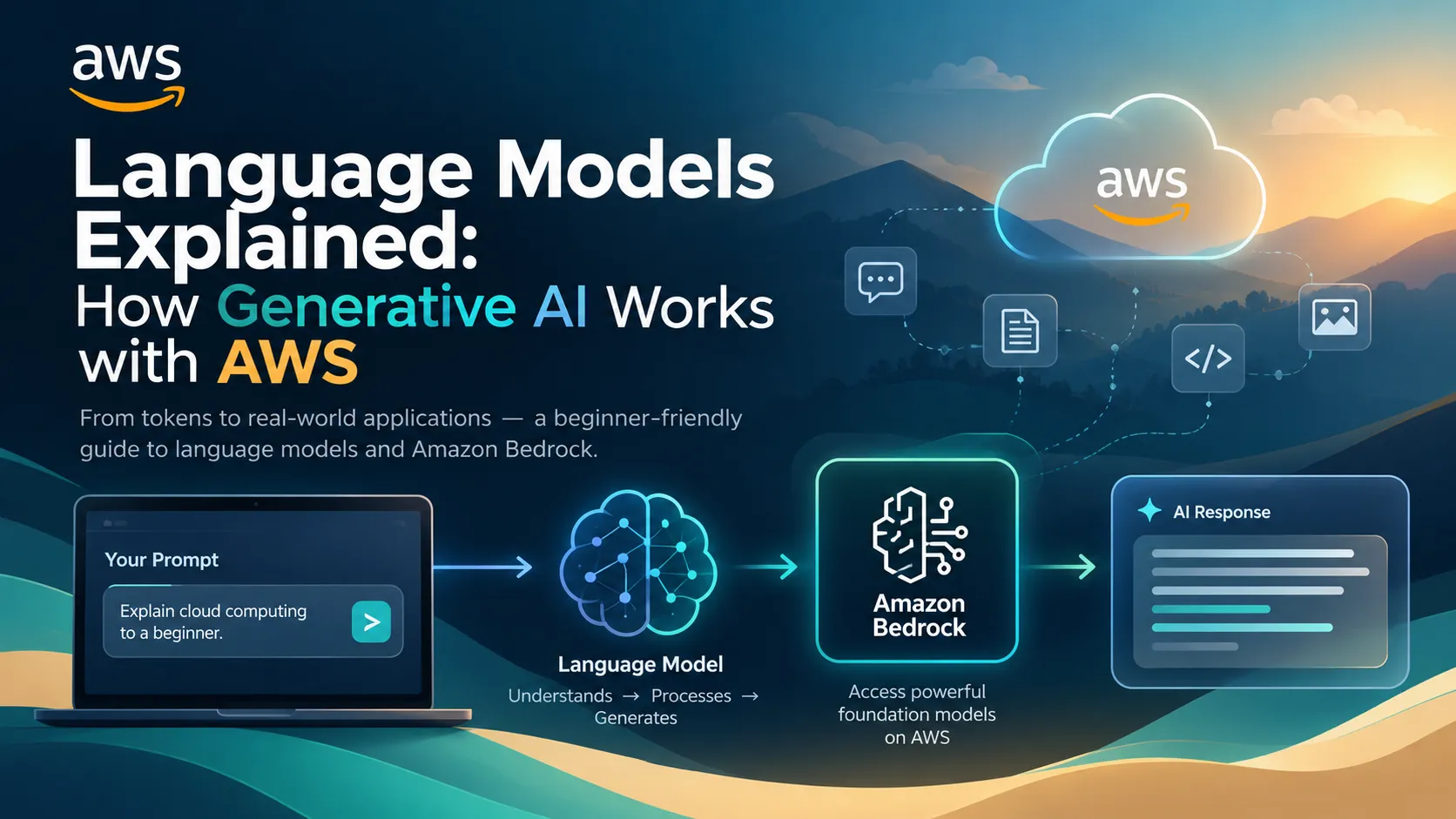
Language Models Explained: How Generative AI Works with AWS
Ever wondered how AI can understand questions and generate human-like text? This beginner-friendly guide explains language models, tokens, training, inference, and how AWS makes them accessible through Amazon Bedrock.

Language Models Explained: How Generative AI Works with AWS
You ask an AI assistant a question.
A few seconds later, it gives you an answer that looks surprisingly human.
You ask it to write code, summarize an article, explain a difficult concept, or generate an email — and it does all of that from a simple instruction.
But what is actually happening behind the scenes?
The technology behind many of these applications is based on language models.
As a student learning software development and cloud computing, I think understanding the basic idea behind language models is more useful than simply knowing how to use an AI chatbot.
In this article, we'll break down what language models are, how they work at a high level, and how AWS helps developers build applications around foundation models through Amazon Bedrock. AWS describes foundation models as models trained on massive and diverse datasets that can support a wide range of generative AI use cases. AWS Documentation
What Is a Language Model?
A language model is a machine learning model designed to work with language.
At a basic level, it learns patterns from large amounts of text and uses those patterns to predict what should come next.
For example, consider:
“The sun rises in the ___.”
A trained language model can predict that the missing word is likely to be “east.”
Modern language models are far more capable than simple next-word predictors. They can generate paragraphs, answer questions, summarize information, write code, translate text, and support conversational applications.
This is why they are such an important part of modern generative AI.
Language Models and Foundation Models
You will often hear terms such as language model, large language model (LLM), and foundation model used together.
They are related, but they are not exactly the same thing.
A language model focuses on processing and generating language.
A large language model is a language model with a very large number of parameters and training data.
A foundation model is a broader concept. Foundation models can support different types of tasks and modalities, including text generation, image generation, and embeddings. Amazon Bedrock provides access to a catalog of foundation models from multiple providers. AWS Documentation
For developers, this distinction is useful because an AI application is usually more than just the model itself.
How Does a Language Model Generate an Answer?
Let's simplify the process.
Imagine you type:
“Explain cloud computing to a beginner.”
Your request is converted into information the model can process.
The model analyzes the input, considers the context, and generates a response based on patterns learned during training.
A simplified flow looks like this:
1
2
3
4
5
6
7
8
9
10
11
12
13
Your Prompt
     │
     ▼
Input Processing
     │
     ▼
Language Model
     │
     ▼
Generated Tokens
     │
     ▼
Final Response
The exact internal architecture is much more complicated, but this simplified model is enough to understand the basic idea.
What Are Tokens?
One concept that beginners often encounter when working with language models is tokens.
A token is a unit of text processed by a model.
A token can represent a complete word, part of a word, punctuation, or another piece of text.
For example, a sentence such as:
“AWS makes cloud development easier.”
is broken into smaller pieces that the model can process.
Why does this matter?
Because language models operate on tokens rather than simply thinking in terms of complete sentences.
Token usage is also important when designing AI applications because model requests and responses are processed using tokens, and model capabilities and usage can depend on them.
Training vs. Inference
Two important words you'll hear frequently are training and inference.
Training
During training, a model learns patterns from a very large collection of data.
It adjusts its internal parameters so that it becomes better at tasks involving the data it was trained on.
This stage can require enormous amounts of computing resources.
Inference
Inference happens when we actually use the trained model.
For example:
1
2
3
4
5
6
7
8
9
10
User:
"Explain Amazon EC2."

        ↓

Model inference

        ↓

AI-generated explanation
When you build an AI application, you are usually concerned with inference rather than training a giant model from scratch.
This is one reason services such as Amazon Bedrock are useful for developers.
So Where Does AWS Come In?
Building and operating advanced AI models from scratch can require significant infrastructure, expertise, and resources.
AWS provides Amazon Bedrock, which gives developers access to foundation models through managed AWS capabilities.
Instead of building an entire model infrastructure stack yourself, you can select an appropriate model and integrate it into an application.
Amazon Bedrock provides access to foundation models from multiple providers, with model availability and capabilities varying by region and model. AWS Documentation
This opens up many possibilities for developers.
For example:
1
2
3
4
5
6
7
8
9
10
11
12
13
            User
              │
              ▼
        Your Web App
              │
              ▼
       Amazon Bedrock
              │
              ▼
      Foundation Model
              │
              ▼
        AI Response
Your application becomes the interface, while the model provides the intelligence needed for the generative AI task.
What Can You Build?
This is where language models become especially interesting for students.
You could build:
AI study assistants
Students could ask questions about a particular subject and receive explanations.
Code assistants
An application could explain errors, generate examples, or help students understand programming concepts.
Document summarizers
Users could provide long text and receive a concise summary.
Customer-support assistants
A company could build an application that answers frequently asked questions.
College information assistants
A chatbot could help students find information about courses, facilities, events, or procedures.
The model is only one component. The real value comes from combining the model with useful application logic and reliable data.
What Is RAG?
A language model may have broad knowledge, but that doesn't mean it automatically knows the latest or most relevant information about your private data.
This is where Retrieval-Augmented Generation (RAG) becomes useful.
The basic idea is:
1
2
3
4
5
6
7
8
9
10
11
12
13
User Question
      │
      ▼
Search Relevant Data
      │
      ▼
Retrieved Context
      │
      ▼
Language Model
      │
      ▼
Generated Answer
Instead of asking the model to answer using only its general knowledge, your application first retrieves relevant information from a connected data source and provides that context to the model.
Amazon Bedrock Knowledge Bases can be used to implement retrieval-augmented generation workflows with your data. AWS describes RAG as retrieving information from a data source, adding that information to the model context, and then generating a response using the additional context. AWS Documentation
This can be especially useful for applications that need to work with a company's documents, internal knowledge, or specialized information.
What About AI Agents?
Once you understand language models and RAG, the next concept you will encounter is AI agents.
An agent can use a foundation model together with tools, data sources, or actions to accomplish a task.
For example, instead of simply answering:
“What is the status of my order?”
an AI application could potentially retrieve the order information from another system and then respond to the user.
AWS provides agent capabilities within the Bedrock ecosystem, although AWS's current documentation also distinguishes newer Agent Core capabilities from the older Bedrock Agents Classic offering. AWS Documentation
The important concept for a beginner is:
Language model → generates and understands language
RAG → gives the model relevant external information
Agent → can connect the model to actions and tools
That progression makes it easier to understand how modern AI applications are built.
Does a Better Model Always Mean a Better Application?
Not necessarily.
When building an AI application, the model is only one part of the system.
You also need to think about:
- the quality of your prompts,
- the data you provide,
- the application architecture,
- security and permissions,
- latency,
- cost,
- and how you evaluate the responses.
A powerful model with poor application design can still produce a disappointing user experience.
Sometimes a smaller or more suitable model can be a better choice for a particular task.
Amazon Bedrock provides multiple foundation models and model-selection options, allowing developers to choose models based on their application's requirements. AWS Documentation
A Beginner's Learning Path
You don't need to become an AI researcher before building your first generative AI application.
A practical learning path can be:
1
2
3
4
5
6
7
8
9
10
11
12
13
14
15
Python Basics
      ↓
Machine Learning Fundamentals
      ↓
Language Model Concepts
      ↓
Prompt Engineering
      ↓
Amazon Bedrock
      ↓
RAG and Knowledge Bases
      ↓
AI Application
      ↓
Agents and Advanced AI
The most important thing is to keep building.
Try a small project.
Make an AI-powered FAQ bot.
Build a document summarizer.
Create a study assistant.
Then gradually make the application more advanced.
My Biggest Takeaway
One thing I've learned while exploring AI is that you don't need to understand every mathematical detail before you can start building.
But you should understand what the system is doing.
Knowing that a language model processes tokens, generates responses through inference, and can be combined with external data gives you a much stronger foundation than simply knowing how to write a prompt.
AWS makes this particularly interesting because services such as Amazon Bedrock let developers work with foundation models without having to build the entire underlying model infrastructure themselves. AWS Documentation
Final Thoughts
Language models are changing how we interact with software.
Instead of interacting only through buttons, menus, and predefined commands, users can increasingly communicate with applications using natural language.
For students, this creates an exciting opportunity.
You don't have to train a giant model from scratch.
You can start with the fundamentals, learn how language models work, explore Amazon Bedrock, and build something small.
Enjoyed reading this content? Let the author know!
Your likes, comments, shares, and saves help creators reach more builders.

Loading recommendations
Loading article