
Partitioning Data in Amazon S3 for Amazon Athena
Partitioning data in Amazon S3 organizes large datasets into a hierarchical folder structure based on columns like date. This allows Amazon Athena to scan only relevant folders during queries, significantly improving performance and reducing scan costs.

Partitioning Data in Amazon S3 for Amazon Athena
When working with large datasets in Amazon S3, storing all data in one location can cause Amazon Athena to scan more data than necessary.
Partitioning :
Partitioning is a simple way to organize data so that Athena can identify and read only the relevant data.
Example :
Suppose we have an ecommerce orders dataset. Instead of keeping every file in one folder
1
2
3
4
s3://ecommerce-data/orders/

├── orders-001.parquet

├── orders-002.parquet

└── orders-003.parquet
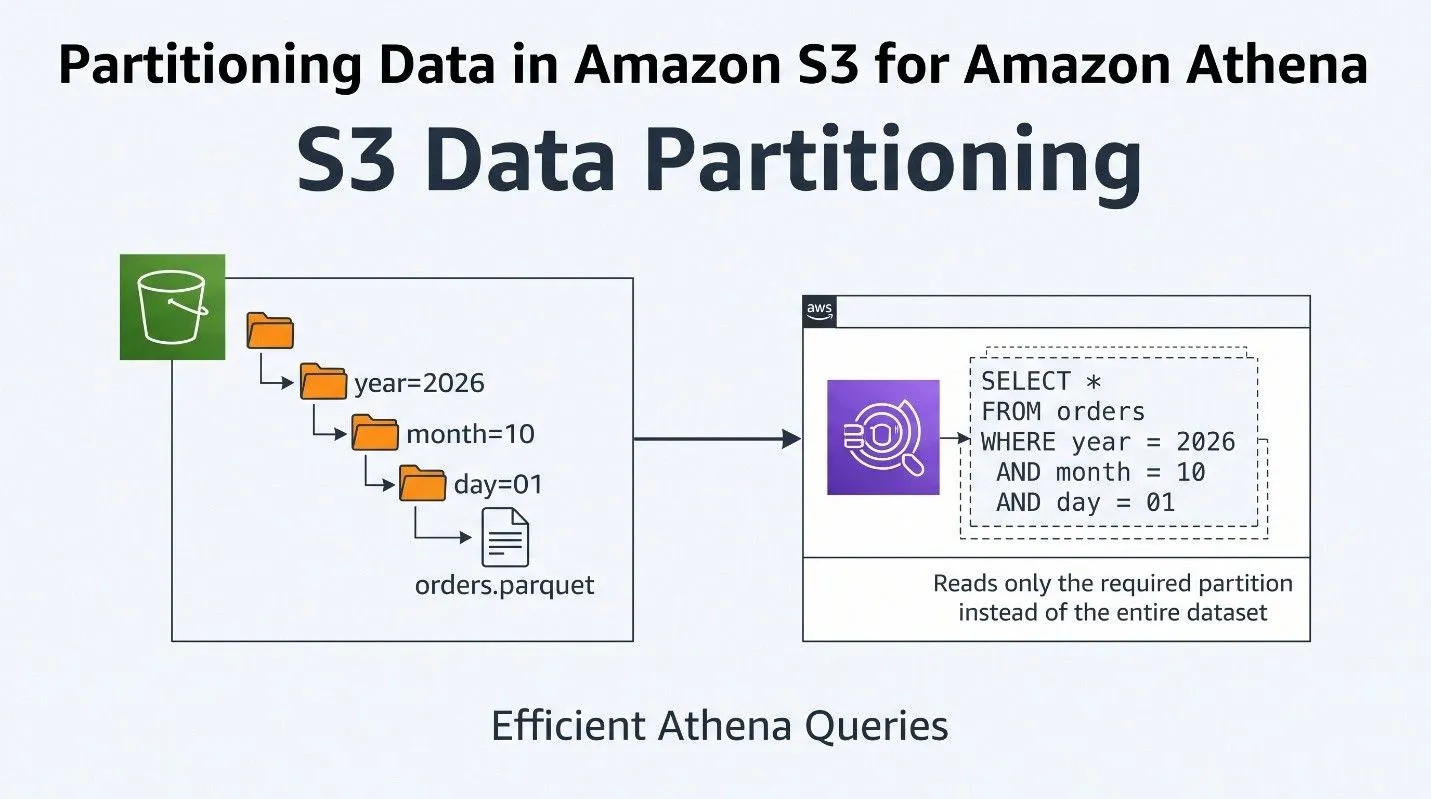
We can partition the data by date
1
2
3
4
5
6
7
8
s3://ecommerce-data/orders/

├── year=2026/

│   ├── month=09/

│   │   ├── day=29/

│   │   └── day=30/

│   └── month=10/

│       ├── day=01/

│       └── day=02/
Here, year, month, and day are partition columns.
Querying Partitioned Data
After creating the table in the AWS Glue Data Catalog, we can query the data using Athena:
1
2
3
4
5
SELECT *

FROM orders

WHERE year = 2026

  AND month = 10

  AND day = 1;
Athena can use these partition values to identify the relevant data instead of scanning the entire orders dataset.
Benefits
Partitioning can help:
- Reduce the amount of data scanned
- Improve query performance
- Reduce Athena query costs
- Keep large datasets organized
Date-based partitioning is especially useful for datasets that continuously receive new data, such as orders, payments, logs, and events.
Conclusion
S3 partitioning is a simple but important technique when building data lakes on AWS. Choosing the right partition columns can make data easier to manage and queries more efficient when using Amazon Athena.
Enjoyed reading this content? Let the author know!
Your likes, comments, shares, and saves help creators reach more builders.

Loading recommendations
Loading article