

I Kept Seeing "Full" in the re:Invent Catalog, So I Built a Fix
Most re:Invent 2026 sessions were already full and the catalog has no "seats left" filter. So I built Open Seats with the new Events API. It shows only sessions you can still get into, hides clashes with your schedule, and reserves them in one click.
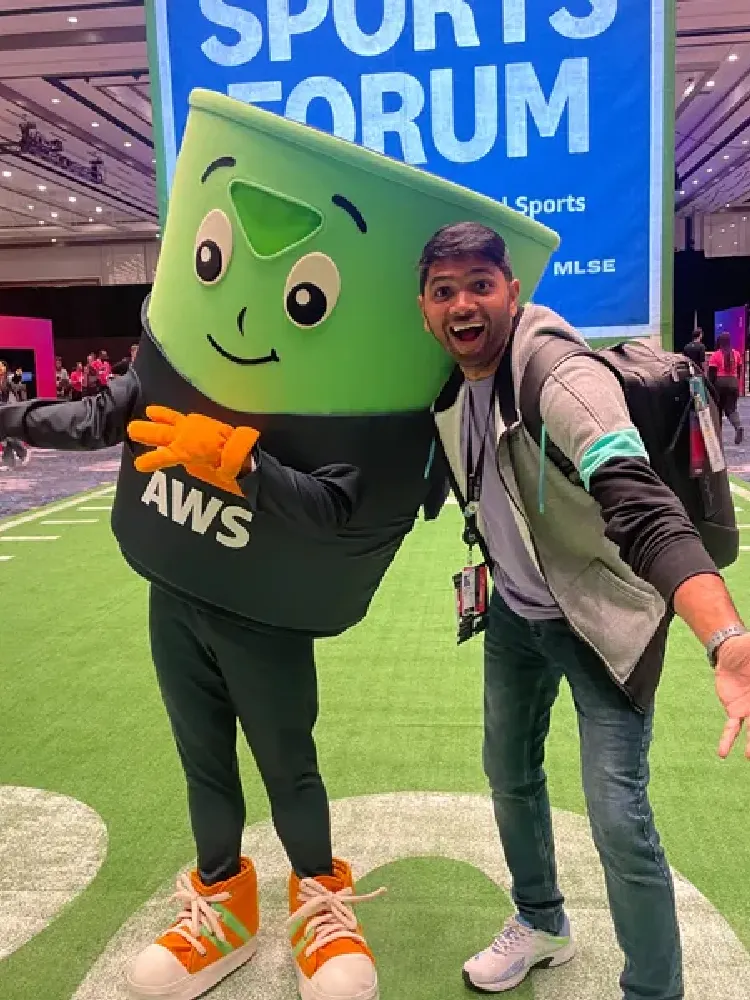
AWS re:Invent is almost 1 month from now. I was looking to reserve my seat for some specific talks and chalk talks. I tried multiple times, but I could not find anything. And I kept postponing things. By the time I sat down properly, I already lost almost 6-7 sessions which I really wanted to attend.
The Problem That Started It All
Now the event is getting closer, so I need to start planning my schedule. People are reaching out, sending meeting invites and everything. So I need to know first: what are the sessions I am going to attend?
I checked the event catalog. Most of the talks were at full capacity. And I did not find any good option for filtering. There is no filter for "has seats left". I wanted to filter out which sessions are available, which I can target, and which also match my interest: AWS, serverless, agentic AI and architecture.
I didn't want to open every session one by one and check. Later I found the catalog has 2,485 sessions. Nobody can check that by hand.
So I started thinking, why not build something? If it solves my problem, it can help other people also.
First Thing I Did: Inspect Element
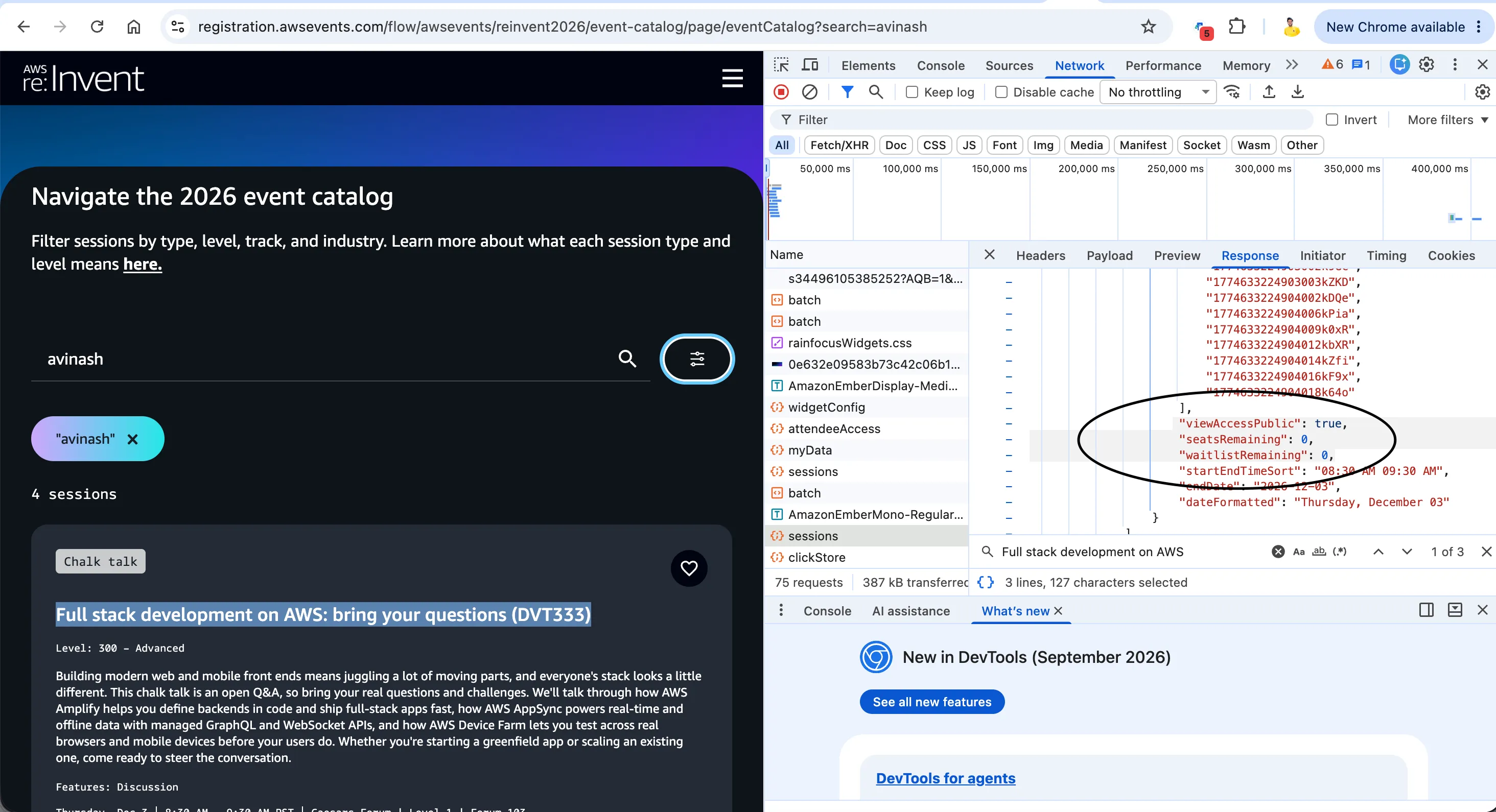
So, I did inspect element on the catalog page and checked the APIs behind it. There is a
sessions API, and in the response I found some parameters which actually helped me:JSON
"viewAccessPublic": true,"seatsRemaining": 0,"waitlistRemaining": 0,
This is what I saw in Chrome DevTools, in the Network tab, for the
sessions call. Here it is for the chalk talk Full stack development on AWS: bring your questions (DVT333). Both seatsRemaining and waitlistRemaining are 0 , so no seat and no waitlist also.
So the data is already there. I can know which sessions have seats, which have only waitlist, and which are completely full. I found, okay, why not build a small tool with this?
Diwali, Butter Chicken and a Hackathon Mail
Today is Diwali. Already cooking is happening at home, and I am making butter chicken today. In between, I got a mail about the re:Invent event catalog API hackathon, and today is the deadline.
So it is a kind of good combination. The tool will solve my problem, and I can participate in the hackathon with it also. So I was doing both things together, cooking butter chicken and building this tool.
But there was one problem with the inspect element approach. The request I copied as curl from the browser had my session cookies and auth token inside it. Those tokens expire, and anyone who gets that curl can act as me on the registration site. Also this is an internal API of the website, not something built for us developers.
Then I Found the Official Events API
While reading the hackathon page, I found that for the first time AWS opened programmatic access to the re:Invent 2026 session catalog. It comes with two front doors: a REST API (OpenAPI 3.1) and a remote MCP server for AI agents. Every operation is available on both.
What I can do with it:
- List the full session catalog
- Get my schedule (reservations, favorites, personal time)
- Favorite sessions
- Block personal time
- Reserve and cancel seats
So instead of the internal API, I decided to build on the official one. Same problem solved, and it is my hackathon entry also.
One thing I didn't realise first. In the official API, there is no exact
seatsRemaining count. Each session has isReservable and a seatAvailability field, and it is a band:Plain text
available | limited | veryLimited | unavailable | walkUp
First I thought this is not enough, because I wanted the number. But for my use case it is fine. I only need to know "can I get in or not". A band is enough for that.
What I Built: Open Seats
Open Seats is a small local web app. You run one Python file, sign in with your AWS Builder ID, and it does this:
- Pulls the full re:Invent 2026 catalog using
ListSessions.
- Shows only sessions with open seats by default (Open, Filling up, Last seats). Full and walk-up sessions are one checkbox away. Each one shows a count.
- Reads my schedule using
GetScheduleand can hide sessions which clash with my reservations or personal time.
- Filters by day, session type, level, topic and free text search. So I can search "serverless" or "agentic" and only see open sessions for my interests.
- I select up to 10 sessions and reserve them in one click (
ReserveSessions), or add them to favorites (AssociateFavorites).
- Every session has a link to the official re:Invent catalog, so I can check full details there.
This is how it looks with only Open sessions:

The Numbers Were Worse Than I Thought
When I first loaded the full catalog, I checked the counts. As of 12:56 PM IST on 7 November:
Availability | Sessions |
|---|---|
Open | 4 |
Filling up | 1 |
Last seats | 8 |
Full | 1,473 |
No reservations | 999 |
Total in catalog | 2,485 |
So out of 1,486 sessions which take reservations, only 13 have any seat left. That is less than 1%. No wonder every session I opened was full. Losing those 6-7 sessions was not bad luck, I was just late.
But those 13 are real options. For example, Cell-based architecture: Designing blast-radius boundaries (ARC320-R2), a chalk talk on Thu 3 Dec, was still Open. That is exactly my interest area. Without this tool I would never find it in 2,485 sessions.
The Filling up filter showed only one session:

And Last seats showed 8, spread from Monday to Thursday:

How It Works
The architecture is simple:
Plain text
Browser (web UI) ──► server.py on localhost:8484 ──► api.awsevents.com/v1│└── OAuth 2.0 + PKCE ──► oauth.awsevents.com (AWS Builder ID)
I kept it with zero dependencies. Python standard library for the server, plain JavaScript modules for the UI, no build step. So anyone can clone and run:
Plain text
git clone https://github.com/AvinashDalvi89/reinvent-open-seat-findercd reinvent-open-seat-finderpython3 server.py
Signing In: OAuth With PKCE on Localhost
The API needs a signed-in attendee who is registered for re:Invent 2026. Without token, I did curl to the sessions endpoint and it gave
401 .The sign-in is OAuth 2.0 authorization code flow with PKCE. There is one public client ID, same for everyone, and no client secret. This took me some time to understand: the redirect URI must be exactly on one of six reserved loopback ports,
8484 to 8489 , with /callback path. Any other port fails. That's why the server runs on 8484 by default.One more thing, if your Builder ID is not registered for re:Invent, sign-in works fine but the API gives
403 . Sign-in again doesn't fix it. You have to register on the event site.I also didn't want tokens in the browser. So the local server keeps the tokens only in memory and sends API calls on behalf of the browser. When you stop the server, tokens are gone. Sign out also revokes the refresh token.
The Gotchas I Found in the API Docs
Reading the docs carefully saved me from few bugs.
A short page is not the last page.
ListSessions has no search or filter on the server side, so I have to pull every page and filter in the browser. Pagination is by nextToken . I stop only when nextToken is missing, not when a page looks small.A 200 doesn't mean everything is reserved.
ReserveSessions returns successful and failed lists. Even with 200 response, some sessions can fail with a code like sessionFull , scheduleConflict or alreadyScheduled . For a clash, it also returns conflictsWith with the session IDs. So the app shows result per session, like "Clashes with X", instead of just saying "done".Don't retry a reservation blindly. If I send the same request again, the already reserved sessions now fail as
alreadyScheduled . So the app never auto retries reservations.Rate limits are per attendee.
ListSessions is 120 per minute. Reserve is 30 sessions per minute, counted per session, not per request. On 429 the API sends Retry-After , and the app waits for that.Refresh once, then sign in again. On
401 , refresh the token one time and retry. If it is still 401 , ask the user to sign in again, don't loop.What I Learned
- Don't wait to reserve re:Invent sessions. One month before the event, less than 1% of reservable sessions had seats. I lost 6-7 sessions I wanted because of this.
- The data I needed was already there in the catalog. Only the filter was missing.
- A rough availability band is enough for planning. I didn't need exact seat count.
- Copying a curl with my cookies from dev tools works for a quick test, but it is not something to share or commit. The official API with proper sign-in is the right way.
- Small detail like "200 with failures" can make a tool lie to the user if you don't read the docs.
What's Next
Next I want to add a watch mode, which checks a full session I favorited and tells me when a seat opens up. People cancel, so seats do come back. I also want to try the same logic through the MCP server, so I can ask an agent "fill my Tuesday afternoon with open serverless sessions".
If you are going to re:Invent and also tired of seeing "Full", try it and tell me what filter you want next.
Enjoyed reading this content? Let the author know!
Your likes, comments, shares, and saves help creators reach more builders.

Loading recommendations
Loading article