
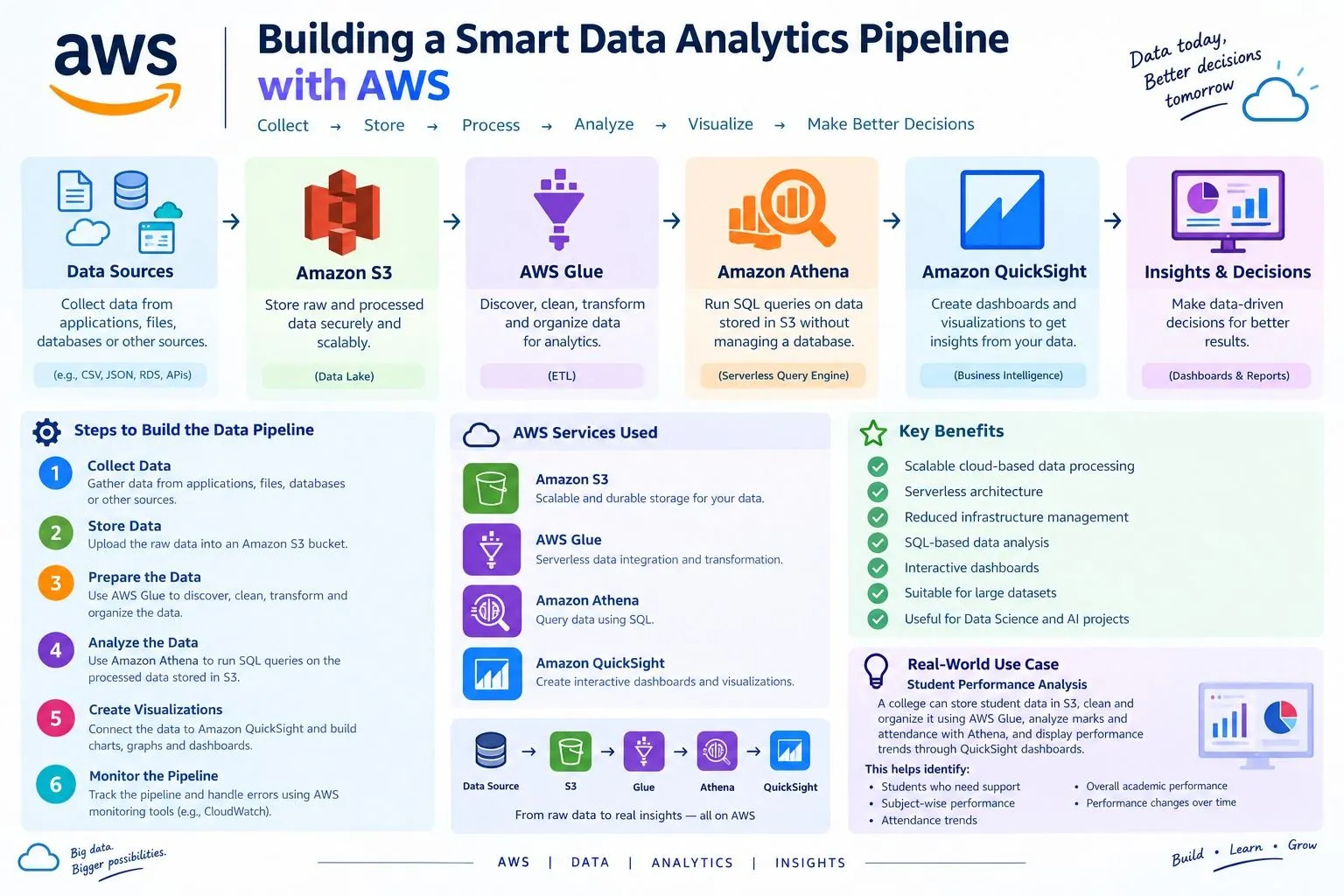
Building a Smart Data Analytics Pipeline with AWS
Learn how AWS cloud services can be used to collect, store, process, and analyze data through a simple and scalable data analytics pipeline. This article explains how Amazon S3, AWS Glue, Amazon Athena, and Amazon QuickSight can work together to turn raw data into useful insights.

Introduction
Organizations generate large amounts of data from applications, websites, customers, and business operations. An efficient data pipeline helps collect this data, organize it, process it, and convert it into meaningful information.
AWS provides several cloud services that can be combined to create a scalable data analytics solution without maintaining physical servers.
AWS Services Used
1. Amazon S3
1. Amazon S3
Amazon Simple Storage Service (S3) is used to store raw and processed data. It provides secure, scalable, and durable cloud storage.
2. AWS Glue
AWS Glue is a serverless data integration service. It can discover, prepare, transform, and organize data for analytics.
3. Amazon Athena
Amazon Athena allows users to analyze data stored in Amazon S3 using SQL queries without setting up a database server.
4. Amazon QuickSight
Amazon QuickSight can be used to create dashboards and visualizations from analyzed data. It helps users understand trends and make data-driven decisions.
Steps to Build the Data Pipeline
Step 1 – Collect Data
Collect data from applications, files, databases, or other sources.
Step 2 – Store Data
Upload the raw data into an Amazon S3 bucket.
Step 3 – Prepare the Data
Use AWS Glue to discover, clean, transform, and organize the data.
Step 4 – Analyze the Data
Use Amazon Athena to run SQL queries on the processed data stored in S3.
Step 5 – Create Visualizations
Connect the analyzed data to Amazon QuickSight and create charts, graphs, and dashboards.
Step 6 – Monitor the Pipeline
Monitor the data pipeline and identify errors or processing issues using AWS monitoring capabilities.
Workflow
Data Source → Amazon S3 → AWS Glue → Amazon Athena → Amazon QuickSight → Insights
For example:
Raw Data → Data Cleaning → Data Processing → SQL Analysis → Dashboard → Business Decision
Example Use Case
A college can use this architecture to analyze student performance data.
The system can store student records in S3, clean and organize the data using AWS Glue, analyze marks and attendance using Athena, and display performance trends through QuickSight dashboards.
This can help identify:
Students who need additional support
Subject-wise performance
Attendance trends
Overall academic performance
Performance changes over time
Benefits
Scalable cloud-based data processing
Serverless architecture
Reduced infrastructure management
SQL-based data analysis
Interactive dashboards
Suitable for large datasets
Useful for Data Science and AI projects
Conclusion
Subject-wise performance
Attendance trends
Overall academic performance
Performance changes over time
Benefits
Scalable cloud-based data processing
Serverless architecture
Reduced infrastructure management
SQL-based data analysis
Interactive dashboards
Suitable for large datasets
Useful for Data Science and AI projects
Conclusion
AWS provides a powerful environment for building modern data analytics pipelines. By combining Amazon S3, AWS Glue, Amazon Athena, and Amazon QuickSight, raw data can be transformed into useful insights and visual reports.
This type of architecture is especially useful for students and organizations working with Cloud Computing, Data Science, Business Analytics, and AI-based applications.
Enjoyed reading this content? Let the author know!
Your likes, comments, shares, and saves help creators reach more builders.

Loading recommendations
Loading article